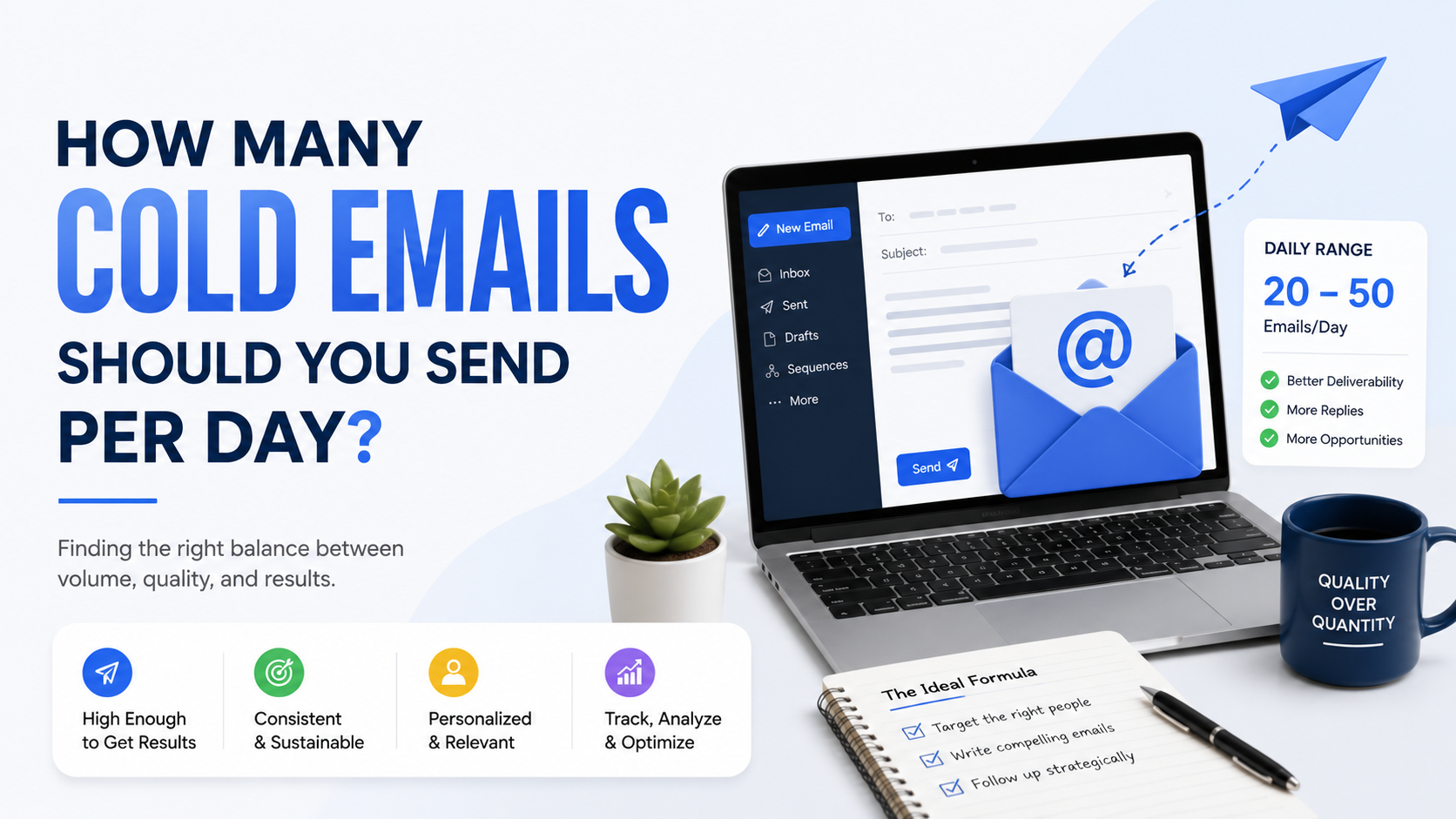
The question usually comes up right after someone finishes setting up their first cold email campaign.
The domain is ready.
The prospect list is sitting in a spreadsheet.
The email sequence is written.
Then comes the obvious question:
“How many emails can I send every day?”
It sounds like there should be one clean answer.
20?
50?
100?
500?
Unfortunately, email does not work that way.
One of the easiest mistakes in outbound sales is confusing your email provider’s maximum sending limit with a sensible cold email volume.
Those are completely different numbers.
Google Workspace may technically allow thousands of outgoing messages under some account types. Microsoft 365 also has relatively high recipient limits. But those limits exist as platform ceilings. They are not recommendations telling you how many unsolicited sales emails you should send.
For cold outreach, I care much more about the age of the mailbox, list quality, bounce rate, recipient reactions, and whether people are actually replying.
If you remember one thing from this guide, make it this:
Your safest cold email volume is the highest volume you can send while still behaving like a legitimate business sender and maintaining healthy recipient response signals.
That number is usually much lower than your provider’s technical maximum.
The Short Answer: How Many Cold Emails Per Day?
For a normal small-business outbound campaign, I would think in conservative ranges rather than chasing a universal number.
A rough operational approach could look like this:
New or newly active mailbox: start around 10–20 carefully targeted outreach emails per day.
Mailbox with some normal sending history: roughly 20–40 cold emails per day can be a more reasonable testing range.
Established mailbox with consistently clean data and healthy responses: you may gradually test somewhat higher volumes, but there is no reason to increase simply because software allows it.
These are not official Google or Microsoft limits, and they are not guarantees of inbox placement.
They are intentionally conservative planning ranges.
I would rather send 30 relevant messages that generate three genuine conversations than 300 emails that generate complaints and damage the sender’s reputation.
Your Email Provider’s Limit Is Not Your Cold Email Limit
This distinction is incredibly important.
Google says standard consumer Gmail accounts have a daily limit of around 500 outgoing messages, while many work, school, and Workspace Individual accounts have a total daily sending limit of up to 2,000. Gmail’s built-in mail merge has its own limit of up to 1,500 recipients per day for eligible accounts.
Does that mean you should create a Google Workspace account and immediately send 2,000 cold emails every day?
Absolutely not.
Microsoft 365 illustrates the same point even more clearly.
Exchange Online currently documents a recipient rate limit of 10,000 recipients per day for many plans, along with a message rate limit of 30 messages per minute. But Microsoft explicitly says those limits exist partly to discourage unsolicited bulk messaging and notes that Exchange Online is not intended as a bulk-mailing platform.
A technical ceiling answers:
“How much will the platform allow before throttling or blocking me?”
It does not answer:
“How much outreach is sensible for this mailbox?”
Those are two different questions.
Think About Reputation Before Volume
Imagine two mailboxes.
Mailbox A has existed for two years.
It sends customer emails every day.
People reply.
The sender has ongoing business conversations.
The mailbox has predictable activity.
Mailbox B was created yesterday.
It has sent four emails.
Then on Thursday morning it suddenly tries to contact hundreds of strangers.
Even without knowing anything about the content, those two sending patterns look very different.
This is why I would never choose cold email volume based only on what an outreach platform allows you to type into the “daily limit” field.
Sending history matters.
Start Smaller Than You Think You Need To
There is always pressure to scale cold outreach quickly.
Someone does the math:
If 100 emails create two leads, then 1,000 emails should create 20 leads.
So why not start at 1,000?
Because you have not yet proven that those first 100 emails will create two leads.
Maybe the offer is wrong.
Maybe the contact data is poor.
Maybe you are emailing the wrong role.
Maybe your message sounds generic.
Maybe your emails are bouncing.
Sending small batches gives you room to discover those problems without multiplying them.
If I were launching a new campaign, I would much rather test the first 50–100 carefully selected prospects over several days than dump a huge list into automation immediately.
Volume Should Increase Only After Quality Holds Up
Suppose you begin with 15 outreach emails per day.
The addresses are valid.
People reply.
Nobody complains.
The campaign generates a few relevant conversations.
Great.
You might increase gradually.
Maybe 20.
Then 25.
Then 30.
But imagine something different happens.
You send 15 per day and get:
Several bounces.
“Why are you emailing me?” replies.
Wrong-person responses.
Multiple opt-outs.
Zero relevant conversations.
That is not a signal to increase to 50.
It is a signal to stop and fix the campaign.
Volume should follow quality.
Quality should not be expected to appear after volume.
Bounce Rate Can Tell You When You’re Moving Too Fast
Suppose you have 1,000 prospects.
You are excited to contact all of them.
But 15% of the addresses are old.
Now increasing daily volume increases your bounces at exactly the same time.
That creates unnecessary risk.
Before scaling outreach, clean the list.
Tools such as Hunter, NeverBounce, ZeroBounce, and BriteVerify can help identify obviously invalid addresses, although no verification service is perfect.
I also like manually reviewing important accounts.
Check:
Does the person still work there?
Is the company still active?
Does the domain still exist?
Does the role make sense?
A smaller clean list is much easier to scale safely than a giant questionable database.
Gmail Cares About Spam Complaints
This is another reason raw sending volume is the wrong goal.
Google’s current sender guidance says senders should keep user-reported spam rates below 0.1% and prevent them from reaching 0.3% or higher. Google also warns that poor authentication, excessive spam rates, and other sender-requirement failures can lead to throttling, rejection, or spam placement.
Think about what that means practically.
If you send to a small group of highly relevant prospects, recipient reactions may be healthy.
If you increase volume by loosening your targeting, you may start contacting people who have no reason to hear from you.
Those recipients are much more likely to report the message.
The sending number went up.
Campaign quality went down.
That is not scaling.
Targeting Determines How Much Volume You Actually Need
This is something small businesses regularly overlook.
Imagine you sell web design to roofing companies.
You could build a list of:
10,000 random small businesses.
Or:
300 roofing companies actively running paid ads to websites with weak mobile quote flows.
Which campaign needs more volume?
Probably the first one.
Because the targeting is terrible.
The second campaign has a clear reason for existing.
You can write:
“Hi Mark,
I noticed you’re running ads for roof replacement in Dallas, but the mobile quote process takes several steps before someone can submit.
We work on conversion-focused sites for local service businesses.
I spotted two changes I’d test first. Want me to send them over?”
You do not need thousands of daily sends when the message is that specific.
Better targeting reduces your dependence on brute-force volume.
Your First 100 Emails Should Be Research
I do not mean you should spend an hour researching every person.
I mean you should treat the first batch as a learning exercise.
Track:
Total sent.
Delivered.
Bounced.
Replies.
Positive replies.
Negative replies.
Wrong-person replies.
Opt-outs.
Meetings.
Then look at what happened.
Suppose you send 100 emails and receive:
12 replies.
5 positive conversations.
2 referrals to the correct decision-maker.
1 meeting.
That is useful.
Now suppose you get:
8 bounces.
7 opt-outs.
2 angry replies.
No positive conversations.
Increasing to 500 per day would simply magnify the wrong result.
How Many Cold Emails Should a New Mailbox Send?
This is where I would be most conservative.
A brand-new mailbox has very little normal sending history.
I would not create it Monday morning and immediately start treating it like a high-volume outbound account.
Start with normal business use.
Have legitimate conversations.
Make sure incoming and outgoing mail works.
Confirm SPF, DKIM, and DMARC.
Then introduce a small amount of outreach.
For an early campaign, something around 10–20 well-targeted cold emails per day is a more sensible testing mindset than trying to hit the provider’s maximum.
The exact number is less important than the gradual pattern.
What About an Established Mailbox?
An established mailbox gives you more history, but that still does not mean unlimited outreach.
If the mailbox normally sends 15 business emails each day, suddenly adding 300 cold emails creates a major change in behavior.
I would still increase carefully.
Something like 20–40 daily cold emails can be a useful range for testing on a healthy business mailbox, depending on the provider, sender history, target quality, and overall activity.
Again, that is a conservative operational range, not an official rule.
Monitor results before changing it.
Should You Send 100 Cold Emails Per Day?
You can build an outbound operation that sends 100 prospecting emails per day.
But I would not decide that 100 is the target before I have a reason for it.
Ask:
How many qualified prospects do we actually have?
How many responses can we handle?
Is the list verified?
Is the mailbox established?
Are complaint levels healthy?
Is the campaign producing positive replies?
Are follow-ups included in that number?
That last question is often forgotten.
If you contact 40 new prospects today and your automated sequences send 35 follow-ups to previous prospects, your real outbound activity is already much higher than 40.
Always think about total sending activity.
Follow-Ups Count Too
Suppose you build a four-email sequence.
You add 50 new prospects every day.
After several days, your mailbox may be sending:
50 initial emails.
40 first follow-ups.
30 second follow-ups.
20 third follow-ups.
You thought you were sending “50 cold emails per day.”
The mailbox is actually sending around 140 campaign messages.
This is why sequence planning matters.
Do not set the new-lead volume without calculating follow-up volume.
Your outreach software may help control total daily sending.
Use that feature.
Don’t Send Every Message at the Same Minute
Normal business correspondence does not usually involve 80 nearly identical emails leaving the same mailbox at exactly 9:00 AM.
Spread outreach naturally through appropriate business hours.
But do not obsess over artificial patterns designed to “trick” email providers.
The goal is not disguising bulk spam as personal mail.
The goal is running reasonable business outreach.
That means:
Relevant recipients.
Reasonable volume.
Honest sender identity.
Clean data.
Real replies.
Responsible opt-out handling.
Those factors matter far more than finding some perfect random delay between messages.
Time Zone Matters More for Replies Than Deliverability
If your prospects are in New York and you send messages during their normal workday, they are more likely to see and respond naturally.
If they are in London, adjust accordingly.
You can schedule messages through platforms such as Smartlead, Instantly, Lemlist, Mailshake, Apollo, HubSpot, or other outreach systems.
But I would optimize sending time for the recipient’s convenience rather than looking for a supposedly magical inbox-placement hour.
A relevant email at 10:17 AM is not automatically better than one at 11:42 AM.
Do not overengineer it.
Google Has Extra Rules for High-Volume Senders
Google currently treats senders who send more than 5,000 messages per day to personal Gmail accounts as bulk senders for its enhanced sender requirements.
Those senders need measures including SPF and DKIM, DMARC, alignment, TLS, and one-click unsubscribe for applicable marketing and promotional messages. Google also emphasizes maintaining low spam complaint rates.
Most small cold-email campaigns should be nowhere near that level.
But the rule is useful because it demonstrates something important:
As volume grows, infrastructure and compliance requirements become more serious, not less.
High volume is not simply “small outreach multiplied.”
It becomes a different operational problem.
Microsoft 365 Has High Limits, but Microsoft Still Warns Against Bulk Use
Microsoft Exchange Online allows many plans to reach as many as 10,000 recipients in a 24-hour window and documents a message rate of 30 per minute.
That sounds enormous compared with conservative cold outreach ranges.
But the same documentation explicitly says Exchange Online is not suited to bulk-mailing scenarios and recommends other specialized services for legitimate bulk commercial messaging.
This is exactly why I never use platform ceilings as outreach targets.
The provider itself is telling you that “technically possible” and “appropriate use” are different things.
Should You Use Multiple Mailboxes to Send More?
I would not start there.
This is one of those situations where outbound becomes unnecessarily complicated.
Someone wants to send 500 emails per day.
Instead of first proving that the campaign works, they immediately start thinking about:
Multiple domains.
Multiple mailboxes.
Complex routing.
Huge automation systems.
Now there are ten times more things to monitor.
Before increasing infrastructure, prove the economics.
Can one properly managed campaign generate:
Replies?
Meetings?
Opportunities?
Sales?
If not, more mailboxes will not fix the problem.
They will simply make a failing system larger.
I would never recommend creating extra accounts purely to evade a provider’s sending restrictions.
If your legitimate sending needs exceed normal mailbox use, move to infrastructure designed for that type of communication rather than trying to work around provider safeguards.
Cold Email Volume Should Match Account Value
There is another factor people forget:
How valuable is one customer?
Suppose you sell a $30,000 consulting engagement.
You may only need 100 carefully selected target accounts.
Researching each one properly and sending low-volume, highly specific outreach makes sense.
Now imagine you sell a $50 service.
You may need more volume for the economics to work.
But there is still a point where outbound email may simply not be the right acquisition channel.
Do not assume every business model should be solved by increasing cold email volume.
Sometimes:
Google Ads.
SEO.
Content.
Partnerships.
Cold calling.
LinkedIn.
Referral programs.
or another channel makes more financial sense.
The Best Daily Volume Is Different for Every Campaign
Consider three situations.
Campaign A: Enterprise Consulting
Potential account value: $100,000.
Target market: 150 companies.
Ideal approach:
Low volume.
Heavy research.
Personalized outreach.
Probably no reason to send hundreds per day.
Campaign B: Marketing Agency
Potential account value: $5,000–$20,000.
Target market: several thousand companies.
Ideal approach:
Moderate, segmented outbound.
Careful testing.
Gradual scaling after positive replies.
Campaign C: Local Commercial Cleaning
Potential market: 500 relevant businesses in one city.
Ideal approach:
Small daily email batches plus phone calls.
There is no reason to blast the entire market in one week.
The audience size itself should influence volume.
Common Cold Email Volume Mistakes
Treating Provider Limits as Targets
A daily limit tells you when the platform may stop you.
It does not tell you what good outreach looks like.
Starting Too High
New campaigns should earn the right to scale.
Ignoring Follow-Up Volume
Total sequence traffic matters.
Scaling a Campaign With No Positive Replies
More bad outreach is still bad outreach.
Using Bad Data to Reach a Daily Target
Never add questionable contacts simply because you “need another 50 leads today.”
Ignoring Complaints
Negative recipient behavior is feedback.
Creating More Mailboxes Before Fixing the Offer
Infrastructure should not replace strategy.
Focusing on Sent Emails Instead of Opportunities
The objective is customers, not a big sent-mail counter.
A Practical Cold Email Volume Plan
If I were building a new campaign, I would approach it like this.
Step 1: Prepare the Domain
Make sure SPF, DKIM, and DMARC are configured correctly.
Step 2: Prepare the Mailbox
Use a legitimate business identity and make sure the inbox operates normally.
Step 3: Build a Small, Clean List
Start with 50–100 strong prospects.
Step 4: Begin Conservatively
For a new or newly active inbox, test around 10–20 targeted cold emails per day rather than rushing toward provider limits.
Step 5: Track Everything
Monitor:
Bounces.
Replies.
Positive replies.
Opt-outs.
Complaints.
Meetings.
Step 6: Fix Problems Before Increasing
Poor targeting will not improve through more volume.
Step 7: Increase Gradually
If quality remains healthy, test moderate increases.
Step 8: Include Follow-Ups in the Daily Total
Do not count only new prospects.
Step 9: Review Weekly
Look at actual sales outcomes.
Step 10: Stop Increasing When More Volume Stops Improving Business Results
This last step matters.
You do not need to maximize sending.
You need to maximize useful conversations.
How Do You Know You’re Sending Too Much?
Your campaign will usually give you clues.
Watch for:
Increasing bounce rates.
Increasing complaints.
More opt-outs.
Declining positive reply rates.
Provider warnings.
Throttling.
Worsening inbox placement.
A sudden increase in “Why are you contacting me?” replies.
Those are not signals to buy another mailbox and keep going.
Investigate them.
Something in the system needs attention.
How Do You Know You Can Increase?
I would look for the opposite pattern.
Addresses are consistently valid.
Bounce rates remain low.
Prospects understand why they are being contacted.
Positive replies continue.
Complaints are rare.
Meetings are being generated.
The sales team can handle the conversations.
Only then would I test higher volume.
And I would still increase gradually.
Do Not Chase Someone Else’s Number
This is probably the biggest lesson.
You will see people online saying:
“Send exactly 37 emails per mailbox.”
Another person says:
“50 is safe.”
Another says:
“100 works for me.”
Those numbers are meaningless without context.
What provider?
How old is the mailbox?
What type of domain?
How good is the list?
How many follow-ups?
What industry?
What recipient behavior?
What authentication?
What complaint rate?
What type of emails?
A number that works in one environment can fail badly in another.
There is no universally safe daily cold email limit.
Start With Conversations, Then Work Backward
Instead of asking:
“How can we send 500 emails every day?”
ask:
“How many qualified conversations do we need?”
Suppose you need 10 qualified conversations per month.
You test a carefully targeted campaign and discover that every 100 prospects produce four qualified conversations.
You may only need 250 strong prospects each month.
That is very different from assuming you need to send thousands.
Cold email should be designed backward from the business outcome.
Not forward from the maximum sending capacity.
More Emails Are Not the Goal
The best cold outreach campaigns eventually become boring.
You know the audience.
You know why they care.
Your data is clean.
Your email is short.
The follow-ups make sense.
Your daily volume is predictable.
Replies go into a CRM.
Meetings happen.
Customers close.
At that point, you are not thinking:
“How can I squeeze another 300 emails out of this mailbox?”
You are thinking:
“How can I find more good-fit prospects without lowering the quality?”
That is a much healthier scaling problem.
For a new campaign, start conservatively.
For an established one, increase only when the data supports it.
Pay attention to total sequence volume, not just initial emails.
Treat Google and Microsoft sending limits as hard technical boundaries rather than cold-outreach recommendations.
Most importantly, do not measure success by how much email leaves your mailbox.
Measure how many useful conversations come back.
Because sending 500 cold emails a day means very little if nobody wants to answer them.
Thirty relevant emails that generate real opportunities will beat that every time.