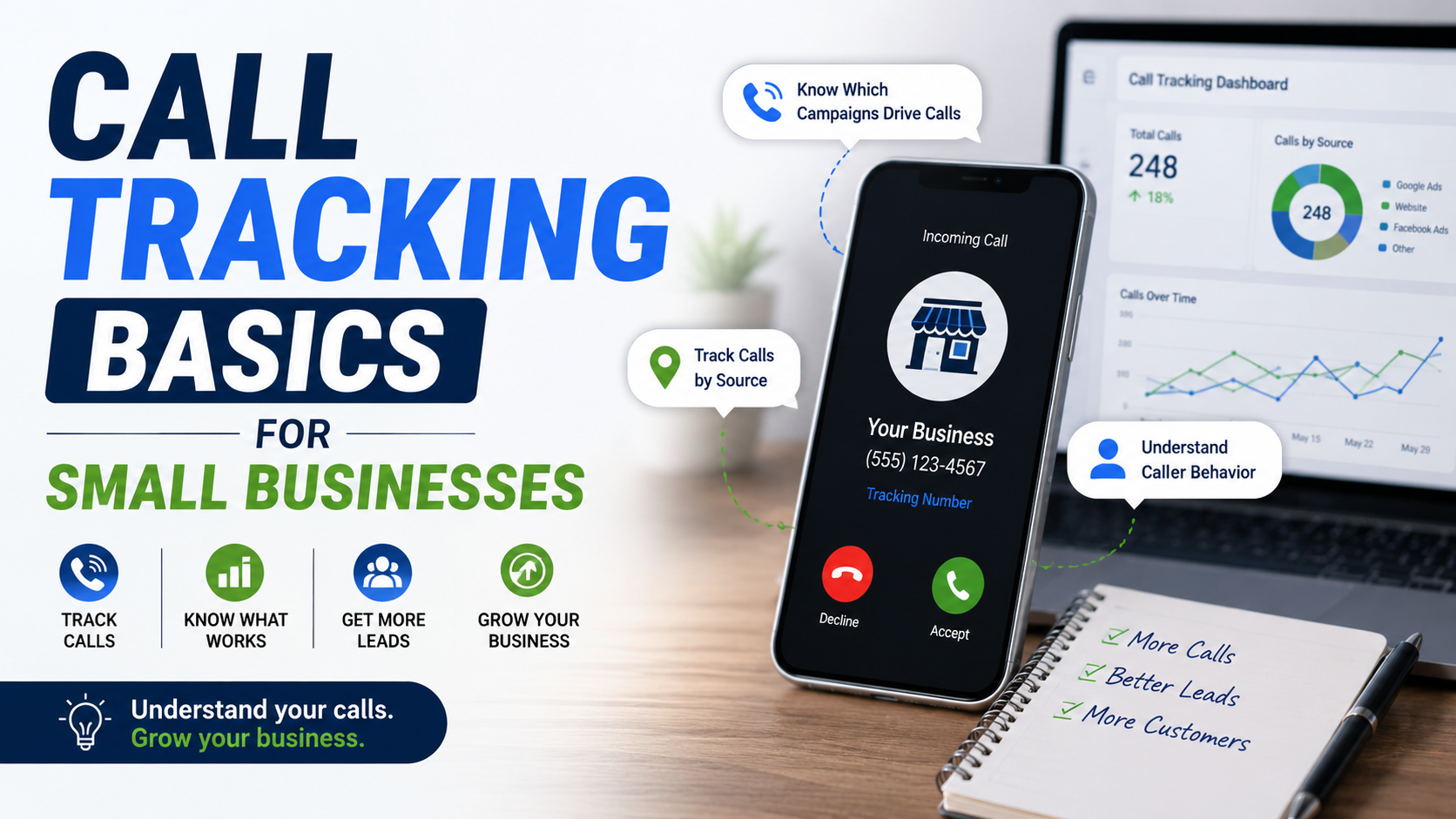
I have seen small businesses spend thousands on advertising while answering the same basic question with a guess:
“Where are your phone leads coming from?”
Usually the answer sounds something like:
“Mostly Google, I think.”
That is not very useful when money is going into Google Ads, SEO, Facebook, Google Business Profile, directories, referrals, and offline advertising at the same time.
The phone rings.
Someone books a job.
Everyone is happy.
But nobody knows which marketing actually caused that call.
That is where call tracking becomes useful.
It does not need to be complicated.
At its simplest, call tracking helps you connect an incoming phone call with the marketing source that generated it.
Instead of seeing:
37 calls this month
you can start seeing:
12 from Google Ads
9 from organic search
6 from Google Business Profile
4 from Facebook
3 from referral websites
and so on.
More advanced setups can go even further and connect a call to the exact campaign, landing page, ad group, or website visitor.
For a small business, that information can completely change how you decide where to spend your marketing budget.
Why Normal Phone Numbers Create an Attribution Problem
Imagine you run a roofing company.
Your main number appears everywhere:
Your website.
Google Business Profile.
Facebook.
Truck signage.
Business cards.
Google Ads.
Local directories.
Someone calls that number.
You know you received a lead.
But where did they find you?
You can ask:
“How did you hear about us?”
Sometimes that works.
Sometimes the customer says:
“Google.”
But that still does not tell you much.
Did they click a Google Ad?
Did they find your Google Business Profile?
Did they find an organic search result?
Did they already know the company name and search for it?
Did they see an ad last week and call today?
Customers are not responsible for your marketing attribution.
That is why tracking the source automatically is usually more reliable.
What Call Tracking Actually Does
The basic idea is surprisingly simple.
A call-tracking platform provides a tracking phone number.
When someone calls that number, the call is forwarded to your normal business phone.
Your team answers exactly as usual.
The caller normally does not know anything special is happening.
Behind the scenes, the tracking system records information about the call.
Depending on your setup, that may include the traffic source, campaign, landing page, call time, call duration, and other attribution details.
Your main business line still rings.
The difference is that you now know more about what generated the call.
A Tracking Number Is Not Necessarily a New Business Number
This confuses business owners at first.
Suppose your real number is:
555-123-4567
A tracking platform provides:
555-987-6543
A customer calls the tracking number.
The service forwards that call to:
555-123-4567
Your receptionist answers the normal phone.
Nothing needs to change operationally.
The tracking number acts as an attribution layer between the customer and your main line.
There Are Two Basic Levels of Call Tracking
The first is source-level tracking.
This is the simpler version.
You assign a different number to each marketing source.
For example, one number for Google Ads and another for Facebook.
If the Google Ads number receives 20 calls and the Facebook number receives five, you have basic attribution.
This is useful for simple campaigns and offline marketing.
The second is visitor-level tracking.
This is more sophisticated.
The website dynamically displays different tracking numbers to different visitors so the system can connect individual callers with their website sessions.
Platforms such as CallRail use number pools for this kind of visitor tracking. A number from the pool is temporarily assigned to a visitor, allowing the platform to connect the eventual call with details about that visitor’s journey.
For many small businesses, source-level tracking is enough to get started.
You do not automatically need the most advanced setup.
What Is Dynamic Number Insertion?
You will hear the term Dynamic Number Insertion, usually shortened to DNI.
It sounds technical.
The concept is simple.
Your website contains your normal business number.
A tracking script detects where the visitor came from and temporarily replaces the visible number with an appropriate tracking number.
Imagine two visitors.
Sarah arrives through Google Ads.
She sees:
555-111-1111
Mike arrives through organic Google search.
He sees:
555-222-2222
Both numbers eventually ring the same business.
If Sarah calls, the tracking platform knows the call came from the paid campaign.
If Mike calls, the platform associates his call with organic traffic.
CallRail currently describes DNI as dynamically swapping the website number based on a visitor’s source and using either individual source-tracking numbers or a pool of numbers for more detailed visitor-level reporting.
That is the technology behind a lot of modern website call tracking.
Why Number Pools Are Used
If you want to connect phone calls to individual website sessions, one number for Google Ads is not enough.
Imagine ten Google Ads visitors are on your website at the same time.
They all see the same tracking number.
Someone calls.
Which of those ten website sessions produced the call?
You do not know.
A number pool solves that.
Different active visitors can temporarily receive different numbers.
When a call comes through one of those numbers, the tracking platform knows which website session had that number assigned.
This can allow much more detailed attribution.
CallRail’s current visitor-tracking documentation explains that website pools assign numbers to active visitors so calls can be correlated with individual visitor journeys and, for paid search, available PPC keyword information.
For a small local business spending a few hundred dollars per month on advertising, that level of detail may be unnecessary.
For a business spending $20,000 per month across multiple campaigns, it can be extremely useful.
Google Ads Has Its Own Call Tracking
If most of your concern is Google Ads, you may not need a separate call-tracking platform immediately.
Google Ads provides call reporting and phone call conversion tracking using Google forwarding numbers in supported situations.
When call reporting is enabled, Google can display a forwarding number instead of your direct business number.
A customer calls the forwarding number.
Google routes the call to your real business number.
Google Ads can then report information such as the campaign and call duration.
This is particularly useful when you want to know whether your advertising is generating phone enquiries.
Calls Directly From Ads
A person may not even visit your website.
They see a Google ad with a call option.
They tap the phone number.
They call.
With appropriate call reporting enabled, Google can measure those interactions.
That means you can distinguish phone calls generated directly from advertising from ordinary business calls.
This matters for local businesses where customers often want to call immediately.
Examples include:
Emergency plumbing.
HVAC repair.
Towing.
Locksmith services.
Roof repair.
Dental appointments.
Pest control.
If calls drive revenue, you should not judge those campaigns only by website forms.
Calls From Your Website After an Ad Click
There is another scenario.
Someone clicks your Google Ad.
They land on your website.
They read the service page.
Then they call the number displayed on the website.
Google Ads can track certain website calls by replacing the number shown to eligible ad visitors with a Google forwarding number when the required setup is in place.
Google’s current documentation says advertisers can set a minimum call length and count calls that meet that duration as conversions.
That brings us to an important point.
Not every phone call should necessarily count as a valuable lead.
A Phone Call Is Not Automatically a Good Lead
Suppose your ads generated 40 calls.
Sounds good.
Then you look closer.
Ten were wrong numbers.
Six were people asking about services you do not provide.
Four were salespeople.
Five were outside your service area.
Five lasted less than 20 seconds.
Only ten were serious potential customers.
Now the number:
40 calls
looks very different.
Call tracking becomes much more valuable when you move beyond counting rings.
You want to understand call quality.
Use Call Duration as a Basic Quality Filter
One simple method is minimum call duration.
Suppose most genuine customer conversations last at least 60 seconds.
You could decide that calls shorter than that should not count as primary Google Ads conversions.
Google Ads allows businesses to define a call-length threshold for call conversions, so shorter calls can remain in reporting without being treated as conversions.
But do not blindly choose 60 seconds because somebody on a marketing blog recommended it.
Look at your own calls.
A locksmith may qualify a real customer in 35 seconds.
A lawyer may need a five-minute conversation.
A restaurant reservation might take 45 seconds.
A commercial construction lead might take ten minutes.
The right duration depends on the business.
Call Duration Still Does Not Equal Lead Quality
A six-minute call is not automatically a good lead.
Maybe the caller spent six minutes complaining about a previous order.
Maybe they were trying to sell you something.
Maybe they were looking for another company.
Duration is a useful signal.
It is not the final answer.
Eventually, you should connect calls to actual outcomes.
That might mean marking a call as:
Qualified.
Unqualified.
Appointment booked.
Estimate scheduled.
Existing customer.
Sales call.
Spam.
Won customer.
Lost opportunity.
This is where your CRM becomes important.
Call Tracking Becomes Much More Valuable With a CRM
Imagine you know:
Google Ads generated 30 calls.
That is useful.
Now imagine you know:
Google Ads generated 30 calls.
18 were qualified.
12 booked estimates.
7 became customers.
Those customers generated $34,000.
That is real business intelligence.
Your call-tracking platform may integrate with tools such as:
HubSpot.
Pipedrive.
Salesforce.
Zoho CRM.
Jobber.
ServiceTitan.
Other industry CRMs.
The specific software is less important than connecting the marketing source with the sales result.
Cost Per Call Can Be Misleading
Suppose Campaign A spends $2,000.
It generates 50 calls.
Cost per call:
$40.
Campaign B spends $2,000.
It generates 20 calls.
Cost per call:
$100.
Campaign A looks much better.
Now look at outcomes.
Campaign A produced five qualified customers.
Campaign B produced ten.
Suddenly Campaign B looks much stronger.
This is why I do not like stopping at:
Cost per call.
Eventually, you want:
Cost per qualified call.
Cost per appointment.
Cost per customer.
Revenue per campaign.
That tells you what is actually working.
Call Tracking Is Especially Useful for Local Businesses
Local buying journeys are often phone-heavy.
Think about someone searching for:
“AC repair near me.”
They may never want to fill out a form.
They want to ask:
“Can you come today?”
The company that tracks only forms may think a campaign produced three leads.
In reality:
Three forms.
Plus 17 calls.
Now the campaign looks completely different.
This applies to businesses such as:
Contractors.
Roofers.
Landscapers.
Dentists.
Clinics.
Auto repair shops.
Law firms.
Cleaning companies.
Home services.
Property services.
Restaurants.
If customers regularly call before buying, call tracking should at least be considered.
Tracking Phone Clicks Is Not the Same as Tracking Calls
This distinction catches people all the time.
Using Google Tag Manager or GA4, you can track when someone taps a clickable phone number.
For example:
Call Now
This tells you:
Someone clicked the phone link.
It does not prove:
The call connected.
Someone answered.
The conversation lasted.
The person was qualified.
Phone-click tracking is still useful.
I usually think of it as an intent signal.
Call tracking tells you more about what happened after that intent.
Do not name your GA4 event:
qualified_phone_call
when all you actually measured was a click.
Call it something accurate, such as:
phone_click
Honest event naming prevents bad reports later.
What Should You Actually Track?
For a small business, I would start with the actions that help answer business questions.
You want to know where the call came from, how long it lasted, whether it was answered, whether it was a real opportunity, and what eventually happened.
Depending on the platform, you may also have access to:
Landing page.
Campaign.
Ad group.
Paid-search keyword information.
New vs repeat caller.
Call recording.
Call transcript.
Caller location.
Call outcome.
Do not collect every metric just because the dashboard offers it.
Collect what helps you make a decision.
Missed Calls Are One of the Most Important Reports
This is one of my favorite things call tracking exposes.
A business says:
“We need more leads.”
Then you look at the calls.
Twenty percent are going unanswered.
That may not be a marketing problem.
You may already have leads.
You have an answering problem.
Imagine spending $100 to generate a qualified roofing call and letting it ring six times with no answer.
That budget is wasted after the marketing already worked.
Track missed calls.
Then build a process for them.
That may include:
Missed-call notifications.
Automatic SMS response where appropriate.
CRM tasks.
Callback reminders.
Routing to another team member.
After-hours answering.
Sometimes improving phone handling creates more revenue than increasing the ad budget.
First-Time Callers Can Be More Useful Than Total Calls
Imagine your tracking report shows:
100 calls.
Sounds great.
But 55 were existing customers.
If the goal is new-customer acquisition, total call volume can be misleading.
Look at first-time callers where your system supports it.
Existing customer calls still matter operationally.
They simply should not always be credited as new marketing leads.
Call Recording Can Help With Quality Control
Some call-tracking platforms offer recording.
That can help businesses understand:
Why leads do not book.
What customers keep asking.
Whether reception is answering well.
Which objections occur.
Whether advertising is attracting the wrong type of customer.
For example, you may discover people repeatedly ask:
“Do you service commercial properties?”
That tells you something about the website and ad copy.
Maybe your commercial services are not clear enough.
Call recordings can become customer research.
But call recording also has privacy and legal considerations.
Consent requirements differ by jurisdiction.
If you record calls, understand the laws and disclosure requirements that apply to your business and callers.
Do not assume recording is automatically permitted just because the software offers the feature.
Call Transcription Can Save Time
If you receive hundreds of calls, listening to everything manually is unrealistic.
Some modern call-tracking systems provide:
Transcripts.
Conversation summaries.
Keyword detection.
Automated categorization.
AI-assisted lead scoring.
These features can help.
But I would not blindly trust automated qualification.
A system may label a call:
“Qualified lead.”
Review whether that definition matches what your sales team actually considers qualified.
Automation is useful for sorting.
Your business logic still matters.
What About Google Business Profile?
This is important because many local customers call directly from Google’s local results without visiting the website.
If you track only website traffic, those leads can disappear from your attribution picture.
A call-tracking number can sometimes be used strategically for local listing attribution, but the setup should be handled carefully because your core business phone information still matters.
For website tracking specifically, DNI provides a cleaner method because your standard business number can remain part of the underlying site setup while visitors see temporary tracking numbers.
CallRail’s current guidance says properly implemented dynamic number insertion can be used while maintaining the business’s normal NAP information, rather than permanently replacing the official number across the web.
If local SEO is important, do not casually replace your phone number across dozens of citations without understanding the consequences.
Will Call Tracking Hurt Local SEO?
This question comes up a lot.
The concern is understandable.
Local SEO often depends on consistent business information, including:
Name.
Address.
Phone number.
Usually shortened to:
NAP.
If every directory shows a different permanent business number, things can become messy.
Proper dynamic number insertion is designed to avoid that problem.
The website’s underlying business information can remain consistent while the visible phone number is dynamically swapped for individual visitors for tracking purposes.
CallRail specifically documents DNI and NAP-consistency approaches for businesses using call tracking with local SEO.
The important phrase is:
properly implemented.
Do not improvise your own setup by permanently changing business numbers everywhere.
Offline Call Tracking Is Useful Too
Call tracking is not only for websites.
Imagine you run a home-improvement company and advertise through:
Billboard.
Postcard.
Local newspaper.
Flyer.
Vehicle wrap.
Radio.
You could assign a unique tracking number to a specific campaign.
Now if the postcard generates 22 calls, you have evidence.
Without tracking, all calls simply reach the same main number and offline performance becomes difficult to judge.
Source-level tracking numbers are very useful for this.
Do Not Create Too Many Numbers Without a Reason
There is an opposite problem.
Businesses get excited about attribution and create separate numbers for:
Every Facebook ad.
Every brochure.
Every landing page.
Every salesperson.
Every city.
Every directory.
Soon nobody understands the system.
Start with the questions you actually need answered.
Maybe you only need to distinguish:
Google Ads.
Organic/website.
Facebook.
Direct mail.
That is enough to start.
More granularity should solve a real reporting problem.
Popular Call-Tracking Platforms
There are several established options.
CallRail is common among local businesses and agencies.
Other platforms include:
CallTrackingMetrics.
WhatConverts.
Twilio-based custom systems.
Industry-specific tracking platforms.
Some CRMs and phone systems also include attribution features.
Do not choose purely by the longest feature list.
A small plumbing company may need:
Tracking numbers.
Forwarding.
Missed-call alerts.
Source attribution.
Basic CRM integration.
It probably does not need an enterprise contact-center analytics system.
Google Ads Tracking May Be Enough for Some Businesses
If your only question is:
“Which Google Ads campaigns generate calls?”
start with Google’s own tools.
Google forwarding numbers can track calls generated by eligible ads and website visits from ads while routing those calls to your actual business number. Google’s call reporting can provide details including call duration and campaign information.
That may be enough.
Consider a third-party platform when you need broader attribution across:
Google Ads.
Organic search.
Google Business Profile.
Meta.
Bing.
Directories.
Offline campaigns.
Other channels.
Do not buy more software than your reporting needs justify.
Your Website Number Must Actually Swap Correctly
DNI is useful only if it works.
This sounds obvious, but scripts break.
A website redesign happens.
Caching changes.
A plugin is replaced.
A developer removes code.
Suddenly tracking numbers no longer swap.
Everything still looks normal because the real number appears.
But attribution silently disappears.
CallRail’s current implementation guidance recommends testing individual pages where DNI is installed because confirming one page does not guarantee that every other page is swapping correctly.
That is why I always recommend testing tracking after meaningful website changes.
Test It Like a Customer
Do not just look at the dashboard and assume it works.
Open a private browsing window.
Simulate the traffic source you are trying to track.
Visit the landing page.
Check the number.
Click it on mobile.
Call it.
Make sure the real phone rings.
Answer it.
Check the tracking report.
Then test another source.
If you use a number pool, test navigation between pages too.
Make sure the number stays consistent during the visitor session.
Testing call tracking is much easier than discovering three months later that attribution was broken.
Make Sure Click-to-Call Still Works
Dynamic numbers should remain clickable on mobile.
A customer should be able to tap:
Call Now
and immediately start the phone call.
Do not let the tracking implementation break basic usability.
Always test:
Header number.
Sticky mobile CTA.
Footer.
Contact page.
Service page.
Landing pages.
Popup forms or contact widgets.
Anywhere a number appears.
Watch Website Performance
DNI generally requires an additional script.
Like any third-party script, it adds some work to the website.
For most well-implemented sites, this may be manageable.
Still, check performance.
You already may have:
Google Analytics.
Google Tag Manager.
Meta Pixel.
Chat.
Heatmaps.
Review widgets.
Cookie tools.
Booking software.
Adding more third-party code without auditing the site can make pages heavier.
Run performance tests before and after major implementation changes.
Tracking should not noticeably damage the customer experience.
Connect Call Tracking With Google Analytics Carefully
Some call-tracking platforms can send call activity into your analytics setup.
That can help you view calls alongside:
Form submissions.
Traffic.
Landing pages.
Other conversions.
But use clear event names.
For example:
phone_click
should mean:
Someone clicked a phone link.
phone_call
should mean:
An actual tracked call happened.
qualified_call
should only mean:
The call met your qualification criteria.
Do not turn three different actions into the same event called:
“Lead.”
You will regret it when analyzing results later.
Set Up Your CRM Before Chasing Perfect Attribution
There is little value in knowing:
Google Ads generated 27 calls.
if nobody records what happened to them.
At minimum, your team should be able to mark:
Qualified.
Unqualified.
Appointment.
Estimate.
Sale.
Lost.
Then you can compare marketing sources properly.
A simple process with imperfect attribution is more useful than perfect tracking attached to a chaotic sales process.
Privacy Matters
Call tracking may involve handling information about callers and their interactions.
Features such as:
Recording.
Transcription.
Caller identification.
CRM matching.
can raise additional privacy considerations.
The rules vary by country and region.
If your business uses recording or processes personal caller information, make sure your privacy disclosures, consent processes, retention practices, and vendor setup meet the requirements that apply to you.
Do not collect data just because the platform allows it.
Know why you need it.
Common Call-Tracking Mistakes
The mistakes I see most often are fairly predictable: counting phone clicks as real calls, treating every call as a qualified lead, choosing an arbitrary duration threshold, forgetting missed calls, failing to connect leads to sales outcomes, installing DNI but never testing it after site changes, permanently changing business numbers everywhere without considering local SEO, recording calls without checking applicable consent rules, buying a complicated platform nobody knows how to use, and optimizing ad spend from cost per call instead of cost per customer.
Most of these problems come from the same thing:
Tracking activity instead of business outcomes.
A Simple Call-Tracking Setup for a Local Contractor
Imagine a concrete contractor spending money on Google Ads while also receiving leads from SEO and Google Business Profile.
I would start fairly simply.
The website keeps the normal business line as the core number.
DNI is used where appropriate to connect website calls with their traffic sources.
Google Ads call reporting is enabled where supported and relevant.
Phone-button clicks are tracked separately in analytics.
Actual calls go into the call-tracking platform.
The business reviews:
Source.
Campaign.
Call duration.
Answered or missed.
New or repeat caller.
Qualified status.
The CRM records:
Estimate booked.
Job won.
Revenue.
Now the business can ask a much better question than:
“How many calls did we get?”
It can ask:
“Which marketing generated profitable jobs?”
That is the point.
Start With a Basic Call-Tracking Checklist
If you are setting this up for the first time, keep the first version manageable:
- Define which phone actions count as real leads.
- Decide which marketing sources actually need separate attribution.
- Keep phone-click tracking separate from actual-call tracking.
- Use Google Ads forwarding numbers when they fit your paid-search needs.
- Consider DNI when you need website source or visitor attribution.
- Keep your core business number consistent where local SEO requires it.
- Set a realistic call-duration threshold rather than copying someone else’s number.
- Track missed calls as well as answered calls.
- Connect qualified-call outcomes to your CRM.
- Test every important page and phone placement yourself.
- Review lead quality, customers, and revenue instead of call volume alone.
You can add sophistication later.
The Number of Calls Is Only the Beginning
Call tracking often starts because someone wants a dashboard showing:
Google Ads: 35 calls.
SEO: 22 calls.
Facebook: 8 calls.
Useful.
But that should not be the final report.
Eventually, you want to know:
Which calls were real?
Which were qualified?
Which booked an appointment?
Which turned into paying customers?
How much revenue did they generate?
That is when call tracking becomes genuinely useful.
You stop deciding marketing budgets based on clicks and impressions.
You stop assuming every phone call has the same value.
You start seeing the path from:
Marketing source.
To phone conversation.
To sales opportunity.
To customer.
A small business does not need a complicated call center to benefit from that.
Even a basic setup can answer questions that were previously guesswork.
If your business closes customers over the phone, the calls are part of your conversion funnel.
Track them with the same seriousness you would track an ecommerce purchase or online booking.
But keep the system practical.
Track the channels that matter.
Test the numbers.
Separate clicks from calls.
Watch missed calls.
Record outcomes.
Connect them to revenue.
Because the real purpose of call tracking is not knowing why the phone rang.
It is knowing which marketing made the phone ring with the kind of customer you actually want.