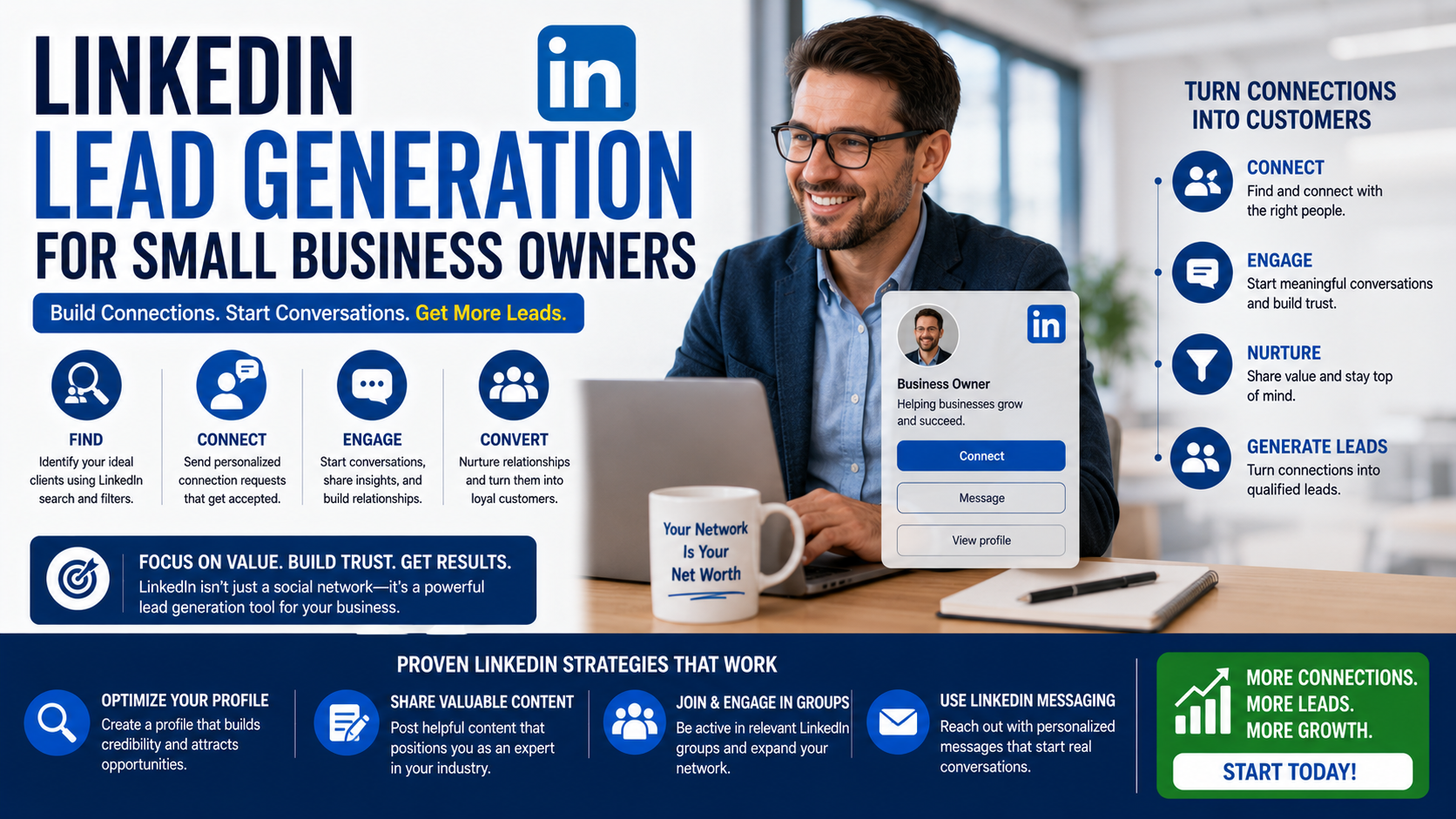
A small agency owner can spend an entire afternoon sending LinkedIn connection requests and finish the day feeling productive.
Fifty requests sent.
Twelve new connections.
A few profile views.
Maybe one polite reply saying, “Thanks for connecting.”
Then nothing happens.
No useful conversations. No discovery calls. No new clients.
The problem is not always the number of messages. It is usually what happened before and after those messages.
The profile looks like a résumé instead of a client-facing page. The outreach is generic. The content speaks about the business rather than the customer’s problems. New connections are pushed into a sales call before there is any reason for them to trust the person contacting them.
LinkedIn lead generation works differently from sending a large cold-email list.
People can see your employment history, posts, comments, mutual connections, company, and professional reputation before they reply. That creates an opportunity, but it also makes weak outreach easier to spot.
For a small-business owner, the goal is not to collect the largest possible network.
The goal is to become visible to the right people, start relevant conversations, and give suitable prospects a natural path toward working with you.
Know Whether Your Customers Use LinkedIn
LinkedIn is most useful when your business sells to professionals or other businesses.
It can work particularly well for:
- Consultants
- Accountants
- Marketing agencies
- Software companies
- Commercial contractors
- Recruiters
- Coaches
- IT service providers
- Architects and designers
- Business lawyers
- Training companies
- Commercial property services
It may be less useful as a primary channel for an emergency plumber, neighborhood takeaway, or children’s party entertainer.
That does not mean those businesses can never find opportunities on LinkedIn. A plumber might win commercial maintenance contracts. A restaurant might attract corporate catering enquiries. An entertainer might connect with event agencies.
The offer simply needs to match the audience.
Before building a LinkedIn strategy, write down:
- Who normally buys your service
- Their likely job title
- Their industry
- Their company size
- Their location
- The problem that makes them look for help
- The event that creates urgency
“Business owners” is usually too broad.
A clearer audience would be:
Owners of independent dental clinics with two to ten locations who need more appointment enquiries.
That level of detail makes profiles, posts, searches, and messages much easier to write.
Your Personal Profile Usually Matters More Than the Company Page
Small-business owners often spend hours improving the company page while leaving their personal profile unchanged.
That is backwards for most owner-led businesses.
People usually respond to people.
A potential customer is more likely to engage with a founder, consultant, specialist, or account manager than with a logo.
A LinkedIn Page is still useful. LinkedIn allows organizations to create Pages for free, and those Pages can present the company’s services, brand, updates, and employment information.
But your personal profile is where many early conversations will happen.
Treat it as a client-facing landing page rather than an online résumé.
Rewrite Your Headline Around the Customer
A weak headline describes only your position:
Founder at BrightPath Digital
That tells someone your title but not why they should care.
A stronger headline explains who you help and what you help them achieve:
Helping Local Healthcare Businesses Generate More Qualified Enquiries | Founder at BrightPath Digital
Another example:
Commercial Interior Designer Helping Growing Teams Plan Better Workspaces
Or:
IT Support for Accounting Firms That Cannot Afford Downtime
Avoid stuffing the headline with every service, keyword, certification, and achievement you have.
Clarity is more useful than density.
A good prospect should understand your general value within a few seconds.
Use the About Section to Start a Conversation
Many About sections begin with a long personal history:
I am a highly motivated professional with extensive experience and a proven track record…
This sounds formal but says very little.
A useful About section can follow a simple structure.
Start With the Customer’s Situation
Describe a problem your ideal client recognizes.
Many growing professional-service firms reach a point where referrals are no longer enough, but their website and outreach still do not produce consistent opportunities.
Explain What You Do
Keep it specific.
We help those firms build practical lead-generation systems using search visibility, targeted outreach, conversion-focused pages, and reliable lead tracking.
Add Proof
Mention relevant projects, results, industries, or experience without making exaggerated promises.
Recent work has included rebuilding service pages, correcting broken conversion tracking, and creating campaigns for firms targeting regional and international clients.
Explain the Next Step
Send me a message with your website and the service you want to grow. I’ll tell you which part of the current lead journey I would check first.
The invitation is clear, but it does not pressure every visitor to book a call immediately.
Make Your Experience Section Useful to Buyers
Your experience section does not need to read like a job application.
Instead of listing duties, explain:
- The problems you solve
- The customers you serve
- The type of work you deliver
- The systems or tools you use
- Relevant outcomes
- The services people can contact you about
For example:
We design and develop conversion-focused websites for architecture, construction, and property businesses. Projects include service websites, landing pages, portfolio systems, enquiry tracking, and ongoing optimization.
That is more useful to a prospect than:
Responsible for managing daily operations and business strategy.
Add relevant media where possible.
Depending on your work, this could include:
- Case studies
- Project images
- Presentations
- Website links
- Videos
- Customer stories
- Downloadable guides
Proof reduces the amount of convincing required later.
Consider Creating a LinkedIn Service Page
Freelancers and small-business owners offering services can create a LinkedIn Service Page. LinkedIn describes it as a free dedicated page for showcasing services, and eligible prospects can use it to request proposals. Service Pages are currently available globally except in China.
This can be useful for consultants, designers, marketers, developers, coaches, photographers, and similar service providers.
A Service Page can help you:
- List the services you provide
- Add examples of your work
- Receive service requests
- Manage potential projects
- Display client reviews
LinkedIn currently allows service providers to invite up to 20 previous clients to review their services.
Do not create the page and leave it empty.
Add a clear description, useful media, and accurate service categories. Ask a small number of genuine past clients for reviews.
A few detailed, believable reviews are more helpful than a large number of vague comments saying, “Great work.”
Build a List Before Writing Messages
Random outreach creates random results.
Before contacting anyone, create a small prospect list.
Use LinkedIn’s search filters to find people based on factors such as:
- Location
- Current company
- Industry
- Job title
- Connections
- Keywords
- Education
- Previous company
Do not begin by collecting thousands of names.
Start with 30 to 50 prospects who closely match your ideal customer.
For each person, record:
- Name
- Job title
- Company
- Location
- Reason they may be relevant
- Recent activity
- Mutual connection
- Date contacted
- Reply
- Next step
A Google Sheet, Airtable base, Notion database, or CRM can handle this.
Research should be light but meaningful.
You do not need to read the person’s entire employment history. Look for enough context to understand whether a conversation would make sense.
Useful signals may include:
- The company is hiring
- A new office is opening
- The person recently changed roles
- The business launched a new service
- They posted about a relevant problem
- The website has an obvious issue you can genuinely help solve
- The company is expanding into a market you serve
- A mutual connection can introduce you
Outreach is easier when there is a real reason for it.
Use Sales Navigator Only When the Basic Process Works
LinkedIn Sales Navigator provides more advanced tools for finding, saving, and following potential buyers. LinkedIn positions it as a prospecting tool that helps users find decision-makers and use buyer insights, with dedicated options for small businesses.
It can be useful when you need:
- More detailed search filters
- Saved lead lists
- Saved account lists
- Lead recommendations
- Alerts about prospect activity
- Better visibility into target companies
- CRM integrations on supported plans
However, Sales Navigator does not fix weak targeting or poor messages.
Do not pay for it simply because you want more leads.
First prove that you can:
- Define a suitable prospect.
- Build a small manual list.
- Start relevant conversations.
- Follow up consistently.
- Convert some conversations into meetings.
Once that process works, better search and organization can help you scale it.
Warm Up the Relationship Before Pitching
One of the most effective LinkedIn prospecting habits is also one of the least exciting: interact before asking for anything.
Follow the prospect.
Read a few recent posts.
Leave a useful comment when you genuinely have something to add.
Do not write:
Great post!
Add a thought, example, or question.
For example, if a commercial property manager posts about rising maintenance costs, an HVAC contractor might comment:
We see the same issue when systems are serviced only after a fault appears. For multi-site properties, a simple equipment-age register often helps identify which units are creating repeat callout costs.
That comment demonstrates relevant experience without turning the discussion into an advertisement.
The prospect may visit your profile.
Even when they do not, your eventual connection request will be less random.
Do not force this step with every prospect.
Fake engagement is easy to recognize. Comment only when you can contribute naturally.
Write Connection Requests Like a Person
A connection request is not the place for a full sales pitch.
The purpose is to establish a relevant connection.
A simple message might say:
Hi Sarah, I noticed you manage operations for several dental locations. We work with multi-location service businesses, so I thought it would be useful to connect.
Another option:
Hi James, your post about the new Manchester office caught my attention. We help growing teams plan and deliver commercial interiors. Happy to connect.
The message gives context but does not immediately demand a meeting.
Avoid requests like:
Hi, we are a leading global agency providing SEO, PPC, design, development, automation, and complete digital solutions. Can we schedule a 30-minute call?
That is not a connection request.
It is an unsolicited sales presentation.
Do Not Pitch Immediately After They Accept
Few LinkedIn habits feel more automated than this sequence:
- Connection accepted
- Sales message arrives 15 seconds later
- Calendar link appears
- Follow-up says, “Did you see my message?”
Acceptance does not mean purchasing intent.
Start with a normal conversation.
For example:
Thanks for connecting, James. I saw that the new office is expected to open later this year. Are you already working with a local design team, or is that still being planned?
This question is relevant to the situation.
It also gives the person an easy way to answer.
Do not pretend to be casually curious when the only acceptable answer leads into your sales pitch. Be transparent about the connection between their situation and your work.
Use Problem-Based Outreach
Good outreach begins with something the prospect may actually care about.
A practical message structure is:
- Relevant observation
- Why it may matter
- Small proof or useful thought
- Easy question
For example:
Hi Emma, I noticed your firm has separate pages for each office, but the Manchester page is difficult to find through the main navigation. We have seen that create problems for firms trying to generate location-specific enquiries. Is local visibility something your team is currently working on?
This is better than saying:
I reviewed your website and found many serious issues.
The second version uses fear without providing context.
Do not invent problems. Do not pretend to have completed a full audit when you only looked at the homepage.
Keep the observation honest.
Create Content From Real Work
LinkedIn content works best when it gives potential customers a reason to associate you with a useful area of expertise.
You do not need to become a motivational business influencer.
Useful content topics include:
- A customer mistake you corrected
- A project decision
- A process that saved time
- An unexpected result
- A tool you tested
- A common pricing question
- A sales objection
- A before-and-after example
- A lesson from a failed approach
- An industry change affecting customers
For example:
A client asked us to increase website traffic.
The first issue we found had nothing to do with traffic.
The mobile contact form was failing after submission, but the success message still appeared. The business believed enquiries were being received when the details were never reaching the inbox.
We fixed the form, tested notifications on three devices, and added CRM tracking before increasing the marketing budget.
More traffic would only have sent more people into a broken process.
This post shows practical thinking.
It does not need an exaggerated claim or a dramatic opening.
Use a Simple Content Mix
A small-business owner can build a useful LinkedIn presence with three types of content.
Experience Posts
Share something learned from actual work.
Examples:
- A project mistake
- A process improvement
- A customer question
- A decision you would make differently
Proof Posts
Show evidence.
Examples:
- Case studies
- Screenshots
- Before-and-after results
- Client feedback
- Project walkthroughs
Decision Posts
Help buyers make a better choice.
Examples:
- What affects pricing
- When a service is unnecessary
- How to compare providers
- What to prepare before starting
- Common warning signs
This combination creates visibility, credibility, and buying confidence.
A profile containing only success stories can feel unrealistic.
Mention mistakes and lessons too.
Write for the Right Reader, Not the Largest Audience
A post with 20 relevant views can be more useful than one with 20,000 unrelated views.
Suppose you provide cybersecurity services to small legal firms.
A broad post about productivity might receive many likes.
A detailed post explaining how former employees retain access to shared legal documents may receive less engagement but attract the attention of managing partners and operations directors.
That is the audience that matters.
Do not change your entire content strategy because an unrelated post performed well.
Track:
- Profile visits from suitable people
- Relevant connection requests
- Direct messages
- Website visits
- Discovery calls
- Qualified opportunities
- Customers
Likes are useful feedback, but they are not the final goal.
Turn Comments Into Conversations Carefully
Comments can create leads, but not every person who engages wants a sales message.
When someone asks a real question, answer it publicly where possible.
This helps the person and other readers.
A private message is more appropriate when:
- The answer requires confidential information
- The person asks for a resource
- They request pricing
- They describe a specific business problem
- They invite further discussion
A natural message could say:
Thanks for your question on the post. The right setup depends on how leads enter your current CRM. I can send you the three options I mentioned if that would be useful.
Do not message every person who liked the post.
A like is not permission for a sales sequence.
Offer Something Small Before Asking for a Meeting
A 30-minute sales call is a significant request from a stranger.
A smaller next step often works better.
You could offer:
- A short checklist
- A relevant case study
- A one-page comparison
- A quick observation
- A template
- A pricing guide
- A short video explanation
- A limited initial review
For example:
We recently created a checklist for firms moving from referral-only growth to a trackable outbound process. I can send it over if that is relevant to what you are planning.
The resource should genuinely help.
Do not disguise a sales brochure as a guide.
Once the prospect engages with something useful, a meeting can become a logical next step rather than an abrupt request.
Qualify Before Booking Every Call
A full calendar can still waste time when the wrong people are booking.
Before scheduling a discovery call, understand:
- What the prospect needs
- Whether you provide it
- Their company type
- Their location
- Their approximate timeline
- Whether the right person is involved
- Whether the project fits your minimum size
You do not need to interrogate someone in LinkedIn messages.
Ask enough to decide whether a call would help.
For example:
We normally handle full website rebuilds rather than small hourly fixes. Are you looking for a complete redesign or support with one specific issue?
That question protects both parties from an unnecessary meeting.
Follow Up Without Becoming a Nuisance
LinkedIn conversations get buried.
A reasonable follow-up is useful.
Five messages saying “just checking in” are not.
Give the follow-up a purpose.
For example:
Hi Mark, you mentioned that the project would be discussed at the August planning meeting. I’m sending the cost breakdown we discussed so you have it before that conversation. Should I check back after the meeting?
This respects the prospect’s timeline.
For a new conversation with no reply, one or two thoughtful follow-ups may be enough.
A final message could say:
I’ll leave this here rather than keep filling your inbox. The checklist is still available if the issue becomes a priority later.
Do not use guilt:
I assume growing your company is no longer important.
That may provoke a reply, but it does not build a healthy business relationship.
Use LinkedIn Ads Only After Clarifying the Offer
Organic activity and direct outreach are not the only options.
LinkedIn also offers advertising tools that can target professional attributes such as job role, company, industry, and seniority. It supports Matched Audiences for uses such as retargeting website visitors and reaching selected contacts or accounts.
Lead Gen Forms can be attached to supported LinkedIn ads. These forms can use pre-filled member information to reduce the effort required to enquire.
This can be useful when promoting:
- Consultations
- Industry reports
- Webinars
- Demonstrations
- Assessments
- Guides
- Business services
However, paid LinkedIn campaigns can become expensive when the audience, offer, or follow-up process is weak.
Before advertising, make sure:
- The ideal buyer is clearly defined.
- The offer solves a specific problem.
- The form asks useful qualification questions.
- Someone can respond quickly.
- Leads enter a CRM or tracking system.
- Sales outcomes are measured beyond the form submission.
Advertising creates reach.
It does not repair an unclear offer.
Track LinkedIn Leads in One Place
Do not leave important prospects scattered across messages, comments, notebooks, and memory.
Use a basic tracking system.
Useful fields include:
- Prospect name
- Company
- Job title
- Source
- Connection date
- Reason for outreach
- Last interaction
- Current status
- Next step
- Follow-up date
- Estimated opportunity value
- Won or lost
- Lost reason
Possible stages include:
- Identified
- Engaged
- Connected
- Conversation started
- Qualified
- Meeting booked
- Proposal sent
- Won
- Lost
- Long-term nurture
HubSpot, Pipedrive, Zoho CRM, Airtable, Notion, and Google Sheets can all work.
The smallest reliable system is better than the most advanced system nobody updates.
A Practical Weekly LinkedIn Routine
LinkedIn lead generation does not need to consume the entire working day.
A small-business owner could use this routine.
Monday: Build the List
Identify 10 suitable prospects.
Look for a clear reason each person may be relevant.
Tuesday: Engage
Read posts from those prospects and leave two or three useful comments where appropriate.
Wednesday: Publish
Share one experience-based post connected to a real customer problem.
Thursday: Connect
Send five to ten relevant connection requests.
Keep the messages short.
Friday: Follow Up
Reply to active conversations, schedule next steps, and update the CRM.
This creates a manageable rhythm.
It is more sustainable than sending 100 messages in one day and disappearing for two weeks.
Real Example: A Small Web Agency
Imagine a web agency wants to work with independent accounting firms.
Its LinkedIn process could look like this:
Profile Positioning
Websites and Lead Tracking for Independent Accounting Firms
Target Prospects
- Founders
- Managing partners
- Marketing managers
- Operations directors
Content Topics
- Why accounting websites lose mobile enquiries
- What a professional-services website should explain before a consultation
- Common tracking mistakes in contact forms
- How firms can create stronger service pages
- When a redesign is unnecessary
Outreach Trigger
The firm has opened a new office, added a service, hired a marketing manager, or announced growth.
Initial Message
Hi Laura, I noticed your firm recently launched a specialist advisory service. We help accounting firms build landing pages and lead tracking for individual service lines. I thought it would be useful to connect.
Follow-Up Conversation
Thanks for connecting. Is the new advisory service being promoted through the main website, or is the team planning a separate campaign?
The message starts with a relevant business situation.
It does not immediately ask for a call.
Real Example: A Commercial Interior Designer
A commercial interior designer could target companies hiring staff or moving offices.
Useful content might include:
- How to estimate space requirements
- Mistakes that delay office fit-outs
- When furniture should be selected
- How to plan flexible meeting spaces
- What information a designer needs before quoting
The designer could follow growing local companies and engage with posts about expansion.
An outreach message might say:
Congratulations on the new office announcement. We help growing teams plan layouts, finishes, and fit-out coordination before construction begins. Is the space planning already complete, or is that still being developed?
The question is directly connected to the announcement.
Even when the company already has a designer, the answer provides clarity without creating an awkward pitch.
Common LinkedIn Lead Generation Mistakes
Treating the Profile Like a Résumé
Prospects need to understand how you can help them, not only where you previously worked.
Connecting With Everyone
A large irrelevant network creates activity without useful opportunities.
Pitching Immediately
Give the conversation a reason to develop.
Sending Identical Messages
Templates save time, but each message needs real context.
Pretending to Personalize
“I loved your profile” is not personalization.
Mention something relevant and genuine.
Writing Only Promotional Posts
Teach, explain, and share proof.
Do not make every post an advertisement.
Posting Without Engaging
Content works better when you also participate in conversations.
Giving Unrequested Full Audits
Do not spend hours analyzing a stranger’s business before confirming interest.
Asking for Long Calls Too Soon
Offer a smaller next step first.
Ignoring the Company’s Buying Process
The person you contact may not control the final decision.
Ask who else is involved.
Measuring Only Connections and Views
Track conversations, qualified opportunities, and revenue.
Automating Aggressively
Automation that sends high volumes of repetitive connection requests or messages can damage trust and may create platform-account risks. Keep outreach selective and human.
Failing to Follow Up
Good prospects are busy.
Record a specific next action instead of relying on memory.
What Actually Produces Leads on LinkedIn
LinkedIn lead generation becomes much simpler when you stop treating it as a messaging contest.
A strong system has five parts:
- A profile that explains who you help
- A focused list of suitable prospects
- Useful content that demonstrates how you think
- Relevant conversations without immediate pressure
- Consistent tracking and follow-up
The first message is rarely the entire sale.
A prospect may read several posts, notice your comments, review your profile, visit your website, and speak with a colleague before replying.
That is normal.
LinkedIn works well because all those small trust signals can happen in one professional environment.
Start with a narrow audience.
Fix the profile.
Publish what you learn from real work.
Connect when there is a genuine reason.
Ask sensible questions.
Move serious opportunities into a proper sales process.
You do not need thousands of followers or hundreds of daily messages.
A small number of relevant people, seeing useful evidence consistently, can create a much stronger pipeline than a large network that has no clear reason to remember what your business does.