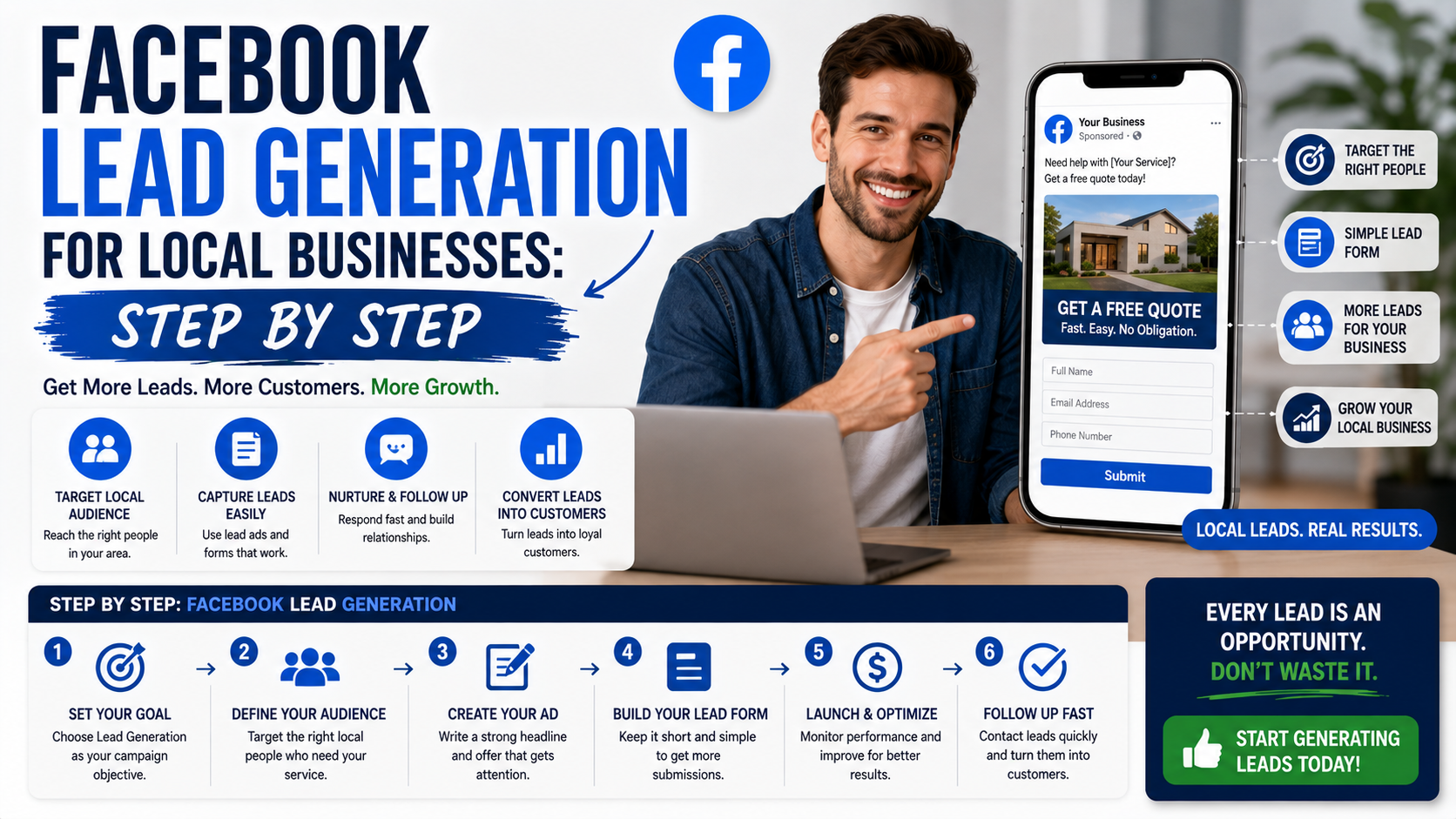
A local service business can receive 40 Facebook leads in a month and still end up with an empty calendar.
That sounds strange until you open the lead list.
A few people entered incorrect phone numbers. Several live outside the service area. Some wanted a completely different service. Others submitted the form, forgot about it, and never answered the phone.
The campaign report still looks successful because the cost per lead is low.
The business owner sees 40 form submissions. The sales team sees four genuine opportunities.
This is one of the first lessons worth learning about Facebook lead generation: a cheap lead is not automatically a useful lead.
Facebook can work extremely well for local businesses, especially when the service is visual, solves a recognizable problem, or can be promoted within a clearly defined area. But the advertisement is only one part of the system.
You also need:
- A specific offer
- Accurate location targeting
- Useful creative
- A short qualification process
- Fast follow-up
- Reliable lead tracking
- A way to measure booked jobs, not just forms
Here is how to put that system together without turning Meta Ads Manager into a guessing game.
Understand How Facebook Lead Generation Works
People do not always open Facebook because they are actively searching for a plumber, landscaper, dentist, cleaner, or web designer.
They are usually scrolling through posts, videos, local updates, and messages.
Your advertisement has to interrupt that activity and make a relevant problem feel worth solving.
That is different from Google Search, where someone may already be typing “emergency roof repair near me.”
On Facebook, you are often creating or reminding people of demand rather than simply capturing an existing search.
Meta currently provides several ways to generate leads through its Leads advertising objective:
- Instant forms that open inside Facebook or Instagram
- Forms hosted on your own website
- Messaging conversations
- Phone calls
The available setup can vary slightly by account and campaign interface, but these are the main lead-generation paths Meta currently promotes.
The right option depends on how customers normally contact your business.
A homeowner requesting a renovation estimate may be comfortable completing a form.
Someone with a leaking pipe may prefer to call.
A customer asking about custom furniture may want to send photographs through Messenger, Instagram, or WhatsApp.
Do not choose a campaign type because someone online called it the “best.”
Choose the one that matches the buying process.
Step 1: Decide What a Good Lead Looks Like
Do this before opening Ads Manager.
Write down the minimum conditions that make a lead useful.
For a local air-conditioning company, a good lead might be someone who:
- Lives within the service area
- Needs repair, maintenance, or installation
- Has a working phone number
- Wants service within the next 30 days
- Owns or manages the property
- Is available for a call or visit
For an interior design studio, the conditions may be different:
- The project is within the target city
- The client needs a service the studio provides
- The budget meets the minimum
- The project has a realistic timeline
- The decision-maker is involved
- The customer is willing to attend a consultation
This definition affects everything that follows.
It shapes the offer, targeting, form questions, follow-up process, and reporting.
Without it, the campaign may optimize for the easiest people to convert into form submissions rather than the people most likely to become customers.
Step 2: Choose One Service to Advertise
A common local-business advertisement tries to promote everything at once.
It may say:
We provide plumbing, electrical work, painting, renovation, waterproofing, flooring, maintenance, and complete home solutions. Contact us today.
That is too broad.
Someone with a bathroom leak has to work out whether the company handles that exact problem. Someone looking for painting may assume the business is mainly a plumber.
Choose one service or one closely connected problem.
Examples include:
- Emergency AC repair
- Bathroom leak inspection
- Deep cleaning for new tenants
- Kitchen renovation consultation
- Dental implant assessment
- Local SEO audit for clinics
- Wedding photography packages
- Commercial office cleaning
- Roof inspection after heavy rain
A focused advertisement is easier to understand and easier to measure.
You will know which service generated the enquiry instead of receiving vague messages asking, “What do you do?”
Step 3: Build an Offer People Can Understand Quickly
“Contact us for more information” is not much of an offer.
The prospect needs a clear reason to respond.
A useful local offer usually includes:
- A specific service
- A clear benefit
- A defined audience or location
- A simple next step
- An honest condition or limitation
Examples:
- Book a free roof inspection in selected Lahore areas
- Request a fixed-price first home-cleaning estimate
- Get a complimentary 15-minute website review
- Schedule an air-conditioning check before peak summer
- Request a kitchen measurement and planning visit
- Get a same-week pest inspection, subject to availability
Be careful with the word “free.”
Make it clear what is free and what may involve a charge later.
If the inspection is free but repair work is not, say so.
Avoid fake urgency such as “Only two hours left” when the offer restarts the next morning. Local businesses depend heavily on trust, and misleading urgency can damage it quickly.
Step 4: Choose the Right Lead Destination
This is where the campaign begins to take shape.
Option One: Instant Form
An instant form opens inside Facebook or Instagram. The user does not need to wait for your website to load.
Meta’s current setup uses the Leads objective, with Instant form selected as the conversion location. Advertisers can optimize for lead volume, while eligible setups can also use conversion-lead optimization with CRM feedback.
Instant forms are useful when:
- Your website is slow or outdated
- The service is easy to explain
- You want a low-friction enquiry process
- Most customers use mobile devices
- You have a team ready to contact leads quickly
The disadvantage is also the convenience.
A person can submit a form quickly without thinking deeply about the service. This can produce more leads but weaker intent.
The solution is not to add 20 questions.
It is to ask a few questions that identify basic fit.
Option Two: Website Form
A website form sends the user to a landing page you control.
Meta currently supports the Leads objective with Website selected as the conversion location, directing users to a page that hosts your form.
This approach is useful when:
- The service requires more explanation
- Customers need to see case studies or reviews
- Pricing varies significantly
- You already have a fast landing page
- Website tracking is set up correctly
- You want more control over the customer journey
You may receive fewer forms because the process requires an extra step.
Those leads may be more informed because they have seen your website before contacting you.
A website form is not automatically higher quality. A confusing or slow page can waste good traffic.
Option Three: Messaging
Click-to-message campaigns let people begin conversations through supported Meta messaging destinations. Meta currently positions these campaigns as a way to qualify prospects and continue following up in the same conversation.
Messaging works well when:
- Customers want to send photographs
- The service requires a short discussion
- Questions vary from person to person
- The team already uses Messenger, Instagram, or WhatsApp
- Someone can respond consistently
A tile repair company could ask the person to send a photograph of the damaged area.
A salon could ask which service and date the customer prefers.
A web agency could ask for the current website address.
Meta recommends keeping automated messaging questions focused, beginning with easier qualification questions, setting clear expectations for the next step, and generally using six questions or fewer.
The biggest mistake is launching message ads when nobody is available to answer.
A conversation campaign is not useful when messages sit unread until the next day.
Option Four: Phone Calls
Call-focused lead ads are suited to customers who want to speak immediately. Meta supports ads that encourage direct calls as well as options involving callback requests.
Call ads can work for:
- Emergency repairs
- Locksmiths
- Medical or dental appointment enquiries
- Towing
- Legal consultations
- Property services
- Time-sensitive bookings
Schedule call-focused campaigns around hours when someone can answer.
Meta specifically recommends combining scheduled call activity with forms or messaging outside working hours, so people still have a way to contact the business when the phone is unattended.
Do not pay to generate calls at midnight if the business phone remains unanswered until 9 a.m.
Step 5: Prepare the Facebook Page and Business Setup
Before launching the campaign, review what a prospect will see after clicking the business name.
Check:
- Business name
- Profile photograph
- Cover image
- Phone number
- Website
- Opening hours
- Service area
- About section
- Recent posts
- Customer reviews
- Message settings
A person may see the advertisement and then visit the Facebook Page before submitting anything.
An empty or outdated page creates doubt.
You do not need hundreds of posts.
A small collection of real project photographs, customer feedback, useful advice, and current contact information is enough to make the business feel active.
You will also need the appropriate access to the Facebook Page and advertising account. Meta Ads Manager organizes advertising at campaign, ad-set, and ad levels: the objective is selected at campaign level, key delivery choices are generally handled at ad-set level, and the creative appears at ad level.
Step 6: Create a Focused Landing Experience
Whether you use an instant form or website page, the message must match the advertisement.
Imagine the ad says:
Free bathroom leak inspection in DHA Lahore.
The next screen should not display a general page about complete home renovation.
It should continue the same conversation:
Request Your Bathroom Leak Inspection
Then explain:
- Which areas are covered
- What the inspection includes
- Whether there are any conditions
- What information is required
- When the team will respond
- What happens after submission
This continuity matters.
When the ad and form feel disconnected, people become cautious or leave.
Step 7: Ask Qualification Questions Without Creating an Interview
A good form gives the sales team enough information to prioritize the lead.
For a local contractor, useful questions may include:
Which service do you need?
- Repair
- Replacement
- Inspection
- Installation
- Not sure
Where is the property located?
Use a dropdown of supported areas or ask for the neighborhood.
When do you need the work?
- Immediately
- Within one week
- Within one month
- More than one month
- Just researching
What type of property is it?
- House
- Apartment
- Office
- Shop
- Other
What is the approximate project budget?
Use broad, realistic ranges when budget affects whether the business can serve the lead.
Avoid asking for sensitive or unnecessary information.
The form should feel connected to providing the service, not collecting data for its own sake.
Do Not Depend Entirely on Pre-Filled Information
Instant forms can make submission easy by using information associated with a person’s Meta account.
That convenience does not guarantee the contact details are current.
Someone may have an old phone number or rarely used email address on the account.
When phone contact is essential, consider asking the person to confirm the best number for the callback.
Step 8: Write the Advertisement Around the Customer’s Problem
A useful local Facebook ad does not need complicated copy.
A practical structure is:
- Identify the situation
- Explain the service
- Add proof or reassurance
- Mention the location
- Give one next step
For example:
Noticed damp patches returning around your bathroom tiles?
Cracked or poorly sealed grout can allow moisture to enter behind the surface. Our team inspects the affected area, explains the likely cause, and recommends the appropriate repair.
Available for residential properties in selected Lahore areas.
Request an inspection using the short form below.
This is more useful than:
Transform your space with our innovative premium solutions. Contact us today!
Specific language helps the right person recognize the problem.
Step 9: Use Real Creative
For local businesses, real work is often the strongest creative.
Useful options include:
- Before-and-after images
- A short project video
- A technician explaining a problem
- A customer review
- A walkthrough
- A clear photograph of the finished result
- A simple demonstration
- A real team member on site
Avoid using an unrelated luxury home photograph for a basic repair service.
It may attract attention, but it can also create the wrong expectation.
A Simple Video Format
A 15- to 30-second video can follow this structure:
First three seconds: Show the problem.
Middle: Show the process or explain the cause.
Ending: Show the result and next step.
For example:
- Show a stained sofa
- Show a few seconds of extraction cleaning
- Reveal the cleaned fabric
- Add: “Request a home upholstery-cleaning estimate”
Add captions so the video remains understandable without sound.
Keep text large enough to read on a phone.
Step 10: Set the Location Carefully
For a local business, geographic targeting is one of the most important campaign decisions.
Do not target an entire country when the business serves only one city.
Start with the real service area.
This may be:
- A city
- Selected neighborhoods
- A reasonable radius
- Several nearby towns
- Specific regions handled by different teams
Avoid making the area too small without a good reason. Extremely narrow targeting can limit delivery and make testing difficult.
At the same time, do not expand the area simply to produce cheaper leads.
A lead outside the service area is not cheap when the business cannot serve them.
Mention the location in the advertisement and ask for it again in the form. This creates two opportunities to filter unsuitable enquiries.
Step 11: Keep Audience Targeting Simple at First
Local business owners often add dozens of interests because detailed targeting feels more controlled.
For example, a landscaping company may target people interested in:
- Gardening
- Architecture
- Home improvement
- Luxury homes
- Outdoor living
- Property investment
- Interior design
- Construction
- Real estate
This can create an audience based on assumptions rather than customer evidence.
Someone does not need to follow gardening pages to need landscaping.
Begin with the correct location, suitable age restrictions where genuinely relevant, and a reasonable audience size.
Meta increasingly offers Advantage+ audience and other automated delivery options in eligible campaign setups. Meta reports that these systems can help find people likely to complete the desired action, but automation does not remove the need for a strong offer, useful creative, and accurate conversion tracking.
Do not treat automation as permission to ignore the campaign after launch.
Step 12: Choose a Test Budget Based on the Business Numbers
There is no universal perfect Facebook advertising budget.
Meta notes that advertising costs depend on multiple factors, including the campaign setup, audience, objective, and competitive conditions.
Start with what a customer is worth.
Suppose:
- Average gross profit from a new customer: $300
- One customer closes from every five qualified leads
- Maximum acceptable customer acquisition cost: $100
The business could afford approximately:
$100 ÷ 5 = $20 per qualified lead
That does not mean Facebook will produce qualified leads for $20.
It gives you a financial target to test against.
Also separate raw leads from qualified leads.
If the platform reports leads at $8 each but only one in four is usable, the real cost per qualified lead is:
$8 × 4 = $32
Judge the campaign using the number that matters to the business.
Step 13: Build the Follow-Up System Before Launching
Do not wait for leads to arrive before deciding who will call them.
Define:
- Who receives the notification
- Who makes first contact
- How quickly they should respond
- What questions they should ask
- Where the result is recorded
- What happens if the person does not answer
- Who covers when the main salesperson is unavailable
A practical first-contact process could be:
- The lead submits the form.
- An automatic confirmation appears.
- The business receives a notification.
- A team member calls within 10 minutes during business hours.
- If there is no answer, they send a short WhatsApp or SMS message.
- The outcome is recorded.
- The next attempt is scheduled.
A useful message might say:
Hi Ayesha, this is Hamza from ClearHome Services. You requested information through Facebook about sofa cleaning in Johar Town. I just tried calling. You can reply here with the number of seats and a photo, and I’ll confirm the estimate.
That message is specific enough to feel legitimate.
Step 14: Connect Leads to One Tracking System
Meta allows advertisers to retrieve lead data through Ads Manager, and it also supports CRM connections and Leads Center for businesses that do not have a full CRM.
A small business can start with:
- Meta Leads Center
- Google Sheets
- Airtable
- HubSpot
- Zoho CRM
- Pipedrive
- Monday.com
- A CRM connected through Zapier or Make
Record:
- Lead name
- Date
- Campaign
- Advertisement
- Service
- Location
- Contact status
- Qualification result
- Appointment
- Quote
- Sale
- Revenue
- Lost reason
Do not leave leads only inside a downloadable Meta file.
Someone has to own and update them.
Step 15: Measure Quality, Not Just Cost per Lead
Ads Manager can tell you how many platform-recorded leads the campaign generated.
It does not automatically know whether those leads:
- Answered the phone
- Lived in the service area
- Booked an appointment
- Accepted the quote
- Paid the invoice
- Became profitable customers
Calculate several numbers.
Raw Cost per Lead
Ad spend ÷ Total leads
Cost per Qualified Lead
Ad spend ÷ Qualified leads
Cost per Appointment
Ad spend ÷ Appointments booked
Customer Acquisition Cost
Total campaign cost ÷ New customers
Suppose a campaign spends $600 and generates 40 leads.
Raw cost per lead:
$600 ÷ 40 = $15
Only 12 leads are qualified.
Cost per qualified lead:
$600 ÷ 12 = $50
Three become customers.
Advertising customer acquisition cost:
$600 ÷ 3 = $200
The $15 figure looks attractive.
The $200 figure is more useful for business decisions.
Step 16: Send Sales Outcomes Back to Meta When Possible
Once a business has enough lead volume and a functioning CRM, it can move beyond optimizing only for form submissions.
Meta supports CRM integration for lead retrieval and separate Conversions API connections that can send later-stage outcomes back to its systems. That feedback can include information showing which leads became qualified opportunities or customers.
This is an advanced step, not a requirement for the first campaign.
A small business should first prove that it can:
- Respond quickly
- Update lead statuses
- Record customers accurately
- Identify profitable campaigns
There is no value in sending messy CRM data back to an advertising platform.
Clean the process before automating it.
Step 17: Review the Actual Conversations
Campaign reports show numbers.
Sales conversations explain the numbers.
Review:
- Why people enquired
- Which questions they asked
- What confused them
- Why they did not qualify
- Why they stopped responding
- Which objections appeared repeatedly
- What successful customers had in common
You may discover that the advertisement attracts people expecting a price far below your minimum.
You may find that the location is unclear.
Perhaps the word “consultation” makes customers think the entire service is free.
Maybe leads are good, but the salesperson waits six hours before calling.
These lessons rarely appear clearly inside Ads Manager.
Real Example: Facebook Leads for a Cleaning Company
Imagine a residential cleaning company wants new recurring customers.
The Offer
A fixed-price first cleaning for homes within selected neighborhoods.
The Creative
A short video showing:
- The kitchen before cleaning
- The team working
- The finished surfaces
- A genuine customer review
The Lead Method
Instant form.
Qualification Questions
- Neighborhood
- Number of bedrooms
- One-time or recurring cleaning
- Preferred booking week
- Best phone number
Follow-Up
The office calls within 10 minutes and confirms the home size, service requirements, pets, and access arrangements.
Tracking
The company records:
- Total leads
- Valid phone numbers
- Homes inside the service area
- Quotes
- First bookings
- Recurring customers
- Revenue after 60 days
This matters because the most valuable lead may not be the person who books the largest first cleaning.
It may be the customer who schedules service every two weeks.
Real Example: Facebook Leads for a Renovation Company
A renovation business needs a different process.
The Offer
A kitchen planning and measurement consultation.
The Creative
A before-and-after carousel showing one real renovation.
The Lead Method
Website landing page or a more detailed instant form.
Qualification Questions
- Property location
- Kitchen size
- Type of work
- Approximate budget range
- Desired start date
- Whether the person owns the property
Follow-Up
A coordinator reviews the information before booking a consultation.
Tracking
The business follows the lead through:
- Consultation
- Site visit
- Proposal
- Deposit
- Completed project
- Final project value
This campaign may generate fewer leads than the cleaning campaign.
That is normal.
One renovation customer may be worth more than dozens of smaller service bookings.
Common Facebook Lead Generation Mistakes
Boosting Random Posts
A post receiving likes is not automatically designed to generate leads.
Choose a campaign objective and conversion path that match the result you need.
Using a Broad, Vague Offer
“Complete business solutions” gives the customer little reason to respond.
Promote a specific service.
Asking Too Few Questions
A name and phone number may create volume but give the team no idea whether the person is suitable.
Add basic qualification.
Asking Too Many Questions
A long form creates unnecessary friction.
Collect only what is needed for the next step.
Ignoring the Service Area
Mention the location in the copy and form.
Do not assume targeting alone will filter everyone.
Using Stock Images That Misrepresent the Service
Real work usually creates better expectations.
Responding Slowly
Facebook leads can lose interest quickly, particularly when they have contacted several providers.
Sending the Same Sales Script to Everyone
Use the information the person submitted.
Focusing Only on Cheap Leads
Measure qualified leads, appointments, and customers.
Changing Everything at Once
If you replace the offer, creative, audience, form, and budget together, you will not know what improved the result.
Launching Without Testing the Form
Submit the form yourself before publishing.
Check notifications, contact details, confirmation text, and CRM delivery.
Forgetting Privacy and Advertising Rules
Collect only information you genuinely need, explain how it will be used, secure the data, and follow applicable laws and Meta’s advertising requirements. Meta reviews ads against its advertising standards, and some campaign types may receive additional checks.
A Simple First Campaign Checklist
Before publishing, confirm:
- The campaign promotes one service.
- The offer is easy to understand.
- The service area is clear.
- The creative shows real or accurately represented work.
- The lead method matches customer behavior.
- The form includes useful qualification questions.
- The phone number and Page details are correct.
- The form and notification flow have been tested.
- One person owns new leads.
- The response target is defined.
- Lead outcomes will be tracked.
- The budget is affordable as a test.
- Success is measured by customers, not forms alone.
What Makes Facebook Lead Generation Work
The technical setup matters, but it is rarely the only reason a campaign succeeds or fails.
A strong local Facebook lead system connects five parts:
- A recognizable customer problem
- A specific local offer
- A low-friction way to enquire
- Fast, helpful follow-up
- Tracking through to the final sale
When one part is missing, the campaign becomes weaker.
A great advertisement with a broken form wastes attention.
A strong form with slow follow-up wastes leads.
Fast follow-up cannot rescue an offer nobody wants.
Cheap form submissions do not help when the leads live outside the service area.
Start with one service and one audience.
Run a controlled test.
Speak to the leads.
Record what happens.
Then improve the weakest part of the process.
Facebook does not need to generate hundreds of enquiries to be useful to a local business. A smaller number of suitable prospects, contacted quickly and handled properly, can produce far more value than a crowded spreadsheet full of people who were never likely to book.