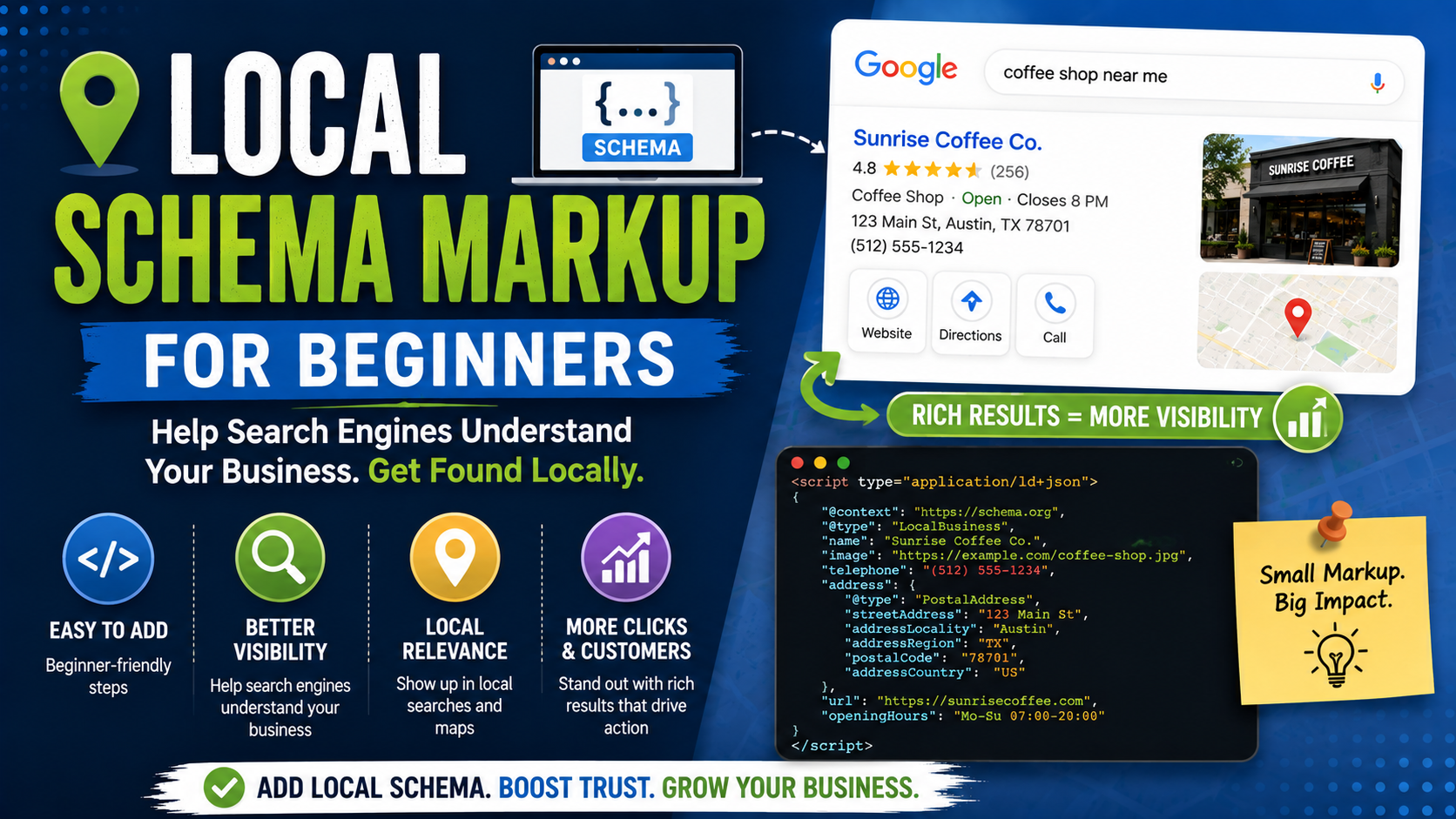
The first time most local business owners see schema markup, it looks far more complicated than it really is.
You open the source code of a website and suddenly there are lines like:
“@type”: “LocalBusiness”
“addressLocality”: “Burlington”
“openingHoursSpecification”
“GeoCoordinates”
At that point, it is easy to think:
“I run a landscaping company. Why am I suddenly writing code?”
That reaction is completely understandable.
Schema markup sounds technical because it is written for machines, not customers. But the idea behind it is actually very simple.
Your website already says:
Green Oak Landscaping is a landscaping company located in Burlington. We are open Monday through Friday and customers can call us at this number.
Schema simply gives search engines a cleaner, standardized version of that same information.
Instead of making Google guess which number on the page is your phone number, which text is your company name, and which address belongs to the business, structured data labels those pieces of information.
That is why I think local schema is worth understanding even if you never plan to write the code yourself.
You do not need to become a developer.
You just need to understand what information should be there, what should not be there, and how to check whether your website is sending Google accurate information.
What Is Local Schema Markup?
Schema markup is structured data added to a webpage.
It uses vocabulary maintained by Schema.org, a shared structured-data project used across the web.
For a local company, one of the most important types is LocalBusiness.
Schema.org describes LocalBusiness as a particular physical business or branch of an organization, such as a restaurant, medical practice, shop, bank branch, or other business location.
Google also supports LocalBusiness structured data.
Google explains that this markup can provide information about things such as a business’s location, opening hours, departments, and other business details that may help Google understand the entity represented by the page.
Think of it as putting labels on information Google can already read.
Instead of:
123 Main Street
you are effectively telling the machine:
This is the street address of this business.
That distinction is what structured data is designed to provide.
Does Local Schema Make You Rank Higher?
This is the first myth I would clear up.
Adding LocalBusiness schema is not a magic Google Maps ranking switch.
You cannot add 25 properties to a JSON-LD block and expect your listing to jump from position nine to position one.
Structured data primarily helps search engines understand page information and can make pages eligible for certain enhanced search features.
Google is very clear that correct structured data does not guarantee a rich result. Its systems decide when and whether enhanced search features are appropriate.
There is another useful detail in Google’s documentation.
If structured data violates Google’s rules badly enough to receive a structured-data manual action, the page can lose eligibility for rich results, but that manual action does not itself change the page’s normal web-search ranking.
So I would never sell schema to a business owner as:
“Add this code and your rankings will explode.”
That is not realistic.
I think of schema as technical clarity.
Good website content tells a customer what the business does.
Schema helps machines interpret some of that same information in a structured format.
What Does LocalBusiness Schema Look Like?
Google recommends JSON-LD as a structured-data format. Google also supports Microdata and RDFa, but JSON-LD is generally the easiest format to work with because it can sit inside a script block rather than being mixed through your visible HTML.
Here is a simple fictional example:
<script type=”application/ld+json”>
{
“@context”: “https://schema.org”,
“@type”: “LandscapingBusiness”,
“name”: “Green Oak Landscaping”,
“url”: “https://www.example.com/”,
“telephone”: “+1-555-123-4567”,
“address”: {
“@type”: “PostalAddress”,
“streetAddress”: “125 Main Street”,
“addressLocality”: “Burlington”,
“addressRegion”: “ON”,
“postalCode”: “A1A 1A1”,
“addressCountry”: “CA”
}
}
</script>
A visitor normally never sees this code.
Googlebot can.
And the information is fairly easy to read once you know what you are looking at.
@context tells the system which structured-data vocabulary is being used.
@type describes what kind of entity this is.
name is the business name.
telephone is the phone number.
address identifies the physical business address.
That is the basic idea.
Choose the Most Specific Business Type You Can
A mistake I often see in schema examples is using LocalBusiness for absolutely everything.
It works as a broad type, but Google recommends choosing the most specific LocalBusiness subtype that accurately describes the business.
Its documentation gives examples such as Restaurant, DaySpa, and HealthClub. Google also supports using multiple applicable types as an array in cases where the business genuinely fits more than one supported type.
Schema.org includes many specific business types.
For example, depending on the business, you may find types related to:
Dentist
Restaurant
Store
Electrician
Plumber
Locksmith
and other local categories.
Do not choose a type simply because you think the keyword will help you rank.
Choose the type that accurately describes the business.
If there is no suitable specific subtype, using LocalBusiness is perfectly reasonable.
Accuracy matters more than trying to make the schema look impressive.
What Information Should Local Schema Include?
Google’s current LocalBusiness documentation identifies name and a physical address as required properties for Google’s Local Business rich-result implementation. Google recommends filling the address with as much accurate information as possible, such as street, locality, region, postal code, and country.
Beyond that, useful properties can describe things customers actually care about.
These may include your website URL, phone number, images, coordinates, opening hours, departments, and other properties appropriate to the particular business type.
The important principle is not to fill every schema property you can find.
Use information that is accurate and actually applies to the business.
Schema.org has hundreds of possible properties.
Your landscaping company does not need to use all of them.
Your Business Name
Use the real business name.
Not:
Green Oak Landscaping Best Landscaper Burlington Patio Contractor
if the actual company is simply called:
Green Oak Landscaping
Schema should describe the business that exists.
It is not another location to stuff SEO keywords.
This also keeps your website aligned with your Google Business Profile and other major business information.
Your Address
A physical business location can be represented using PostalAddress.
For example:
“address”: {
“@type”: “PostalAddress”,
“streetAddress”: “125 Main Street”,
“addressLocality”: “Burlington”,
“addressRegion”: “ON”,
“postalCode”: “A1A 1A1”,
“addressCountry”: “CA”
}
Google currently requires a physical address for eligibility under its Local Business rich-result documentation.
This creates an important issue for service-area businesses.
Suppose you are a plumber operating from home and your home address is intentionally hidden from customers because you travel to clients instead.
Do not invent a public office just to complete schema.
Do not mark a virtual mailbox as your storefront.
And do not reveal a private residential address simply because a schema plugin asks for one.
Schema should reflect reality.
For service information, Schema.org provides areaServed, which describes the geographic area where a service is offered and can be used with types including Organization and Service.
A developer may choose an appropriate Organization/Service structure depending on the site and business model rather than fabricating a public location.
Your Phone Number
Your business phone number can be added using:
“telephone”: “+1-555-123-4567”
I normally want the number in schema to correspond with the legitimate business contact information shown on the website.
If the footer says one number, your contact page says another, your Google Business Profile has a third, and the schema contains a fourth, schema is not your biggest problem.
Fix the underlying business information first.
Structured data should describe accurate page content, not compensate for inconsistent information.
Google’s structured-data quality guidelines specifically say marked-up information should represent the page accurately and should not be misleading.
Opening Hours
Opening hours can be represented with openingHoursSpecification.
A business open Monday through Friday from 8 AM to 6 PM could use something like:
“openingHoursSpecification”: {
“@type”: “OpeningHoursSpecification”,
“dayOfWeek”: [
“Monday”,
“Tuesday”,
“Wednesday”,
“Thursday”,
“Friday”
],
“opens”: “08:00”,
“closes”: “18:00”
}
Google’s LocalBusiness documentation supports separate schedules for different days, overnight hours, 24-hour businesses, closed days, and seasonal hours.
This is useful, but it creates maintenance work.
If your business hours change, update them.
A technically perfect schema block containing opening hours from three years ago is still inaccurate.
Geographic Coordinates
Physical businesses can also describe coordinates using GeoCoordinates.
For example:
“geo”: {
“@type”: “GeoCoordinates”,
“latitude”: 43.3255,
“longitude”: -79.7990
}
Do not guess these.
Use the real location.
And again, do not try to move coordinates toward the city center because you think it will help Google Maps rankings.
Schema is not a place to falsify proximity.
Images
You can also reference images associated with the business.
Google’s own LocalBusiness examples include business images, and certain specific rich-result types may have their own image requirements.
Use actual images representing the company or location.
I would avoid stuffing the schema with dozens of random stock images.
The same basic rule applies here as everywhere else:
Mark up the real business.
Website URL
This one is straightforward:
“url”: “https://www.example.com/”
Use the canonical website URL.
I also like using a stable @id to identify the business entity when building more complete structured-data graphs.
For example:
“@id”: “https://www.example.com/#business”
Then other schema objects can reference the same entity rather than defining slightly different versions of the company over and over.
For a beginner, however, you do not need to overcomplicate this immediately.
Getting the basic business details correct is far more important.
What About sameAs?
Schema.org provides sameAs for URLs that identify the same entity elsewhere.
You may see examples using it for authoritative profile pages associated with the business.
For example:
“sameAs”: [
“https://www.facebook.com/examplebusiness”,
“https://www.instagram.com/examplebusiness”
]
Only include genuine profiles belonging to the business.
Do not add random directory URLs simply to create a huge array.
More URLs do not automatically make the entity more authoritative.
What About Service Areas?
This is particularly useful for home-service companies.
Schema.org’s current areaServed property represents the geographic region in which a service or offered item is available. It can use text or more structured Place or AdministrativeArea values depending on the implementation.
A service could, for example, be represented conceptually as:
{
“@type”: “Service”,
“serviceType”: “Patio Installation”,
“areaServed”: {
“@type”: “City”,
“name”: “Burlington”
}
}
Schema.org itself provides examples where a Service has a provider and an areaServed value.
One warning:
Do not add 200 cities simply because you want to rank in 200 cities.
If the business genuinely serves an area, represent it accurately.
Schema should describe your service area, not invent one.
What About Services?
Schema can also describe services.
Suppose a landscaping company provides:
Patio installation.
Driveway installation.
Retaining walls.
Grading.
Drainage.
Sod installation.
You could use Service, Offer, or OfferCatalog structures depending on how detailed you want the implementation to be.
Schema.org’s examples show Service markup tied to a provider and an OfferCatalog containing individual services.
But beginners often go too far here.
You do not need a 1,000-line schema graph covering every tiny variation of every service.
Start simple.
Make sure the visible service content is good first.
Then add structured data where it genuinely clarifies that content.
Don’t Add Information Customers Cannot See
This is one of Google’s most important structured-data rules.
Google says structured data should represent content available to users on the page. You should not put information inside markup that is hidden from visitors or unrelated to the actual page.
For example, suppose your schema says:
24-Hour Emergency Plumbing
but nowhere on the website do you offer 24-hour service.
That is a problem.
Or your schema claims:
Price range: $
while the business actually provides premium services.
Or it lists services you stopped offering two years ago.
Do not use schema to tell search engines a more attractive story than the one customers receive.
The markup and visible content should agree.
Be Very Careful With Reviews
This is an area where old schema tutorials can be misleading.
A local business owner may think:
“I have a 4.9 Google rating, so I’ll add 4.9 stars to my LocalBusiness schema.”
Do not assume that will give your own business star ratings in Google’s normal search results.
Google’s current LocalBusiness documentation says aggregateRating is recommended in this context only for sites that capture reviews about other local businesses, and it points publishers toward Google’s review snippet rules.
Google has long restricted self-serving review markup for organizations and local businesses.
So before adding review schema, check Google’s current documentation for the exact review type you are implementing.
This is one of those areas where blindly following an SEO plugin can cause unnecessary problems.
Where Should LocalBusiness Schema Go?
Google says LocalBusiness structured data can technically be added to any page, although it often makes most sense on a page containing information about the business.
For a small single-location company, I normally expect the main business entity to be clearly represented on an appropriate core page, commonly the homepage or a dedicated location/contact page depending on the site architecture.
For multi-location businesses, each genuine location should be treated as its own location entity.
Google specifically recommends defining each local business location as a LocalBusiness type.
So if a dental group has:
Toronto clinic.
Oakville clinic.
Burlington clinic.
each actual location should have accurate location-specific information.
Do not copy the Toronto address into every location’s schema.
Multi-Location Businesses Need More Care
Schema becomes more useful and more complicated when multiple locations exist.
Each location may have its own:
Address.
Phone number.
Opening hours.
URL.
Coordinates.
Images.
Google’s LocalBusiness documentation also supports marking up individual departments when a location has departments with distinct details such as different phone numbers or opening hours.
This is one of the situations where I would involve a developer or experienced technical SEO rather than relying entirely on a plugin’s default settings.
A bad site-wide schema template can accidentally tell Google that every branch has the same address.
How to Add Local Schema in WordPress
If your website runs on WordPress, you probably do not need to manually paste JSON-LD into every page.
SEO plugins and schema plugins can generate structured data for you.
Popular tools include plugins such as Yoast SEO and Rank Math, along with dedicated schema plugins.
The exact settings vary by plugin.
Typically, you enter business information in the plugin’s organization or local SEO settings, and the plugin generates JSON-LD automatically.
That is convenient.
But do not assume automatic means correct.
After setup, inspect the output.
A plugin cannot know that you accidentally entered an old address.
It cannot know whether your business is really open 24 hours.
And it cannot always understand complex multi-location structures automatically.
The plugin writes the code.
You are still responsible for the information.
Shopify, Wix, Squarespace, and Other Platforms
Many modern platforms generate at least some structured data automatically.
That can be helpful.
It can also create duplication.
For example, your theme might already output Organization schema.
Then an SEO app adds another Organization.
Then somebody manually adds LocalBusiness JSON-LD.
Now you have several overlapping business entities with slightly different information.
Before adding more schema, check what already exists.
Do not assume your website has none simply because you never installed it yourself.
How to Test Local Schema
This is the part beginners should never skip.
Google provides the Rich Results Test, which checks a page or code sample and reports structured data associated with Google-supported rich-result features.
After implementing schema, run the page through the test.
You may see:
Valid
Good.
You may see:
Valid with warnings
Read the warnings. Some recommended information may be missing without making the markup invalid.
Or:
Invalid
Now you have an error that should be fixed.
Google also recommends using its URL Inspection tool for deployed pages, alongside the Rich Results Test, when validating structured data and page accessibility.
There is another tool I like for broader Schema.org testing:
Schema Markup Validator.
The Rich Results Test focuses on Google-supported rich results.
A general Schema.org validator can help inspect schema vocabulary more broadly.
Both are useful for different reasons.
A Simple Beginner Workflow
If I were adding local schema to a small business website from scratch, I would keep the first version boring.
First, collect the official business information.
Confirm the real name, physical location where applicable, phone number, website URL, opening hours, and business type.
Next, choose the most accurate Schema.org subtype you can.
Then create or configure the JSON-LD.
Keep the first implementation focused on real, stable information.
After that, run the page through Google’s Rich Results Test.
Fix genuine errors.
Then compare the markup with the visible website.
If the schema says 8 AM to 6 PM, verify that the website also says 8 AM to 6 PM.
Finally, recheck the markup whenever important business information changes.
That is enough to get started.
Common Local Schema Mistakes
Treating Schema Like a Ranking Hack
Adding more properties does not mean higher Maps rankings.
Use structured data for clarity, not keyword manipulation.
Choosing the Wrong Business Type
Do not mark a general contractor as a dentist because you found a schema type you think looks more powerful.
Use the accurate type.
Stuffing Keywords Into the Business Name
Schema is not another meta-keywords field.
Use the actual company name.
Adding Fake Locations
Never create fake addresses or coordinates just to target more cities.
Showing Different Hours in Schema and on the Website
If opening hours change, update both.
Adding Services the Business Doesn’t Provide
Markup needs to reflect reality.
Adding Fake Review Data
Do not invent ratings or review counts.
Hiding Information From Users
Google’s guidelines say markup should describe content available to users.
Installing Several Schema Plugins
More plugins do not mean better schema.
You can end up generating duplicated or conflicting entities.
Never Testing the Code
One missing comma can break manually written JSON.
Always validate.
Do You Need Schema on Every Page?
Not necessarily the exact same schema block everywhere.
This is another place where plugins can create confusion.
Your homepage may describe the overall organization or local business.
A service page may primarily describe a service.
A blog article may contain Article structured data.
A contact or location page may contain detailed location information.
A breadcrumb trail can have Breadcrumb structured data.
Google recommends using structured data that reflects the main focus of the page rather than marking up unrelated information simply because the schema type exists.
Think page by page.
What is this page actually about?
Then use schema that helps describe it.
A More Complete LocalBusiness Example
Once the basics are correct, a physical local business might use a structure like this:
<script type=”application/ld+json”>
{
“@context”: “https://schema.org”,
“@type”: “LandscapingBusiness”,
“@id”: “https://www.example.com/#business”,
“name”: “Green Oak Landscaping”,
“url”: “https://www.example.com/”,
“telephone”: “+1-555-123-4567”,
“image”: “https://www.example.com/images/green-oak-landscaping.jpg”,
“address”: {
“@type”: “PostalAddress”,
“streetAddress”: “125 Main Street”,
“addressLocality”: “Burlington”,
“addressRegion”: “ON”,
“postalCode”: “A1A 1A1”,
“addressCountry”: “CA”
},
“geo”: {
“@type”: “GeoCoordinates”,
“latitude”: 43.3255,
“longitude”: -79.7990
},
“openingHoursSpecification”: [
{
“@type”: “OpeningHoursSpecification”,
“dayOfWeek”: [
“Monday”,
“Tuesday”,
“Wednesday”,
“Thursday”,
“Friday”
],
“opens”: “08:00”,
“closes”: “18:00”
}
],
“sameAs”: [
“https://www.facebook.com/examplebusiness”,
“https://www.instagram.com/examplebusiness”
]
}
</script>
Do not copy this blindly.
The details are fictional.
Your implementation should reflect your actual company, website, location, hours, URLs, and business type.
That warning sounds simple, but copying example schema without replacing everything is a surprisingly easy mistake to make.
What Schema Cannot Fix
This is probably the most important section of the guide.
Schema cannot fix:
A bad website.
Thin service pages.
Incorrect Google Business Profile information.
No reviews.
Poor local relevance.
Duplicate city pages.
A slow site.
Bad internal linking.
Fake locations.
No backlinks.
A business nobody trusts.
Structured data is one piece of technical SEO.
It works alongside the rest of your local search strategy.
If your landscaping page contains two sentences of generic content, adding an elaborate Service schema block does not suddenly make it the best landscaping resource in the city.
Improve the page first.
Then describe it accurately.
When Should You Hire Someone?
Basic schema for a simple single-location business is manageable with a good WordPress plugin or a developer who understands JSON-LD.
I would get professional help when you have:
Multiple locations.
Multiple business entities.
Separate departments.
Complex ecommerce.
Bookings.
Several overlapping schema types.
Custom JavaScript rendering.
Existing duplicate schema.
Search Console structured-data errors you cannot diagnose.
You do not need to become a schema expert just to run a local company.
Sometimes paying a developer for an hour is cheaper than spending an entire afternoon wondering why Google’s validator keeps complaining about a missing brace.
Final Thoughts
Local schema markup sounds intimidating because you see code before you understand the purpose.
Once you strip away the syntax, the idea is straightforward.
Your website says:
This is our business.
Schema says:
This value is the business name.
This is its address.
This is the phone number.
These are the opening hours.
This is the type of business.
This is where the service is provided.
Google recommends JSON-LD, using the most specific appropriate LocalBusiness subtype, accurately representing visible page content, and testing implementations before relying on them.
That is where I would start.
Do not try to use every Schema.org property.
Do not invent locations.
Do not stuff keywords.
Do not create fake reviews.
Do not assume passing the Rich Results Test guarantees a special Google result, because Google explicitly says it does not.
Start with accurate information.
Mark it up clearly.
Test it.
Keep it updated.
Then move on to the parts of local SEO that customers actually see: better service pages, useful content, genuine reviews, strong photos, accurate business information, and a website that makes it easy to contact you.
Schema works best when it describes a good website rather than trying to replace one.