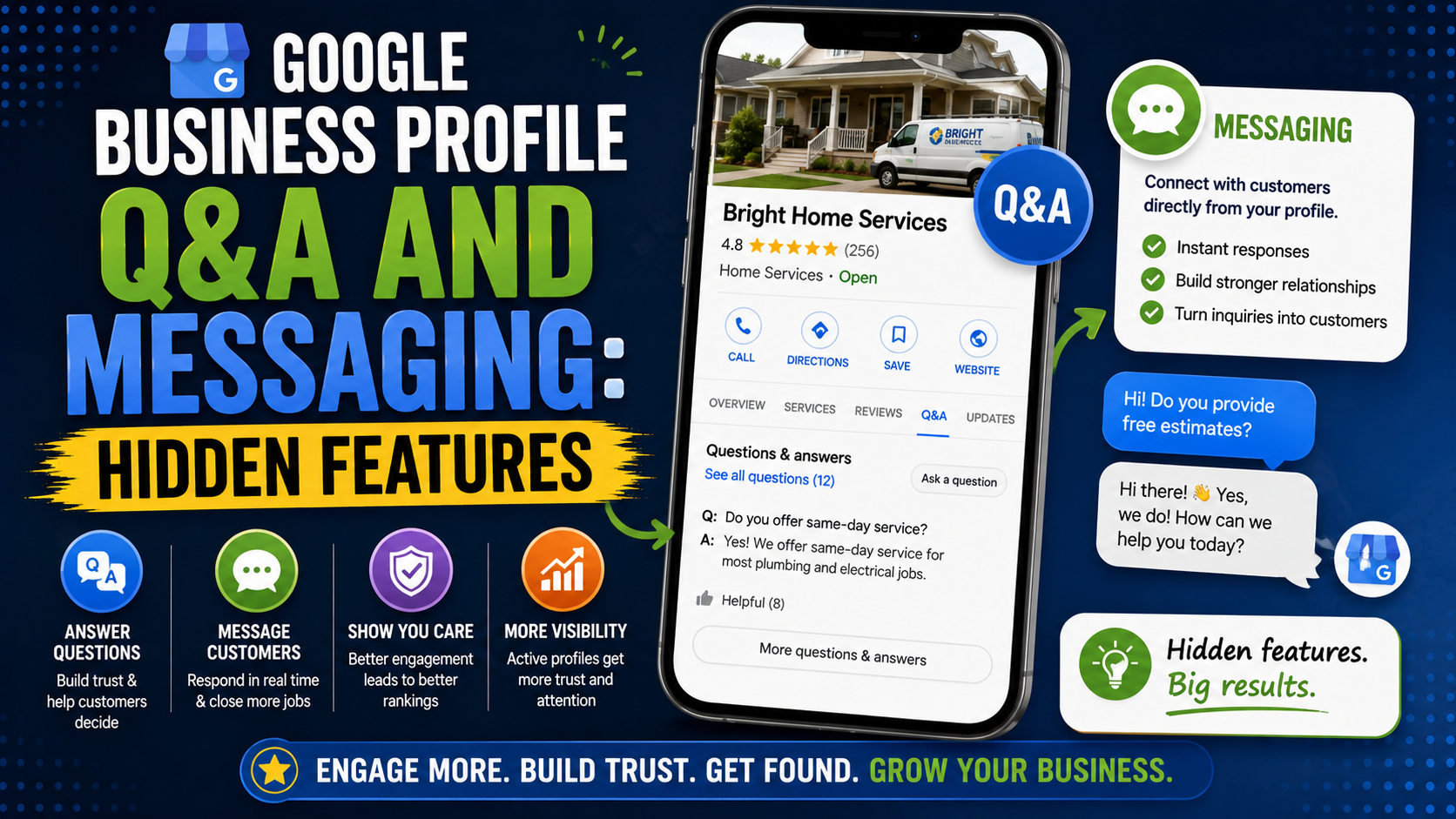
I once opened a local business profile while checking why it was getting plenty of views but surprisingly few calls.
The obvious things looked fine.
The hours were correct.
The reviews were good.
There were recent photos.
The website worked.
Then I started looking at the questions customers were actually trying to answer before contacting the business.
“Do you provide same-day service?”
“Do you work on weekends?”
“Can I send you photos before booking?”
“Do you serve my area?”
“Can I message instead of calling?”
None of that information was particularly difficult to provide.
It just was not easy to find.
That is where some of the less obvious Google Business Profile features become useful.
For years, Google Business Profile had two features many businesses barely touched: Questions & Answers and built-in messaging.
Both have changed considerably.
Google removed the original Business Profile chat feature on July 31, 2024. More recently, Google began changing its traditional Q&A experience, moving toward AI-powered answers in Maps and aggregated questions rather than the old system of customers simply scrolling through a long list of public FAQs.
That means a lot of GBP tutorials you find online are now outdated.
But customer questions have not disappeared.
Messaging has not completely disappeared either.
You just need to understand how the current version works.
First: What Happened to Google Business Profile Messaging?
This deserves clarification because there is still a lot of confusing information online.
Google Business Profile used to have its own built-in chat system.
A customer could open your profile, tap a message button, and communicate with your company through Google’s messaging system.
Google shut that feature down on July 31, 2024.
Google also removed Business Profile call history at the same time, and the old chat FAQ feature was discontinued. Customers can no longer use that original Business Profile chat system or request quotes through it.
If you are looking through your profile today wondering where the old message inbox went, you are not missing a setting.
It no longer exists.
However, Google later introduced another option for eligible businesses.
Businesses with a claimed and verified Business Profile can now add text messaging or WhatsApp contact options in supported regions.
That distinction matters.
The messages are not being handled inside the old Google Business Profile chat inbox.
Google is giving customers a shortcut to contact you using an external messaging method.
The Hidden Messaging Feature: SMS and WhatsApp
This is one of those GBP options I would check immediately on businesses where customers regularly have quick questions.
Google currently allows eligible businesses to add either:
- Text messaging
The feature is only available for certain regions and profiles, so you may not see it on every account.
To check your profile:
- Open the Business Profile you manage.
- Select Edit profile.
- Open Contact.
- Look for Chat.
- Choose either WhatsApp or Text message.
- Add the relevant WhatsApp click-to-chat URL or SMS-capable phone number.
- Save your changes.
Google notes an interesting limitation: if both WhatsApp and text messaging are added, only the text messaging option may be shown to customers.
That is exactly the kind of small detail that causes business owners to think something is broken.
You may have successfully added WhatsApp and still not see a separate WhatsApp button publicly.
Which Businesses Benefit Most From Messaging?
Messaging is not equally important for every company.
If you run a local accountant’s office where almost every customer books an appointment by phone, it may not dramatically change your lead flow.
But for businesses where customers naturally ask quick questions, messaging can remove a lot of friction.
Think about:
- Restaurants
- Salons
- Auto repair shops
- Contractors
- Plumbers
- Electricians
- Landscapers
- Dental clinics
- Repair businesses
- Real estate professionals
- Cleaning companies
- Home-service providers
Imagine someone needs patio repair.
They find your listing while sitting at home looking at a section of sunken pavers.
Calling feels like a commitment.
Sending:
“Hi, do you repair this kind of sinking?”
along with some context may feel easier.
That small difference can turn someone who was simply browsing into a conversation.
Don’t Enable Messaging Unless Someone Will Answer
This is probably the biggest practical lesson.
A communication channel is only useful if somebody monitors it.
I have seen businesses add:
- Website live chat
- Facebook Messenger
- Instagram DMs
- SMS
Then nobody actually owns any of them.
A customer sends:
“Are you available tomorrow?”
Three days later, someone notices the message.
The customer has already hired a competitor.
Before adding SMS or WhatsApp to GBP, decide:
Who responds?
During which hours?
How quickly should they reply?
What happens when they need more information?
For a small company, this can be very simple.
One person monitors the WhatsApp Business app during business hours.
For a larger business, inquiries may need to move into a CRM or proper sales process.
The feature itself is easy.
The operational part is what matters.
Use WhatsApp Business Rather Than a Messy Personal Inbox
If WhatsApp is your chosen channel, I would strongly consider using WhatsApp Business instead of relying on somebody’s personal WhatsApp account.
WhatsApp Business can make customer communication easier to organize through business-focused features such as profile information, labels, quick replies, and other messaging tools depending on your setup.
For example, you could create quick replies for common questions:
Service area
“Yes, we currently serve Burlington, Oakville, Milton, and surrounding areas.”
Estimate
“Thanks for reaching out. Please send a few photos and your approximate project location so we can better understand the work required.”
Hours
“Our office is available Monday-Friday from 8 AM to 6 PM.”
You are not automating the relationship.
You are just avoiding typing the same basic answer 25 times.
Track Whether Messaging Actually Produces Leads
Do not enable a feature and assume it works.
Check the data.
Google’s current Business Profile Performance reporting can include metrics such as:
- Views
- Searches
- Calls
- Website clicks
- Directions
- Messages
- Bookings
Only metrics relevant to your particular profile will appear.
If messaging is available on your profile, check whether people actually use it.
Then go one step further.
Track:
Messages received
Qualified inquiries
Quotes sent
Jobs booked
Suppose you receive:
50 messages
but only two legitimate leads.
That tells you something.
Or perhaps 15 WhatsApp inquiries produce six estimates and three projects.
Now the feature has measurable value.
Do not judge GBP features only by clicks.
Judge them by whether they help produce customers.
Now Let’s Talk About Google Business Profile Q&A
The Q&A feature has become more complicated.
Traditionally, Google Business Profiles had a public Questions & Answers area.
Customers could ask questions such as:
“Do you have wheelchair access?”
“Do you provide delivery?”
“Do you repair existing patios?”
Business owners and other Google users could answer.
That created an unusual situation because the business did not completely control the answers appearing on its own listing.
The owner could answer questions, but members of the public could participate too.
Google’s current Business Profile documentation still says owners and managers may be able to respond to questions through the Q&A section, but Google also states that availability depends on business category and region and that the feature’s appearance and functionality may change.
And change it has.
Google Has Been Reworking Q&A
In December 2025, Google announced significant changes to the Q&A experience.
Instead of relying entirely on customers scrolling through older FAQs or waiting for someone to answer a new question, Google began moving toward an experience where users can ask questions in Maps and receive more immediate answers based on sources such as business answers and relevant reviews.
Google also said business owners could be presented with aggregated questions, with their answers potentially being used to help answer similar customer questions later.
That means Q&A is becoming less like:
Customer asks question → owner writes public reply → question sits on profile forever
and more like:
Google gathers information from multiple sources → customer asks a specific question → Google tries to provide a relevant answer
That is a major shift.
It also means businesses should stop thinking about Q&A as a tiny standalone SEO widget.
The information across your entire profile matters.
Why Accurate Answers Matter More Now
Consider a restaurant.
A customer asks Google Maps:
“Does this place have outdoor seating?”
Where might Google obtain clues?
Potentially from:
- Business attributes
- Business-provided information
- Existing Q&A
- Reviews
- User contributions
- Other relevant Maps information
Google’s Maps documentation explains that answers contributed about places may be combined with information from other users, business owners, and other sources, and that the resulting information can appear across the business page, About tab, and search results.
The practical lesson is simple.
Do not rely on one field.
If something matters to customers, make sure your profile communicates it consistently wherever appropriate.
What Questions Should a Local Business Be Ready to Answer?
Start with the questions your sales team hears constantly.
For a landscaper:
- Do you provide free estimates?
- Do you repair existing interlocking?
- Which cities do you serve?
- Do you provide drainage work?
- Can you match existing pavers?
- Do you handle excavation?
- How far in advance should I book?
For a restaurant:
- Do you take reservations?
- Is parking available?
- Do you have vegetarian options?
- Is outdoor seating available?
- Do you accept large groups?
- Are children welcome?
For a dental clinic:
- Are new patients accepted?
- Do you offer emergency appointments?
- Is parking available?
- Which payment options are accepted?
- Do I need an appointment?
For a plumber:
- Do you provide emergency service?
- What areas do you cover?
- Do you repair water heaters?
- Are weekend appointments available?
- Can I send photos before booking?
These are useful questions because they help somebody decide whether to contact you.
That is the standard I would use.
Don’t Try to Turn Q&A Into Keyword Spam
Old-school local SEO advice sometimes encouraged businesses to stuff questions with keywords.
Something like:
Q: Does ABC Plumbing provide the best emergency plumber services in Dallas, Texas?
A: Yes, ABC Plumbing is the best emergency plumber in Dallas, Texas for Dallas plumbing customers looking for Dallas emergency plumbers.
Nobody talks like that.
More importantly, Google requires Business Profile content to accurately represent the business and remain relevant and useful. Google’s guidelines apply to Q&A content as well as other Business Profile contributions.
Write like a business answering a customer.
For example:
Do you provide emergency plumbing on weekends?
“We offer weekend emergency appointments when technicians are available. Call us to confirm the current response time.”
Clear.
Helpful.
No SEO gymnastics required.
Watch for Incorrect Public Information
One reason I always paid attention to Q&A was that business owners were not the only people answering questions.
Google Maps allows user contributions, and users can still be prompted to answer questions about places in supported regions. Google says answers may be combined with contributions from owners and other sources.
That means incorrect information can occasionally appear.
Imagine someone answers:
“Do they open Sundays?”
with:
“Yes.”
But your business is closed Sundays.
A potential customer could waste a trip.
Keep an eye on the information Google displays about your business.
If something is wrong, correct the profile information where possible and use Google’s reporting tools when user-generated questions or answers violate its policies.
Google allows inappropriate questions and answers to be reported through Maps.
Don’t Put Private Customer Information in Public Answers
This sounds obvious, but it is easy to accidentally overshare.
Suppose somebody asks:
“Can you check my appointment for tomorrow?”
Do not reply publicly with:
“Yes, Sarah Johnson, your dental appointment is at 2:30 PM and we have your mobile number ending in 4812.”
Move personal conversations to an appropriate private channel.
Google’s Business Profile guidelines restrict the sharing or solicitation of private and confidential information. Businesses may provide their own public contact information, but should not expose customers’ personal information through Q&A or other public profile content.
A safe answer might be:
“Please call our office or contact us directly so we can check your appointment securely.”
Turn Repeated Questions Into Better Profile Content
This is one of the most useful things you can do with Q&A data.
Imagine customers repeatedly ask:
“Do you serve Oakville?”
That tells you the answer is probably not obvious enough.
Instead of answering the same question forever, improve the profile.
Add or update the appropriate:
- Service area
- Website information
- Business description
- Services
- Relevant posts
- Location pages
Another repeated question might be:
“Do you install retaining walls?”
Check whether retaining wall installation is properly represented in your services and on your website.
Questions are customer research.
They show you what is unclear.
Use them that way.
Build a Simple Customer Question Sheet
You do not need fancy software.
Create a Google Sheet with columns like:
| Question | Where It Came From | Answer | Profile Update Needed? |
| Do you serve Oakville? | Phone | Yes | Update service areas |
| Do you repair pavers? | Yes | Improve service page | |
| Are you open Saturday? | Sometimes | Check hours | |
| Can I send project photos? | SMS | Yes | Add messaging instructions |
After a few months, patterns appear.
Those patterns can influence:
- GBP updates
- Website FAQs
- Service-page content
- Sales scripts
- Blog topics
- Automated replies
This is one of those small processes that becomes surprisingly useful.
Q&A Isn’t a Direct Ranking Trick
It is worth keeping expectations realistic.
You may see advice claiming:
“Add ten Q&As and your Google Maps ranking will increase.”
Google does not provide a ranking formula like that.
Google says local results are primarily based on relevance, distance, and prominence.
Useful customer information can certainly make your overall profile better.
It may help customers understand the business.
It can strengthen the information Google has about the place.
But I would not treat Q&A as a loophole for injecting keywords into the listing.
That mindset usually produces worse content.
Common Q&A and Messaging Mistakes
Mistake 1: Following Old Messaging Tutorials
If a tutorial tells you to open your Google Business Profile inbox and enable the old Google chat system, it is outdated.
That original chat feature ended in July 2024.
Check whether SMS or WhatsApp is available on your profile instead.
Mistake 2: Adding WhatsApp and Never Monitoring It
Customers expect messaging to be reasonably responsive.
Do not add another communication channel nobody owns.
Mistake 3: Answering With Sales Copy
A customer asks:
“Do you repair cracked concrete?”
They need an answer.
They do not need:
“We are the leading, trusted, affordable, number-one concrete specialists providing premium quality solutions.”
Say:
“Yes, we repair several types of residential concrete damage. Send us a few photos and the project location so we can tell you whether repair or replacement is more appropriate.”
Much better.
Mistake 4: Giving Different Answers Everywhere
Your website says Saturday appointments are available.
Google says closed Saturday.
Your WhatsApp reply says Saturday service is unavailable.
Fix the inconsistency.
Mistake 5: Ignoring Public Contributions
Check what Google currently displays about your business.
User-generated answers can be wrong or outdated.
Mistake 6: Treating Questions as an SEO Keyword List
Answer naturally.
Customer usefulness comes first.
Mistake 7: Missing the Bigger Insight
If ten people ask the same thing, you have an information problem.
Update the website or profile instead of repeatedly solving the symptom.
A Practical Setup I Would Use
If I were optimizing a local business profile today, my process would look like this.
Step 1: Check Contact Options
Go to:
Edit Profile → Contact
See whether the account has an SMS or WhatsApp Chat option.
Availability varies by region and profile.
Step 2: Decide Who Handles Messages
Give one person clear responsibility.
Step 3: Create Five Quick Replies
Start with:
- Hours
- Service area
- Estimates
- Booking
- Required information
Step 4: Review Existing Customer Questions
Check Google, phone notes, emails, website forms, WhatsApp, reviews, and CRM records.
Step 5: Fix Missing Profile Information
If questions reveal missing information, update the relevant profile fields.
Step 6: Improve the Website
Turn important questions into:
- FAQ sections
- Service-page content
- Location information
- Helpful articles
Step 7: Check Performance Monthly
Look at calls, website clicks, messages, directions, searches, and other available Business Profile metrics.
Step 8: Track Actual Leads
Do not stop at GBP interactions.
Record what became:
- An inquiry
- A qualified lead
- An estimate
- A booking
- A sale
That is the part that pays the bills.
Final Thoughts
Google Business Profile Q&A and messaging are good examples of why local SEO advice needs regular updating.
A few years ago, I might have told a business owner:
Turn on GBP chat.
Write useful public FAQs.
Monitor customer questions.
Today, the strategy needs more context.
Google’s original Business Profile chat was removed in July 2024.
Eligible businesses may now have external SMS or WhatsApp contact options instead.
And traditional Q&A has been moving toward a more dynamic Maps experience where Google can use business answers, reviews, user contributions, and other information to respond to customer questions.
The tools changed.
The customer’s goal did not.
Someone still wants to know:
Are you open?
Do you provide the service I need?
Do you cover my area?
Can you help with my problem?
How do I contact you?
Your job is to make those answers easy to find.
Keep your profile accurate.
Answer customer questions clearly.
Use messaging if you can respond properly.
Watch for incorrect information.
Turn repeated questions into better website and Business Profile content.
And do not waste time trying to turn Q&A into a keyword-stuffing trick.
The hidden opportunity is not the feature itself.
It is the information customers reveal when they ask questions.
Pay attention to that, and you will usually discover exactly what your Google Business Profile and website need to explain better.