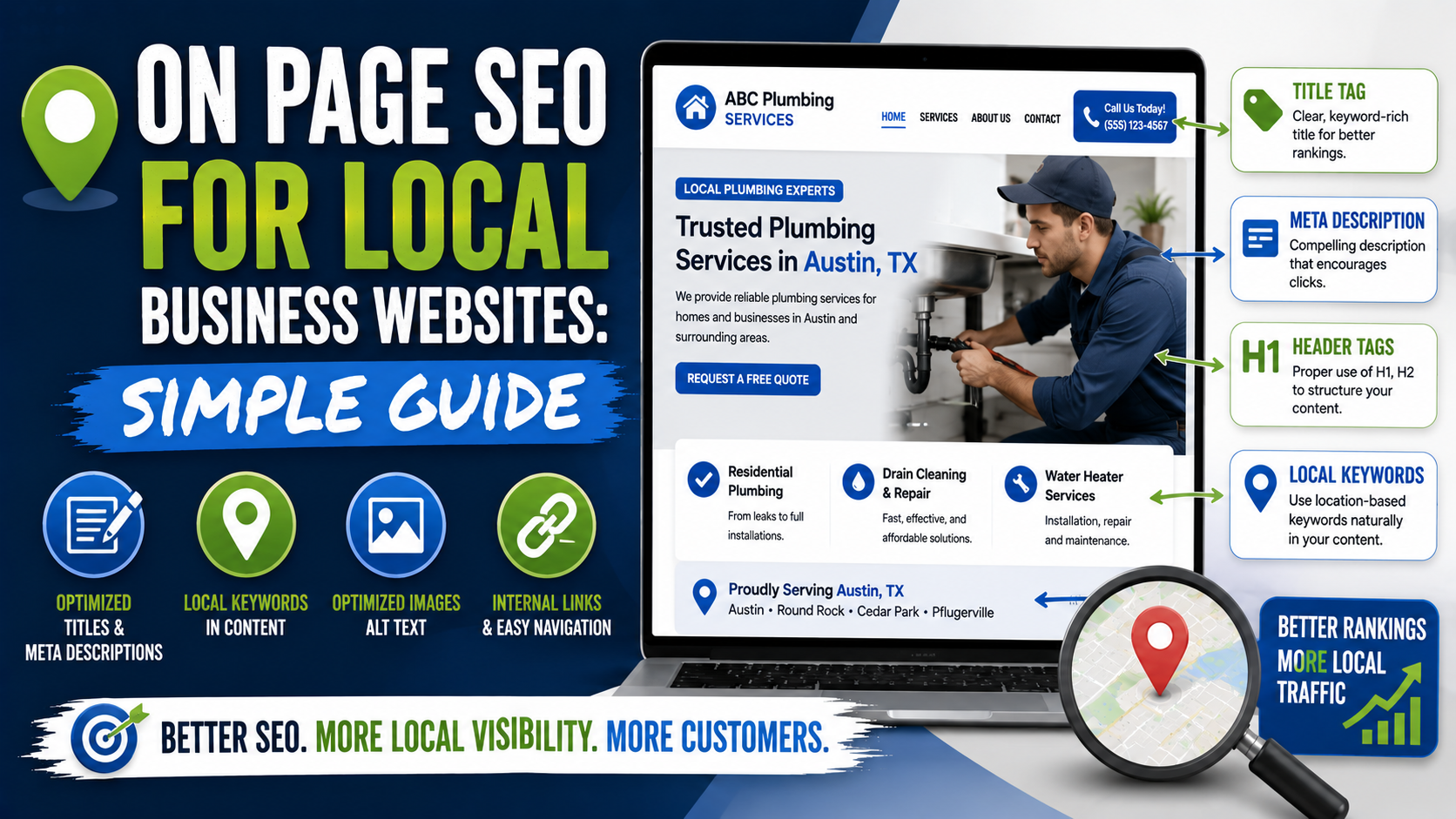
I once audited a local service website where almost every page had the same title.
The homepage was:
Home | Company Name
The plumbing page was:
Services | Company Name
The drain cleaning page was:
Services | Company Name
And the emergency plumbing page was also:
Services | Company Name
The business owner had spent money on a nice WordPress design, professional photos, and even Google Ads.
But if you looked at the site from Google’s point of view, it was surprisingly difficult to tell which page was supposed to rank for which service.
That is usually what on-page SEO problems look like on local business websites.
They are rarely mysterious.
Most of the time, the website simply does not explain itself clearly enough.
What service does this page cover?
Where is the business located?
Which areas does it serve?
What makes this page different from the other service pages?
Where should a visitor go next?
Answer those questions properly and you have already completed a large part of useful on-page SEO.
You do not need to repeat the keyword 37 times.
You do not need to hide city names in the footer.
You do not need an SEO plugin showing 100/100 before Google will rank the page.
Google’s own local ranking guidance says local results are mainly based on relevance, distance, and prominence. For the website side of that equation, your job is largely to make your services, locations, expertise, and page relationships easy to understand.
Here is how I approach it.
Start With One Question: What Is This Page Supposed to Rank For?
Before changing title tags, headings, URLs, or meta descriptions, decide what each page is actually about.
This sounds obvious.
It is not.
I regularly see websites with pages trying to target five unrelated services at the same time.
A contractor might have one page called:
Our Services
and underneath it there are short sections for:
- Concrete
- Landscaping
- Decks
- Retaining walls
- Paving
- Drainage
- Sod installation
- Outdoor kitchens
That page may explain the company broadly, but it is difficult to make it the best search result for every individual service.
If patio installation is an important revenue source, it probably deserves a proper page.
If drainage generates good jobs, give drainage its own page.
If deck construction is a major service, build a useful deck page.
I normally start with a simple map:
Homepage: Main business category + primary market
Service Page 1: Core service
Service Page 2: Core service
Service Page 3: Core service
Location Pages: Important cities genuinely served
Blog: Questions and informational topics
This immediately creates focus.
1. Give Every Important Page a Clear Title
Page titles are one of the first things I check.
Google says every page should have a descriptive, concise <title> element and specifically warns against vague titles, unnecessary length, boilerplate repetition, and keyword stuffing. Google may also generate a different title link when the supplied title does not accurately describe the page.
For a local business, a good title usually needs to tell the searcher two things:
What service is this?
and, where useful:
Where is it offered?
Bad:
Services | Green Oak
Better:
Interlocking Driveway Installation in Burlington | Green Oak
Another example:
Bad:
Roofing Company Roofing Contractor Roofers Toronto Best Roof Company
That is not optimization.
That is a keyword pile.
Better:
Roofing Contractor in Toronto | ABC Roofing
Simple titles are easier to understand.
One service.
One relevant location.
Brand name if useful.
Done.
2. Write a Proper H1
The main heading should make the page topic obvious when someone lands on it.
For example:
Interlocking Driveway Installation in Burlington
or:
Emergency Plumbing Services in Austin
You do not have to force the city into every heading if it reads unnaturally.
But the user should know immediately whether they landed on the correct page.
Google uses several page elements when understanding and generating search-result titles, including the visible main title and heading elements. Its current guidance recommends making the main title distinctive and clearly prominent.
One thing I would avoid is turning every sentence into a heading.
I have opened local SEO pages that look like this:
Plumber Dallas
Best Plumber Dallas
Emergency Plumber Dallas
Dallas Plumbing Company
Affordable Plumbing Dallas
That is not a useful document structure.
Use headings to organize information for a human reader.
3. Put the Main Service Near the Top of the Page
This is a small change that often makes a page much clearer.
If the page is about driveway installation, explain driveway installation near the beginning.
Do not start with six paragraphs like:
“At Green Oak, we believe every outdoor space tells a story. For decades, our passionate team has believed in transforming dreams into reality through our commitment to excellence…”
The customer searched for a driveway contractor.
Tell them about the driveway service.
A better opening might be:
“Need a new interlocking driveway in Burlington? We install residential paver driveways, including excavation, base preparation, edge restraints, paver installation, and finishing.”
That immediately confirms relevance.
Then you can explain the company.
4. Write Enough Content to Answer Real Questions
There is no magical word count that every local service page needs.
I would rather have an excellent 700-word page than a useless 2,500-word page.
But very thin pages often miss important questions.
Take a patio installation page.
A useful page might explain:
- What types of patios you install
- Materials available
- How the installation process works
- Base preparation
- Typical project considerations
- Repair versus replacement
- Service locations
- Recent projects
- Frequently asked questions
- How to request an estimate
That content exists for a reason.
Someone considering a $10,000 outdoor project will probably want more information than:
“We install quality patios. Call today.”
The mistake is adding paragraphs only to increase word count.
Do not write:
“Our patio contractors provide patio contractor services because hiring a patio contractor for your patio contractor needs…”
Write something that helps a homeowner make a decision.
5. Use Local Language Naturally
Local SEO content should feel local.
That does not mean repeating the city name in every paragraph.
If you serve Burlington, you might naturally mention:
- Burlington homeowners
- Projects completed in Burlington
- Nearby neighborhoods
- Common property types
- Local climate considerations
- Nearby service areas
For example:
“Many older Burlington properties have established landscaping around the driveway, so we often plan excavation carefully around existing garden beds and walkways.”
That is more useful than:
“We are the best Burlington driveway company serving Burlington driveway customers who need Burlington driveways.”
The location should provide context.
Not become punctuation.
6. Create Separate Pages for Different Search Intent
This is one of the most useful on-page SEO decisions you can make.
Suppose a landscaping company offers:
Patio Installation
and:
Patio Repair
Those customers may be looking for very different things.
Installation customer:
“I want a new patio.”
Repair customer:
“My existing patio is sinking.”
Trying to rank one generic patio page for both topics may work in some cases, but if both are important services, separate pages often make much more sense.
You could have:
/patio-installation/
and:
/patio-repair/
Each page can then answer its own questions.
The repair page might cover:
- Uneven pavers
- Sinking sections
- Joint sand loss
- Drainage problems
- Releveling
- Edge failure
The installation page can focus on:
- Design
- Materials
- Excavation
- Base preparation
- Installation
- Finishing
Now both users and search engines receive a clearer page.
7. Keep URLs Short and Understandable
You do not need complicated URLs.
I prefer:
example.com/patio-installation/
over:
example.com/services/category-2/service-page-patio-installation-company-near-me-burlington-ontario/
Google recommends logical URL structures that are understandable and crawlable.
Some local sites also use:
example.com/burlington/patio-installation/
That can make sense when there is a genuine location structure.
What matters most is consistency.
Do not change established URLs casually just because an SEO plugin tells you a different format looks cleaner.
Changing URLs means redirects, internal-link updates, and potential indexing disruption.
If the existing URL is reasonable and already performing, I usually leave it alone.
8. Write Better Meta Descriptions
Meta descriptions do not need to be stuffed with every keyword variation.
Their main job is to help the searcher understand what the page offers.
Google may use the meta description when it accurately summarizes the page, although Google can also generate snippets from the page itself depending on the query. Its current guidance recommends descriptions that are specific and genuinely summarize the page rather than vague or low-information text.
Bad:
Welcome to our website. Learn more about our services today.
Better:
Need interlocking driveway installation in Burlington? See our installation process, paver options, recent projects, and request a free estimate.
That tells me why I should click.
Do not obsess over hitting one exact character count.
Search-result snippets vary by device and query.
Focus on making the description specific and useful.
9. Use Internal Links Properly
Internal linking is one of the easiest on-page improvements available.
Suppose you publish an article:
Why Are My Patio Pavers Sinking?
Inside the article, you explain that poor base preparation can cause settlement.
That is a natural place to link to your:
Interlocking Repair Service
page.
Likewise, your patio installation page might link to:
- Patio design guide
- Paver maintenance article
- Retaining wall service
- Project gallery
- Contact page
Internal links help visitors continue exploring.
They also help Google discover pages and understand how pages relate to one another. Google’s current guidance says links are used both to discover pages and as signals for understanding relevance, and it recommends descriptive anchor text.
Instead of:
Click here
use:
our patio repair service
or:
see our retaining wall installation process
The anchor text should tell the reader what happens after clicking.
10. Make Important Pages Easy to Reach
I once audited a website with a really good drainage service page.
The problem?
There was no link to it in the main navigation.
No homepage link.
No service page link.
You could only reach it through an old blog article.
Technically, the page existed.
Practically, it was buried.
Important service pages should usually be accessible through a logical site structure.
Google’s sitelink guidance recommends an easy-to-navigate site hierarchy and linking important pages from relevant pages using concise, meaningful anchor text.
For a small local business, the website architecture does not need to be complicated.
Something like this is often enough:
Home
About
Services
- Patio Installation
- Driveway Installation
- Retaining Walls
- Grading
- Drainage
- Sod Installation
Projects
Service Areas
Blog
Contact
Simple is good.
11. Add Real Proof to Service Pages
This is where local websites can separate themselves from generic SEO content.
Anyone can write:
“We provide high-quality concrete services.”
Proof is harder.
Useful proof includes:
- Real project photos
- Before-and-after photos
- Customer testimonials
- Project locations
- Years of relevant experience
- Certifications where applicable
- Manufacturer relationships
- Team members
- Actual process photos
- Case studies
For example:
Recent Patio Project in Oakville
“Existing concrete was removed and replaced with a large-format paver patio. The project included new base preparation, drainage adjustment, and a retaining edge.”
Then show the project.
That content is useful to both search engines and customers because it demonstrates that the business actually performs the service.
12. Make Your Name, Address, and Phone Easy to Find
For businesses with a customer-facing location, clearly show accurate contact information.
Typically I want to find:
- Business name
- Address where appropriate
- Phone
- Opening hours
- Contact page
- Service areas
Google says it uses publicly available web information, including crawled content from official business websites, as one source for Business Profile and local-search information.
So your website and Google Business Profile should tell the same basic story.
If the website says:
125 King Street
and your GBP says:
412 Queen Street
that deserves investigation.
For service-area businesses that do not receive customers at their address, follow Google’s Business Profile rules rather than publishing a hidden or inappropriate address just for SEO.
13. Add LocalBusiness Schema, but Understand What It Does
Structured data sounds intimidating.
It is basically machine-readable information added to a page.
For local businesses, Google supports LocalBusiness structured data that can communicate details such as business type, address, opening hours, and other information. Google recommends using the most specific appropriate LocalBusiness subtype and validating markup using its Rich Results Test.
If your website runs on WordPress, plugins such as Rank Math or Yoast can simplify some schema implementation.
You can also add JSON-LD manually.
But I would not tell a small business:
“Add schema and your rankings will jump tomorrow.”
Schema helps machines understand structured information.
It is not a replacement for:
- Useful pages
- Good site structure
- Reviews
- Links
- Strong Google Business Profile optimization
- Relevant content
Think of it as technical housekeeping.
14. Optimize Images Without Ruining Them
Local businesses often have great photography and terrible image handling.
A contractor uploads a 7 MB phone photo directly into WordPress.
Then another.
Then another.
Suddenly the service page weighs 25 MB.
Before uploading, I usually:
- Choose the strongest image.
- Crop it properly.
- Resize it to a sensible display size.
- Compress it.
- Use a modern format such as WebP when practical.
- Add descriptive alt text where the image genuinely needs alternative text.
For example:
interlocking patio installation in Burlington
could be reasonable alt text if that accurately describes the photo.
Do not use:
best landscaper Burlington patio installer landscaping company near me
That is not accessibility.
That is keyword stuffing.
15. Improve Page Speed Without Becoming Obsessed With Scores
Performance matters for user experience.
Especially on local websites.
People may be searching from a phone while:
- Standing beside a leaking pipe
- Looking for a restaurant
- Comparing contractors
- Trying to book an appointment
- Searching for an emergency service
A slow website is frustrating.
Common problems I see include:
- Huge uncompressed images
- Too many WordPress plugins
- Autoplay background videos
- Multiple tracking scripts
- Heavy sliders
- Cheap hosting
- Poorly built page builders
- Fonts loaded unnecessarily
Google PageSpeed Insights can help identify problems.
But I would not chase a perfect score at the expense of the website.
If removing every image gets you from 94 to 100 but destroys the service page, that is not a win.
Aim for a site that feels quick and stable on an ordinary phone.
16. Make the Page Useful on Mobile
Most local service pages I review are built on desktop first.
Then someone checks the phone version at the end.
That is risky.
Open the page on an actual phone.
Ask:
Can I read the heading?
Can I tap the phone button?
Can I see the project images?
Is the quote form usable?
Does a giant popup cover everything?
Do I have to scroll through four full screens before learning what the company does?
Mobile usability is not only an SEO issue.
It directly affects leads.
A plumber could rank first, but if the phone number is impossible to tap, the ranking does not pay the bills.
17. Add Strong Calls to Action
Local SEO pages exist to generate business.
Do not forget that.
After explaining the service, tell the visitor what happens next.
Examples:
Request a Free Estimate
Call for Emergency Service
Schedule a Consultation
Get a Patio Installation Quote
The action should fit the service.
You can place CTAs:
- Near the top
- After important service information
- After testimonials
- Near the bottom
Just avoid turning every paragraph into:
CALL NOW!!!
Good conversion design supports SEO because the page has a purpose beyond attracting traffic.
18. Create Location Pages Only When They Add Value
Location pages can work extremely well.
They can also create some of the worst local SEO content on the internet.
Imagine a contractor creates:
- Landscaping Burlington
- Landscaping Oakville
- Landscaping Hamilton
- Landscaping Milton
- Landscaping Mississauga
- Landscaping Toronto
Each page contains the exact same 600 words.
Only the city name changes.
That is not useful localization.
A good location page might include:
- Services offered there
- Real projects in the city
- Photos from local work
- Relevant neighborhoods
- Customer reviews from that area
- Local property considerations
- Service availability
- Useful FAQs
- Directions or coverage information where relevant
If you cannot make the page meaningfully useful for that location, think carefully before creating it.
19. Avoid Keyword Cannibalization
This usually happens when a site creates too many similar pages.
Suppose you have:
/burlington-landscaper/
/landscaping-burlington/
/best-landscaper-burlington/
/landscaping-company-burlington/
All four pages are trying to rank for basically the same thing.
Now Google has to decide which one should represent the topic.
You may also split links, internal authority, and content between several weak pages.
I usually prefer one strong page per clear intent.
Keyword variations can be included naturally on that page.
You do not need a separate URL for every wording people use.
20. Keep Your Content Updated
Local business websites quietly become inaccurate.
A service gets discontinued.
The phone number changes.
A staff member leaves.
An offer expires.
A location closes.
An old page still says:
“Serving the community for 10 years”
even though it has said that since 2021.
Every few months, review your important pages.
I check:
- Titles
- H1s
- Phone numbers
- Addresses
- Services
- Project examples
- Internal links
- Broken links
- Calls to action
- Opening hours
- Old promotions
Google can rewrite search-result titles when page signals conflict or when titles appear outdated or inaccurate, which is another reason to keep the visible page and metadata aligned.
A Simple On-Page SEO Template for a Service Page
You do not have to follow one rigid layout, but here is a structure I often use.
Page Title
Patio Installation in Burlington | Green Oak Landscaping
H1
Interlocking Patio Installation in Burlington
Opening
Two or three short paragraphs explaining the service and who it is for.
Services or Options
Explain:
- Paver types
- Patio styles
- Installation options
Why the Service Matters
Address the customer’s actual problem.
Your Process
For example:
- Consultation
- Site preparation
- Excavation
- Base installation
- Paver installation
- Finishing
Recent Projects
Add real photos and brief descriptions.
Why Choose the Company
Use proof, not vague claims.
Service Area
Explain where the service is available.
FAQs
Answer real questions.
CTA
Make requesting a quote simple.
That is already a very solid local service page.
A Quick On-Page SEO Audit You Can Do Yourself
Take your five most important pages and check each one.
Ask:
Does the title describe the page?
Is there one clear primary topic?
Does the H1 make sense?
Is the main service explained near the top?
Is the location mentioned naturally where relevant?
Does the page answer customer questions?
Are there internal links?
Do other relevant pages link to this one?
Are there real photos or proof?
Is the phone number correct?
Is there a useful call to action?
Does the page work well on mobile?
Is there any outdated information?
You can find a surprising number of opportunities without an expensive SEO platform.
For a larger audit, I like using Screaming Frog to check things such as:
- Missing titles
- Duplicate titles
- Missing descriptions
- H1 problems
- Broken links
- Redirects
- Indexability
- Internal linking
Google Search Console is then useful for seeing which pages are actually receiving impressions and clicks.
Common On-Page SEO Mistakes I Still See
Keyword Stuffing
Repeating:
plumber Chicago
20 times does not make a page more useful.
Google explicitly advises against keyword stuffing in page titles, and the same basic principle should guide the page itself.
Copying Competitor Content
Competitor research is useful.
Copying their page and changing the company name is not.
Your advantage comes from adding your own:
- Experience
- Projects
- Photos
- Process
- Service information
- FAQs
Writing for an SEO Plugin
Yoast or Rank Math may say:
Focus keyword not used enough.
That does not automatically mean you should insert it six more times.
Plugins are tools.
They are not Google.
Ignoring Conversion
A page ranking well but generating no calls needs attention too.
SEO traffic only matters when it supports the business.
Creating Thin Service Pages
A page with a heading, one stock photo, and 100 words is rarely the best possible answer for a competitive service search.
Publishing 50 Duplicate City Pages
City names are not unique content.
Real local information is.
Forgetting Internal Links
A good page hidden deep inside the site will struggle to help customers if nobody can find it.
What I Would Fix First on a Small Local Website
If I only had one afternoon, I would not try to optimize everything.
I would start with the pages that generate the most valuable leads.
First:
Fix page titles and H1s.
Make the topic obvious.
Second:
Improve the first section.
Explain exactly what the company does.
Third:
Add useful service details.
Answer real questions.
Fourth:
Add proof.
Projects, photos, testimonials, experience.
Fifth:
Improve internal links.
Connect services, locations, and relevant articles.
Sixth:
Check contact information and CTAs.
Make it easy to become a customer.
Seventh:
Check mobile performance.
Actually use the website on your phone.
Then move to the next page.
This tends to produce better results than spending six hours adjusting the keyword density of one paragraph.
Final Thoughts
On-page SEO for a local business website is not complicated when you strip away the jargon.
Each important page should make a few things clear.
What do you offer?
Who is it for?
Where do you offer it?
Why should someone trust you?
What should they do next?
Your titles should describe the page.
Your headings should organize it.
Your content should answer real customer questions.
Your location references should feel natural.
Your internal links should help people move around the site.
Your photos should show real work.
Your contact information should be accurate.
And your service pages should be different because the services themselves are different, not because you swapped one keyword for another.
Google says local results are mainly influenced by relevance, distance, and prominence, while its search documentation repeatedly emphasizes clear titles, logical site structure, crawlable links, and useful information.
That is a good framework to work from.
You cannot control how far the searcher is from your business.
But you can make your website much clearer about what you do.
And that is what good local on-page SEO really comes down to.
Not tricking Google.
Making the right page easier for both Google and the customer to understand.