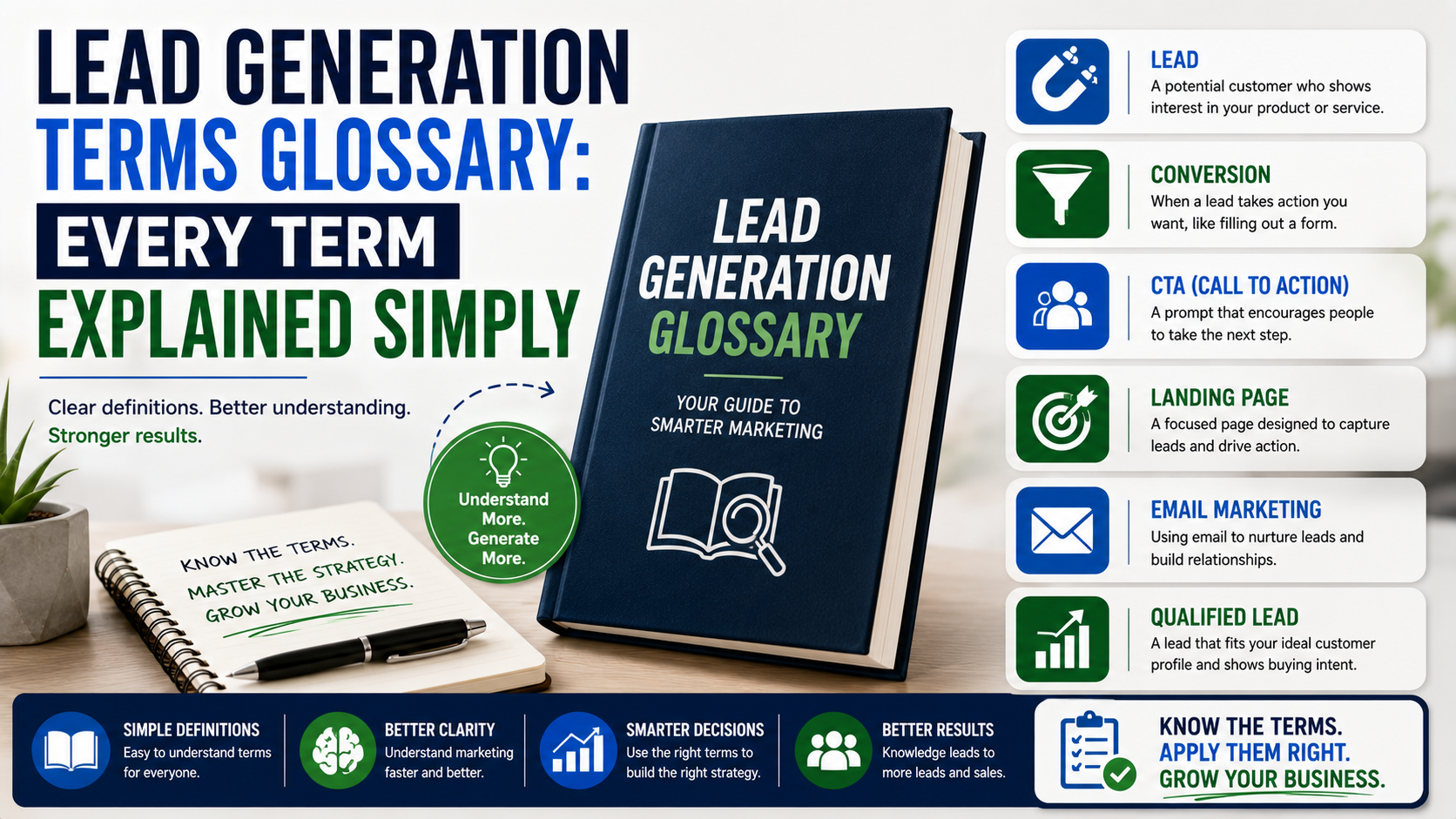
The first time I opened a detailed lead-generation dashboard, it felt as though someone had replaced normal business language with abbreviations.
CPC was down. CTR was improving. CPL had increased. MQL volume looked healthy, but SQL conversion was weak. The sales pipeline was growing, although CAC was apparently too high.
The report contained plenty of information, yet it did not answer the question the business owner actually cared about:
“Did any of this bring us paying customers?”
Marketing terms are useful when everyone understands them. When they are used without explanation, they can make a straightforward process sound far more complicated than it really is.
A potential customer discovers your business, shows some interest, shares their details, speaks with your team, and either buys or does not buy.
Most lead-generation terms simply describe one part of that journey.
This glossary explains those terms in plain English, with practical examples you might see inside Google Ads, Meta Ads Manager, HubSpot, Pipedrive, Google Analytics, or a simple sales spreadsheet.
Lead
A lead is a person or business that has shown interest and provided some way for you to contact them.
A lead may have:
- Submitted a website form
- Called your business
- Requested a quote
- Sent a WhatsApp message
- Booked a consultation
- Replied to an outreach email
- Downloaded a guide
- Completed a Facebook lead form
The word does not automatically mean the person is ready to buy.
Someone downloading a free checklist is a lead. Someone calling for an emergency repair is also a lead. Their level of interest is completely different.
This is why counting leads alone can be misleading.
Prospect
A prospect is a lead that appears to have some realistic potential to become a customer.
Suppose a web agency receives an enquiry from someone who wants a new ecommerce website.
After a quick review, the agency confirms that the person runs a real business, needs a service it provides, and has a suitable timeline.
That person is now more than a random lead. They are a prospect worth pursuing.
Some companies use “lead” and “prospect” to mean the same thing. That is fine, provided everyone inside the business uses the words consistently.
Qualified Lead
A qualified lead meets the basic requirements your business has set for a possible customer.
For a local contractor, those requirements might include:
- Correct location
- Suitable service
- Valid phone number
- Realistic budget
- Reasonable project timeline
- Permission to approve the work
For a B2B software company, qualification could involve:
- Company size
- Number of users
- Technical requirements
- Budget
- Decision-making authority
- Implementation date
A qualified lead is not a guaranteed sale.
It simply means the opportunity deserves further attention.
Unqualified Lead
An unqualified lead does not currently match the business.
Common reasons include:
- The person is outside the service area
- They need a service you do not offer
- Their budget is below your minimum
- They are applying for a job
- Their contact details are invalid
- They have no buying authority
- The project has no realistic timeline
Unqualified does not always mean permanently useless.
Someone planning a project next year may become valuable later. For now, however, they should not receive the same attention as a ready-to-buy customer.
Lead Quality
Lead quality describes how closely a lead matches your target customer and how likely they are to buy.
High-quality leads generally have:
- A real need
- Suitable budget
- Correct location
- Clear timing
- Valid details
- Decision-making ability
Low-quality leads may submit forms easily but rarely move forward.
A campaign generating 20 strong leads can be more valuable than one producing 200 weak enquiries.
Lead Volume
Lead volume is the total number of leads generated within a particular period.
For example:
- 45 leads this week
- 180 leads this month
- 2,000 leads this year
Volume is useful, but it should always be reviewed alongside quality.
More leads are not helpful when the team cannot contact them properly or most of them are unsuitable.
Cold Lead
A cold lead has little or no existing relationship with your business.
They may not know your company, understand your service, or feel an urgent need to buy.
Cold leads often come from:
- Cold email
- Cold calling
- LinkedIn outreach
- Purchased databases
- Direct mail
- Prospecting lists
Cold leads usually require more explanation and trust-building than people who contact you directly.
Warm Lead
A warm lead already knows something about your business or has shown meaningful interest.
They may have:
- Read several articles
- Followed your LinkedIn profile
- Attended a webinar
- Replied to an email
- Been referred by a customer
- Viewed a case study
- Requested basic information
A warm lead is familiar with you, but may not be ready to buy yet.
Hot Lead
A hot lead has a clear need and appears ready to take action soon.
They may be:
- Requesting a quote
- Asking about availability
- Booking a consultation
- Confirming a budget
- Looking for urgent support
- Comparing final providers
Hot leads should usually receive quick, personal attention.
Waiting until the next day may give a competitor enough time to win the work.
Marketing-Qualified Lead
A marketing-qualified lead, usually shortened to MQL, has taken actions that suggest stronger interest than an ordinary visitor.
An MQL might have:
- Downloaded several resources
- Visited a pricing page
- Attended a webinar
- Opened multiple emails
- Returned to the website several times
- Requested a service guide
The marketing team considers the person engaged enough to deserve more focused follow-up.
The exact definition should be written down.
If marketing calls every email subscriber an MQL while sales expects someone ready for a meeting, the two teams will argue about lead quality constantly.
Sales-Qualified Lead
A sales-qualified lead, or SQL, has been reviewed and appears ready for direct sales attention.
The person may have:
- Confirmed a real problem
- Shared a suitable budget
- Agreed to a call
- Identified a timeline
- Matched the ideal customer profile
- Included the decision-maker
An MQL has shown meaningful interest.
An SQL appears ready for a sales conversation.
Product-Qualified Lead
A product-qualified lead, or PQL, is someone who has used a product and shown signs that they may become a paying customer.
This term is common in software companies offering free trials or free plans.
For example, someone signs up for a free project-management tool, creates several projects, invites their team, and uses the platform daily.
Their actual product behavior suggests stronger buying potential than a person who simply downloaded an ebook.
Information-Qualified Lead
An information-qualified lead, sometimes called an IQL, is someone who has exchanged contact details for educational information.
They may have downloaded:
- A checklist
- A report
- A template
- A guide
- A research document
They are usually still at an early stage.
The business should educate them rather than immediately pushing for a sales call.
Lead Generation
Lead generation is the process of attracting potential customers and encouraging them to make contact.
Common lead-generation methods include:
- Google Ads
- Search engine optimization
- Facebook and Instagram Ads
- LinkedIn outreach
- Content marketing
- Email marketing
- Referrals
- Networking
- Cold calling
- Webinars
- Partnerships
- Local directories
Good lead generation does not end when someone submits a form.
The lead still has to be contacted, qualified, followed up with, and tracked through to the final sale.
Demand Generation
Demand generation creates awareness and interest before someone is ready to become a lead.
Examples include:
- Educational videos
- Industry reports
- Podcasts
- Social content
- Research
- Events
- Public speaking
- Brand campaigns
Demand generation helps people recognize a problem and understand possible solutions.
Lead generation gives them a way to identify themselves and contact the business.
A useful YouTube video may create demand. A consultation form beneath it may capture the lead.
Inbound Lead Generation
Inbound lead generation attracts people who choose to approach the business.
Inbound methods include:
- SEO
- Blog content
- YouTube
- Social media
- Referrals
- Google Business Profile
- Webinars
- Online tools
- Paid search campaigns
The lead takes the first direct action, such as calling or submitting a form.
Inbound leads often have stronger initial intent because they actively sought information or help.
Outbound Lead Generation
Outbound lead generation begins when the business contacts a potential customer first.
Common outbound methods include:
- Cold email
- Cold calling
- LinkedIn messages
- Direct mail
- Account-based outreach
- Event prospecting
Outbound works best when the target audience is specific and the message has a real reason behind it.
Sending the same generic pitch to thousands of people is volume, not thoughtful prospecting.
Lead Capture
Lead capture is the process used to collect a potential customer’s information.
Lead-capture methods include:
- Website forms
- Phone calls
- Live chat
- Facebook instant forms
- Booking calendars
- Webinar registration pages
- Pop-ups
- Download forms
A lead-capture system should make the next step easy without collecting unnecessary personal details.
Lead Form
A lead form collects contact and qualification information from a potential customer.
Common form fields include:
- Name
- Phone number
- Location
- Company
- Service required
- Budget range
- Timeline
- Message
A short form may create more submissions.
A longer form may produce fewer but better-qualified leads.
The best form collects only the information needed for the next action.
Landing Page
A landing page is a focused webpage designed around one service, offer, or campaign.
A typical landing page includes:
- A clear headline
- A description of the offer
- Benefits
- Reviews or proof
- Relevant photographs
- Common questions
- A form
- One main call to action
The page should match the message that brought the visitor there.
If an ad promotes emergency air-conditioning repair, the landing page should not begin with a general history of the company.
Call to Action
A call to action, usually written as CTA, tells the reader what to do next.
Examples include:
- Request a Quote
- Book an Inspection
- Call Now
- Schedule a Demo
- Download the Checklist
- Start a Free Trial
- Send Project Details
A specific CTA is usually clearer than a vague one.
“Request a Roof Inspection” tells the customer more than “Learn More.”
Lead Magnet
A lead magnet is a useful resource offered in exchange for contact information.
Examples include:
- Checklists
- Templates
- Calculators
- Reports
- Short courses
- Webinars
- Planning guides
- Audit sheets
- Worksheets
A good lead magnet solves a small problem and connects naturally to the service.
A website planning checklist makes sense for a web agency. A generic book of inspirational quotes probably does not.
Offer
An offer is the specific value presented to encourage someone to take action.
Examples include:
- Free initial consultation
- Fixed-price first service
- Complimentary inspection
- Product demonstration
- Free trial
- Planning session
- Discounted first appointment
The service and the offer are not always the same.
“Interior design” is a service.
“Book a 30-minute interior planning consultation” is an offer.
Conversion
A conversion happens when a person completes the action the campaign was designed to produce.
A conversion may be:
- Form submission
- Phone call
- Appointment booking
- Download
- Trial signup
- Purchase
- Demo request
The important question is what the platform is counting.
Google Ads may count a phone call as a conversion. Meta may count an instant-form submission. Your business may only consider a paying customer a true success.
These are different stages.
Conversion Rate
Conversion rate is the percentage of people who complete a desired action.
The formula is:
Conversions ÷ Total opportunities × 100
Suppose 1,000 people visit a landing page and 40 submit the form.
The conversion rate is:
40 ÷ 1,000 × 100 = 4%
You can calculate conversion rates at different stages:
- Visitor to lead
- Lead to appointment
- Appointment to proposal
- Proposal to customer
Always state which stage you are measuring.
Lead-to-Customer Conversion Rate
The lead-to-customer conversion rate shows the percentage of leads that become paying customers.
The formula is:
Customers ÷ Total leads × 100
If 100 leads produce 12 customers:
12 ÷ 100 × 100 = 12%
This is more valuable than knowing only how many people submitted a form.
Close Rate
Close rate normally shows the percentage of qualified opportunities that become customers.
The formula is:
Won deals ÷ Qualified opportunities × 100
If a business speaks with 20 suitable prospects and wins five:
5 ÷ 20 × 100 = 25%
Be careful when comparing close rates.
One company may calculate from all leads. Another may calculate only from formal proposals. The percentages are not comparable unless the starting stage is the same.
Cost per Click
Cost per click, or CPC, is the average amount paid whenever someone clicks an advertisement.
The formula is:
Ad spend ÷ Number of clicks
If a campaign costs $600 and generates 300 clicks:
$600 ÷ 300 = $2 CPC
A low CPC does not automatically mean the campaign is good.
Cheap clicks from irrelevant people are still wasted money.
Cost per Lead
Cost per lead, or CPL, is the average amount spent to generate one lead.
The formula is:
Campaign cost ÷ Number of leads
If you spend $1,200 and generate 40 leads:
$1,200 ÷ 40 = $30 CPL
CPL is useful, but it should never be reviewed alone.
A $20 lead that never answers is more expensive than a $70 lead that becomes a profitable customer.
Cost per Qualified Lead
Cost per qualified lead shows how much was spent for each suitable opportunity.
Suppose a campaign costs $1,200 and generates 40 leads, but only 12 are qualified.
The raw CPL is $30.
The qualified lead cost is:
$1,200 ÷ 12 = $100
This gives a more honest view of campaign performance.
Customer Acquisition Cost
Customer acquisition cost, or CAC, is the average cost of gaining one new customer.
A basic formula is:
Total sales and marketing cost ÷ New customers
If advertising, software, creative work, and campaign management cost $5,000 and the business gains ten customers:
$5,000 ÷ 10 = $500 CAC
CAC should be compared with profit and customer lifetime value.
A $500 CAC may be excellent for a customer worth $20,000 and terrible for one worth $300.
Customer Lifetime Value
Customer lifetime value, commonly written as CLV or LTV, estimates the total value a customer creates during the relationship.
Suppose a customer pays $100 per month and remains for an average of three years.
Their simple revenue-based lifetime value is:
$100 × 36 months = $3,600
A proper calculation may also consider profit margin, repeat purchases, cancellations, and support costs.
Use real customer data rather than optimistic guesses.
Return on Ad Spend
Return on ad spend, or ROAS, compares advertising revenue with ad cost.
The formula is:
Revenue attributed to ads ÷ Ad spend
If a business spends $1,000 and tracks $4,000 in revenue:
$4,000 ÷ $1,000 = 4x ROAS
That means four dollars in revenue were generated for each advertising dollar.
ROAS is not the same as profit because it does not include every business cost.
Return on Investment
Return on investment, or ROI, compares the gain from an investment with its total cost.
A simplified formula is:
(Gain − Cost) ÷ Cost × 100
If a campaign costs $2,000 and produces $5,000 in profit:
($5,000 − $2,000) ÷ $2,000 × 100 = 150% ROI
Be clear about whether the calculation uses revenue or profit.
Using revenue can make performance look better than it really is.
Impression
An impression is recorded when an advertisement or piece of content is displayed.
One person can create several impressions by seeing the same ad repeatedly.
An impression does not prove the person noticed or remembered the content.
Reach
Reach is the number of individual people who saw the content.
If one person sees your advertisement five times, the campaign may record:
- Five impressions
- Reach of one person
Reach tells you how many different people were exposed.
Frequency
Frequency shows how many times, on average, each person saw an advertisement.
The formula is:
Impressions ÷ Reach
If an ad receives 20,000 impressions and reaches 5,000 people:
20,000 ÷ 5,000 = 4 frequency
The average person saw it four times.
Some repetition is useful. Too much can cause people to ignore or become annoyed by the ad.
Click-Through Rate
Click-through rate, or CTR, shows the percentage of impressions that produced clicks.
The formula is:
Clicks ÷ Impressions × 100
If an ad receives 10,000 impressions and 250 clicks:
250 ÷ 10,000 × 100 = 2.5% CTR
A low CTR may suggest problems with the message, creative, audience, or offer.
A high CTR does not guarantee leads or sales. People may click out of curiosity.
Engagement
Engagement includes interactions such as:
- Likes
- Comments
- Shares
- Saves
- Reactions
- Video views
- Link clicks
Engagement can show whether content captured attention.
It should not be confused with buying intent.
A humorous video may receive thousands of likes without generating a single customer.
Traffic
Traffic refers to people visiting a website, landing page, app, or profile.
Common traffic sources include:
- Organic search
- Paid search
- Social media
- Referrals
- Direct visits
Traffic is useful only when it includes the right audience and supports a meaningful business goal.
Organic Lead
An organic lead comes through unpaid visibility.
Sources may include:
- Google search
- Social posts
- YouTube videos
- Referrals
- Community recommendations
- Blog content
- Google Business Profile
Organic does not mean effort-free.
The business may still invest money and time in content, SEO, staff, photography, and tools.
Paid Lead
A paid lead comes from a source where the business pays for exposure, clicks, calls, or contact information.
Examples include:
- Google Ads
- Facebook Ads
- LinkedIn Ads
- Paid directories
- Lead marketplaces
- Sponsored content
Paid lead generation can produce faster results, but it stops or slows when the budget is removed.
Lead Source
A lead source tells you where a lead came from.
Examples include:
- Google Ads
- Organic Google
- Referral
- Cold email
- Event
- Partner
- Walk-in
- Website
Use consistent labels.
“Facebook,” “FB,” and “Meta” should not be entered as three separate sources if they mean the same thing.
Marketing Channel
A marketing channel is the broader method used to reach customers.
Examples include:
- Search
- Social media
- Referrals
- Events
- Partnerships
- Outbound sales
- Content marketing
A channel can contain multiple sources and campaigns.
For example, the paid social channel may include Facebook, Instagram, and LinkedIn campaigns.
Campaign
A campaign is a coordinated marketing effort focused on a goal, offer, audience, or service.
For example:
Summer Air-Conditioning Maintenance Campaign
That campaign may include:
- Facebook ads
- Landing page
- WhatsApp follow-up
- Social posts
Clear campaign names make tracking much easier.
UTM Parameters
UTM parameters are tracking labels added to a website link.
They can identify:
- Source
- Medium
- Campaign
- Content
- Search term
For example, a tagged link might tell Google Analytics that a visitor came from a paid Facebook campaign promoting kitchen renovations.
Keep naming consistent.
Using “Facebook,” “facebook-paid,” and “FBads” randomly will make reports difficult to interpret.
Attribution
Attribution is the process of deciding which channel receives credit for a lead or sale.
A customer might:
- See an Instagram post
- Read a blog article
- Click a Google ad
- Return directly
- Submit a form
Which source should get credit?
Different attribution models answer that question differently.
First-Touch Attribution
First-touch attribution gives credit to the first recorded interaction.
In the example above, Instagram would receive credit.
This model is useful for understanding which sources introduce people to the business.
Last-Touch Attribution
Last-touch attribution gives credit to the final interaction before conversion.
If the person returned directly before submitting the form, the direct visit may receive the credit.
This model is simple, but it may ignore everything that built trust earlier.
Multi-Touch Attribution
Multi-touch attribution shares credit across several interactions.
It can give a more balanced view of the customer journey, but it is harder to measure accurately.
Small businesses do not always need a complicated attribution model.
Recording the first known source, final source, and the customer’s own answer is a useful starting point.
Search Intent
Search intent is the reason someone enters a query into a search engine.
The main types include:
Informational Intent
The person wants to learn.
Example:
Why is my website slow?
Commercial Intent
The person is comparing options.
Example:
WordPress vs Shopify for a small store
Transactional Intent
The person is ready to act.
Example:
Hire Shopify developer
Local Intent
The person wants a nearby service.
Example:
Emergency electrician near me
Matching the page to the intent usually produces better leads.
Buying Intent
Buying intent describes how strongly someone’s behavior suggests they may make a purchase.
High-intent actions include:
- Requesting a quote
- Booking a demo
- Viewing pricing
- Asking about availability
- Comparing packages
- Starting a trial
Lower-intent actions include:
- Liking a post
- Reading a broad article
- Watching a short video
- Following a profile
Low-intent activity can still matter, but it should not be treated as an immediate sales opportunity.
Ideal Customer Profile
An ideal customer profile, or ICP, describes the type of customer or company that is the best fit for the business.
A B2B ICP may include:
- Industry
- Company size
- Location
- Revenue
- Technology
- Team size
- Common problem
A local service ICP might include:
- Property type
- Service area
- Project value
- Homeownership
- Timeline
- Service required
The ICP helps with targeting, qualification, and messaging.
Buyer Persona
A buyer persona is a simplified profile of the person involved in the buying decision.
It may include:
- Job role
- Goals
- Concerns
- Questions
- Objections
- Decision criteria
- Preferred communication method
The ICP usually describes the company or customer type.
The buyer persona describes the individual making or influencing the decision.
Keep personas practical. A fictional person’s favorite breakfast is not useful unless it somehow changes the marketing strategy.
Decision-Maker
A decision-maker is the person who has final authority to approve the purchase.
They may approve:
- Budget
- Vendor choice
- Contract
- Project timing
- Final scope
The person submitting the enquiry is not always the decision-maker.
A marketing assistant may collect proposals, while the business owner approves the final contract.
Gatekeeper
A gatekeeper controls access to the decision-maker.
Gatekeepers may include:
- Assistants
- Receptionists
- Office managers
- Procurement staff
- Department coordinators
Treat gatekeepers professionally.
They often understand the internal process and can help move the opportunity forward.
Sales Funnel
A sales funnel describes the stages people move through before buying.
A simple funnel might be:
- Website visitor
- Lead
- Qualified lead
- Appointment
- Proposal
- Customer
The funnel narrows because not everyone moves to the next stage.
Tracking the funnel helps identify where suitable prospects are being lost.
Marketing Funnel
A marketing funnel describes the journey from discovering the business to becoming ready to buy.
Common stages include:
- Awareness
- Interest
- Consideration
- Decision
- Retention
Different content supports different stages.
A social video may create awareness.
A comparison article supports consideration.
A case study or consultation page supports the decision.
Top of Funnel
Top of funnel, or TOFU, refers to people at an early awareness stage.
They may be learning about the problem for the first time.
Useful content includes:
- Educational articles
- Introductory videos
- Checklists
- Social posts
- Basic guides
These people usually need information rather than a strong sales push.
Middle of Funnel
Middle of funnel, or MOFU, refers to people comparing solutions.
Useful content includes:
- Comparison guides
- Webinars
- Case studies
- Detailed tutorials
- Email sequences
- Buying checklists
The goal is to help them understand the available options.
Bottom of Funnel
Bottom of funnel, or BOFU, refers to people close to making a decision.
Useful content includes:
- Pricing pages
- Demonstrations
- Consultations
- Proposals
- Customer reviews
- Service comparisons
- Implementation plans
These prospects need clarity and reassurance.
Sales Pipeline
A sales pipeline is the collection of active sales opportunities being managed by the business.
Common pipeline stages include:
- New
- Contacted
- Qualified
- Meeting booked
- Quote sent
- Negotiation
- Won
- Lost
A healthy pipeline shows what needs to happen next.
Every active opportunity should have an owner and a follow-up date.
Pipeline Value
Pipeline value is the total estimated value of all open opportunities.
Suppose the pipeline includes:
- One $10,000 project
- Two $4,000 projects
- One $2,000 project
The total unweighted pipeline value is:
$10,000 + $4,000 + $4,000 + $2,000 = $20,000
That does not mean the business will receive $20,000. Some deals will be lost.
Weighted Pipeline
A weighted pipeline adjusts each opportunity based on its estimated likelihood of closing.
Suppose a $10,000 deal has a 40% chance of closing.
Its weighted value is:
$10,000 × 0.40 = $4,000
Weighted pipeline can help forecasting, but only when the percentages are based on real historical performance rather than wishful thinking.
Sales Opportunity
A sales opportunity is a qualified potential deal with a realistic chance of generating revenue.
An opportunity usually has:
- A real need
- Suitable fit
- Estimated value
- Expected timing
- Decision process
- Next step
Not every lead should become an opportunity.
Creating opportunities too early makes the pipeline look larger than it truly is.
Deal
A deal is an active commercial opportunity recorded in a CRM.
The deal record may include:
- Contact
- Company
- Value
- Pipeline stage
- Expected close date
- Probability
- Notes
- Next task
HubSpot and Pipedrive commonly use this type of structure.
Won Deal
A won deal is an opportunity that became a customer.
Define exactly when a deal counts as won.
It may be when:
- The contract is signed
- A deposit is paid
- The first invoice is paid
- The order is confirmed
- The subscription begins
Consistent definitions make reports more reliable.
Lost Deal
A lost deal is an opportunity that will not move forward.
Common lost reasons include:
- Price
- Timing
- Chose competitor
- No response
- Budget rejected
- Project cancelled
- Wrong fit
Closing lost deals keeps the pipeline accurate.
They can still be reopened if the situation changes.
Sales Cycle
The sales cycle is the time between first contact and final purchase.
A locksmith may have a sales cycle of minutes.
A web design project may take several weeks.
A commercial construction contract may take months.
Understanding the average sales cycle helps the business predict when current leads may turn into revenue.
Touchpoint
A touchpoint is any interaction between the customer and the business.
Examples include:
- Seeing an advertisement
- Reading an article
- Opening an email
- Speaking on the phone
- Attending a meeting
- Viewing a proposal
- Reading a review
- Receiving a WhatsApp message
Higher-value purchases usually involve several touchpoints.
Lead Nurturing
Lead nurturing is the process of staying helpful and relevant to people who are not ready to buy yet.
Nurturing may involve:
- Educational emails
- Case studies
- Planning guides
- Scheduled calls
- Product updates
- Webinars
- Relevant reminders
Good nurturing helps someone make a decision.
Poor nurturing repeatedly asks, “Are you ready to buy now?”
Drip Campaign
A drip campaign is an automated sequence of messages delivered over time.
For example:
- Day one: Send the requested checklist
- Day three: Explain a common mistake
- Day seven: Share a case study
- Day twelve: Discuss pricing
- Day eighteen: Offer a consultation
A drip campaign should guide the reader naturally rather than repeating the same sales pitch.
Follow-Up
A follow-up is communication sent after the first interaction.
Examples include:
- Calling after a form submission
- Confirming a proposal arrived
- Sending requested information
- Checking after a decision meeting
- Reconnecting when a project becomes active
A follow-up should have a reason.
“Just checking in” becomes easy to ignore when every message says the same thing.
Lead Response Time
Lead response time is the period between receiving an enquiry and making the first meaningful response.
The timer begins when the enquiry arrives.
A meaningful response may be:
- A phone call
- A personal email
- A WhatsApp message
- An appointment confirmation
- A useful qualification question
An automatic confirmation helps, but it does not always replace personal contact.
Contact Rate
Contact rate shows the percentage of leads the business successfully reaches.
The formula is:
Successfully contacted leads ÷ Total leads × 100
If 100 leads arrive and the team speaks with 45:
45 ÷ 100 × 100 = 45% contact rate
A low contact rate can indicate:
- Invalid information
- Slow response
- Weak follow-up
- Poor-quality lead sources
- Calls made at inconvenient times
Appointment Rate
Appointment rate shows the percentage of leads or conversations that result in a booked appointment.
The starting stage matters.
You might calculate it using:
- All leads
- Qualified leads
- Contacted leads
Always explain which one you used.
No-Show Rate
No-show rate is the percentage of booked appointments that people do not attend.
The formula is:
Missed appointments ÷ Total booked appointments × 100
If 20 appointments are booked and five are missed:
5 ÷ 20 × 100 = 25% no-show rate
Calendar invitations, email reminders, SMS, and WhatsApp confirmations can reduce no-shows.
Lead Scoring
Lead scoring assigns points to leads based on fit and behavior.
Positive points may be awarded for:
- Correct location
- Suitable budget
- Decision-making authority
- Near-term timeline
- Pricing-page visits
- Meeting booking
Points may be removed for:
- Unsupported location
- Invalid phone number
- Wrong service
- Very low budget
- No timeline
Lead scoring helps teams decide who should receive attention first.
Segmentation
Segmentation divides leads into groups based on common characteristics.
Segments may be based on:
- Service interest
- Location
- Industry
- Budget
- Funnel stage
- Lead source
- Customer type
- Previous purchase
Segmentation makes communication more relevant.
Someone interested in commercial cleaning should not receive the same messages as someone asking about home cleaning.
Personalization
Personalization adjusts communication using details about the recipient.
Useful personalization may include:
- Their name
- Requested service
- Company
- Location
- Stated problem
- Timeline
- Previous conversation
Adding a first name to a generic mass email is only basic personalization.
Real personalization shows that the business understands the person’s situation.
A/B Testing
A/B testing compares two versions of one marketing element.
You may test:
- Headlines
- Images
- Calls to action
- Form lengths
- Email subject lines
- Landing-page layouts
Version A is shown to one group.
Version B is shown to another.
Change one major element at a time where possible. If everything is different, you cannot tell what caused the result.
Retargeting
Retargeting shows advertisements to people who previously interacted with your business.
This may include people who:
- Visited the website
- Watched a video
- Engaged with social content
- Opened a form
- Added a product to a cart
- Viewed a service page
Retargeting reminds interested people to return.
It should not repeatedly follow the same audience with an irrelevant advertisement.
Remarketing
Remarketing is often used as another word for retargeting.
Some people use “remarketing” for re-engaging known contacts through email, while “retargeting” refers mainly to paid advertisements.
In everyday marketing conversations, the terms are frequently used interchangeably.
Lookalike Audience
A lookalike audience is a group created by an advertising platform based on an existing source audience.
The source might be:
- Customers
- Qualified leads
- Website visitors
- Email subscribers
- People who completed purchases
The platform tries to find new users with similar characteristics.
The quality of the source matters. A lookalike built from profitable customers is usually more useful than one based on every random website visitor.
CRM
A customer relationship management system, or CRM, stores and organizes lead and customer information.
Popular tools include:
- HubSpot
- Pipedrive
- Zoho CRM
- Salesforce
- Freshsales
A CRM may manage:
- Contact details
- Emails
- Calls
- Tasks
- Meetings
- Deal stages
- Sales reports
- Automations
Buying CRM software does not automatically create a good sales process.
The team still has to update it consistently.
Marketing Automation
Marketing automation uses software to complete repeated marketing tasks.
Examples include:
- Sending confirmation emails
- Delivering lead magnets
- Assigning leads
- Starting email sequences
- Creating follow-up tasks
- Updating contact records
- Moving leads between stages
Tools such as HubSpot, ActiveCampaign, Mailchimp, Brevo, Zapier, and Make can support automation.
Automation should reduce manual work without removing human judgment.
Lead Database
A lead database is the organized collection of contact and activity information relating to potential customers.
It may include:
- Names
- Email addresses
- Phone numbers
- Companies
- Sources
- Statuses
- Notes
- Follow-up dates
- Purchase history
A lead database can live in a CRM, Airtable, Excel, or Google Sheets.
Personal information should be stored securely and used responsibly.
Lead Handoff
A lead handoff is the transfer of a lead from one person or team to another.
For example, marketing may pass a qualified lead to sales.
A good handoff includes:
- Contact information
- Lead source
- Service interest
- Qualification details
- Previous messages
- Required next step
- Assigned owner
A poor handoff forces the customer to repeat everything and creates delays.
Service-Level Agreement
A service-level agreement, or SLA, is an internal agreement explaining how leads should be handled.
For example:
- Marketing must include accurate source information.
- Sales must contact qualified leads within 15 minutes.
- Sales must update each CRM record.
- Marketing must review rejected-lead reasons monthly.
An SLA keeps teams working from the same expectations.
Lead Leakage
Lead leakage happens when potential customers are lost because of a broken process.
Examples include:
- Forms not sending
- Calls going unanswered
- Messages being ignored
- Slow response
- Missing follow-ups
- Leads assigned incorrectly
- Quotes never delivered
- CRM records disappearing
Lead leakage can make a good marketing campaign appear unsuccessful.
Lead Recycling
Lead recycling means moving a lead into a future follow-up process because the person is not ready now.
Common reasons include:
- Budget delay
- Contract renewal date
- Missing approval
- Project postponed
- Timing not suitable
The lead should receive a specific future follow-up date rather than remaining open forever.
Recycled Lead
A recycled lead is a previous prospect that becomes active again.
For example, a business delays its software project for six months and later receives approval to proceed.
Good CRM notes make it much easier to restart the conversation.
Lost Lead
A lost lead is a potential customer that did not progress.
Common reasons include:
- No response
- Wrong fit
- Price
- Timing
- Chose competitor
- Project cancelled
- Service unavailable
Lost reasons are useful marketing and sales data.
If many leads are lost for the same reason, the business may need to adjust its offer, targeting, pricing, or process.
Lead Capacity
Lead capacity is the number of leads a team can realistically contact, qualify, and manage properly.
Generating 500 leads is not useful when the team can only handle 100.
Exceeding capacity may cause:
- Slow calls
- Missed follow-ups
- Poor customer experience
- Duplicate contact
- Burned-out employees
- Wasted advertising money
Lead targets should reflect both sales goals and team capacity.
Revenue Attribution
Revenue attribution connects sales revenue to the marketing sources or campaigns that influenced it.
This is more useful than counting leads alone.
One campaign may create 100 leads and $5,000 in sales.
Another may create 20 leads and $30,000 in sales.
The second campaign has lower volume but much greater business value.
Marketing-Influenced Revenue
Marketing-influenced revenue includes sales where marketing played a meaningful role, even if it was not the final source.
For example, a customer may:
- Read a blog article
- See a LinkedIn post
- Receive a referral
- Contact the sales team directly
The content influenced the decision even though the direct contact received last-touch credit.
The Terms Small Businesses Should Track First
A small business does not need to monitor every term in this glossary.
A practical starting dashboard can include:
- Total leads
- Qualified leads
- Lead source
- First-response time
- Contact rate
- Appointments booked
- Proposals or quotes sent
- Customers won
- Cost per qualified lead
- Customer acquisition cost
- Revenue by source
- Lost reason
These numbers show whether the business is attracting suitable people and handling them properly.
Common Mistakes When Reading Lead Reports
Treating Every Conversion as a Customer
A conversion may only be a click, form, or phone call.
Check what the platform actually counted.
Comparing Raw Leads With Qualified Leads
One report may contain 100 form submissions. Another may contain 30 verified opportunities.
Those numbers are not directly comparable.
Confusing Revenue With Profit
Revenue does not include the cost of delivering the service.
Quoting a Close Rate Without Naming the Starting Stage
A 25% close rate could mean:
- 25% of all leads
- 25% of appointments
- 25% of proposals
- 25% of qualified opportunities
The meaning changes completely.
Focusing on Cheap Leads
Low CPL can hide poor quality.
Track customers and revenue.
Ignoring Offline Leads
Phone calls, walk-ins, referrals, and events should be included.
Using Different Definitions Across Teams
Marketing and sales should agree on what counts as a lead, qualified lead, opportunity, and customer.
Create Your Own Internal Glossary
The most useful definitions are the ones your team uses consistently.
A local service business might define its stages like this:
Lead: Anyone who submits valid contact information for a service enquiry.
Qualified lead: A person within the service area who needs an offered service and meets the minimum project conditions.
Opportunity: A qualified lead who has discussed the project with the team and has a realistic chance of buying.
Customer: A person who has approved the quote and paid the required deposit.
Lost: An opportunity that has chosen not to proceed or has become inactive after the agreed follow-up process.
Write these definitions down.
Add them to the CRM guide, reporting sheet, or sales process.
Once everyone speaks the same language, the reports become much easier to use.
You can see whether marketing is attracting the right people, whether sales is responding quickly, where opportunities are getting stuck, and which campaigns produce profitable customers.
Lead generation terminology should make the customer journey easier to understand.
It should never hide the only question that really matters:
Did the business turn suitable interest into paying work?