A few years ago, I was helping a small business improve its online visibility, and the owner asked me something I hear quite often:
“Do we really need expensive SEO software to compete with bigger companies?”
It is a fair question.
Many small business owners assume SEO requires expensive subscriptions, complicated dashboards, and a full marketing team.
The reality is different.
Paid SEO tools like Semrush, Ahrefs, and Moz are powerful, but they are not the starting point for most small businesses.
In many cases, free SEO tools can help you understand your website, find opportunities, fix problems, and make smarter decisions.
I have seen businesses waste hundreds of dollars on advanced tools while ignoring basic issues that free tools could easily reveal.
A website with broken pages, poor search visibility, missing business information, or slow loading speed does not become successful just because someone bought an expensive SEO subscription.
Good SEO starts with understanding what is happening.
That is where free tools come in.
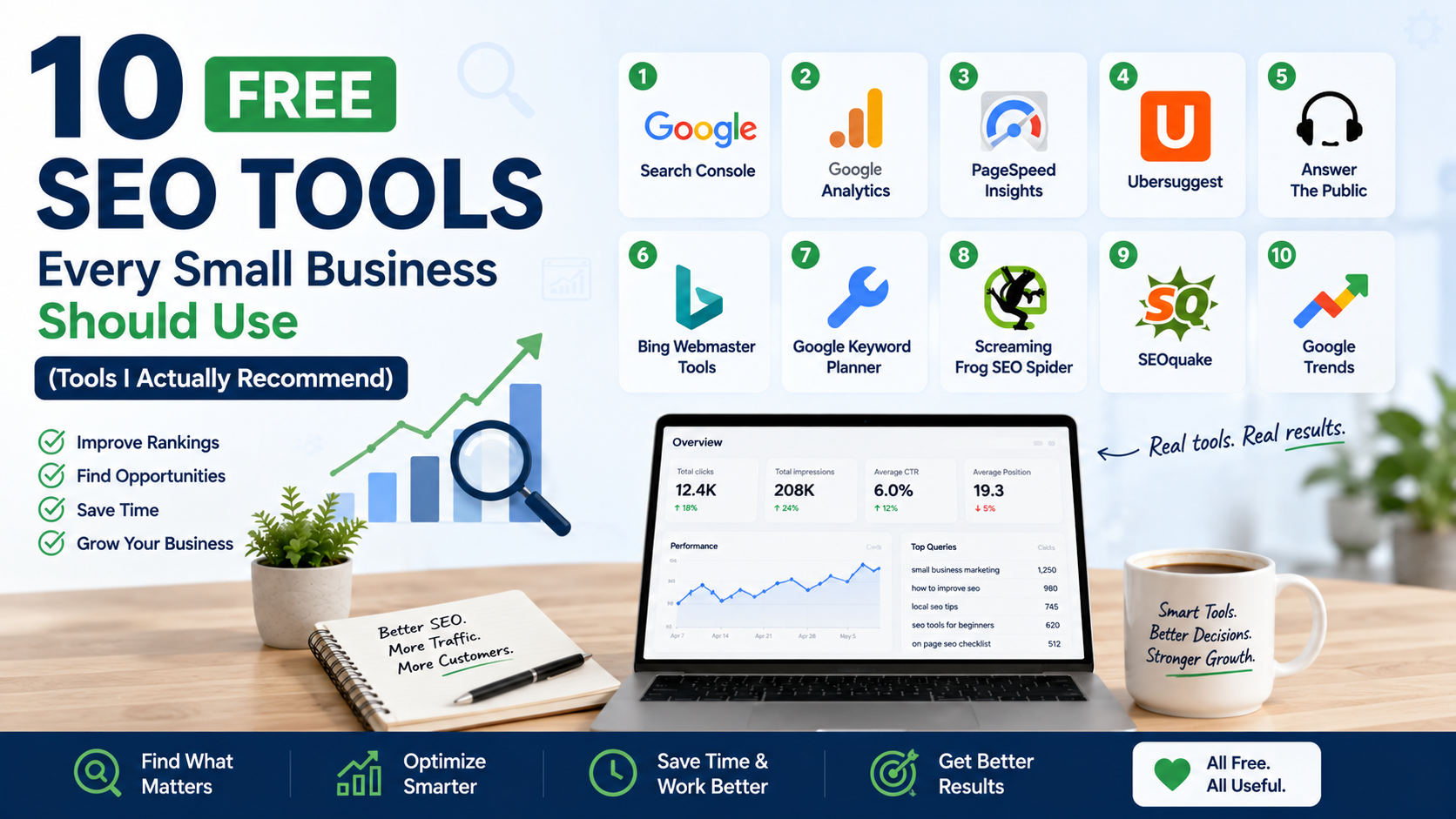
Over time, I have tested many SEO platforms, and these are the free tools I believe small businesses should actually use.
Why Free SEO Tools Are Enough for Many Small Businesses
Before jumping into the list, it is important to understand something:
SEO tools do not rank websites.
They provide information.
The real work comes from using that information correctly.
A free tool can tell you:
- Which keywords bring traffic
- Which pages have problems
- How customers search
- What competitors are doing
- Where your website needs improvement
For a small business with limited budget, that information is extremely valuable.
The goal is not collecting dozens of tools.
The goal is finding useful insights and taking action.
1. Google Search Console: The First Tool Every Website Needs
Google Search Console is probably the most important free SEO tool available.
If I had to choose only one SEO tool for a small business, this would be it.
Why?
Because the data comes directly from Google.
It shows how your website performs in search results.
What You Can Do With Google Search Console
You can see:
- Which keywords people use to find your website
- Which pages receive clicks
- Your average search position
- Technical problems
- Indexing issues
Real Example
A local service business may discover:
Their homepage ranks for their brand name.
But their service pages are appearing for valuable searches.
That tells them where to focus.
Maybe the service pages need:
- Better content
- More internal links
- Stronger titles
How to Get Started
- Add your website
- Verify ownership
- Submit your sitemap
- Check performance reports weekly
You do not need to check it every hour.
SEO improvements happen over time.
2. Google Analytics: Understand What Visitors Actually Do
Google Analytics helps you understand website visitors.
Many businesses focus only on getting traffic.
But traffic alone does not pay bills.
You need to know what visitors do after arriving.
Google Analytics Helps You See:
- Number of visitors
- Popular pages
- Traffic sources
- User behavior
- Conversions
A Mistake I Often See
Businesses celebrate getting more visitors but never check whether those visitors become customers.
A page receiving 5,000 visitors but zero inquiries may need improvement.
A page receiving 300 visitors and generating leads may be more valuable.
3. Google Keyword Planner: Find What Customers Search For
Google Keyword Planner is mainly designed for Google Ads, but it is useful for SEO research too.
It helps businesses understand search demand.
Example
A landscaping company may think people search:
“garden services”
But keyword research may reveal customers search:
“landscaping company near me”
or
“backyard design services”
Those small differences matter.
How Small Businesses Can Use It
Find:
- Service keywords
- Location-based keywords
- Content ideas
- Related searches
4. Google Business Profile: Essential for Local SEO
Google Business Profile is not just a business listing.
For local businesses, it is often the first impression customers see.
It Helps Customers Find:
- Your address
- Phone number
- Business hours
- Reviews
- Photos
- Website
Things You Should Optimize
Complete every section:
✓ Correct business category
✓ Accurate contact information
✓ Updated photos
✓ Services list
✓ Customer reviews
Real Lesson
I have seen businesses spend money on ads while their Google Business Profile had:
- Wrong hours
- Missing photos
- No reviews
Fixing basic profile issues often creates quick improvements.
5. PageSpeed Insights: Improve Website Performance
PageSpeed Insights helps measure website speed and performance.
Website speed affects user experience.
Nobody enjoys waiting for a slow website.
It Checks:
- Loading speed
- Mobile performance
- Technical issues
- Performance recommendations
Common Problems It Finds:
- Large images
- Too many scripts
- Poor hosting performance
- Unoptimized code
Simple Fixes
Before hiring a developer, try:
- Compressing images
- Removing unnecessary plugins
- Using better hosting
- Optimizing videos
Small improvements can make a difference.
6. Screaming Frog SEO Spider (Free Version): Find Technical Problems
Screaming Frog SEO Spider is a desktop SEO crawler.
The free version allows you to analyze smaller websites.
It works like a search engine crawler and checks your website structure.
It Helps Find:
- Broken links
- Missing titles
- Duplicate pages
- Missing descriptions
- Redirect issues
Why It Is Useful
Sometimes businesses create content for years without checking technical problems.
A website may have:
- Old broken pages
- Incorrect redirects
- Duplicate content
Screaming Frog helps identify these issues.
7. Ubersuggest: Beginner-Friendly Keyword Research
Ubersuggest provides keyword research and SEO insights.
It is designed to be beginner-friendly.
Useful Features:
- Keyword suggestions
- Content ideas
- SEO difficulty estimates
- Competitor research
Best Use Case
A small business starting content marketing can use it to answer:
“What should we write about?”
Important Note
Do not blindly create content for every keyword suggestion.
Always ask:
Does this topic help my customers?
8. AnswerThePublic: Discover Customer Questions
AnswerThePublic helps find questions people ask online.
This is useful for content planning.
Example
A roofing company may discover searches like:
- How much does roof repair cost?
- How long does a roof last?
- When should I replace my roof?
These questions can become helpful blog posts.
Why This Matters
Good SEO content starts with customer problems.
Not random keywords.
9. Ahrefs Webmaster Tools: Free Website Audit
Ahrefs offers free tools through Ahrefs Webmaster Tools.
It provides useful SEO insights.
It Can Help Identify:
- Technical SEO issues
- Backlink information
- Website health problems
Why I Like It
Many businesses know they have SEO problems but do not know where to start.
A site audit gives direction.
10. Canva: Create Better SEO Content Visuals
Canva is not technically an SEO tool, but it supports content marketing.
Good visuals improve:
- Blog engagement
- Social sharing
- User experience
Businesses Can Create:
- Blog images
- Infographics
- Social posts
- Website graphics
Practical Example
A blog post about home renovation can perform better with:
- Before/after visuals
- Simple diagrams
- Helpful graphics
People engage more with useful content.
A Simple Free SEO Workflow for Small Businesses
You do not need to open every tool daily.
A simple workflow works better.
Step 1: Understand Your Current Situation
Use:
- Google Search Console
- Google Analytics
Find:
- Current traffic
- Ranking keywords
- Popular pages
Step 2: Find Opportunities
Use:
- Google Keyword Planner
- AnswerThePublic
- Ubersuggest
Find what customers search for.
Step 3: Fix Technical Problems
Use:
- Screaming Frog
- PageSpeed Insights
- Ahrefs Webmaster Tools
Improve website health.
Step 4: Improve Local Visibility
Use:
- Google Business Profile
Keep information updated.
Common SEO Mistakes Small Businesses Make
1. Using Too Many Tools
More tools do not mean better SEO.
Many businesses spend more time checking reports than improving their website.
2. Ignoring Search Intent
A keyword is not just a phrase.
It represents what someone wants.
Someone searching:
“best running shoes”
has different intent from:
“buy Nike running shoes”
Understand the difference.
3. Expecting Instant Results
SEO is a long-term process.
A new website usually needs time to build authority.
4. Creating Content Without Strategy
Publishing random blog posts rarely works.
Create content around:
- Customer questions
- Business goals
- Search demand
My Recommended Free SEO Stack
If I was helping a small business with zero SEO budget, I would start with:
Google Search Console
For search performance.
Google Analytics
For visitor behavior.
Google Business Profile
For local visibility.
Google Keyword Planner
For keyword research.
PageSpeed Insights
For technical performance.
Screaming Frog
For website audits.
These six tools alone can provide a strong SEO foundation.
Final Thoughts
SEO does not start with expensive software.
It starts with understanding your customers and your website.
Free SEO tools can reveal problems, opportunities, and growth ideas without requiring a large budget.
The businesses that succeed are usually not the ones with the most tools.
They are the ones that consistently:
- Review data
- Improve content
- Fix technical issues
- Understand customer searches
Start simple.
Use free tools properly.
Once your business grows and your SEO needs become more advanced, paid tools can help you work faster.
But the foundation will always be the same:
Know your audience, create useful content, and make it easy for people to find you.