One of the easiest cold email mistakes to make happens before you send a single message.
You build a prospect list.
Write a decent email.
Set up a few follow-ups.
Then you connect the same email address you use for clients, invoices, support conversations, password resets, and everyday company communication.
Something like:
john@yourcompany.com
At first, everything seems fine.
Then your cold outreach volume increases. Some addresses bounce. A few people mark messages as spam. Your reply rate drops. Eventually, you start wondering why normal emails to existing clients are landing in junk folders.
That is the moment most businesses realize they probably should not have used their primary company domain for outbound prospecting.
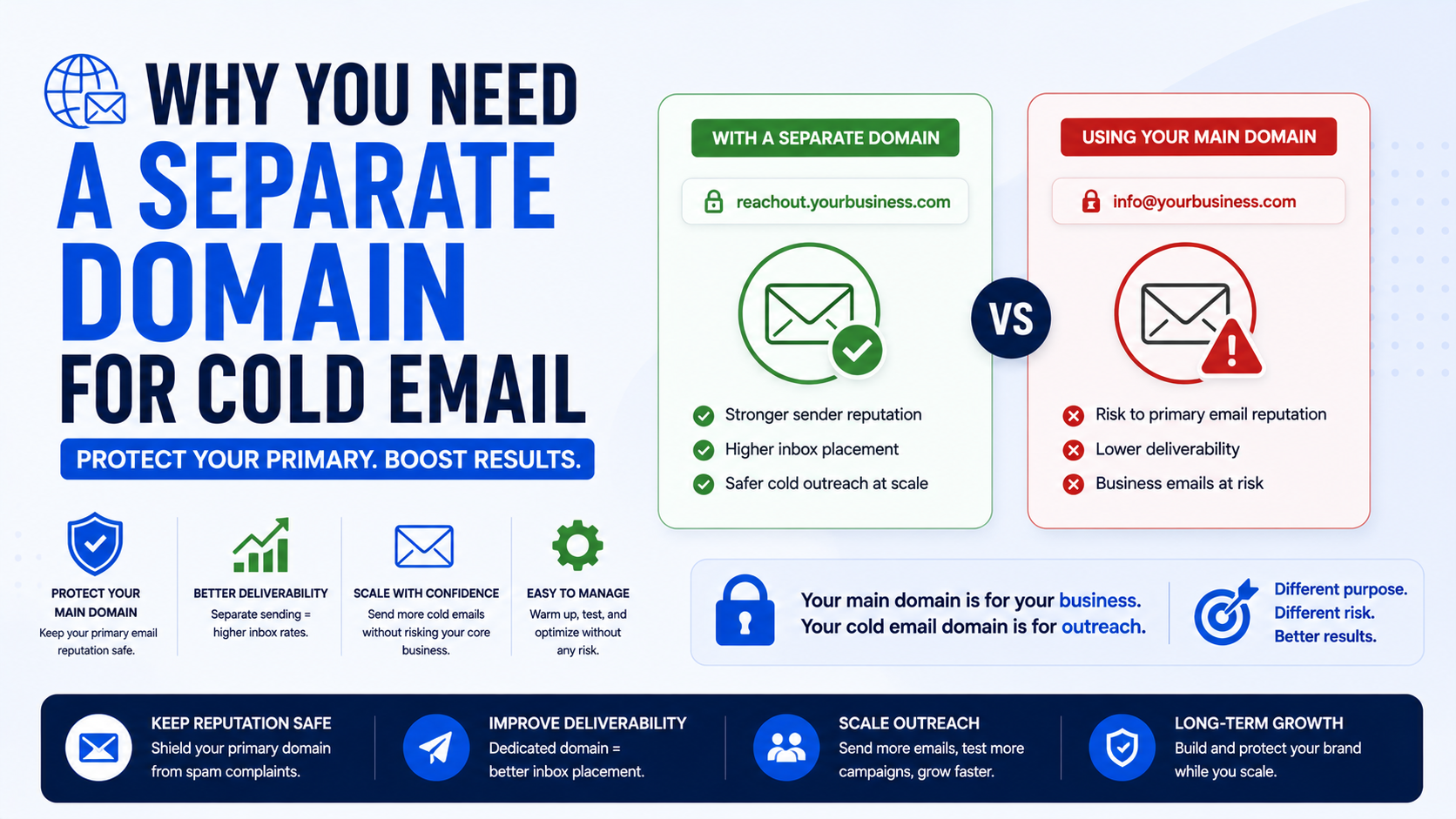
A separate domain for cold email is essentially a layer of protection between your everyday business communication and the higher-risk activity of contacting people who have never heard from you.
It does not magically guarantee inbox placement.
It does not give you permission to send unlimited email.
And it definitely does not fix bad prospecting.
But if outbound email is going to become a serious customer acquisition channel for your business, separating it from your main domain is usually one of the smartest technical decisions you can make.
Your Main Domain Is More Valuable Than It Looks
Imagine your business website is:
brightroofing.com
Your customers receive estimates from:
quotes@brightroofing.com
Your team talks to suppliers through:
purchasing@brightroofing.com
Customers contact:
support@brightroofing.com
Invoices come from:
billing@brightroofing.com
That domain is doing much more than hosting a website.
It is part of your company’s identity.
Email providers also build reputation signals around domains and sending behavior.
If you suddenly use that same domain to send large numbers of unsolicited sales messages, you are introducing additional risk to something your business depends on every day.
This is why I would treat a main business domain almost like an important business asset.
You wouldn’t experiment with an untested advertising script on your customer support phone line.
Cold email deserves similar separation.
What Does a Separate Cold Email Domain Look Like?
Suppose your main domain is:
acmeconsulting.com
You might register a related domain such as:
acmeconsulting.co
getacmeconsulting.com
meetacme.com
acmeconsultinggroup.com
acme-team.com
The idea is to choose something recognizably connected to your business without using the exact domain that handles your critical company email.
You might then create mailboxes such as:
james@getacmeconsulting.com
sarah@getacmeconsulting.com
These addresses can be used specifically for outbound prospecting.
Meanwhile, normal company communication remains on:
james@acmeconsulting.com
support@acmeconsulting.com
billing@acmeconsulting.com
If the outbound setup develops reputation problems, your primary business domain has some separation from that activity.
That separation is the main reason people use secondary domains.
Why Cold Email Carries More Deliverability Risk
Cold email behaves differently from normal business correspondence.
When you email an existing customer, that customer expects the message.
They may have emailed you before.
They may regularly reply.
They may have your address saved.
Cold prospects are different.
Some will ignore the email.
Some addresses may no longer exist.
Some prospects may delete your message without reading it.
Some may unsubscribe.
And some may mark the email as spam.
Those signals matter.
Mailbox providers such as Gmail and Outlook use many factors when deciding where email should be delivered.
The exact systems are complex and constantly evolving, but sender reputation, authentication, engagement, spam complaints, sending patterns, and message quality all matter in some form.
That is why cold email should be treated as a controlled outbound system rather than just “sending more email.”
A Separate Domain Protects Your Normal Business Email
This is the biggest benefit.
Imagine you use your primary domain for outreach and develop deliverability problems.
Now an important proposal goes to a prospect’s spam folder.
Or a payment reminder never reaches a customer.
Or a potential partner does not see your reply.
Those problems are much more expensive than losing a cold email campaign.
A separate outbound domain reduces the amount of experimentation happening on the same domain used for important communication.
Think of it like using a staging environment for a website.
You would not normally test every risky code change directly on a production ecommerce store.
Cold email deserves a similar level of caution.
A Separate Domain Does Not Mean a Fake Identity
There is an important distinction here.
You should not register a misleading domain designed to impersonate another company or hide who you are.
Your outbound domain should still clearly connect to your actual business.
For example, if your company is Northstar Media and the main domain is:
northstarmedia.com
something like:
meetnorthstar.com
may make sense.
A random domain such as:
business-growth-solutions-247.com
looks suspicious and disconnects the email from your real company.
Your email signature should still clearly identify you and your organization.
A separate sending domain is a technical risk-management decision.
It should not become a way to deceive recipients.
Domain Reputation and Mailbox Reputation Are Related
People sometimes simplify email deliverability too much.
They say:
“Just buy another domain.”
That is not enough.
A new domain starts without much sending history.
If you register it this morning and immediately send a huge volume of identical cold emails, you have not solved much.
You still need a sensible sending setup.
That includes:
- Proper DNS authentication
- Legitimate mailbox providers
- Clean prospect data
- Reasonable sending behavior
- Relevant emails
- Low bounce rates
- Low complaint rates
- Working opt-out handling
The separate domain gives you isolation.
It does not give you immunity.
SPF, DKIM, and DMARC Still Matter
If you are setting up a cold email domain, do not skip email authentication.
At a basic level, you will usually hear about three records:
SPF
SPF helps specify which servers are authorized to send email on behalf of your domain.
DKIM
DKIM adds a cryptographic signature to outgoing messages so receiving systems can verify that the email was authorized by the sending domain and was not modified unexpectedly in transit.
DMARC
DMARC builds on SPF and DKIM and gives domain owners more control over how authentication failures are handled while also enabling reporting.
You do not need to become an email infrastructure engineer to use them.
Google Workspace, Microsoft 365, domain registrars, and many email platforms provide setup instructions.
But you should confirm that the records are correctly configured rather than assuming the default setup is enough.
A typo in DNS can quietly cause problems for weeks.
Do Not Confuse a Separate Domain With a Subdomain
This question comes up a lot.
Suppose your main website is:
company.com
You could theoretically send from something like:
outreach.company.com
That is a subdomain.
Or you could register:
meetcompany.com
which is a completely separate domain.
Both can create some level of separation in email infrastructure, but they are not exactly the same thing.
For businesses that want stronger separation between primary communication and outbound prospecting, a genuinely separate domain is often easier to think about from a risk-management perspective.
The correct architecture depends on your scale, mail providers, security setup, and internal requirements.
For a small business running a straightforward outbound campaign, a closely related secondary domain is usually simple to understand and manage.
Pick a Domain That Looks Normal
Do not overthink your secondary domain.
It should be:
Short.
Readable.
Easy to spell.
Connected to your brand.
Not misleading.
Avoid strange variations with excessive hyphens or numbers.
If your company is called Parker Digital, something like:
meetparkerdigital.com
looks much more natural than:
parker-digital-best-agency-2026.net
Also be careful with typosquatting-style domains.
Using a deliberately misspelled version of your main domain can look suspicious.
The objective is not to fool someone into thinking they are receiving email from your primary domain.
The objective is to create a legitimate outbound domain related to your brand.
Redirect the Secondary Domain to Your Main Website
One small detail I like is making the secondary domain useful if someone types it into a browser.
Suppose your outbound email comes from:
alex@meetnorthstar.com
If the prospect visits:
meetnorthstar.com
it should not lead to a blank page or domain parking screen.
You can redirect it to:
northstarmedia.com
Now the recipient can easily verify who you are.
That small piece of consistency makes the setup feel much more legitimate.
Use a Real Email Provider
Another mistake is buying a cheap domain and connecting it to questionable email infrastructure purely because someone promises enormous sending volume.
Your outbound email still represents your business.
Using established providers such as Google Workspace or Microsoft 365 can make mailbox management easier for many small teams.
There are also specialized outbound platforms that connect to your mailboxes and manage campaigns.
Common tools in the cold email space include platforms such as Smartlead, Instantly, Lemlist, Mailshake, Apollo, and Reply.io.
These tools can help organize sequences, replies, sending schedules, and campaign data.
But the outreach platform is only one layer.
Your actual mailbox and domain configuration still matter.
Do Not Start With Huge Sending Volumes
This is where people get impatient.
They set up three mailboxes on a new domain and immediately want to send hundreds or thousands of emails.
More volume feels like more opportunity.
But cold email is not just a numbers game.
If your targeting is wrong, increasing volume simply creates more ignored emails.
Start smaller.
Make sure:
Addresses are valid.
Emails are relevant.
Replies are being tracked.
Unsubscribes are handled.
Your mailbox setup is stable.
Your targeting is producing actual conversations.
Then increase activity carefully.
There is little value in scaling a campaign that has not proven it can generate relevant replies.
Email Verification Is Part of Domain Protection
Bad prospect data creates unnecessary risk.
Suppose you have a list of 5,000 email addresses collected from old directories.
You send to all of them.
Hundreds bounce.
That is not healthy sending behavior.
Before using an address, especially when you had to infer or purchase contact data, verification can help identify obviously invalid mailboxes.
Tools such as NeverBounce, ZeroBounce, BriteVerify, and Hunter offer email verification services.
Verification is not perfect.
Some domains are configured as catch-all domains, which can make the status uncertain.
But cleaning obviously invalid addresses is better than sending blindly.
One Domain Should Not Become an Excuse for Unlimited Mailboxes
Another mistake is treating domains as disposable.
Someone hears that separate domains reduce risk and thinks:
“Great. I’ll buy 50 domains and send as much email as possible.”
That misses the point.
Your cold email system should still be based on relevant targeting and responsible outreach.
Domain rotation should not become a strategy for avoiding spam controls.
If a campaign produces complaints, poor engagement, and constant domain reputation problems, the answer is not always “buy another domain.”
The targeting or message may simply be bad.
Fix the underlying campaign.
Your Prospect List Matters More Than the Domain
This is worth emphasizing.
Imagine two campaigns.
Campaign A sends 100 highly relevant emails to roofing company owners who are actively running Google Ads but have broken mobile landing pages.
Campaign B sends 10,000 emails to random businesses saying:
“We help businesses grow their digital presence.”
Which one would you rather run?
Probably Campaign A.
The separate domain protects your infrastructure.
It does not create relevance.
A strong outbound system starts with:
Right company.
Right person.
Right problem.
Right timing.
Then your technical setup helps ensure that message has a reasonable chance of reaching them.
Keep Cold Email Copy Simple
Technical setup gets a lot of attention in outbound communities, but your actual email still matters.
I would avoid stuffing a first-touch cold email with:
- Multiple links
- Large images
- PDFs
- Attachments
- Tracking-heavy elements
- Huge HTML signatures
- Ten different calls to action
A plain, readable email is usually enough.
For example:
“Hi Daniel,
I noticed your company has several sales roles open at the moment.
We help B2B teams automate some of the repetitive prospect research their reps are doing manually.
Not sure whether that is an issue for your team, but are the new hires mainly focused on outbound?
Alex”
Simple.
The recipient immediately understands why they were contacted.
Protect Your Main Domain From Tracking Experiments Too
Another reason I prefer separating outbound activity is that cold email campaigns involve experimentation.
You may test:
Different sending tools.
Different tracking settings.
Different email providers.
Different inboxes.
Different DNS configurations.
Different sending schedules.
Your core company domain is not the ideal place to experiment aggressively.
Keeping your outbound infrastructure separate makes troubleshooting easier.
If something breaks, you have fewer dependencies to worry about.
Should You Create Multiple Cold Email Domains?
For a very small campaign, probably not immediately.
Start with one sensible setup.
Learn how your campaign behaves.
Understand:
Reply rates.
Bounce rates.
Positive responses.
Opt-outs.
Mailbox performance.
Then make infrastructure decisions based on actual need.
Large outbound teams sometimes use multiple domains and mailboxes to distribute sending activity and separate campaigns.
But a small business should not copy an enterprise-style setup simply because it saw a complicated diagram on LinkedIn.
Complexity creates maintenance.
Every additional domain means more:
DNS records.
Renewals.
Mailboxes.
Security.
Monitoring.
Costs.
Start with what you can manage properly.
Keep Track of Domain Renewals
This sounds boring until you forget one.
Your cold email domain is still an internet domain that needs to be renewed.
Enable automatic renewal with a reliable payment method.
Use an account your company controls.
Turn on two-factor authentication.
Keep ownership information organized.
Do not let an employee register business-critical domains inside a personal registrar account that nobody else can access.
Security matters even for secondary domains.
An attacker gaining control of a domain used for email can create much bigger problems than losing a cold email campaign.
Use Separate Mailboxes for Separate People
If Sarah is sending outreach, let the messages come from Sarah.
If Daniel is responsible for another campaign, give Daniel his own mailbox.
Avoid making every campaign appear to come from:
sales@
marketing@
business@
People generally respond better to a recognizable person.
For example:
sarah@meetacme.com
with a signature like:
Sarah Johnson
Acme Consulting
acmeconsulting.com
feels much more natural than an anonymous bulk marketing identity.
It also makes reply management easier.
Do Not Forward Everything Carelessly
Some teams set up their outbound mailbox and automatically forward every reply to their main account.
That can be convenient, but make sure the configuration is intentional.
Test replies.
Make sure you know which address the prospect sees when you respond.
You do not want a conversation to suddenly switch between unrelated-looking domains without explanation.
If a prospect replies to:
alex@meetacme.com
and your response unexpectedly comes from:
support@acmeconsulting.com
it can create confusion.
Consistency matters.
Cold Email Compliance Still Applies
A secondary domain does not change your legal responsibilities.
Cold email rules vary depending on where you operate and where recipients are located.
Requirements may involve laws and regulations such as CAN-SPAM, GDPR, PECR, and other regional privacy or electronic communications rules.
Do not assume every campaign is automatically allowed just because you found an address online.
At a practical level, responsible business outreach should include accurate sender information, truthful subject lines, appropriate identification, and a working way for recipients to opt out where required.
If someone clearly asks you not to email again, stop.
A separate domain is not a loophole around responsible outreach.
Common Mistakes I Would Avoid
Using the Main Company Domain
This unnecessarily connects higher-risk outbound activity with critical everyday email.
Buying a Weird-Looking Domain
Your secondary domain should still look like it belongs to your business.
Skipping SPF, DKIM, or DMARC
Authentication should be part of the initial setup, not something you remember after deliverability gets worse.
Sending Too Much Too Quickly
New infrastructure does not need an immediate stress test.
Using Unverified Lists
Bad data creates avoidable bounces.
Assuming Software Solves Deliverability
Tools can manage campaigns.
They cannot make irrelevant emails wanted.
Buying Endless Domains Instead of Fixing Bad Outreach
If people consistently dislike your emails, switching domains is not the real solution.
Forgetting About Replies
The purpose of outbound email is to start conversations.
Someone actually needs to monitor those conversations.
Making the Secondary Domain Look Deceptive
Keep your business identity transparent.
A Simple Cold Email Domain Setup
If I were setting up outbound email for a small company, I would keep the first version straightforward.
Step 1: Protect the Main Domain
Decide that your core company domain will remain focused on customers, internal communication, partners, billing, support, and normal business email.
Step 2: Register a Related Domain
Choose something close enough to your company name that recipients can recognize the connection.
Step 3: Redirect the Website
Point the secondary domain to your real company website.
Step 4: Set Up Professional Mailboxes
Use real employee names rather than dozens of anonymous addresses.
Step 5: Configure Authentication
Set up SPF, DKIM, and DMARC correctly.
Step 6: Connect Your Outreach Tool
Use whichever campaign platform suits your workflow.
Step 7: Clean Your Prospect List
Remove obviously poor-fit contacts and verify addresses where appropriate.
Step 8: Start Conservatively
Do not immediately push extreme volume through new infrastructure.
Step 9: Watch Replies and Bounces
Pay attention to actual campaign quality, not just dashboard vanity metrics.
Step 10: Improve Before Scaling
If people are not responding positively, fix targeting, positioning, or copy before increasing volume.
The Domain Is Insurance, Not the Strategy
This is probably the simplest way to think about it.
A separate cold email domain is a form of operational protection.
It reduces the amount of outbound experimentation tied directly to the domain your company relies on for normal communication.
That is valuable.
But buying another domain does not turn bad outreach into good outreach.
You still need a legitimate reason to contact someone.
You still need accurate prospect data.
You still need a clear message.
You still need responsible sending practices.
And you still need to respect people who do not want to hear from you.
If your business sends only a handful of carefully chosen outreach emails each month, you may not need an elaborate infrastructure.
But once cold email becomes a repeatable acquisition channel with multiple mailboxes, sequences, prospect lists, and regular sending, separating it from your main domain becomes much easier to justify.
Your primary domain carries years of business identity, customer communication, and reputation.
Protecting it is worth the cost of registering another domain.
A secondary domain costs very little compared with the inconvenience of discovering that an important customer email is sitting in spam because your prospecting experiment damaged the same infrastructure your business depends on every day.
That is really the point.
Cold email should be something your business can test and improve without putting its most important communication channel unnecessarily at risk.