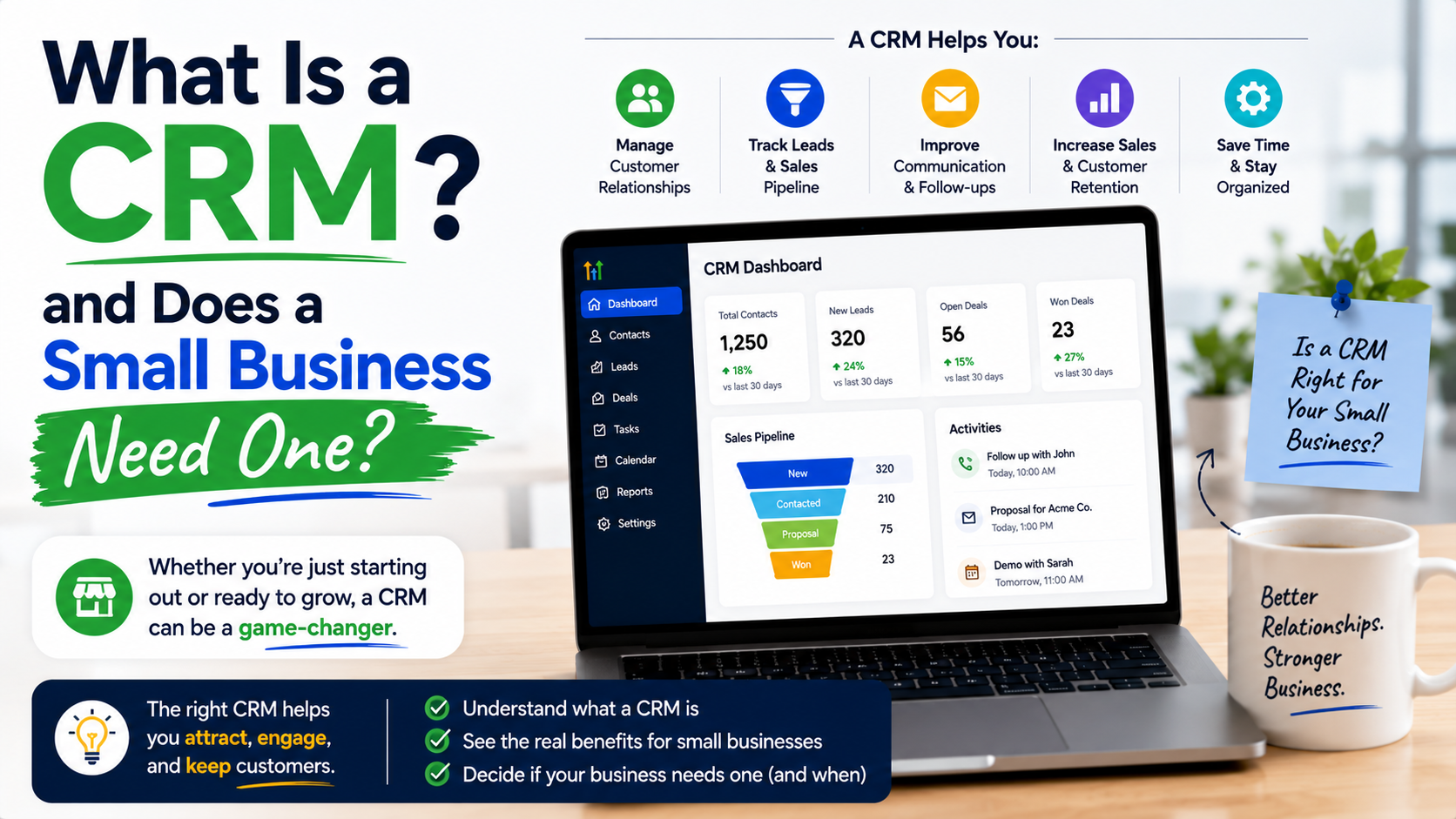
I learned the importance of a CRM the hard way.
A few years ago, I was helping manage a small team that handled leads coming from different sources. Some people contacted us through email, some through website forms, others through social media messages. At first, everything looked manageable. We had a spreadsheet, a few browser tabs open, and everyone on the team “remembered” which client needed a follow-up.
That system worked… until it didn’t.
One Monday morning, we realized we had forgotten to reply to a potential customer who had reached out almost a week earlier. Another lead had received two different messages from two different team members because nobody knew who was handling the conversation.
The frustrating part was that we weren’t losing leads because of a bad product or poor service. We were losing them because our process was messy.
That was my first real lesson about CRM software: it is not just a tool for big companies with huge sales departments. A CRM can simply be a way to stop important customer information from getting lost.
What Is a CRM?
CRM stands for Customer Relationship Management.
At its simplest, a CRM is a system that helps businesses organize customer information, track conversations, manage leads, and build better relationships with customers.
Think of it as a smart digital notebook for your business.
Instead of keeping customer details scattered across:
- Email inboxes
- WhatsApp chats
- Excel sheets
- Phone contacts
- Sticky notes
- Different team members’ memories
A CRM puts everything in one organized place.
A typical CRM can store:
- Customer names and contact details
- Previous conversations
- Sales opportunities
- Follow-up reminders
- Purchase history
- Notes about customer preferences
- Tasks assigned to team members
The main purpose is simple: know your customers better and avoid missing opportunities.
Why Small Businesses Often Struggle Without a CRM
Many small business owners think they do not need a CRM because they do not have hundreds of customers.
I used to think the same way.
The reality is that small businesses usually have fewer customers, which makes every single lead more valuable.
Imagine you receive 20 inquiries every month. Losing one or two because you forgot a follow-up might not sound serious, but over a year that can become dozens of missed opportunities.
A CRM helps solve common small business problems:
1. “I Thought Someone Else Followed Up”
This is one of the most common problems in small teams.
When multiple people handle sales, marketing, or customer support, responsibility can become unclear.
A CRM shows:
- Who contacted the customer
- When the last conversation happened
- What action needs to happen next
Everyone works from the same information.
2. Customer Information Gets Lost
Many small businesses start with spreadsheets.
There is nothing wrong with spreadsheets. They are useful.
But problems appear when the business grows.
A spreadsheet might tell you:
“John Smith, interested in website design.”
But a CRM can tell you:
“John Smith contacted us on March 5 through Facebook. He requested pricing information. Sarah sent the proposal on March 8. Follow up scheduled for March 12.”
That context matters.
3. Follow-Ups Become Random
A lot of sales are not lost because customers said no.
They are lost because nobody followed up at the right time.
A CRM can remind you:
- Call this customer tomorrow
- Send pricing details today
- Check if the proposal was reviewed
- Contact previous customers for repeat business
Small reminders can create big improvements.
Does Every Small Business Need a CRM?
The honest answer: not always.
If you are a freelancer with five regular clients and everything is easy to manage, you might not need one yet.
But a CRM becomes valuable when you start experiencing problems like:
- Too many customer conversations to track
- Multiple people handling customers
- Forgetting follow-ups
- Losing sales opportunities
- Spending too much time searching for information
A simple rule I follow:
If managing customer information feels stressful, it is probably time to consider a CRM.
Real Examples of Small Businesses Using CRMs
A CRM is not only for software companies or sales teams.
Here are some practical examples.
A Marketing Agency
A small digital marketing agency might receive inquiries from:
- Website forms
- LinkedIn messages
- Referrals
- Google Ads
Without a CRM, leads can disappear between conversations.
With a CRM, the agency can track:
- New inquiries
- Discovery calls
- Proposals sent
- Closed deals
- Existing client communication
Tools like HubSpot are popular because they combine customer tracking with marketing features.
A Real Estate Business
A real estate agent may speak with hundreds of potential buyers.
A CRM can help track:
- Preferred locations
- Budget range
- Property interests
- Previous conversations
- Viewing schedules
Instead of asking every customer the same questions again, the agent already has the history.
A Local Service Business
Imagine a landscaping company, cleaning service, or repair business.
A CRM can store:
- Customer address
- Previous jobs
- Service dates
- Quotes
- Future maintenance reminders
This creates a better customer experience.
My Biggest CRM Mistake: Choosing Too Many Features
One mistake I see many businesses make is choosing the most complicated CRM available.
They think:
“More features means better results.”
Not necessarily.
I have seen small teams spend weeks setting up advanced dashboards, automation workflows, and custom fields but never actually use the system.
A CRM should make your work easier, not become another project to manage.
Start simple.
You usually only need:
- Contact management
- Lead tracking
- Follow-up reminders
- Notes
- Basic reporting
You can add advanced features later.
How to Choose the Right CRM for a Small Business
Choosing a CRM does not have to be complicated.
Follow these steps.
Step 1: Identify Your Actual Problem
Before looking at software, ask:
“What problem am I trying to solve?”
Are you struggling with:
- Missed follow-ups?
- Customer organization?
- Team communication?
- Sales tracking?
Your answer will help you avoid buying unnecessary features.
Step 2: Decide Who Will Use It
A CRM only works if people actually use it.
Consider:
- How many team members need access?
- Will salespeople update it daily?
- Will customer support use it?
- Do you need mobile access?
A complicated system that nobody updates is just expensive software.
Step 3: Start With a Trial
Most CRM platforms offer free trials or free plans.
Popular options include:
HubSpot CRM
Good for small businesses that want a beginner-friendly option.
It offers contact management, deal tracking, email tools, and basic reporting.
Zoho CRM
A strong option for businesses looking for customization at a reasonable cost.
Salesforce
A powerful platform used by many larger companies, but it can feel overwhelming for very small teams.
Pipedrive
Popular among sales-focused businesses because it makes deal tracking visual and simple.
Before committing, let your team actually use the CRM for a few weeks.
Step 4: Build Simple Habits
The software itself is not the solution.
The habit is.
A good CRM process might look like:
New Lead → Contact Added → Conversation Started → Proposal Sent → Follow-Up Scheduled → Deal Closed
Everyone follows the same process.
Common CRM Mistakes Small Businesses Should Avoid
Using a CRM Only as a Contact List
A CRM is not just a digital address book.
If you only add names and phone numbers, you are missing the main benefit.
Use it to track relationships.
Adding Too Much Information
Do not create dozens of fields that nobody fills out.
Keep important information only.
For example:
Useful:
- Customer name
- Industry
- Interest
- Last conversation
- Next action
Not always useful:
- Ten different categories nobody checks
Not Training the Team
A CRM fails when only one person uses it.
Everyone involved with customers should understand:
- Why it matters
- How to update records
- What information should be added
Expecting Instant Results
A CRM does not magically create customers.
It improves organization.
You still need good marketing, sales skills, and customer service.
How Much Does a CRM Cost?
CRM pricing varies widely.
Some platforms offer free versions with basic features.
Paid plans can range from affordable monthly subscriptions for small teams to expensive enterprise solutions.
The important question is not:
“How cheap is the CRM?”
The better question is:
“How much time and opportunity can this save?”
If a CRM helps you recover even one missed customer, it may already pay for itself.
Signs Your Business Is Ready for a CRM
You probably need a CRM if:
✓ You have more leads than you can comfortably track
✓ Customers contact you through multiple channels
✓ Your team needs better communication
✓ You often say, “I will follow up later” and forget
✓ You spend too much time searching old conversations
✓ Sales information exists in different places
Final Thoughts
A CRM is not just another business tool you install because everyone talks about it.
It is a system for creating better customer experiences.
For a small business, the biggest benefit is often not fancy automation or advanced reports. It is simply knowing what is happening with every customer.
The best CRM is not the one with the most features. It is the one your team will actually use consistently.
Start small. Organize your customer information. Build a simple follow-up process. Once your business grows, your CRM can grow with you.
A few years ago, I thought remembering customers was enough.
Now I know better.
Good relationships are built on attention, and a good CRM helps you give customers the attention they deserve.