A local contractor can have a great website, solid reviews, years of experience, and still wonder why a competitor with a much simpler website keeps appearing above them on Google Maps.
I have seen this situation play out in almost every local industry.
The business owner searches:
“landscaper near me”
Their company is nowhere near the top.
Then they search from another phone a few miles away and suddenly the results are completely different.
At that point, the usual reaction is:
“What is Google doing?”
The answer is that Google Maps rankings do not work exactly like normal organic search rankings.
Location matters.
Your Google Business Profile matters.
Your business category matters.
Reviews matter.
Your website still matters.
And, most importantly, Google is trying to decide whether your business is a relevant, nearby, trustworthy choice for the person searching.
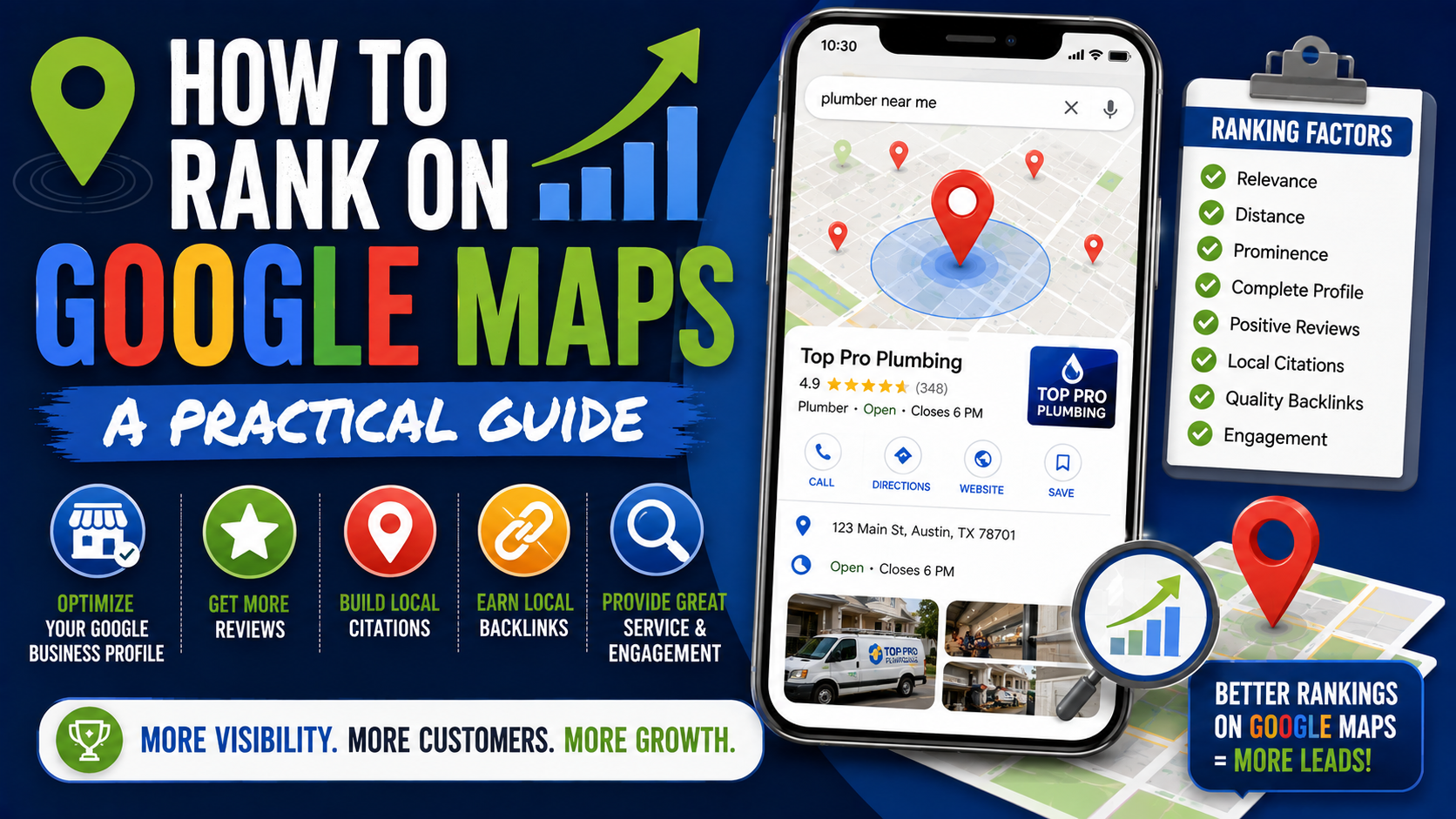
Google currently describes the three main local ranking factors as relevance, distance, and prominence. Google also makes something else very clear: there is no way to request or pay Google for a better local ranking.
That means ranking on Google Maps is less about discovering a secret trick and more about getting dozens of small things right.
Here is how I would approach it.
First, Understand What You Are Actually Trying to Rank For
One of the biggest mistakes in local SEO happens before anyone even touches the Google Business Profile.
The business owner says:
“I want to rank number one on Maps.”
For what?
A plumbing company might want visibility for:
- Emergency plumber
- Drain cleaning
- Water heater repair
- Sewer repair
- Plumber near me
Those searches are related, but the results may not be identical.
The same applies to a landscaping company.
Someone searching for “landscaper” may see different businesses from someone searching for “patio installer.”
Before optimizing anything, decide which services actually make money for the business.
I normally recommend starting with five to ten important search themes rather than trying to target every service imaginable.
For example, a paving contractor might prioritize:
- Interlocking driveway installation
- Patio paver installation
- Interlocking repair
- Retaining wall installation
- Paving contractor
Now you have something measurable.
Google Maps Rankings Change by Location
This catches people out constantly.
You may rank second when standing outside your office and ninth three miles away.
That does not necessarily mean anything is broken.
Distance is one of Google’s core local ranking factors. Google looks at how far a potential result is from the location used in the search. If the searcher does not explicitly provide a location, Google may estimate their location using the information available to it.
That is why manually searching your keyword once from your own office is not a reliable local rank-tracking method.
If you want a clearer picture, local grid tracking tools can help.
Popular options include:
- Local Falcon
- BrightLocal
- Places Scout
These tools can check rankings from multiple points around a city.
A grid might show:
- Position 1 near the business
- Position 3 two kilometers away
- Position 7 farther north
- Position 12 near the edge of the service area
That tells you far more than one Google search.
It also stops you from panicking every time your personal search shows a different result.
1. Make Sure Your Google Business Profile Is Verified
This sounds basic, but start here.
Google specifically recommends verifying your Business Profile. Verification tells Google that you are authorized to represent the business and makes the profile eligible to be managed properly in Search and Maps.
If verification is incomplete, resolve that before spending hours optimizing descriptions and posts.
Also make sure only legitimate owners and managers have access.
Old employees, former agencies, or people you no longer work with should not keep unnecessary account access.
2. Get the Primary Category Right
If I could only check one GBP field during a quick local SEO audit, the primary category would be near the top of the list.
Categories help Google understand what type of business you operate.
Google explicitly states that categories can affect local ranking and recommends selecting the most specific primary category that accurately describes the business.
Imagine you run a company that primarily installs patios, driveways, and pavers.
You might have choices related to:
- Paving contractor
- Landscaper
- Concrete contractor
- Masonry contractor
The best primary category is not necessarily the category with the biggest search volume.
It should describe the core business accurately.
Google’s own guideline is useful here:
Choose categories that describe what the business is, rather than creating a giant list of everything the business has or every service it provides. Google also advises businesses to use as few categories as necessary to describe the core business.
Do not add 15 vaguely related categories because you think more categories automatically mean more rankings.
Relevance matters more than volume.
3. Add Relevant Secondary Categories
Secondary categories still have a purpose.
Let’s say a landscaping company legitimately provides:
- Landscaping
- Paving
- Masonry
- Deck construction
Those may justify additional categories if they genuinely represent meaningful parts of the business.
What I would avoid is category collecting.
Do not add:
“Fence contractor”
because you built one fence six years ago.
Do not add:
“Tree service”
because you occasionally trim a small branch while completing landscaping work.
Your categories should match what customers can realistically hire you for today.
4. Keep the Business Name Clean
This is where local SEO gets messy.
Suppose the real business name is:
Green Oak Landscaping
Somebody learns that keywords matter and changes the GBP name to:
Green Oak Landscaping – Best Landscaper Patio Contractor Interlocking Toronto
That may look “optimized,” but it violates Google’s Business Profile guidelines unless that is genuinely how the business is represented in the real world.
Google says the Business Profile name should reflect the real business name used consistently on signage, websites, stationery, and other branding. Adding unnecessary information to the business name is not permitted and can potentially lead to profile problems or suspension.
Use your real name.
Put services where services belong.
Put categories where categories belong.
Do not turn the business name field into a keyword list.
5. Complete Every Important Profile Field
Incomplete profiles make Google’s job harder.
Your profile should accurately include things such as:
- Business name
- Address or service area
- Phone number
- Website
- Primary category
- Secondary categories
- Regular hours
- Special hours
- Business description
- Services
- Relevant attributes
Google says businesses with complete and accurate information are more likely to appear for relevant local searches.
Accuracy matters more than filling fields simply because they exist.
If something changes, update it.
That includes holidays.
Nothing frustrates a potential customer faster than driving across town because Google says you are open only to find a locked door.
6. Handle Your Address and Service Area Correctly
Service businesses often make mistakes here.
A plumber working from home may think:
“If I display my home address, Google will rank me better.”
That is not how the rules work.
Google says businesses that do not serve customers at their business address should remove the address from the public Business Profile and operate as a service-area business.
Examples include businesses such as:
- Plumbers
- Cleaning companies
- Mobile repair services
- Some landscapers
- Electricians
- Pest control companies
If customers genuinely visit your staffed business location, the address can be appropriate.
If they do not, do not invent a storefront.
And definitely do not rent a random virtual office just because you want another map pin.
Google’s guidelines require accurate representation of the real business.
7. Add Your Real Services
The Services section is one of the easiest areas to neglect.
Fill it with services customers can actually purchase.
For a landscaping company, that might include:
- Sod installation
- Yard grading
- Drainage installation
- Interlocking patio installation
- Driveway paver installation
- Retaining wall installation
- Interlocking repair
Do not dump 100 keyword variations into the service list.
Think like a customer.
Would someone recognize this as a real service?
Interestingly, Google notes that for certain service businesses, tasks that customers can select while reviewing a business may come from the merchant’s service list, website, business type, and other authoritative sources.
That is another good reason to keep your services accurate.
8. Build a Website That Supports the Profile
A Google Business Profile does not exist in isolation.
Google says prominence can be influenced by information available across the web, including links pointing to the business.
Your website helps Google understand:
- What you do
- Where you operate
- Which services are important
- Whether the business information matches the profile
I would make sure the website clearly contains the real:
- Business name
- Address where appropriate
- Phone number
- Services
- Service areas
- Opening information where relevant
Then build useful pages for major services.
For example, instead of having one page called:
Our Services
with two sentences about every service, a paving company could have dedicated pages for:
- Interlocking Driveways
- Patio Pavers
- Retaining Walls
- Interlocking Repair
- Outdoor Steps
Those pages can answer questions, show projects, explain the process, and prove expertise.
Do not create hundreds of thin pages simply by swapping city names.
That is where local SEO starts turning into spam.
9. Create Useful Location Pages Carefully
Location pages can be valuable when your business genuinely serves multiple communities.
A contractor working throughout Southern Ontario might have legitimate pages for major service areas.
But each page should have a reason to exist.
A useful city page might include:
- Services provided in that location
- Real projects completed nearby
- Local photos
- Relevant neighborhoods
- Customer testimonials
- Common project types
- Local conditions affecting the service
- Frequently asked questions
- Clear contact information
A bad location page looks like this:
“Looking for the best landscaper in CITY? We are the best landscaping company in CITY. Our CITY landscaping services help CITY homeowners find quality landscaping in CITY.”
Then the exact page is copied 40 times.
Changing “Hamilton” to “Burlington” does not create useful local content.
10. Get More Genuine Google Reviews
Reviews matter for two reasons.
First, people read them.
Second, Google explicitly says that more reviews and positive ratings can help a business’s local ranking.
The key word is genuine.
Google allows businesses to ask customers for reviews and even provides review links and QR codes to make the process easier. But offering free products, discounts, or other incentives in exchange for reviews is prohibited.
A simple workflow is enough:
Job completed → Customer confirms satisfaction → Thank-you message → Google review link
For example:
“Thanks again for choosing us for your patio project. If you have a minute, we’d appreciate your honest feedback on Google.”
That is much better than:
“Give us five stars and get $25 off.”
Do not buy reviews either.
Five real reviews from customers are worth far more than 50 suspicious reviews from people who have never interacted with the business.
11. Reply to Reviews
Do not treat reviews like trophies you collect and forget.
Respond.
Google recommends replying to customer reviews and notes that thoughtful responses demonstrate that the business values feedback.
Keep replies natural.
Instead of responding to every review with:
“Thank you for your five-star review!”
mention something relevant.
If a customer writes:
“Great job replacing our old patio in Burlington.”
You might reply:
“Thanks, Mark. We’re glad you’re happy with the new patio. We really enjoyed working on the project and appreciate you trusting our team.”
Short.
Human.
Relevant.
12. Upload Real Photos
This is one of the simplest profile improvements available.
Google recommends adding photos and videos that help customers understand what the business offers.
For service businesses, I would prioritize:
- Completed projects
- Before-and-after photos
- Team members
- Vehicles
- Equipment
- Work in progress
- Exterior photos
- Interior photos where relevant
- Close-up craftsmanship
A profile with real work usually feels more believable than one filled with stock photos.
Imagine comparing two roofers.
One profile shows:
- Logo
- Stock image of a roof
- Generic promotional graphic
The other shows:
- Crew on-site
- Actual roof replacements
- Flashing work
- Completed installations
- Company vehicles
Which one gives you more confidence?
Exactly.
13. Earn Local Links and Mentions
Links still matter outside traditional organic SEO.
Google specifically includes links from websites among the signals it may use when assessing prominence.
That does not mean buying 500 directory backlinks.
Look for real local opportunities.
Examples include:
- Local chambers of commerce
- Suppliers
- Professional associations
- Local sponsorships
- Community organizations
- Local news
- Business partnerships
- Industry directories
- Local blogs
A landscaping contractor might sponsor a neighborhood sports team.
A restaurant might participate in a city food festival.
A law firm might support a local nonprofit.
Those activities can create genuine mentions and links.
They also make sense even if Google did not exist.
That is usually a good sign that the link is worth pursuing.
14. Keep Business Information Consistent Across the Web
You do not need to obsess over every old directory listing on the internet, but major inconsistencies are worth fixing.
If Google sees:
Green Oak Landscaping Ltd.
on your website,
Green Oak Landscape
on Facebook,
and
Green Oaks Landscaping Toronto
on an important directory, you are creating unnecessary confusion.
Start with the most important sources:
- Your website
- Google Business Profile
- Apple Maps
- Bing
- Major industry directories
- Local business directories
- Chamber profiles
Keep the important business information accurate.
15. Track Leads, Not Just Rankings
This lesson usually comes after people spend too much time staring at rank trackers.
Ranking number three is great.
Unless nobody calls.
A better local SEO dashboard should include:
- Calls
- Website visits
- Form submissions
- Direction requests where relevant
- Booked appointments
- Qualified leads
- Revenue
- Review growth
- Local rankings
Google Business Profile provides performance information that can help you understand how people discover and interact with the profile.
Google Analytics 4 and Google Search Console can help with website performance.
Call-tracking software such as CallRail can be useful for businesses where phone leads matter heavily.
The final goal is not a pretty ranking screenshot.
It is business.
A Practical Google Maps Ranking Workflow
If I were starting with a neglected local business profile, I would work through it in roughly this order.
Week 1: Fix the Foundation
Check:
- Verification
- Business name
- Address
- Service area
- Phone number
- Website
- Opening hours
- Primary category
- Secondary categories
Make sure everything reflects the real business.
Week 2: Improve Relevance
Add:
- Core services
- Accurate description
- Relevant attributes
- Missing website service pages
Compare the profile with the searches you actually want to appear for.
Week 3: Improve Trust
Upload:
- Real business photos
- Recent projects
- Team photos
- Exterior or interior pictures
Start consistently asking genuine customers for reviews.
Respond to existing reviews.
Week 4: Strengthen the Website
Improve major service pages.
Make sure the site’s business information is accurate.
Add useful location information where relevant.
Check Google Search Console for indexing problems.
Month 2 and Beyond
Work on:
- More reviews
- Better service content
- Stronger local pages
- Real project content
- Local links
- Local mentions
- Profile updates
- Rank tracking
Local SEO is usually cumulative.
One edit rarely changes everything.
Common Google Maps SEO Mistakes
Keyword Stuffing the Business Name
This can violate Google’s rules and create unnecessary suspension risk.
Use your actual business name.
Creating Fake Locations
A mailbox is not automatically a legitimate second office.
A virtual address where customers cannot actually interact with your business should not be treated like a real staffed storefront.
Follow Google’s eligibility and address rules.
Creating Multiple Profiles for the Same Business
Google’s guidelines generally call for one profile per business, except where its policies specifically allow separate eligible entities or locations. Duplicate profiles can cause problems with how business information appears.
Adding Every Possible Category
More categories do not automatically equal better rankings.
Use the smallest set that accurately represents the core business.
Buying Reviews
Do not.
Google requires reviews to represent genuine experiences and prohibits incentives for reviews.
Ignoring the Website
GBP optimization and website SEO should support each other.
A weak website can limit how much information Google has about your services and local relevance.
Publishing Dozens of Thin City Pages
A location page should contain something genuinely useful about that location.
Changing the city name in the heading is not enough.
Expecting Instant Results
Sometimes profile changes produce movement quickly.
Other improvements take longer.
There is no ethical local SEO strategy where you change three fields on Monday and guarantee position one by Friday.
What I Would Prioritize If Time Is Limited
Small businesses rarely have unlimited time for SEO.
If you can only work on a few things, I would prioritize them like this:
1. Correct Google Business Profile setup
Make sure the business is eligible, verified, and accurately represented.
2. Primary category
Choose the category that best describes the core business.
3. Complete information
Fix hours, phone number, website, address or service area, services, and attributes.
4. Strong reviews
Build a consistent process for getting genuine customer feedback.
5. Website service pages
Create useful pages for the services that actually generate revenue.
6. Real photos
Show customers what you actually do.
7. Local authority
Earn links, mentions, partnerships, and other signs that the business genuinely exists and matters in its market.
That will usually get you much further than constantly looking for obscure ranking tricks.
The Part of Google Maps SEO You Cannot Control
This is important.
You cannot completely optimize away distance.
If your business is located on one side of a large city and somebody searches from the opposite side, Google may prefer businesses that are closer.
Distance is explicitly part of Google’s local ranking system.
That does not mean SEO is pointless.
It means you need realistic expectations.
You are trying to strengthen relevance and prominence so that your business becomes a strong option where it makes geographical sense.
This is also why a company can dominate Maps around its physical location while having weaker visibility farther away.
Do not let an SEO salesperson convince you that adding 70 suburbs to the GBP description will somehow move your physical location across the map.
Final Thoughts
Ranking on Google Maps is not mysterious once you stop looking for hacks.
Google is trying to answer three basic questions:
Is this business relevant to what the person searched for?
Is it reasonably located for that searcher?
Does it appear to be a legitimate, established, trustworthy business?
Google calls those ideas relevance, distance, and prominence.
Your job is to make the answers obvious.
Use the right categories.
Complete your profile.
Describe real services.
Keep your information accurate.
Build a useful website.
Earn genuine reviews.
Respond to customers.
Upload real photos.
Develop local links and mentions.
Track performance across the area rather than obsessing over one search from one phone.
And stay inside Google’s guidelines.
The businesses that tend to struggle are often looking for one setting that will magically fix everything.
The stronger approach is less exciting.
You make the profile slightly better.
You improve the website.
You collect another genuine review.
You publish another real project.
You earn another local mention.
You fix another weak service page.
Then you keep doing it.
Over time, Google gets a clearer picture of what your business does, where it operates, and whether people trust it.
Just as importantly, potential customers get that same picture.
And that is ultimately what a good Google Maps presence is supposed to accomplish.