One of the most frustrating cold email problems I’ve dealt with had nothing to do with the actual copy.
The email was short.
The prospect list looked decent.
The offer was relevant.
The sending tool showed that everything had been delivered.
But replies suddenly dropped.
At first, I assumed the campaign was weak.
Then I tested the same message across a few inboxes and found the real problem: some emails were landing in spam.
That changes everything.
You can have a great offer and a perfectly written cold email, but if the recipient never sees it in their main inbox, none of that matters.
This is why cold email deliverability deserves as much attention as subject lines, personalization, and follow-ups.
And the frustrating part is that deliverability is not controlled by one setting.
There is no button labeled:
“Send to inbox.”
Mailbox providers look at a mix of technical setup, reputation, message behavior, recipient reactions, and sending patterns.
The good news is that most small businesses can avoid the biggest problems by getting the fundamentals right.
Deliverability Is Not the Same as “Delivered”
This confused me when I first started looking at campaign reports.
An outreach platform might show:
Delivered: 98%
That does not necessarily mean 98% of those messages reached the primary inbox.
A message may be accepted by the recipient’s mail server and still land in:
Spam
Junk
Promotions
Another filtered folder
So I separate two ideas.
Delivery means the receiving server accepted the email.
Deliverability is about where that email actually ended up and whether the recipient had a reasonable chance of seeing it.
That distinction matters.
A campaign can technically have a high delivery rate and still perform badly because inbox placement is poor.
Start With the Sending Domain
If cold email is going to be a serious acquisition channel, your domain setup needs to be treated like infrastructure.
I would not start a campaign before checking:
SPF
DKIM
DMARC
MX records
Mailbox configuration
Reply handling
These are not glamorous topics, but they matter.
Your domain is essentially telling receiving mail systems:
“This is who I am, and these are the systems allowed to send on my behalf.”
If that identity is unclear or misconfigured, you are making the receiving server’s job harder.
SPF: Who Is Allowed to Send?
SPF helps specify which mail servers are authorized to send email for your domain.
For example, if you use Google Workspace, your SPF configuration may authorize Google’s mail infrastructure.
If you also use another legitimate sending service, that may need to be accounted for as well.
One mistake I have seen more than once is adding multiple separate SPF records.
That can create problems.
You usually want one valid SPF policy that correctly includes the services you actually use.
Do not just keep adding new v=spf1 records every time a tool gives you setup instructions.
Check the existing configuration first.
DKIM: Is the Message Properly Signed?
DKIM adds a digital signature to outgoing mail.
The receiving server can check that signature using information published in your DNS.
In simple terms, DKIM helps prove that the message was signed by an authorized sender and was not unexpectedly altered along the way.
One important detail: adding the DNS record is not always the final step.
Depending on your provider, you may also need to enable DKIM signing after the DNS record is added.
This is why I always test after setup instead of assuming the configuration worked.
DMARC: What Happens When Authentication Fails?
DMARC ties the authentication pieces together and adds policy and reporting.
It helps receiving servers determine whether the authenticated sending identity aligns properly with the domain shown in the visible From address.
DMARC can also tell receivers what to do when checks fail.
Common policies include:
p=none
p=quarantine
p=reject
I would not blindly jump to the strictest policy on a domain that uses several sending services.
First understand which systems legitimately send mail on behalf of the domain.
Otherwise, you may accidentally create problems for valid emails.
Test Authentication Instead of Assuming
This is one of the simplest things you can do.
Send yourself a test email.
If you use Gmail, open the message and use the “Show original” option.
You can often see whether SPF, DKIM, and DMARC passed.
Tools such as MXToolbox can also help inspect DNS and email authentication records.
The goal is not to become a DNS specialist.
You just want to confirm that your email identity is technically clean before worrying about campaign copy.
Consider Separating Cold Email From Your Main Domain
If your primary domain handles:
Client communication
Invoices
Support
Internal email
Partnerships
Contracts
Password resets
then using it aggressively for cold outreach creates unnecessary risk.
Many businesses use a related secondary domain for outbound email.
For example:
Main domain:
northstarconsulting.com
Outbound domain:
meetnorthstar.com
That does not make spammy outreach safe.
But it provides some operational separation between everyday business communication and higher-risk prospecting activity.
The secondary domain should still clearly connect to your real company.
Do not use misleading domains designed to hide who you are.
A New Domain Is Not Instantly Trusted
Buying a separate domain is only the beginning.
A brand-new domain has little sending history.
If you create it this morning and start sending hundreds of similar messages immediately, you are creating a very unnatural pattern.
New domains and mailboxes deserve a more cautious start.
Use the mailbox normally.
Send genuine business emails.
Receive replies.
Gradually introduce outbound activity.
Do not treat the provider’s maximum sending limit as a target.
A mailbox may technically be capable of sending a large number of messages without that being a sensible cold email volume.
Warm Up Gradually, but Do Not Believe in Magic
Email warmup is often discussed as though it guarantees inbox placement.
It does not.
A gradual ramp-up can help you avoid sudden volume spikes on a fresh mailbox.
But no warmup process can compensate for:
Bad data
High complaint rates
Irrelevant messages
Poor targeting
Broken authentication
Misleading emails
I am also cautious about automated systems that create artificial engagement purely to manipulate sender reputation.
Real business conversations are more meaningful than pretending an inbox is popular.
Think of warmup as responsible ramping, not a loophole.
Your List Is a Deliverability Tool
This is something people underestimate.
Cold email deliverability is not only technical.
The quality of the people you email has a direct effect on what happens next.
A good prospect might:
Read
Reply
Forward the message
Ask for more information
A bad prospect might:
Ignore it
Delete it immediately
Mark it as spam
That means targeting and deliverability are connected.
The better your list, the healthier your campaign tends to be.
Stop Buying Random Bulk Lists
A cheap list of 50,000 business emails may look like a shortcut.
Usually, it creates more work.
Problems can include:
Old contacts
Invalid addresses
Wrong job titles
Duplicate entries
Personal emails
Catch-all domains
Companies outside your target market
People with no reason to care about your offer
Even if many addresses technically accept email, a badly targeted list can still generate poor engagement and complaints.
A smaller, relevant list is almost always more useful.
Verify Addresses Before Sending
Bounces are one of the clearest signs of poor list quality.
You will never eliminate every bounce.
People leave jobs.
Domains expire.
Mailboxes get disabled.
But you can remove obvious bad addresses before launching a campaign.
Tools such as:
NeverBounce
ZeroBounce
Hunter
BriteVerify
can help check whether an email appears deliverable.
You may see results like:
Valid
Invalid
Unknown
Catch-all
Risky
No verification tool is perfect.
But sending blindly is usually worse.
Be Careful With Catch-All Domains
Catch-all domains accept email for many or all addresses at the domain.
That makes it difficult for verification tools to confirm whether:
john@company.com
actually belongs to John.
The mail server may accept the message either way.
I do not automatically treat every catch-all address as bad.
But I handle them more cautiously, especially when the list is large or the contact was guessed.
If you have other evidence that the person and email pattern are correct, the risk may be reasonable.
If everything is uncertain, skip the contact.
Do Not Guess Ten Email Variations and Send to All of Them
Suppose the founder is Sarah Miller.
You think the address might be:
sarah@company.com
sarah.miller@company.com
smiller@company.com
sarahm@company.com
Do not send the same message to all four.
That is a fast way to generate bounces and make your outreach look careless.
Work out the company pattern if possible.
Then verify the most likely address.
Sending Volume Should Grow With Campaign Quality
One of the easiest mistakes is scaling too early.
You send 30 emails.
No one replies.
So you decide the answer is to send 3,000.
That is usually the wrong direction.
Before increasing volume, ask:
Are these the right prospects?
Are addresses valid?
Is the message relevant?
Are people replying positively?
Are spam complaints low?
Is the mailbox behaving normally?
Scale what works.
Do not scale simply because your software can send more.
Sudden Volume Changes Can Look Suspicious
Consistency matters.
A mailbox that normally sends 20 emails a day suddenly sending 700 is a major behavioral change.
This is especially risky on a new or lightly used mailbox.
Gradual increases are much more sensible.
You do not need to follow some exact universal schedule.
There is no magic number that fits every provider and every domain.
The principle is simple:
Avoid dramatic jumps.
Keep Cold Emails Short
Long emails are not automatically spam.
But cold outreach usually benefits from brevity anyway.
You do not need:
A company history
Five case studies
A services list
Three CTAs
A giant signature
A PDF
A calendar link
A YouTube video
A testimonial section
The first email has one job:
Start a conversation.
A simple message might look like:
“Hi Sarah,
I noticed you recently opened a second clinic in Austin.
We help multi-location practices improve local search visibility, and I spotted one issue with how the new location is appearing online.
Happy to send it over if useful.
Alex”
Short.
Relevant.
Easy to reply to.
Avoid Link Overload
Every additional link gives the recipient another thing to evaluate.
It also adds more complexity to the message.
For a first-touch cold email, I usually keep links to a minimum.
Sometimes I use none.
If the prospect is interested, I can send:
Website
Portfolio
Case study
Calendar
Pricing
later.
The first email should not feel like a landing page.
Be Careful With Tracking
Open tracking and click tracking can be useful, but they are not perfect.
Open tracking usually relies on a tiny image or tracking pixel.
Privacy features can make open data inaccurate.
A prospect may appear to have opened a message when a privacy system loaded the image automatically.
Or a real open may not be tracked as expected.
I would not build campaign decisions around open rate alone.
Replies are far more useful.
Custom Tracking Domains Can Reduce Unnecessary Shared Infrastructure
If your outreach platform uses link tracking, check whether you can use a custom tracking domain.
Some tools use shared tracking infrastructure.
That means your links may rely on domains also used by other customers.
A custom tracking domain gives you more control over what appears in your emails.
But here is an even simpler question:
Do you actually need click tracking?
If the campaign only needs replies, you may decide you do not.
Keep the technical setup as simple as the campaign requires.
Avoid Heavy HTML Design
Cold email does not need to look like a newsletter.
Big banners, background colors, logos, multiple buttons, social icons, and complex HTML can make an email feel promotional immediately.
For one-to-one B2B outreach, simple text-based emails usually feel more natural.
A normal signature is fine.
Something like:
Alex Morgan
Northstar Consulting
northstarconsulting.com
is enough.
You do not need a 500-pixel image banner below it.
Attachments Are Usually Better Later
I rarely attach PDFs, presentations, or large images in the first email.
The prospect did not ask for them.
They also make the message heavier and more complicated.
Instead:
“Would you like me to send the case study?”
or:
“I can send a screenshot if useful.”
Now the recipient chooses.
That also creates a natural reply opportunity.
Your Copy Can Trigger Complaints Even if the Technical Setup Is Perfect
This is the part deliverability guides sometimes ignore.
You can configure SPF, DKIM, and DMARC perfectly.
Warm the mailbox.
Verify every address.
Use a clean domain.
And still get spam complaints if your emails are annoying.
For example:
“URGENT: YOU ARE LOSING THOUSANDS OF CUSTOMERS”
sent to someone you have never spoken to is likely to create a bad reaction.
So can:
Fake Re: subject lines
Fake urgency
Misleading claims
Aggressive follow-ups
Irrelevant pitches
Fake personalization
Deliverability is partly a technical problem.
It is also a recipient experience problem.
Write Subject Lines That Match the Email
I prefer plain subject lines such as:
“Question about your Austin location”
“Your quote page”
“Google Maps question”
“Your backend roles”
These may look less exciting than:
“Unlock 300% Growth Today!”
That is probably a good thing.
If the subject line feels misleading after someone opens the email, you have damaged trust immediately.
A relevant open is better than a tricked open.
Personalization Helps Because Relevance Helps
Personalization is not about inserting:
{{first_name}}
into a generic email.
It is about showing why this person should care.
For example:
“I noticed you’re currently hiring three backend developers.”
That is useful if you provide development support or recruiting.
Or:
“I noticed the mobile quote form takes several steps to complete.”
That is useful if you sell conversion-focused web design.
The more relevant the observation, the less your email looks like random mass outreach.
Do Not Fake Personalization
Bad example:
“I loved your recent posts!”
Then a generic sales pitch.
Better:
“I saw that most of your recent LinkedIn posts are focused on enterprise security teams.”
The second sentence proves you actually noticed something.
If you do not have a relevant personalized detail, it is better to write a straightforward email than invent a compliment.
Reply Quality Is One of My Favorite Deliverability Signals
The best sign that a campaign is healthy is not some perfect dashboard score.
It is what people say.
Good replies include:
“Can you send more details?”
“We already have someone.”
“Talk to our operations manager.”
“Try me again next month.”
“Can you show me an example?”
Even some negative replies can be useful because they show that real humans are reading the message.
More worrying replies sound like:
“This is completely irrelevant.”
“Stop spamming me.”
“Why are you emailing me?”
If those responses happen regularly, I would stop looking for technical tricks and examine the prospect list.
Make Opting Out Easy
If someone does not want your emails, make it easy for them to tell you.
Depending on the type of campaign and the laws that apply, you may need specific unsubscribe handling.
Even beyond compliance, respecting opt-outs is basic business hygiene.
If someone says:
“Please remove me.”
remove them.
Do not add them back because another database later returned the same email.
Maintain a suppression list.
Do Not Keep Emailing People Who Said No
One of the fastest ways to create complaints is ignoring clear responses.
If the prospect says:
“Not interested.”
you can politely end the conversation.
You do not need to send another seven automated messages explaining why they are wrong.
Cold email should create opportunities, not arguments.
Follow-Ups Should Add Value, Not Pressure
A follow-up can help when the first email gets buried.
But repeated messages need a reason.
Good:
“One thing I forgot to mention — the mobile booking button disappears on several treatment pages.”
Bad:
“Following up again.”
“Following up again.”
“Following up again.”
“Any thoughts???”
If each follow-up feels more desperate, stop.
A few thoughtful messages usually work better than an endless automated sequence.
Monitor Bounce Rates
If bounce rates suddenly increase, pause and investigate.
Possible causes include:
Old prospect data
Bad source list
Wrong email patterns
Expired domains
Poor verification
Technical sending problems
Do not keep sending while hoping the number fixes itself.
Bounces are feedback.
Use them.
Watch Spam Complaints Closely
Spam complaints deserve even more attention.
If recipients frequently mark your emails as spam, that is a strong sign something is wrong.
Possible problems:
Audience is too broad
Emails are irrelevant
Volume is too aggressive
Sender identity is unclear
Opt-out process is poor
Copy feels deceptive
Do not respond by simply moving to another domain.
Fix the actual problem.
Check Blocklists, but Do Not Panic Over Every Listing
Tools such as MXToolbox can help check whether an IP or domain appears on known blocklists.
This can be useful when troubleshooting.
But not every blocklist has the same influence.
Some are important.
Some are obscure.
And being absent from public blocklists does not guarantee inbox placement.
Treat blocklist checks as one diagnostic tool, not the entire deliverability strategy.
Google Postmaster Tools Can Be Useful for Larger Senders
For domains sending enough volume to Gmail recipients, Google Postmaster Tools can provide visibility into things such as domain reputation and spam rates when sufficient data is available.
It can be useful for diagnosing broader sending issues.
But small cold email campaigns may not always generate enough data for every metric.
Again, it is one piece of the puzzle.
Not a magic dashboard.
Microsoft Has Its Own Reputation Systems
Outlook and Microsoft-hosted inboxes also use their own filtering and reputation systems.
This is another reason I do not trust “inbox placement guarantees.”
Your message may behave differently across:
Gmail
Outlook
Yahoo
Corporate Exchange environments
Private mail servers
One provider may accept the message differently from another.
Deliverability is not one universal score.
Do Not Send From Free Consumer Addresses for Serious Outreach
Using:
yourbusiness123@gmail.com
for business prospecting can make the outreach look less professional.
A proper business domain is usually a better foundation.
For example:
alex@northstarconsulting.com
or a legitimate related outbound domain.
The recipient should be able to connect the sender with a real company.
Be Consistent With Your Identity
If the email says it comes from:
Sarah at Northstar
then the signature, domain, website, and reply behavior should all support that.
Do not send from a mysterious domain that has no connection to the company.
Do not use fake employee identities.
Do not constantly switch sender names.
Trust affects response behavior.
And response behavior affects deliverability.
Keep the Secondary Domain Alive and Credible
If you use a secondary outbound domain, do not leave it parked.
If someone types the domain into a browser, it should ideally redirect to your real company website or show a legitimate company page.
For example:
meetnorthstar.com
could redirect to:
northstarconsulting.com
That gives prospects another way to verify who you are.
Protect Account Security
Deliverability is not only about spam filters.
Secure your email infrastructure too.
Use:
Strong passwords
Two-factor authentication
Controlled admin access
Proper domain registrar security
Automatic domain renewal
If an account gets compromised and starts sending malicious mail, your reputation can deteriorate quickly.
Basic security protects deliverability as well as the business itself.
Do Not Share Mailboxes Between Too Many People
If several salespeople all log into the same account from different places and tools, troubleshooting becomes harder.
I prefer clear ownership.
For example:
sarah@domain.com
belongs to Sarah.
james@domain.com
belongs to James.
Each mailbox has understandable activity.
This also makes reply management much easier.
Stop Automation When Someone Replies
This sounds obvious.
Yet I have seen it fail.
A prospect replies:
“Yes, send me the details.”
Then two hours later the automated sequence sends:
“Just following up in case you missed my last email.”
That makes the entire process look careless.
Make sure your outreach platform pauses sequences when replies are detected.
Then handle the real conversation manually.
Use Tools for Organization, Not as a Deliverability Shortcut
Platforms such as:
Smartlead
Instantly
Lemlist
Mailshake
Apollo
Reply.io
Close
can help organize outreach, follow-ups, replies, and campaign reporting.
They are useful.
But none of them can override recipient behavior.
If people hate your message, software cannot fix that.
The strongest setup is still:
Good infrastructure.
Good data.
Relevant prospects.
Simple emails.
Responsible sending.
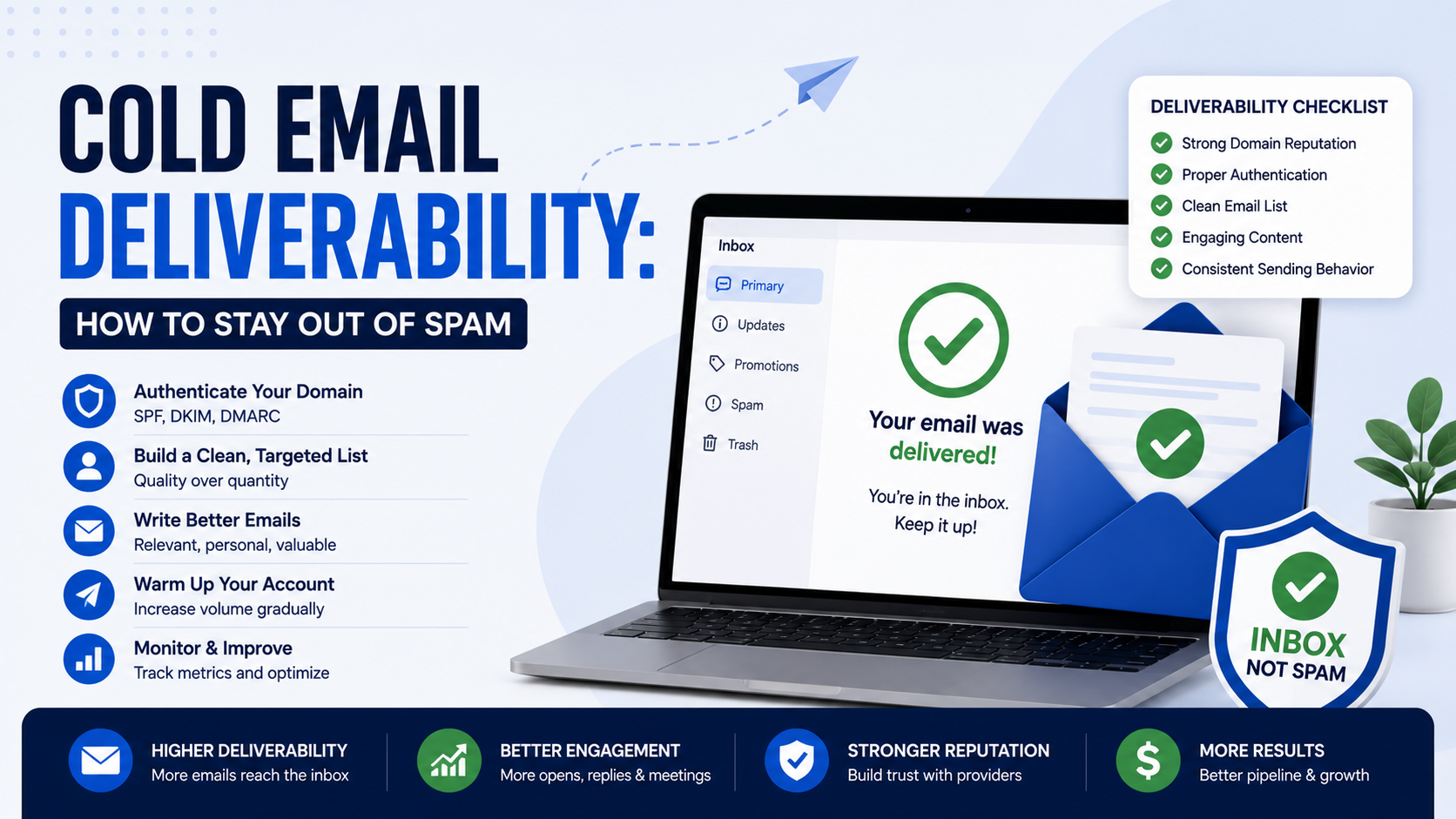
A Deliverability Checklist I Would Use Before Launching
If I were preparing a cold email campaign today, I would go through this list.
Step 1: Check the Domain
Make sure it is legitimate and connected to the business.
Step 2: Verify Authentication
Check SPF, DKIM, and DMARC.
Step 3: Review the Mailboxes
Make sure sender names, signatures, and reply settings are correct.
Step 4: Avoid Sudden Volume
Ramp activity gradually.
Step 5: Clean the Prospect List
Remove irrelevant companies and old contacts.
Step 6: Verify Email Addresses
Reduce obvious bounces.
Step 7: Segment the Audience
Do not send one generic message to everyone.
Step 8: Simplify the Email
Remove unnecessary links, attachments, and heavy formatting.
Step 9: Check the Subject Line
Make sure it accurately matches the email.
Step 10: Review Personalization
Confirm that any specific claim is actually true.
Step 11: Prepare Sensible Follow-Ups
Do not overwhelm the prospect.
Step 12: Test the Setup
Send messages to a few accounts and inspect authentication.
Step 13: Launch Small
Start with a manageable group.
Step 14: Watch Replies and Bounces
Do not stare only at open rates.
Step 15: Scale Only When Results Are Healthy
More sending should come after better results.
What I Check When a Campaign Suddenly Goes to Spam
If deliverability suddenly gets worse, I troubleshoot in this order.
First, authentication.
Did SPF, DKIM, or DMARC break?
Second, infrastructure changes.
Did someone switch providers or add a new tool?
Third, volume.
Did sending increase suddenly?
Fourth, list quality.
Did the campaign start using a new data source?
Fifth, bounce rate.
Did invalid addresses increase?
Sixth, complaints.
Are prospects telling us the messages are irrelevant?
Seventh, content.
Did someone add lots of links, images, tracking, or attachments?
Eighth, domain reputation.
Are there signs of a broader reputation issue?
That sequence usually helps narrow down the cause faster than randomly rewriting subject lines.
There Is No Guaranteed Way to Stay Out of Spam
This is worth saying because deliverability advice often becomes too confident.
Nobody can guarantee that every email will reach every primary inbox.
Mailbox providers intentionally keep many details of their filtering systems private.
Their systems also change.
Recipient behavior changes.
Domain reputation changes.
Your own sending behavior changes.
The realistic goal is not:
“100% inbox forever.”
The goal is to remove obvious risk factors and operate in a way that looks like legitimate business communication.
The Best Deliverability Strategy Is Less Exciting Than People Expect
Cold email communities sometimes make deliverability sound like a secret technical game.
Buy this many domains.
Use this exact number of mailboxes.
Send this many messages.
Wait this many days.
Use this specific warmup setting.
The fundamentals are much less exciting.
Authenticate the domain properly.
Use a legitimate business identity.
Keep your data clean.
Email people who actually fit the offer.
Send reasonable volumes.
Do not mislead recipients.
Respect opt-outs.
Monitor bounces and complaints.
Follow up without becoming annoying.
That does not guarantee perfect inbox placement.
Nothing does.
But it removes a large number of the problems that businesses create for themselves.
The biggest lesson I have learned is that cold email deliverability is not separate from the quality of the campaign.
A relevant email sent to the right person creates better behavior.
Better behavior supports reputation.
Good reputation supports deliverability.
That is why the smartest way to stay out of spam is not finding a trick that fools the filter.
It is building an outbound process that looks, technically and behaviorally, like legitimate business communication.
Because that is exactly what good cold email should be.