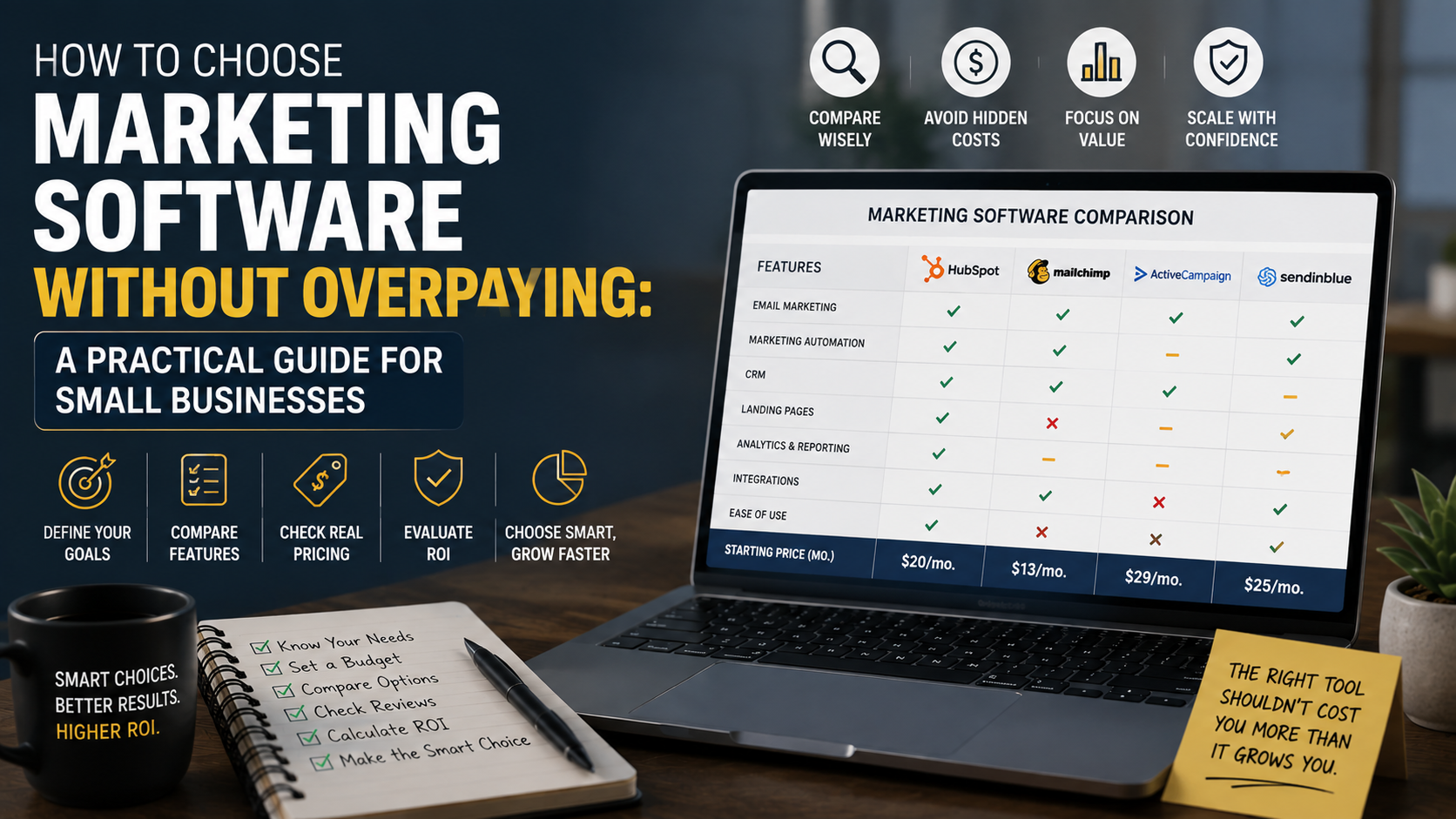
I still remember a conversation with a small business owner who had a problem that many companies face.
They were paying for six different marketing tools.
One tool handled email.
Another managed social media.
Another tracked analytics.
Another stored customer information.
Another created reports.
Another automated follow-ups.
The surprising part?
They were barely using half of the features.
When I asked why they subscribed to all these platforms, the answer was simple:
“I thought better software would help us grow faster.”
That idea sounds logical, but it can become expensive very quickly.
Marketing software can absolutely help businesses work smarter. The right tools can save hours, organize customer data, improve campaigns, and make decision-making easier.
But the wrong tools can create a different problem.
You end up paying monthly subscriptions for features you never use.
I have seen businesses spend hundreds of dollars every month on software while still managing important tasks manually because the system was too complicated.
The goal is not to find the most expensive or most advanced marketing software.
The goal is to find software that solves your current problems and grows with your business.
Start With the Problem, Not the Tool
One of the biggest mistakes businesses make is searching for software before understanding what they actually need.
They start browsing:
“Best CRM software”
“Best marketing automation platform”
“Best email marketing tool”
The problem is that every software company promises to solve everything.
Before looking at tools, ask:
“What problem am I trying to fix?”
Examples:
Problem:
“We forget to follow up with leads.”
Possible solution:
CRM or sales automation software.
Problem:
“We spend hours creating reports.”
Possible solution:
Analytics and reporting software.
Problem:
“We cannot send personalized emails efficiently.”
Possible solution:
Email marketing automation.
The software should come after the problem is clear.
Understand Your Current Marketing Process First
Before buying anything, map out how your marketing currently works.
You do not need complicated diagrams.
A simple list is enough.
For example:
Customer finds website.
↓
Customer fills contact form.
↓
Team receives email.
↓
Salesperson follows up.
↓
Customer receives proposal.
↓
Deal is tracked manually.
Now look for the weak points.
Where are people wasting time?
Where are mistakes happening?
Where are opportunities being missed?
That is where software can help.
Avoid Buying Software Based on Features
This is probably the easiest trap to fall into.
A software website shows:
- AI-powered analytics
- Advanced automation
- 200 integrations
- Custom dashboards
- Predictive insights
It looks impressive.
But ask yourself:
“Will I actually use this?”
A tool with 20 useful features is better than a tool with 200 features you ignore.
Example
A small local business may not need an enterprise marketing platform.
They may only need:
- Customer database
- Email reminders
- Lead tracking
A simple CRM like HubSpot free tools may be enough in the beginning.
A larger company with complex sales processes may need something more advanced.
The right choice depends on the business stage.
Calculate the Real Cost, Not Just the Monthly Price
Many businesses compare software by looking only at the subscription fee.
That is a mistake.
The actual cost includes:
Monthly Subscription
Example:
$50/month sounds affordable.
But:
$50 × 12 months = $600/year
Setup Time
Some tools require:
- Data migration
- Team training
- Workflow setup
Your time has value.
Additional Users
A tool may look cheap until you add:
- Team members
- Extra contacts
- More automation
- More storage
Integration Costs
Sometimes software needs additional tools to connect everything.
For example:
CRM + automation tool + reporting tool
The total cost can become much higher than expected.
Use Free Trials Properly
Many businesses waste free trials.
They sign up.
Explore for 15 minutes.
Forget about it.
Then decide based on the homepage.
That is not enough.
A better approach:
Day 1: Test Your Main Task
Can the software solve your biggest problem?
Day 2: Test Your Workflow
Can it connect with your existing tools?
Day 3: Test Team Usage
Can someone else understand it?
Day 4: Check Reports
Does it provide useful information?
Day 5: Decide
Does this actually save time or improve results?
Do Not Ignore Simpler Tools
There is a tendency to think professional businesses need complicated software.
Not always.
Sometimes simple tools perform better because people actually use them.
Example: Email Marketing
A small business starting email campaigns might be perfectly fine with:
Mailchimp
or
Brevo
They can handle:
- Newsletters
- Basic automation
- Customer lists
A company with advanced customer journeys may later move to platforms like:
ActiveCampaign
The upgrade should happen because the business needs it, not because another company uses it.
Look for Tools That Replace Multiple Tools
Sometimes paying more actually saves money.
The key is consolidation.
For example:
A business might pay for:
- Email tool
- CRM
- Appointment software
- Basic automation tool
A platform that combines these features may reduce total costs.
Example
A service business may use:
- Separate booking software
- Separate email marketing
- Separate customer tracking
A CRM with automation features may handle most of these tasks together.
But Avoid the “All-in-One” Trap
There is another mistake.
Some businesses buy an all-in-one platform because it promises everything.
The problem?
Many all-in-one tools are average at everything but excellent at nothing.
Before choosing one, check:
Which features are actually important?
Do they perform those features well?
Consider Your Team’s Technical Ability
A powerful tool is useless if nobody wants to use it.
I have seen companies purchase advanced software and continue using spreadsheets because employees found the platform confusing.
Ask:
Who will manage this tool?
How much training is required?
Will the team actually use it daily?
A simple system adopted by everyone usually beats a complicated system ignored by everyone.
Common Marketing Software Categories and What to Look For
CRM Software
Useful for:
- Managing leads
- Tracking sales
- Organizing customers
Examples:
- HubSpot
- Salesforce
- Pipedrive
Choose based on:
- Number of customers
- Sales process complexity
- Team size
Email Marketing Software
Useful for:
- Newsletters
- Automated campaigns
- Customer communication
Look for:
- Easy automation
- Segmentation
- Reporting
SEO Software
Useful for:
- Keyword research
- Competitor analysis
- Website monitoring
Popular tools include:
Semrush
and
Ahrefs
But small businesses should first use free options like:
Google Search Console
before paying for advanced platforms.
Social Media Tools
Useful for:
- Scheduling posts
- Managing multiple platforms
- Tracking performance
Tools like:
Buffer
can help smaller teams organize publishing.
Signs You Are Ready to Upgrade
You probably need better software when:
Your Team Is Doing Too Much Manual Work
Example:
Copying customer information between systems.
You Are Losing Leads
Example:
Customers contact you but follow-ups are missed.
You Need Better Data
Example:
You cannot tell which campaigns create revenue.
Your Current Tool Limits Growth
Example:
You need more users, contacts, automation, or reporting.
Mistakes to Avoid When Buying Marketing Software
1. Buying Because Competitors Use It
Your business model is different.
Their needs may not match yours.
2. Choosing Based on Price Alone
The cheapest tool is not always the best value.
A slightly more expensive tool that saves hours can be worth it.
3. Paying Annually Too Early
Annual plans often save money, but only after you know the tool works for you.
Test first.
4. Ignoring Customer Support
When software breaks or becomes confusing, good support matters.
5. Adding Too Many Tools
More software does not automatically mean better marketing.
A clean system is usually easier to manage.
A Simple Process for Choosing Marketing Software
Here is the process I recommend:
Step 1:
Write down your biggest marketing problem.
Step 2:
List the tasks you want to improve.
Step 3:
Find three possible tools.
Do not compare twenty options.
Step 4:
Test them with real workflows.
Step 5:
Choose the tool your team will actually use.
Final Thoughts
Marketing software should make your business simpler, not more complicated.
The best tools are not always the ones with the longest feature lists.
They are the ones that solve real problems.
Start with what you need today.
Do not buy software for the business you hope to become someday.
As your business grows, your needs will change.
The right time to upgrade is when your current system starts slowing you down, costing you opportunities, or taking too much manual effort.
Until then, a simple tool used properly will always beat an expensive platform sitting unused.