The first time I set up a fresh mailbox for outbound email, I made the mistake of treating it like an old, trusted inbox.
The domain was new.
The mailbox had barely sent anything.
SPF, DKIM, and DMARC were configured.
Everything looked fine technically, so I thought I was ready.
I uploaded a prospect list, connected the mailbox to an outreach tool, and started sending much more email than the account had ever sent before.
The result was not dramatic enough to notice immediately.
Emails still went out.
Some prospects received them.
But replies were weaker than expected, and testing showed that some messages were ending up in spam.
That was my introduction to email warmup.
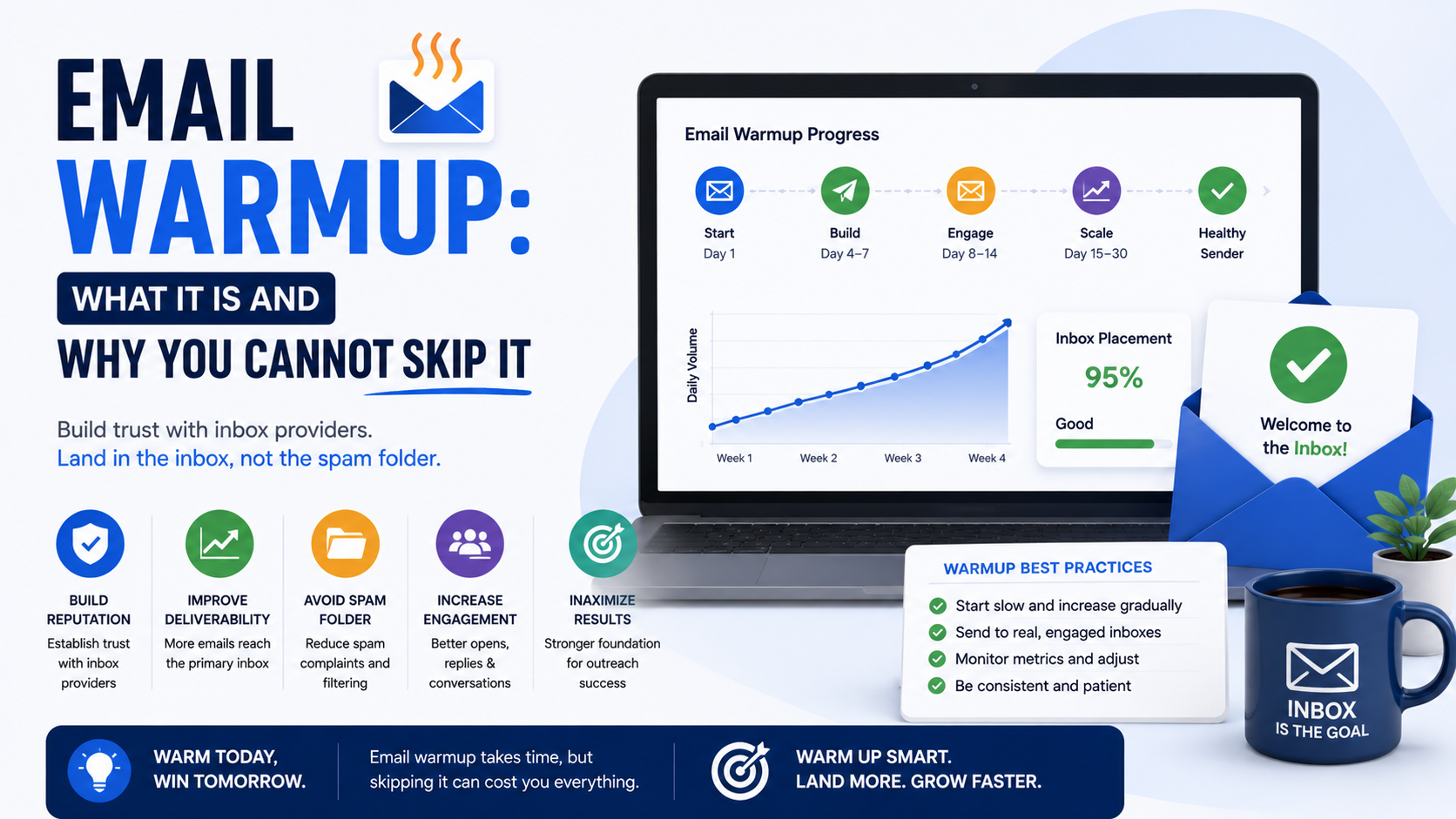
The basic idea is simple: a new or inactive mailbox should develop normal sending history gradually instead of going from almost zero activity to aggressive outbound volume overnight.
Email warmup is not a magic trick.
It will not rescue bad lists.
It will not make spammy emails legitimate.
And it does not guarantee that Gmail or Outlook will put every message in the inbox.
But if you plan to use a new mailbox for sales outreach, newsletters, or regular business communication, suddenly pushing high volume through it is usually a bad way to start.
What Email Warmup Actually Means
Email warmup is the process of gradually building legitimate sending activity on a mailbox or domain.
Think about two email accounts.
The first account has existed for three years.
It sends and receives normal business conversations every day.
Customers reply to it.
Employees email it.
The sending pattern is fairly predictable.
Now compare that with a mailbox created yesterday.
It has no meaningful sending history.
No regular conversations.
No normal reply pattern.
Then, on its second day, it suddenly sends 300 similar messages to people it has never contacted.
Those two accounts do not look the same from a reputation perspective.
Warmup is about avoiding that sudden jump.
You start with low, normal activity and gradually increase as the mailbox develops real usage history.
Why New Mailboxes Deserve Extra Care
When you create a new mailbox, it does not come with a long reputation history.
Mailbox providers look at many different signals when deciding how to handle email.
That can include things such as:
- Authentication
- Sending behavior
- Domain reputation
- Mailbox reputation
- Spam complaints
- Bounce rates
- Recipient engagement
- Sudden changes in volume
- Message patterns
Nobody outside the major mailbox providers has a complete formula for exactly how all these signals are weighted.
That is why anyone promising a guaranteed warmup formula should make you cautious.
But the practical principle is still useful:
A mailbox that behaves like a normal mailbox is generally safer than one that suddenly behaves like a bulk sending machine.
Warmup Starts Before You Send Anything
One of the biggest mistakes I see is treating warmup as a button inside an outreach platform.
The real process begins earlier.
Before sending campaigns, I would first make sure the technical foundation is correct.
That means checking your domain and mailbox setup.
At minimum, look at:
SPF
DKIM
DMARC
MX records
Mailbox configuration
Sending domain
Reply handling
If authentication is broken, warming up the mailbox does not fix the underlying problem.
It is like slowly driving a car with a flat tire.
You are still driving carefully, but the basic setup is wrong.
SPF, DKIM, and DMARC Still Matter
Warmup and authentication solve different problems.
SPF helps identify which servers are allowed to send email for your domain.
DKIM adds a digital signature to outgoing messages.
DMARC helps receiving systems evaluate alignment and tells them how your domain wants failures handled.
If you are using Google Workspace, Microsoft 365, or another business mail provider, follow their current documentation and make sure these records are set correctly.
Do not copy DNS records from a random tutorial without checking whether they match your setup.
And do not assume that because you can send an email, authentication must be working.
Send a test message and inspect the results.
In Gmail, for example, the “Show original” view can help you check whether SPF, DKIM, and DMARC are passing.
Warmup Does Not Fix a Bad Domain
This is important.
Suppose your domain already has a poor reputation because of previous spam complaints or questionable sending.
Starting a warmup sequence does not magically erase that history.
Similarly, if the domain name itself looks suspicious, that can create trust problems with recipients even if the technical records are perfect.
For example:
best-leads-now-247.biz
does not inspire the same confidence as a clean business-related domain.
If you use a secondary domain for outbound email, keep it clearly connected to your real company.
Warmup should be part of a legitimate sending setup, not a way to disguise aggressive bulk outreach.
What Normal Warmup Looks Like
I prefer to think about warmup as gradual business-like usage.
A new mailbox might begin with a small number of genuine messages.
Send internal emails.
Talk to colleagues.
Send messages to vendors.
Reply to conversations.
Receive replies.
Use the inbox normally.
Then gradually introduce real outbound activity.
The exact number of emails per day depends on the mailbox provider, account history, business use, audience quality, and other factors.
This is why I do not like universal rules such as:
“Send exactly 20 emails on Day 1, 30 on Day 2, and 40 on Day 3.”
Deliverability is not that mechanical.
A gradual increase is the important part.
Why Sudden Volume Spikes Are a Problem
Imagine a restaurant that normally serves 50 customers a night.
Tomorrow it suddenly tries to serve 5,000.
Even if the restaurant is technically open, something about the operation is going to look unusual.
Email works similarly.
If a mailbox has almost no history and suddenly starts sending large batches of nearly identical messages, that is a major behavior change.
The safer approach is to scale based on actual performance.
Watch:
Bounces
Replies
Spam complaints
Mailbox placement
Provider warnings
Campaign quality
If the mailbox starts showing problems, sending even more is usually not the answer.
Real Replies Matter More Than Artificial Activity
This is where email warmup discussions get messy.
A lot of tools have historically created automated warmup networks where participating inboxes automatically send, open, reply to, or move each other’s messages out of spam.
That can make the mailbox look active.
But I would be careful about relying on artificial engagement.
Mailbox providers do not publish warmup networks as some official path to better deliverability, and automated behavior designed to manipulate reputation signals can create risk.
I prefer real mailbox usage whenever possible.
That means legitimate conversations with actual colleagues, partners, customers, suppliers, or prospects.
Real engagement is much more meaningful than trying to manufacture the appearance of engagement.
Does That Mean Warmup Tools Are Useless?
Not necessarily.
Some email tools can help teams manage sending schedules, monitor inboxes, or ramp activity gradually.
But I would not choose a tool simply because it promises:
“100% inbox placement.”
Nobody can responsibly guarantee that.
Platforms commonly used for outbound email include tools such as Smartlead, Instantly, Lemlist, Mailshake, Apollo, Reply.io, and others.
Features change over time, so always check what a platform is actually doing rather than assuming every feature labeled “warmup” works the same way.
The tool should support a responsible sending process.
It should not replace one.
How Long Should You Warm Up an Email?
There is no universal number.
You will see advice ranging from a few days to several weeks.
The reality is that mailbox history is only one part of deliverability.
A two-week-old mailbox sending 40 highly relevant emails to valid contacts may behave very differently from a two-month-old mailbox blasting thousands of bad addresses.
Instead of obsessing over a specific number of days, I pay attention to readiness.
Ask:
Is authentication correct?
Has the mailbox been used normally?
Are there real conversations?
Is sending volume increasing gradually?
Is the prospect data clean?
Are bounce rates under control?
Are messages relevant?
If those answers are good, you have a much healthier starting point.
Domain Age and Mailbox Age Are Not the Same Thing
People often mix these up.
A domain can be several years old while a mailbox is brand new.
For example:
company.com
may have existed since 2019.
But:
alex@company.com
might have been created yesterday.
The domain has history.
The mailbox does not.
Similarly, you could have a newly registered secondary domain with several newly created mailboxes.
That setup deserves even more caution because both the domain and mailboxes have limited history.
This is another reason I avoid jumping immediately into high-volume campaigns on brand-new infrastructure.
Email Warmup Is Not Just for Cold Email
Cold email is where warmup gets discussed most often, but the principle applies more broadly.
Imagine launching a newsletter.
You import a large subscriber list into a new sending platform and suddenly send 100,000 messages from a domain that has never sent marketing email.
That can cause problems too.
Transactional email systems also need sensible infrastructure.
The larger the sending volume, the more important it becomes to understand how your domain and provider are handling the traffic.
Warmup is really about reputation management.
Cold outreach is simply one common use case.
Your Prospect List Can Destroy a Good Warmup
This is one of the most frustrating mistakes because someone may spend weeks carefully setting up their mailbox and then ruin the campaign with terrible data.
Imagine you warm up an inbox slowly.
Everything looks healthy.
Then you upload 10,000 addresses purchased from a random list seller.
Hundreds are invalid.
Many belong to people who changed jobs.
Others have no connection to your offer.
Now you generate bounces, low engagement, and potential complaints.
Warmup cannot compensate for that.
A clean list is one of the most important parts of email deliverability.
Verify Addresses Before Sending
If you are running outbound campaigns, check questionable email addresses before using them.
Tools such as NeverBounce, ZeroBounce, Hunter, and BriteVerify can help identify obviously invalid addresses.
No verification tool is perfect.
Catch-all domains can make addresses difficult to confirm.
People also change roles after the address is verified.
But removing obvious bad data is still useful.
I would rather send 500 emails to good prospects than 2,000 emails where half the data is questionable.
Start With Your Best Prospects
When launching real outbound after a warmup period, do not start with your worst list.
Start with well-researched, relevant prospects.
Why?
Because relevance affects behavior.
A relevant email is more likely to get:
Opened
Read
Replied to
Forwarded internally
A random email is more likely to get:
Ignored
Deleted
Marked as spam
That means targeting and deliverability are connected.
The best technical setup in the world cannot make an irrelevant message relevant.
Keep the First Emails Simple
When I start sending from a newer mailbox, I generally prefer simple messages.
No massive HTML design.
No huge images.
No unnecessary attachments.
No seven links.
No giant signature with ten social icons.
A straightforward text-based business email is usually enough.
For example:
“Hi Sarah,
I noticed your company recently opened a second location in Austin.
We work with multi-location clinics on local search visibility, and I spotted one thing that may be worth checking on the new location.
Happy to send it over if useful.
Alex”
That looks like a business conversation.
Because it is one.
Avoid Too Much Link Tracking Early On
Tracking can be useful.
But I would not build an early campaign around unnecessary tracking elements.
Many sales platforms can track:
Opens
Link clicks
Replies
Other activity
Open tracking in particular has become less reliable because privacy features can load tracking pixels automatically or hide real behavior.
More importantly, your main goal is not producing pretty dashboard numbers.
It is getting legitimate replies.
Track what you actually need.
Custom Tracking Domains Matter Too
If your outreach platform uses link tracking, check whether it allows a custom tracking domain.
Shared tracking infrastructure can create additional variables in deliverability.
That does not mean every shared tracking domain is bad.
It simply means you should understand what domains appear inside your messages.
If you do not need click tracking, consider whether it is worth adding at all.
For many simple cold email campaigns, replies are the metric that really matters.
Should You Warm Up Multiple Mailboxes?
If your outbound program needs multiple mailboxes, I would still treat each one as a real mailbox.
Do not assume one healthy inbox automatically gives every mailbox on the domain the same reputation.
Set them up properly.
Use legitimate employee names.
Monitor each mailbox.
Keep sending behavior reasonable.
If you have:
sarah@domain.com
james@domain.com
michael@domain.com
each mailbox should be managed intentionally.
Avoid creating dozens of random identities just to increase volume.
That creates operational and reputation risks.
Do Not Treat Sending Limits as Targets
This is another common misunderstanding.
A mail provider may technically allow a certain maximum number of messages per day.
That does not mean you should send that many cold emails.
Provider limits are usually hard ceilings, not recommendations.
If Google Workspace or Microsoft 365 allows a mailbox to send a large number of messages, it does not mean:
“Great, I should send exactly that many prospects.”
Your real limit should be based on responsible behavior, list quality, and campaign performance.
The Quality of Replies Tells You a Lot
When I evaluate a new campaign, I pay close attention to what people actually say.
Good signs include replies such as:
“Send me more information.”
“We’re already working on this.”
“Talk to our marketing manager.”
“Can we speak next week?”
Even:
“Not right now, try me in October.”
is useful.
Bad signs include:
“Stop spamming me.”
“How did you get this email?”
“This has nothing to do with our business.”
If those responses appear repeatedly, do not blame warmup.
The targeting or messaging probably needs work.
Inbox Placement Testing Can Help, but Do Not Obsess Over It
There are tools that can help test where messages appear across different mailbox providers.
These can be useful when troubleshooting.
But one test email does not perfectly predict what will happen to every future email.
Deliverability varies based on:
Recipient
Provider
Message
Sending history
Engagement
Reputation
Infrastructure
Use testing as one source of information.
Do not treat one green dashboard as proof that every campaign is safe.
Email Warmup and Separate Domains
If your company relies heavily on outbound email, you may decide to use a separate but brand-related domain.
For example:
Main domain:
northstarconsulting.com
Outbound domain:
meetnorthstar.com
This can help separate higher-risk prospecting activity from normal business communication.
But a separate domain still needs to be treated responsibly.
It needs authentication.
It needs normal sending behavior.
It needs good prospect data.
It needs monitoring.
Buying another domain does not create instant reputation.
You still have to build it.
Common Email Warmup Mistakes
Sending Too Much Too Quickly
This is the obvious one.
Do not turn a brand-new mailbox into a high-volume sales engine overnight.
Believing Warmup Guarantees Inbox Placement
It does not.
Ignoring Authentication
Warmup cannot fix broken SPF, DKIM, or DMARC.
Using Bad Prospect Data
Bounces can undo a lot of careful preparation.
Depending Entirely on Artificial Engagement
Real sending behavior matters more.
Adding Too Many Tools at Once
Every new platform adds another variable.
Keep the first setup simple.
Scaling Before Testing the Offer
If 30 relevant prospects ignore your email, sending it to 3,000 more may not help.
Ignoring Complaints
Spam complaints are a warning.
Take them seriously.
Using Misleading Email Copy
Fake reply subject lines, false urgency, or deceptive identities create trust problems regardless of technical setup.
A Practical Warmup Process I Would Use
If I were setting up a new outbound mailbox today, I would approach it like this.
Step 1: Configure the Domain
Make sure DNS is correct.
Step 2: Verify SPF, DKIM, and DMARC
Do not assume.
Test them.
Step 3: Set Up the Mailbox Properly
Use a legitimate sender name and business signature.
Step 4: Use the Account Normally
Send real internal and business conversations.
Receive replies.
Step 5: Keep Initial Sending Low
Do not immediately push high volume.
Step 6: Gradually Increase Activity
Scale based on actual mailbox health and response quality.
Step 7: Prepare a Clean Prospect List
Only use contacts that fit the offer.
Step 8: Verify Questionable Addresses
Reduce obvious bounces.
Step 9: Launch a Small Real Campaign
Start with your strongest prospects.
Step 10: Watch the Results
Look at replies, bounces, complaints, and placement issues.
Step 11: Improve Before Scaling
If the campaign is not working, figure out why.
Step 12: Increase Carefully
Scale successful outreach, not just sending volume.
How Do You Know When the Mailbox Is Ready?
There is no single dashboard number that says:
“Congratulations, your inbox is now warmed up.”
I look for stability.
The mailbox has normal history.
Authentication passes.
Sending volume is not changing wildly.
Bounces are low.
The campaign uses legitimate contacts.
Replies look normal.
The provider is not warning about suspicious activity.
Then I increase activity gradually.
I would rather move slightly slower than damage a mailbox and spend the next few weeks troubleshooting it.
Warmup Is Only One Piece of Deliverability
This is probably the most important lesson.
People love technical fixes because they feel controllable.
Set up DNS.
Click warmup.
Wait two weeks.
Start sending.
But inbox placement is not controlled by one switch.
A strong email operation also needs:
Good targeting.
Clean data.
Relevant messages.
Accurate sender identity.
Responsible volume.
Easy opt-outs where required.
Low complaint rates.
Good follow-up practices.
Technical authentication.
Warmup supports those things.
It does not replace them.
The Best Warmup Strategy Is to Behave Like a Real Business
When you strip away all the terminology, this is what I keep coming back to.
Real businesses do not normally create an inbox at 9 AM and send 1,000 nearly identical emails by lunch.
They build conversations gradually.
People reply.
Some messages are longer.
Some are shorter.
Sending volume changes naturally.
A good outbound setup should still resemble normal business communication.
That does not mean you cannot automate parts of your workflow.
It does not mean you cannot scale.
It means scaling should happen after the infrastructure and campaign have proven they can handle it.
Email warmup matters because reputation develops over time.
You cannot create history instantly.
You can only build it.
Set up the domain correctly.
Use the mailbox normally.
Start small.
Send to relevant people.
Watch what happens.
Then increase activity carefully.
That approach may feel slower than plugging a fresh inbox into an outreach tool and blasting a giant list on day one.
But email is one of those areas where being impatient at the beginning often creates much more work later.
Warmup will not make every message land in the inbox.
Nothing can promise that.
What it can do is help you avoid one of the easiest deliverability mistakes of all: asking a brand-new mailbox to behave like a mature, trusted sender before it has built any history at all.