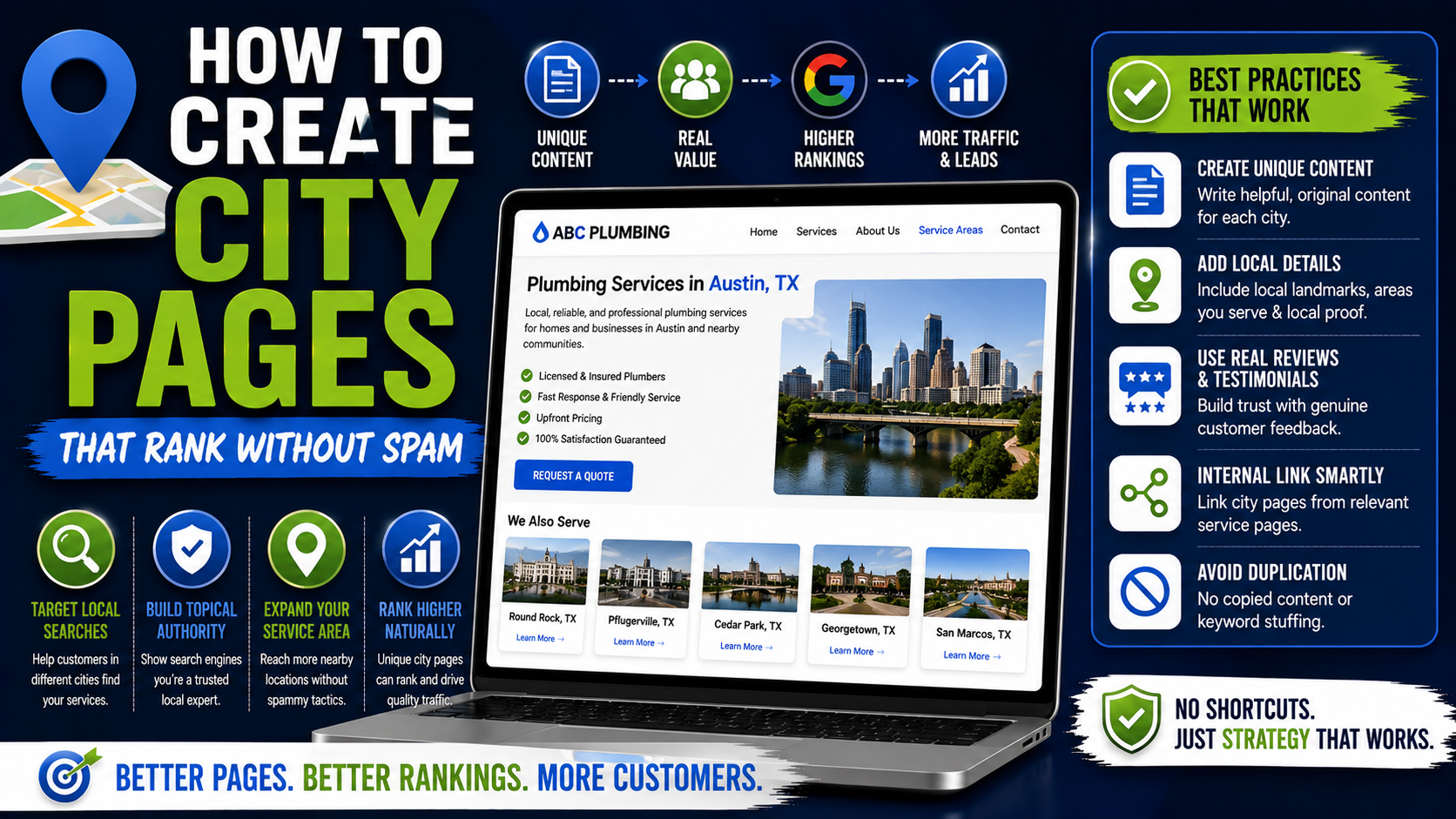
One of the fastest ways to make a local business website look suspicious is to open the location section and find this:
Plumber in Dallas
Plumber in Plano
Plumber in Frisco
Plumber in McKinney
Then click each page and realize the only thing that changes is the city name.
“Looking for a plumber in Dallas?”
becomes:
“Looking for a plumber in Plano?”
Everything else is identical.
Same 800 words.
Same stock photo.
Same testimonials.
Same FAQ.
Same services.
Same call to action.
I have come across this pattern often when reviewing local SEO setups, and the thinking behind it is understandable.
The business serves 20 cities, so someone decides it needs 20 city pages.
Then somebody creates one template, replaces the location name 20 times, publishes everything, and waits for rankings.
Sometimes a few pages initially get traffic.
The bigger problem appears later: most of the pages have no real reason to exist.
Google’s current spam policies specifically warn against doorway abuse, including pages targeting specific regions or cities that primarily funnel users toward the same final destination, as well as substantially similar pages created mainly to capture variations of search queries.
That does not mean city pages are bad.
Good location pages can be extremely useful.
If I live in Frisco and I am considering hiring a roofing company based elsewhere in the Dallas–Fort Worth area, I genuinely want to know:
Do you serve Frisco?
How quickly can you get here?
What roofing problems do you commonly see here?
Have you completed projects nearby?
Do you understand local homes and construction?
Which services are available in my area?
Can I see examples?
That is what a city page should answer.
The goal is not to create 50 pages for 50 keywords.
The goal is to create pages that would still be useful if Google did not exist.
Here is how I approach it.
First, Understand What a City Page Is Supposed to Do
A city page is usually a landing page explaining how a business serves customers in a particular geographic area.
For a landscaping company, you might have:
/locations/plano-tx/
For an HVAC company:
/service-areas/frisco-tx/
For a roofing company:
/locations/mckinney/
The URL structure itself is less important than what the page actually provides.
A useful city page connects three things:
Your business
Your services
That specific location
If the city can be replaced with another city and nothing else needs changing, the page probably is not specific enough yet.
That is the test I use constantly.
Take your “Roofing Contractor in Plano” page.
Replace every mention of Plano with Frisco.
Does the page still make complete sense?
If yes, you probably created a template rather than a genuinely local page.
Why Thin City Pages Are Risky
Google does not have a rule saying:
“You may only create five city pages.”
That is not how it works.
The issue is purpose and value.
Google’s current people-first content guidance asks site owners whether their content provides original information, substantial value, first-hand expertise, and a satisfying experience compared with other search results. It also specifically warns against mass-producing content mainly to attract search traffic.
That lines up perfectly with city pages.
Imagine creating:
100 city pages
with:
650 words each
using:
one template
and:
automatic city-name replacement.
Technically, you now have 65,000 words of content.
But you may have added almost no new information.
Word count does not equal usefulness.
Google explicitly says there is no preferred word count that magically makes content perform better.
I would rather publish eight excellent location pages than 80 pages that exist only because somebody exported a list of nearby cities from a spreadsheet.
Start With Cities You Actually Serve
Before writing anything, list the locations where the business genuinely operates.
This sounds basic, but local SEO strategies often become overly ambitious.
A contractor based in Plano might realistically work in:
Plano
Frisco
Allen
McKinney
Richardson
Carrollton
Prosper
Maybe parts of Dallas.
That is reasonable.
Then somebody opens Google Keyword Planner or Ahrefs and notices searches in another 40 Texas cities.
Suddenly the website has pages targeting places three hours away.
Ask the business owner or operations team:
Would you happily accept a normal-sized job from this city tomorrow?
Not:
“Would you drive there for a $100,000 contract?”
A realistic service area is based on normal business operations.
If crews rarely or never serve a location, I would be cautious about building a dedicated landing page simply because the keyword exists.
Do Not Create Every City Page at Once
This is one of the biggest practical lessons.
You do not need to launch 30 pages on Friday.
Start with your strongest markets.
Suppose a landscaping company receives most of its work from:
Plano
Frisco
McKinney
Allen
Start there.
Build four strong pages.
Get them indexed.
Add them naturally to the website architecture.
Track what happens in Google Search Console.
See which queries they attract.
See whether visitors submit forms.
Then expand.
This is much easier to control than publishing 75 nearly identical pages and trying to diagnose why Google ignores 68 of them.
Research the City Before Writing
This is where a city page stops sounding generic.
Spend 15 to 30 minutes understanding the market.
You can use:
Google Maps
Google Search
Google Street View
Google Trends
Google Keyword Planner
Ahrefs
Semrush
Google Search Console
Local government websites
County websites
Weather and climate information
Internal CRM data
Previous project records
You are not looking for random trivia.
Do not add:
“Plano was incorporated in 1873 and has a population of…”
to a concrete contractor page unless that information somehow helps someone hire a concrete contractor.
Local facts should connect to the service.
For example, a landscaper might care about:
Common lot types
Climate
Soil conditions
Drainage issues
Popular landscape styles
Local housing patterns
Water restrictions
Common plants
A roofer might care about:
Storm patterns
Roofing styles
Common roofing materials
Older versus newer neighborhoods
Hail exposure
A foundation contractor might discuss:
Soil movement
Drainage
Foundation types
Common warning signs
Now the geography actually matters.
Build Each Page Around Local Customer Intent
People searching:
landscaper Frisco TX
are not looking for the history of Frisco.
They are usually asking:
Can you landscape my property?
What do you offer?
Are you experienced?
Do you work near me?
Can I trust you?
What happens next?
Your page should answer those questions quickly.
A practical structure might be:
H1
Landscaping Services in Frisco, TX
Opening section
Two or three paragraphs explaining who you serve and what you actually do in Frisco.
Services
Relevant landscaping services offered in the area.
Local experience
What types of properties, projects, or challenges you commonly work with locally.
Recent work
Real examples.
Why customers choose you
Actual differentiators.
Service-area information
Neighborhoods or nearby areas.
Testimonials
Preferably relevant to that location where genuine ones exist.
FAQs
Questions specific to customers in that city.
CTA
Clear next step.
That structure is useful whether the visitor comes from Google, Facebook, a referral, or an email.
That is a good sign.
Add Real Local Project Examples
This is probably one of the strongest ways to differentiate location pages.
Suppose you are creating:
Paver Installation in Frisco, TX
Instead of writing another paragraph saying:
“We provide high-quality paver installation throughout Frisco.”
show something.
For example:
Recent Paver Project in West Frisco
You could explain:
What the homeowner wanted
What the old area looked like
What material was selected
Approximately how large the project was
What drainage or grading challenges existed
How your team solved them
What the finished space is used for
Then add original photos.
Now you have information a generic SEO writer cannot easily manufacture.
That is exactly the kind of first-hand evidence Google encourages when discussing people-first content and experience.
It is also what potential customers want.
They do not just want you to say:
“We serve Frisco.”
They want evidence.
Use Real Photos Whenever Possible
One mistake I see with city pages is using the exact same stock image everywhere.
Dallas page: stock roofer.
Plano page: same roofer.
Frisco page: same roofer.
McKinney page: same roofer.
Real project photography creates a much stronger page.
Use:
Completed projects
Before-and-after images
Local storefronts where applicable
Team photos
Real equipment
Project details
Relevant neighborhood context when appropriate and privacy-safe
You do not need a professional photographer for every job.
Modern phones such as an iPhone, Google Pixel, or Samsung Galaxy can produce perfectly usable project photos with decent lighting.
Just avoid exposing private customer information, license plates, addresses, or people who have not agreed to appear.
Add Testimonials From the City When You Have Them
A generic testimonial is better than nothing.
A relevant local testimonial is better.
Suppose your Frisco page includes:
“Riverstone replaced our backyard lawn and fixed a drainage issue after months of standing water. The crew showed up when promised and finished everything in three days.”
— Daniel, Frisco
That reinforces local credibility.
But do not fabricate local reviews.
Do not take a customer from Dallas and quietly relabel them “Frisco.”
If you do not have a city-specific testimonial yet, use a genuine general testimonial or skip that section until you do.
Trust is more important than making every template field look complete.
Mention Neighborhoods Only When Useful
Adding neighborhood names can help users understand whether you serve their part of town.
For example:
“We regularly serve homeowners throughout Frisco, including areas around Stonebriar, Phillips Creek Ranch, The Trails, and nearby communities.”
But be careful.
Do not turn the paragraph into:
“Frisco landscaper Stonebriar landscaper Phillips Creek Ranch landscaper Trails landscaper Frisco lawn company…”
That is keyword stuffing, not local expertise.
Neighborhood references should sound natural.
If somebody from that area reads the sentence, it should feel useful rather than engineered.
Make the Service Section Unique to the Location
Not every city necessarily generates the same work.
This is an opportunity.
Suppose your landscaping company offers 14 services overall.
In City A, most customers hire you for:
Drainage
Sod replacement
Grading
In City B:
Paver patios
Outdoor kitchens
Landscape lighting
Your location pages can reflect those differences.
You do not need to remove services you genuinely offer.
But you can prioritize the services that matter most locally.
This gives the page a stronger purpose.
Link to Detailed Service Pages
A city page should not try to become your complete website.
Suppose the page is:
/locations/frisco/
and you have detailed pages for:
/services/paver-patios/
/services/retaining-walls/
/services/sod-installation/
/services/drainage/
Link to them naturally.
For example:
“If your yard holds water after heavy rain, our drainage installation service covers grading corrections, drainage solutions, and related landscape work.”
The visitor gets a quick local overview and can move deeper into the relevant service.
This also creates a clean internal linking structure.
Link From Service Pages Back to Relevant Cities
Internal linking should work both ways.
Your main Paver Installation page could include:
Areas We Serve
Frisco
Plano
Allen
McKinney
with links to useful city pages.
Do this because it helps visitors navigate the website, not because you are trying to create 300 exact-match anchor links.
Google’s Search Essentials recommends building content that is accessible and understandable through normal site structure rather than relying on manipulative tactics.
A clear hierarchy helps users and search engines.
Use a Clean URL Structure
Keep URLs simple.
Good:
example.com/locations/frisco-tx/
Also fine:
example.com/service-areas/frisco/
Less useful:
example.com/best-affordable-top-landscaper-frisco-tx-near-me-landscaping-company/
You do not need every target keyword in the URL.
Readable URLs are easier to manage and share.
For a multi-location site, I generally prefer one consistent structure.
For example:
/locations/plano-tx/
/locations/frisco-tx/
/locations/allen-tx/
/locations/mckinney-tx/
Simple.
Write the Page Title Naturally
You still need basic on-page SEO.
A title might be:
Landscaping Services in Frisco, TX | Riverstone Landscaping
or:
Frisco Roofing Contractor | Oakline Roofing
You do not need:
Best Frisco Roofing Contractor | Roof Repair Frisco | Roofer Near Me Frisco TX
Trying to squeeze six search queries into one title usually makes the page worse.
Describe the page clearly.
Use One Clear Main Heading
For example:
Landscaping Services in Frisco, TX
Then use natural subheadings:
Landscaping Services We Offer in Frisco
Recent Projects in the Frisco Area
Solving Drainage Problems in Frisco Yards
Why Homeowners Work With Our Team
Frequently Asked Questions
No need to create H2 headings such as:
Best Landscaping Company Frisco TX Near Me
Write for someone reading the page.
Add a Map Only When It Helps
Maps can be useful for location pages, especially storefront businesses.
But a service-area business should not create the impression that it has an office in a city when it does not.
If your main office is in Plano and you serve Frisco, do not embed a map marker pretending you have a Frisco office.
You can instead explain:
“Our team is based in Plano and serves residential and commercial projects throughout Frisco.”
Clear.
Accurate.
No fake location required.
Be Very Careful With Fake Offices
City-page strategies sometimes evolve into:
“If we need a page for every city, why not create a Google Business Profile in every city too?”
That is a completely different issue.
Do not invent storefronts, virtual offices, or fake staffed locations simply to support city pages.
Your website can explain where you legitimately provide services without pretending the business has physical offices everywhere.
A service-area page does not require a fake local address.
Avoid City-Swap Content
Here is an easy audit.
Take two city pages.
Put them side by side.
Highlight everything that is identical.
If 90% of the content matches and the main difference is:
Dallas → Frisco
you have work to do.
This does not mean every sentence must be completely different.
Your phone number may be identical.
Your core service description may naturally overlap.
Your warranty may be the same.
Your company history will be the same.
Your process might be the same.
That is normal.
The goal is not arbitrary uniqueness.
The goal is unique usefulness.
Those are different things.
Do Not Use AI to Generate 500 Cities Blindly
AI can help with:
Research organization
Outlines
Proofreading
Formatting
Finding missing topics
Turning project notes into readable drafts
But this workflow is risky:
Upload spreadsheet with 500 city names → prompt AI to generate 500 pages → auto-publish.
Google’s current spam policy addresses scaled content abuse when large amounts of content are generated primarily to manipulate rankings rather than help users. Google also says that using automation, including generative AI, primarily to manipulate search rankings can violate its spam policies.
The issue is not simply whether AI touched the content.
The issue is why the content exists and whether it adds value.
Use tools to improve real pages.
Do not use tools as a factory for search-result clutter.
Include FAQs That Actually Come From Customers
Good city-page FAQs often come directly from:
Sales calls
Email enquiries
Google Business Profile questions
Customer support
CRM notes
Employees
Google Search Console queries
For a contractor, useful questions might include:
“Do you provide free estimates in Frisco?”
“How far in advance should I book?”
“Do you handle HOA requirements?”
“Can you repair an existing patio instead of replacing it?”
“Do you work on both residential and commercial properties?”
These questions help real customers.
Generic FAQ spam looks different:
“Who is the best landscaper in Frisco?”
Answer:
“We are the best landscaper in Frisco.”
That adds almost nothing.
Add Pricing Context Where It Makes Sense
You do not always need exact prices.
But customers often appreciate context.
For example:
“Patio pricing depends heavily on size, material, excavation, access, grading, and drainage requirements. We inspect the site before providing a final quote.”
That is useful.
Even better if you can legitimately provide:
Starting prices
Typical ranges
Factors affecting cost
What is included
What causes price differences locally
Avoid fake precision.
Do not invent a “Frisco price” simply to make the page look unique.
Explain Your Local Process
Local context can affect logistics.
For example:
Do you need an on-site assessment?
How quickly can the team usually reach that area?
Do you handle permits where applicable?
Do you coordinate with HOAs?
Does the customer need to prepare anything?
For a landscaping company:
- Request an estimate.
- Schedule the site visit.
- Discuss drainage, materials, and design.
- Receive the scope and quote.
- Confirm scheduling.
- Complete installation.
- Final walkthrough.
The process may be similar across cities, and that is okay.
Real businesses have standardized processes.
Do not rewrite a seven-step process with synonyms just to make it technically “unique.”
Build a Useful Location Hub
If you have multiple legitimate city pages, create a central page such as:
/locations/
Then organize them clearly.
For example:
North Dallas
Plano
Frisco
Allen
McKinney
Prosper
Dallas Area
Dallas
Richardson
Carrollton
Add short descriptions if useful.
This gives users a logical way to browse your service areas instead of relying entirely on Google to discover isolated location pages.
It also avoids creating what Google describes as substantially similar pages positioned closer to search results than a clear, browseable hierarchy—one of the patterns associated with doorway abuse.
Measure Whether the Pages Are Actually Useful
Once pages are published, check them.
Use Google Search Console to see:
Impressions
Clicks
Queries
Average search positions
Indexed pages
You can combine this with:
Google Analytics 4
Call tracking
CRM data
Form submissions
Booked appointments
Revenue attribution
Suppose a city page gets:
1,800 impressions
90 clicks
7 form submissions
3 qualified jobs
That tells you something.
Another page gets:
2,500 impressions
18 clicks
zero leads
That page may need work.
Maybe the intent is wrong.
Maybe the title is weak.
Maybe the page does not build trust.
Maybe the city is outside your realistic market.
Traffic should lead to useful business outcomes.
Do Not Panic If Every City Page Does Not Rank
This matters.
You may create genuinely helpful pages for ten cities and discover:
Three perform very well.
Three get moderate visibility.
Four barely get traffic.
That does not automatically mean something is broken.
Competition differs.
Local demand differs.
Your authority differs by location.
Search volume differs.
Other companies may have much stronger local signals in certain markets.
Do not respond by stuffing another 40 mentions of the city into the weak page.
Review the actual competitive gap.
Common Mistake: Creating Pages for Every Tiny Location Variation
You probably do not need:
/plumber-dallas/
/plumber-downtown-dallas/
/plumbing-dallas-tx/
/emergency-plumber-dallas/
/best-plumber-dallas/
/affordable-plumber-dallas/
just to target different versions of essentially the same intent.
That starts moving toward doorway territory.
One strong Dallas location page plus useful dedicated service pages is usually a much cleaner architecture.
Common Mistake: Writing Local History Instead of Local Service Content
I have seen city pages with huge sections explaining:
When the city was founded
Who founded it
Its population
Local museums
Major highways
Nearby parks
Then two sentences about the actual service.
That is not useful localization.
A homeowner searching for foundation repair does not need a history lesson.
Local information should connect to the reason they landed on the page.
Common Mistake: Claiming Projects You Did Not Complete
Do not say:
“We have completed hundreds of projects throughout Frisco”
unless that is true.
If you are newly expanding into the city, you can simply say:
“We now provide residential landscaping services throughout Frisco.”
There is nothing wrong with being new to a market.
Fake experience damages trust.
Common Mistake: Inventing City-Specific Testimonials
This deserves repeating.
Do not fabricate:
“John from Plano”
“Sarah from Frisco”
“Mike from Allen”
to make every city page look established.
Use real customer feedback.
If you do not have location-specific proof yet, improve the page as real projects accumulate.
Common Mistake: Changing Words Just to Pass a Duplicate-Content Test
This produces some terrible writing.
Dallas:
“Our experienced team provides professional landscaping services.”
Plano:
“Our skilled professionals deliver expert landscaping solutions.”
Frisco:
“Our knowledgeable crew offers quality landscape services.”
That is not meaningful uniqueness.
You merely ran the sentence through a thesaurus.
Real uniqueness comes from different information:
Different projects.
Different photos.
Different questions.
Different local challenges.
Different customer examples.
Different service priorities.
Different neighborhood context.
Focus on the information, not synonym percentages.
The Test I Would Use Before Publishing Any City Page
Before clicking Publish, ask:
Does this business genuinely serve the city?
Would this page help someone living there?
Does it contain information that is not available on every other city page?
Do we have real evidence of local experience where claimed?
Are the services accurate?
Are the photos genuine?
Is the address information truthful?
Does the page link naturally to useful service pages?
Can users find the page through the site’s normal navigation or location structure?
Would I still publish this page if Google gave it zero SEO benefit?
That final question is powerful.
If the answer is:
“No, the only reason this page exists is to rank for ‘service + city,’”
I would rethink the page.
Google’s current people-first guidance encourages essentially the same mindset: create content primarily because it helps your intended audience, rather than because you hope to capture search-engine traffic.
A Better Way to Scale City Pages
If you serve many markets, expansion can look like this:
Phase 1
Build pages for the five strongest cities.
Add real photos.
Add project examples.
Build internal links.
Track performance.
Phase 2
Expand to another five locations where you already have customers and evidence.
Add testimonials and completed projects as they become available.
Phase 3
Use Search Console and lead data to understand what works.
Improve weak pages rather than automatically creating another 50.
Phase 4
Continue expanding only where the business genuinely operates and you have enough information to create something useful.
This grows slower than automated city-page generation.
It also produces a much stronger website.
Final Thoughts
City pages can absolutely be part of a good local SEO strategy.
The problem is not having a page for Plano, Frisco, Allen, or Dallas.
The problem begins when those pages exist only to occupy more search results.
Google’s current spam policy describes doorway abuse as pages or sites created to rank for similar queries while funneling visitors toward essentially the same destination, including regional or city pages created in that pattern.
So I would not ask:
“How many city pages can we create?”
I would ask:
“How many cities can we create genuinely useful pages for?”
Start with places you really serve.
Research each market.
Show real work.
Use original photos.
Include genuine testimonials.
Explain local challenges where they are relevant.
Connect visitors to detailed service pages.
Use a logical location hierarchy.
Avoid fake offices.
Avoid city-name swapping.
Avoid automatically publishing hundreds of thin pages.
Then measure leads instead of celebrating the number of URLs indexed.
A strong city page should make a local customer think:
“Yes, these people actually work here, they understand the type of job I need, and I know what to do next.”
If the page achieves that, you are no longer creating content simply for a city keyword.
You are building a useful local landing page.
And that distinction is exactly what keeps a scalable local SEO strategy from turning into spam.