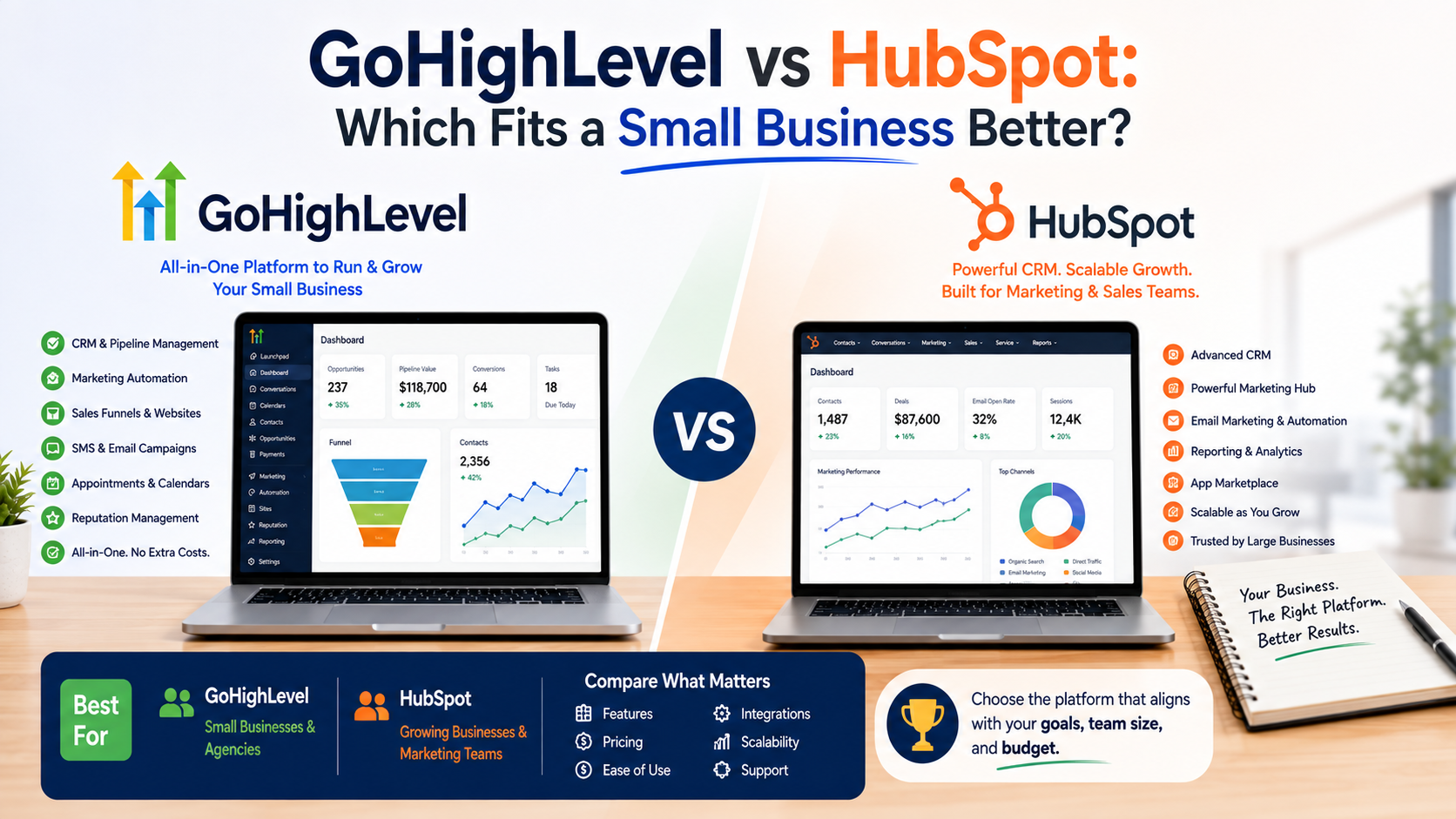
The first time I had to choose between GoHighLevel and HubSpot, I thought the decision would be simple.
I assumed one would obviously be better.
After all, both platforms looked impressive. Both promised to help businesses manage leads, automate follow-ups, and improve customer relationships.
But after using CRM tools with small teams, I learned something important:
The best CRM is not the one with the longest feature list.
It is the one that matches how your business actually works.
I have seen businesses make the same mistake again and again. They choose software because someone online says it is “the best CRM,” spend weeks setting it up, and then their team goes back to spreadsheets and WhatsApp messages because the system feels too complicated.
That is exactly why comparing GoHighLevel and HubSpot is interesting.
Both are powerful platforms, but they are built with different types of businesses in mind.
One focuses heavily on marketing automation, funnels, and agency workflows.
The other focuses on customer relationship management, sales processes, and business growth.
So which one should a small business choose?
Let’s look at the practical differences.
GoHighLevel vs HubSpot: The Basic Difference
Before comparing features, it helps to understand the main idea behind each platform.
GoHighLevel is designed mainly for marketing agencies, local businesses, and companies that need lead generation systems.
It combines tools like:
- CRM
- Landing pages
- Funnels
- Email marketing
- SMS marketing
- Appointment scheduling
- Automation workflows
- Reputation management
The goal is simple:
Capture leads and move them toward becoming customers.
HubSpot started as a CRM platform focused on helping businesses manage relationships with customers.
It offers:
- Contact management
- Sales pipelines
- Marketing tools
- Customer service features
- Analytics
- Content management tools
The goal:
Understand customers and manage the entire customer journey.
Both platforms overlap, but their approach is different.
My First Impression: One Feels Like a Marketing Machine, One Feels Like a Business System
When I first explored GoHighLevel, it felt like opening a marketing control room.
Everything was connected:
Lead forms, automation, campaigns, calendars, and follow-ups.
That was exciting because many small businesses struggle with scattered tools.
A business might use:
- WordPress for website
- Mailchimp for emails
- Calendly for appointments
- Google Sheets for leads
- Zapier for automation
GoHighLevel tries to bring many of these together.
HubSpot felt different.
It felt more structured around understanding customers.
You can clearly see:
- Who the customer is
- Their previous interactions
- Sales history
- Communication timeline
For businesses focused on long-term customer relationships, that structure is valuable.
Feature Comparison: GoHighLevel vs HubSpot
1. CRM and Contact Management
HubSpot Advantage
HubSpot is extremely strong when it comes to CRM organization.
You can track:
- Contacts
- Companies
- Deals
- Communication history
- Tasks
- Sales activities
For example, a software company selling monthly subscriptions can easily track:
Customer inquiry → Demo call → Trial → Purchase → Support
The customer history stays organized.
GoHighLevel Approach
GoHighLevel also provides CRM features, but its strength is more focused on moving leads through marketing and sales pipelines.
It works very well for:
- Lead generation
- Appointment-based businesses
- Service companies
Example:
A roofing company receives a lead from an advertisement.
The lead enters the CRM, receives follow-ups, books an appointment, and moves through the sales pipeline.
Winner:
HubSpot for customer relationship management
GoHighLevel for lead conversion workflows
2. Marketing Automation
This is where GoHighLevel becomes very attractive.
A common small business problem is:
“We get leads, but we forget to follow up.”
GoHighLevel solves this with automation.
Example:
A customer fills out a contact form.
Automatically:
- Send a confirmation SMS
- Send an email
- Create a sales task
- Schedule follow-up reminders
This is especially useful for businesses where speed matters.
HubSpot also has excellent automation, but many advanced marketing features are connected to paid plans.
Winner:
GoHighLevel for simple sales automation
HubSpot for advanced marketing operations
3. Ease of Use
This one is interesting because both platforms have learning curves.
GoHighLevel looks overwhelming at first.
There are many sections:
- Workflows
- Campaigns
- Funnels
- Pipelines
- Triggers
- Automations
Beginners often open it and think:
“Where do I even start?”
The mistake is trying to build everything immediately.
HubSpot is generally easier for beginners because the workflow feels more natural.
You start with:
Contacts → Deals → Tasks → Reports
It is easier for someone new to CRM software.
Winner:
HubSpot for beginners
4. Sales Pipeline Management
Both platforms handle sales pipelines, but they feel different.
HubSpot is excellent for sales teams that need detailed customer tracking.
A sales manager can monitor:
- Deal value
- Sales stage
- Expected revenue
- Team performance
GoHighLevel focuses more on practical lead movement.
For example:
New Lead
↓
Appointment Scheduled
↓
Estimate Sent
↓
Job Won
This works perfectly for local businesses.
Winner:
Depends on your business.
Sales team:
HubSpot
Local service business:
GoHighLevel
5. Website and Funnel Building
This is where GoHighLevel has an advantage.
Many small businesses need landing pages quickly.
For example:
A local gym running Facebook ads needs:
Advertisement → Landing Page → Lead Form → Follow-Up Sequence
GoHighLevel handles this flow inside one platform.
HubSpot also offers website and landing page tools, but its ecosystem is broader and often better suited for businesses building complete marketing systems.
Winner:
GoHighLevel for funnels
6. Appointment Scheduling
Both platforms support scheduling.
But for appointment-based businesses, GoHighLevel often feels more connected.
A customer can:
- Click an advertisement
- Fill out a form
- Book an appointment
- Receive reminders
Everything happens in one journey.
This is useful for:
- Consultants
- Real estate agents
- Dentists
- Contractors
- Coaches
Winner:
GoHighLevel
7. Pricing Considerations
Pricing changes over time, so businesses should check current plans before purchasing.
But the general difference is:
GoHighLevel usually attracts businesses that want multiple marketing tools combined into one subscription.
HubSpot offers different products and pricing levels depending on features needed.
The mistake many small businesses make is comparing only the monthly price.
The better question is:
“How much time will this save?”
If your team spends hours manually following up with leads, automation may easily justify the cost.
Real Examples: Which One Fits Different Businesses?
Example 1: Local Landscaping Company
A landscaping company wants:
- More quote requests
- Automated follow-ups
- Appointment booking
- Customer reviews
GoHighLevel would likely be a strong fit.
Why?
Because the main goal is converting leads into jobs.
The business does not necessarily need complex customer analytics.
Example 2: Growing Software Company
A SaaS company needs:
- Detailed customer records
- Sales reporting
- Marketing analytics
- Customer support tracking
HubSpot would probably make more sense.
The company needs a complete view of customer relationships.
Example 3: Digital Marketing Agency
This is where GoHighLevel shines.
An agency managing multiple clients can create separate systems for each client.
For example:
Client A:
- Leads
- Campaigns
- Reviews
Client B:
- Funnels
- Automations
- Appointments
The platform fits the agency model.
Mistakes Businesses Make When Choosing Between Them
Choosing Based on Online Popularity
A tool can be popular and still not fit your business.
I have seen small businesses choose enterprise-level software because “big companies use it.”
But they only needed basic lead tracking.
Building Too Much Too Early
With GoHighLevel especially, beginners get excited about automation.
They create complicated workflows before understanding their actual customer journey.
Start simple.
Fix one problem first.
Ignoring Team Adoption
The best CRM fails if nobody updates it.
Before choosing software, ask:
Will my team actually use this every day?
A simple CRM used consistently beats a powerful CRM nobody touches.
How to Decide Between GoHighLevel and HubSpot
Ask yourself these questions:
Do You Mainly Need More Leads?
Choose GoHighLevel.
It is built around capturing leads and automating follow-ups.
Do You Need Better Customer Management?
Choose HubSpot.
It provides a stronger CRM experience.
Do You Run an Agency?
GoHighLevel is worth serious consideration.
Do You Have a Growing Sales Team?
HubSpot may be the better long-term option.
Do You Want Everything in One Marketing Platform?
GoHighLevel has a strong advantage.
My Final Thoughts
After working with different business tools, I have learned that software decisions are rarely about features.
They are about fit.
GoHighLevel is like a marketing engine. It is excellent for businesses that need more leads, more automation, and more streamlined customer acquisition.
HubSpot is like a business relationship system. It is better for companies that want organized sales processes, customer insights, and long-term growth management.
For a small local business focused on generating appointments and converting leads, I would seriously consider GoHighLevel.
For a business building a structured sales and customer management process, HubSpot is usually the safer choice.
Neither platform is automatically better.
The right choice depends on where your business is today and where you want it to go next.
The best CRM is the one that removes confusion, saves your team time, and actually becomes part of your daily workflow.