I once opened a Google Business Profile that looked “optimized” according to the business owner.
The description had been written.
There were plenty of photos.
A few Google posts had gone live.
The company even had more reviews than several competitors.
But when I started checking the basics, the problems appeared quickly.
The primary category was too broad.
Saturday hours were wrong.
Several important services were missing.
The website link went to an outdated page.
The business had moved, but old directory listings still showed the previous address.
And the owner was spending most of his time creating Google posts because someone had told him that posting every day was the secret to ranking in Maps.
That is why I prefer using a checklist.
Google Business Profile optimization is not usually about finding one clever trick. It is about making sure 20 or 25 small things are working together.
Google itself says complete and accurate business information can help a profile appear for relevant local searches. It also explains that local results are mainly influenced by relevance, distance, and prominence. Reviews, links, categories, business information, photos, and other signals can all play a role in how useful and visible a profile becomes.
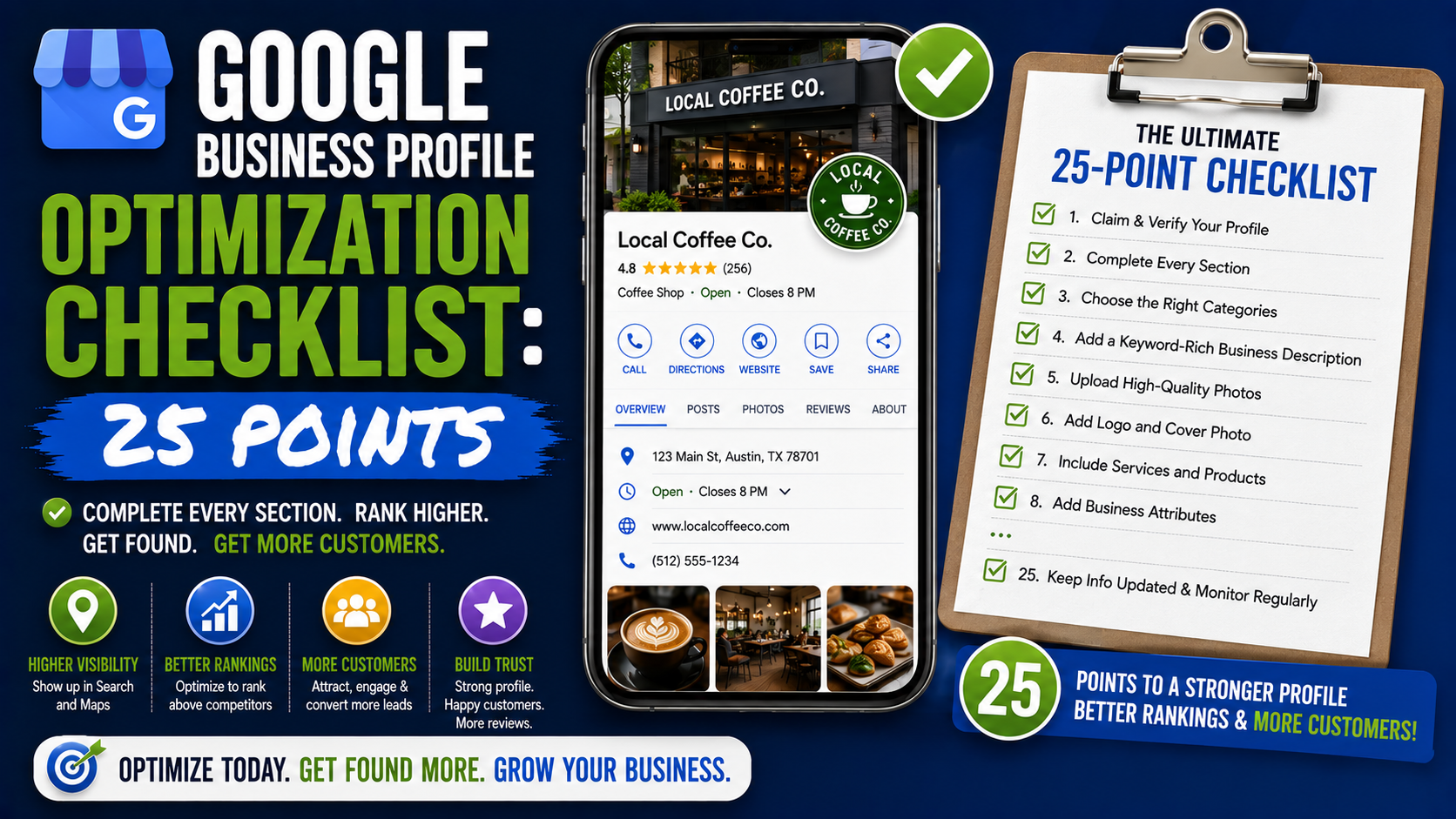
So rather than randomly changing things whenever rankings drop, here is the 25-point Google Business Profile optimization checklist I would use.
How to Use This Checklist
Do not try to “optimize” all 25 items in five minutes.
Open your Google Business Profile, your website, Google Maps, and preferably a simple Google Sheet.
Work through each point.
Mark it:
Done
Needs improvement
Needs investigation
That simple process makes it much easier to distinguish genuine problems from things that are already fine.
The 25-Point Google Business Profile Optimization Checklist
- Confirm the Profile Is Verified
Before worrying about SEO details, make sure the profile is properly claimed and verified.
Google says verification confirms that you are authorized to represent the business and is an important part of making the profile eligible to appear and be managed properly across Search and Maps.
If verification is incomplete, solve that first.
I would not spend hours adjusting services and photos while an ownership or verification issue is still hanging over the profile.
Also check who owns the profile.
The business itself should ideally retain primary control instead of depending entirely on an old employee, freelancer, or agency account.
- Use the Real Business Name
The business-name field is one of the first things I check because it is frequently abused.
If the company is called:
Oakline Roofing
the profile should normally say:
Oakline Roofing
not:
Oakline Roofing – Best Roof Repair & Emergency Roofer Dallas TX
Adding search keywords to the name might look tempting when competitors are doing it, but your profile should represent the real-world business accurately.
Keep service terms in the appropriate service and website fields.
Your company name should remain your company name.
- Choose the Best Primary Category
This is one of the highest-priority items on my checklist.
Google says categories help connect businesses with people searching for their products or services, and the categories you select can affect local ranking. It recommends choosing the most specific primary category that accurately describes the business.
Suppose a company performs:
Deck construction
Patios
Pergolas
General remodeling
If deck construction is the core business and Google offers an accurate Deck Builder category, that may describe the company more clearly than an overly broad contractor category.
Ask:
What is this business primarily?
That usually points you toward the right category.
- Review Additional Categories
Additional categories can help describe legitimate secondary parts of the company.
But I would not fill the profile with every remotely related category I can find.
A landscaping company that occasionally pressure-washes a patio does not necessarily operate as a pressure-washing company.
A roofer that replaced one window during a project does not automatically need to position itself as a window installation business.
Add categories that represent meaningful, established parts of the operation.
And remember that Google warns category edits can sometimes trigger another verification request, so I would not constantly change them without a reason.
- Check the Address Setup
For storefront businesses, verify that the address is correct.
Check:
Street number
Street name
Suite or unit where legitimate
City
Postal code
Map pin
Then open Google Maps as if you were a customer.
Does the pin take you to the actual entrance?
I have seen perfectly valid addresses where the map marker was positioned badly enough to confuse customers.
If customers regularly visit your location, the address experience needs to make sense.
- Hide the Address for a True Service-Area Business
This is particularly important for plumbers, electricians, landscapers, cleaning companies, mobile repair services, and other businesses that travel to customers.
If you operate from home and customers do not come there for service, do not present the house as though it were a public storefront.
Configure the profile as the appropriate service-area business instead.
This protects accuracy and also avoids the strange situation where a customer follows Google Maps directions and ends up standing outside someone’s house.
- Review the Service Area
Adding more service-area cities does not mean you will automatically rank in all of them.
Use this field to describe where you genuinely operate.
If a contractor regularly works in:
Plano
Frisco
Allen
McKinney
Richardson
those locations make sense.
Adding every major city within 500 miles because you would technically take a large enough project there does not make the profile stronger.
Keep the service area realistic.
- Check the Phone Number
Call your own Google Business Profile phone number.
Seriously.
Do not just assume it works.
I have audited profiles where the number:
went to a former employee,
used outdated voicemail,
rang without being answered,
or belonged to a tracking system that was no longer active.
A local search ranking is useless if the customer cannot reach the company.
If you use call tracking, make sure the setup still routes calls correctly.
- Check the Website Link
Click the website button directly from the public profile.
Does it open?
Does it load quickly?
Is it secure?
Does it work well on mobile?
Does it lead to the right website?
For multi-location businesses, consider whether each location profile should link to its relevant local landing page rather than one generic homepage.
For example:
Dallas profile → Dallas page
Austin profile → Austin page
Houston profile → Houston page
The most important thing is that the page helps the visitor take the next step.
- Update Regular Business Hours
Incorrect hours create both SEO and customer-experience problems.
If Google says you are open until 7 PM and the office closes at 5 PM, customers may call or drive over expecting service.
Set accurate hours.
Do not choose “Open 24 hours” simply because your website accepts contact forms overnight.
Use 24-hour availability only if the business genuinely operates that way.
- Set Special and Holiday Hours
Regular hours are only half the job.
Think about:
Christmas
New Year
Public holidays
Temporary schedule changes
Seasonal opening times
Special events
Unexpected closures
A five-minute update can prevent customers from making a wasted trip.
This is especially important for restaurants, retailers, clinics, salons, and other businesses customers physically visit.
- Write a Useful Business Description
Your description is not a place to dump keywords.
Imagine you are explaining the company to someone who has never heard of it.
A plumbing company could say:
“Riverstone Plumbing provides residential plumbing repairs, water heater services, drain cleaning, fixture installation, and emergency plumbing support across the Dallas area. Our team works with homeowners and property managers on both routine repairs and urgent plumbing problems.”
That tells me something.
Compare it with:
“Best plumber Dallas plumbing near me cheap plumber emergency plumbing Dallas Texas top plumbing company.”
One sounds like a business.
The other sounds like an SEO experiment.
Write naturally.
- Complete the Services Section
Google allows eligible service businesses to display their offerings directly on the profile. Suggested services can appear based on the business type, and businesses can also add appropriate custom services.
For an HVAC company, that might include:
AC repair
AC installation
Furnace repair
Heat pump installation
Ductwork repair
Emergency HVAC service
Do not hide major services simply because they already appear on your website.
Give customers useful information directly in the profile.
- Organize Services Logically
Once services are added, check whether they are organized in a way customers can understand.
A contractor offering dozens of services can easily end up with a messy profile.
Think in sensible groups.
For example:
Concrete work
Concrete driveways
Concrete patios
Concrete walkways
Concrete repair
Paving
Paver driveways
Paver patios
Paver repairs
Paver sealing
Landscaping
Sod installation
Grading
Drainage
Landscape installation
Google lets businesses in supported categories group service information and include additional details where applicable.
A clean structure is more useful than stuffing 60 near-duplicate service names into the profile.
- Complete Relevant Attributes
Attributes vary depending on business type.
You may see options related to:
Accessibility
Parking
Wi-Fi
Payment options
Appointments
Dining
Pickup
Delivery
Amenities
Other category-specific features
Only select attributes that are genuinely true.
Google specifically points to attributes such as parking and Wi-Fi as examples of useful profile information customers may rely on.
Do not check every box simply because you want a more complete-looking profile.
Accuracy beats completeness for its own sake.
- Upload a Clean Logo
Your logo should be recognizable at a small size.
Avoid:
Tiny text
Complicated taglines
Low-resolution files
Huge amounts of empty space
Busy backgrounds
If your logo becomes unreadable when displayed in a small circle or square, prepare a simplified version specifically for profile use.
This is a branding issue more than an SEO trick, but branding matters when someone is comparing several nearby businesses.
- Choose a Strong Cover Image
The cover photo should quickly communicate what the business is.
For a landscaper, that might be a professionally photographed completed project.
For a restaurant, a great shot of the dining area or signature food.
For a dentist, the clinic or team.
For a contractor, a finished project can work better than a generic company graphic.
Google recommends adding photos and videos to show customers what the business offers.
Use this space to build confidence.
- Upload Real Business Photos Regularly
This is one of the easiest profile improvements to maintain.
For a contractor, I like seeing:
Real projects
Before-and-after photos
Team members
Vehicles
Equipment
Completed work
Office or showroom
For a restaurant:
Real food
Interior
Exterior
Kitchen where appropriate
Team
Seating areas
Stock photos may look polished, but they do not prove the business actually performs the work.
Real images do.
- Remove or Flag Problematic Photos When Appropriate
Customers and other users can sometimes upload photos associated with a business.
Most are harmless.
Occasionally you may see:
Irrelevant images
Photos from another business
Extremely outdated images
Inappropriate material
Misleading content
You may not have complete control over every image Google shows, but review the public gallery occasionally and use Google’s reporting tools when content genuinely violates policy.
Do not panic because a customer’s phone photo is not perfectly color-graded.
The goal is accuracy, not creating an Instagram portfolio.
- Build a Consistent Review Request Process
Reviews should not depend on somebody remembering once every six months.
Create a simple process.
For example:
Project completed → customer receives thank-you message → review request sent.
You might use:
Google’s review link
SMS
QR codes
Jobber
Housecall Pro
Birdeye
Podium
NiceJob
HubSpot
or another CRM.
The tool matters less than consistency.
Google states that more reviews and positive ratings can help local ranking, while reviews also help customers evaluate the business.
Ask actual customers for honest feedback.
Do not buy reviews.
- Respond to Reviews
I check this immediately when auditing a local business.
If there are 150 reviews and the company has responded to three, that is an obvious missed opportunity.
Google recommends responding to customer reviews because it demonstrates that the business values feedback, and helpful responses can help the profile stand out.
Keep responses natural.
For a positive review:
“Thanks, James. Glad you’re happy with the new patio. We appreciate you trusting our team with the project.”
For a negative review:
“Thanks for sharing this. We’re sorry the scheduling communication wasn’t handled properly. We’d like to review what happened and speak with you directly so we can work toward a resolution.”
Do not argue publicly.
Future customers are reading your response too.
- Check Your Review Patterns, Not Just the Average Rating
A 4.8 rating looks great.
But dig deeper.
Are the newest reviews positive?
Are customers repeatedly mentioning the same problem?
Do several reviews mention:
Late arrivals?
Poor communication?
Billing confusion?
Great installation quality?
Helpful employees?
Fast response times?
Reviews can function like free customer research.
If ten people complain about delayed callbacks, you probably do not have a Google review problem.
You have a callback problem.
Fix the underlying issue.
- Strengthen the Website Behind the Profile
A Google Business Profile does not exist in isolation.
Google says prominence can be influenced by information about the business from around the web, including links, while relevance depends on how well the business matches what someone is searching for.
Your website should clearly support your important services.
For a roofing company, I would expect useful pages covering things such as:
Roof repair
Roof replacement
Storm damage
Roof inspections
Commercial roofing where applicable
Service areas
Projects
Contact information
Do not create hundreds of thin pages just by changing city names.
Build pages that genuinely help customers understand the service.
- Check Business Information Across Important Platforms
Your core business details should not tell completely different stories across the web.
Check major sources such as:
Your website
Yelp where relevant
Apple Maps
Bing Places
Industry directories
Local business directories
Professional associations
Old profiles
Important citation platforms
Look especially for old:
Addresses
Phone numbers
Business names
Websites
If the company moved two years ago and half the internet still points customers to the old location, clean up the important listings.
You do not need 500 meaningless directory submissions.
Focus on accurate, legitimate sources.
- Track Performance Instead of Guessing
This is the last point, but it changes how I use everything above.
Do not optimize blindly.
Google Business Profile provides performance information for eligible profiles, and I also like combining that data with other tools when appropriate. Google confirms that verified profiles can be managed and evaluated through Search and Maps, while local visibility is ultimately influenced by relevance, distance, and prominence rather than a single optimization switch.
Track useful outcomes such as:
Calls
Website visits
Direction requests when relevant
Messages or bookings where supported
Form submissions
Qualified leads
Sales
For rankings, I prefer geographic tracking for local campaigns.
Tools such as Local Falcon, BrightLocal, or Places Scout can show how rankings change across different parts of a city.
That gives you a much better picture than searching “plumber near me” once from your office.
The Mistake I See Most Often: Working on the Wrong Things
A business owner will spend hours designing weekly Google posts.
Meanwhile:
The category is wrong.
The phone number is outdated.
Reviews have stopped coming in.
Half the services are missing.
The website barely explains what the company does.
The profile still displays holiday hours from months ago.
This is why I like prioritizing work by impact.
Fix accuracy first.
Then relevance.
Then customer trust.
Then broader prominence and authority.
After that, spend time on secondary profile features.
A beautifully designed update post cannot rescue a profile whose basic information is unreliable.
Do You Need to Complete All 25 Points to Rank?
No.
Google Maps does not use a public scoring system where completing 23 out of 25 items unlocks a top-three ranking.
Google specifically says there is no way to request or pay Google for better local ranking. Local results are mainly determined through relevance, distance, and prominence.
That means a perfectly optimized business can still rank differently depending on where the customer searches.
Proximity matters.
Competition matters.
Reputation matters.
Website authority matters.
Business prominence matters.
A company with 300 excellent reviews, a strong website, years of local authority, and a location two miles from the customer is in a very different position from a brand-new company 15 miles away.
Use this checklist to strengthen the things you can control.
Do not treat it as a guaranteed-ranking formula.
A Practical Example
Imagine I am auditing a local landscaping company.
Its profile currently has:
65 reviews.
A 4.7 rating.
Good project photos.
A verified listing.
At first glance, that seems decent.
Then I discover:
The primary category is Landscape Designer even though most revenue comes from full landscape construction.
Retaining walls and paver patios are missing from Services.
The business closes at 5 PM, but Google says 7 PM.
The website link points to an old homepage.
The company moved last year, but several important directories still show the previous address.
No new reviews have appeared for four months.
The website has no dedicated pages for its most profitable services.
Now I have a plan.
I do not need to guess.
Fix the business information.
Review the category strategy.
Complete the services.
Correct the website link.
Clean up important citations.
Restart the review request process.
Strengthen the high-value service pages.
Then track what happens.
That is what a useful optimization checklist should do.
It should create priorities.
What I Would Check Every Month
You do not need to perform a complete 25-point audit every Monday.
Once the profile is correctly configured, a lighter monthly review is usually enough for many businesses.
I would quickly look at:
New reviews.
Review responses.
Hours.
New photos.
Service changes.
Phone and website links.
Performance trends.
Public profile appearance.
Major customer questions or recurring complaints.
Then perform a deeper audit whenever something significant changes.
Maybe the business moves.
Maybe a new service becomes a major revenue source.
Maybe rankings drop.
Maybe Google introduces new category-specific functionality.
Maybe a competitor suddenly becomes much stronger.
That is when I would revisit the complete checklist.
Final Thoughts
Google Business Profile optimization becomes much easier when you stop looking for a secret Maps trick.
The businesses I would consider well optimized usually get the boring things right.
Their information is accurate.
Their category makes sense.
Their phone works.
Their website supports what they sell.
Their services are clearly listed.
Their hours are current.
Their photos show a real company.
Their customers leave genuine reviews.
The business responds professionally.
And its wider online presence reinforces the same story.
Google describes local ranking largely through relevance, distance, and prominence.
You cannot completely control distance.
But you can make your relevance clearer.
You can build stronger prominence.
You can improve customer trust.
And you can remove dozens of small mistakes that make it harder for both Google and potential customers to understand the business.
That is the purpose of this 25-point checklist.
Not to make a profile look “SEO optimized.”
To make the business easier to find, easier to understand, and easier to trust.
If I had to choose between a profile using every possible local SEO trick and one that simply had accurate information, strong services, genuine reviews, useful photos, a good website, and a real local reputation, I would build the second one every time.
It is a much stronger foundation to grow from.