A small business owner once told me that most of his new customers came from Facebook.
When I asked how he knew, he pointed to his Facebook inbox.
It looked busy, so the assumption seemed reasonable.
But after we checked his contact forms, phone calls, WhatsApp messages, and completed jobs, the picture was completely different. Several of his best customers had originally found the business through Google. Others came from referrals. A few had seen a Facebook post, searched the company name later, and then called from the website.
The business was spending more money on Facebook because it appeared to generate the most activity.
It was not generating the most revenue.
The real problem was not advertising. It was lead tracking.
New enquiries were scattered across email, WhatsApp, phone logs, Facebook Messenger, Instagram DMs, and handwritten notes. Nobody recorded where each person came from or what happened after the first conversation.
That setup works when you receive one or two enquiries per week.
Once the volume grows, leads start disappearing.
Someone forgets to call back. A quote is sent but never followed up. Two team members contact the same person. A customer books a project, but nobody records which marketing campaign produced the sale.
You do not need expensive software to fix this.
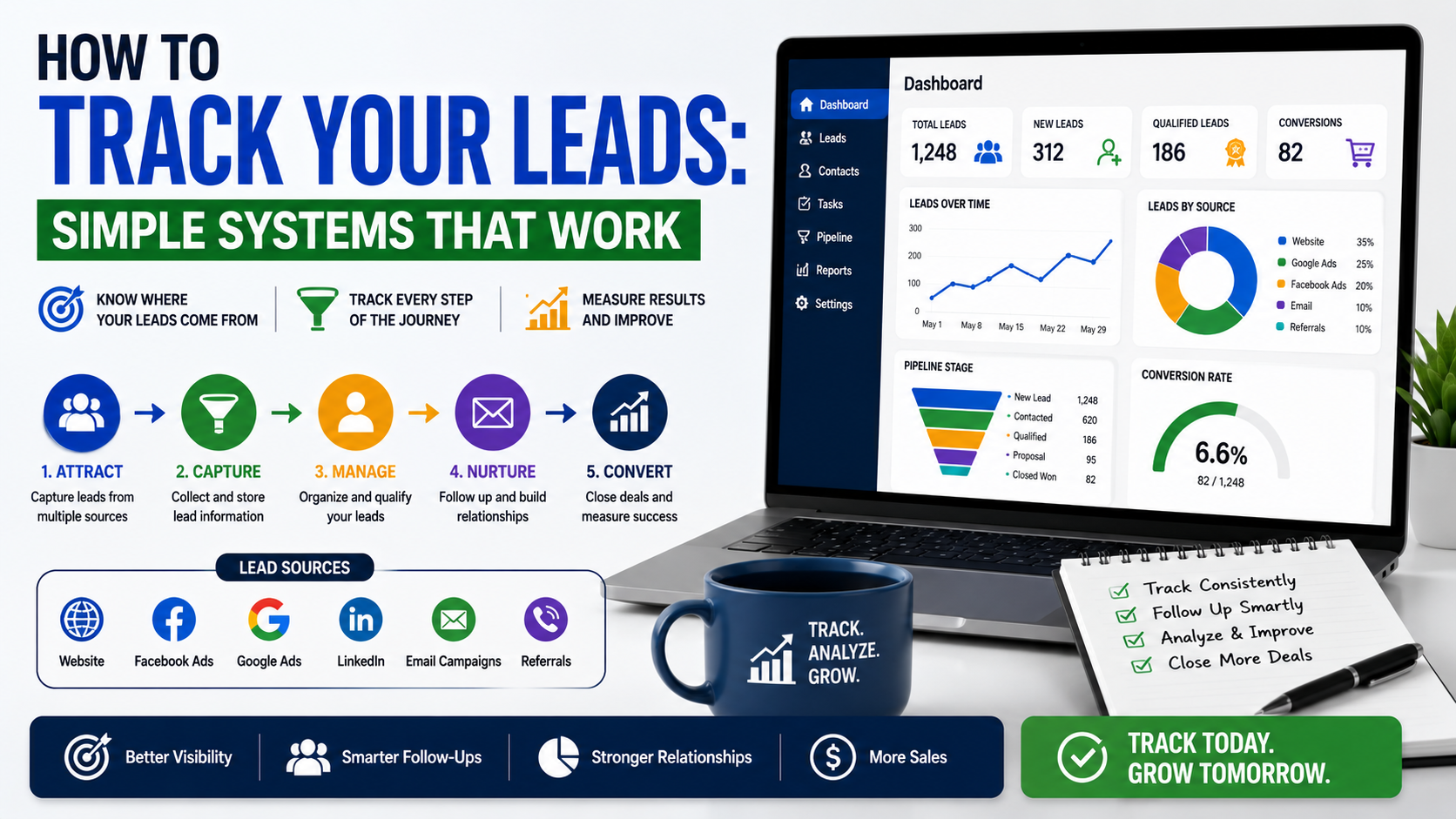
You need one place to store leads, a few clear stages, and a habit of updating the information.
Lead Tracking Is More Than Counting Enquiries
Many businesses say they track leads because they know how many contact forms were submitted.
That is only the first step.
A useful lead-tracking system should tell you:
- Where the lead came from
- What the person needs
- Who is responsible for following up
- Whether the lead is qualified
- When the last contact happened
- What the next step is
- Whether a quote or proposal was sent
- Whether the opportunity was won or lost
- How much revenue the customer generated
Without that information, you only know that someone contacted you.
You do not know whether your marketing worked.
Imagine two advertising campaigns.
Campaign A generates 40 leads at $20 each.
Campaign B generates 15 leads at $50 each.
At first glance, Campaign A looks better.
But suppose Campaign A produces one customer, while Campaign B produces five customers.
The cheaper lead source is actually costing more per sale.
Lead tracking helps you see the difference between activity and results.
Start With One Place for Every Lead
The first rule is simple:
Every lead must enter the same system.
It does not matter whether the enquiry arrives through:
- A website form
- A phone call
- Facebook Messenger
- A referral
- A walk-in visit
- A networking event
The lead should still be recorded in one central place.
This is where many tracking systems fail.
A company may have a CRM, but the sales team continues keeping important conversations inside personal inboxes and phone contacts. The software looks clean while the real sales activity happens somewhere else.
Your central system can be basic.
A small business can start with:
- Google Sheets
- Microsoft Excel
- Airtable
- Notion
- Trello
- Monday.com
- HubSpot
- Zoho CRM
- Pipedrive
The best tool is not the one with the longest feature list.
It is the one your team will actually update.
I would rather see a business use a simple Google Sheet every day than pay for a powerful CRM nobody opens.
The Simplest Lead-Tracking Spreadsheet
A spreadsheet works well when one or two people handle a manageable number of enquiries.
Create one row for each lead.
Useful columns include:
- Lead ID
- Date received
- Name
- Company
- Phone number
- Lead source
- Campaign
- Service requested
- Location
- Budget range
- Lead status
- Assigned person
- Last contact date
- Next follow-up date
- Estimated value
- Won or lost
- Final sale value
- Notes
You do not have to complete every field immediately.
Start with the information available, then add details during the conversation.
Use Dropdowns Instead of Typing Everything
One lesson I learned from messy spreadsheets is that free-text fields create reporting problems.
One employee may write “Facebook.”
Another writes “FB.”
Someone else enters “Facebook ads,” while another types “Meta.”
The spreadsheet sees those as different sources.
Use dropdown menus for repeated fields such as:
Lead source
- Google Ads
- Organic Google
- Facebook Ads
- Referral
- Website
- Email outreach
- Walk-in
- Other
Lead status
- New
- Contacted
- Qualified
- Follow-up
- Quote sent
- Proposal sent
- Won
- Lost
Lost reason
- Budget
- No response
- Wrong service
- Outside service area
- Chose competitor
- Timing
- Project cancelled
- Not qualified
Consistent labels make the data easier to understand later.
Create Clear Lead Stages
A lead-tracking system becomes confusing when every opportunity is labelled “open.”
You need stages that reflect what is actually happening.
A practical pipeline might look like this:
New
The enquiry has arrived but nobody has responded yet.
Contacted
Someone has attempted to reach the lead.
Qualified
The lead appears suitable based on service, location, budget, timing, or other requirements.
Meeting Booked
A discovery call, inspection, demonstration, or consultation has been scheduled.
Quote or Proposal Sent
The prospect has received pricing or a formal offer.
Follow-Up
The opportunity is active, but the next decision depends on the prospect.
Won
The lead became a paying customer.
Lost
The opportunity ended without a sale.
Keep the number of stages manageable.
A pipeline with 25 stages may look organised, but it often creates more admin work than useful insight.
The stages should answer one question:
What needs to happen next?
If two stages require exactly the same action, you probably do not need both.
Every Active Lead Needs a Next Step
This is one of the most effective habits in lead tracking.
Every open lead should have:
- A next action
- A responsible person
- A due date
“Follow up later” is not a proper next step.
“Call Ali on Thursday after his partner reviews the quote” is much better.
Without a date, follow-ups depend on memory.
Memory works until the phone rings, a customer complains, a meeting runs late, or someone goes on leave.
The lead then disappears beneath newer enquiries.
A spreadsheet can highlight overdue follow-ups using conditional formatting.
A CRM such as HubSpot, Pipedrive, or Zoho can create tasks and reminders automatically.
The tool is helpful, but the discipline matters more.
A reminder is useless if the team continually marks it complete without contacting the lead.
Give Every Lead an Owner
When everyone is responsible, nobody is responsible.
Assign every lead to one person.
That person does not need to complete every task personally, but they should make sure the opportunity keeps moving.
Lead ownership prevents situations such as:
- Two people calling the same prospect
- Everyone assuming someone else replied
- Quotes being sent without follow-up
- Leads sitting untouched during staff absence
- Customers repeating the same information to several employees
For a very small business, the owner may handle all enquiries.
As the team grows, assignment rules can help.
For example:
- Residential leads go to one salesperson
- Commercial leads go to another
- Leads from a certain city go to the local representative
- Technical enquiries go to a specialist
- Existing customers go to the account manager
Make the rule clear before the leads arrive.
Track the Original Source Properly
Asking “How did you hear about us?” is useful, but it is not always reliable.
Customers do not remember every interaction.
Someone may say “Google” even though they first saw a Facebook advertisement, visited the website, left, and later searched the brand name.
Another person may say “Instagram” because that is where they sent the message, even though a friend recommended the company.
It helps to record both:
- The technical source
- The customer’s stated source
The technical source might come from website tracking.
The stated source comes from asking the person.
Use UTM Parameters
UTM parameters are small labels added to links.
They help tools such as Google Analytics identify where a visitor came from.
A tagged URL may record:
- Source: facebook
- Medium: paid-social
- Campaign: summer-roof-repair
- Content: video-ad-1
When the visitor submits a form, that information can be saved with the lead.
This makes it easier to compare different campaigns and advertisements.
Keep your naming system consistent.
Do not use “Facebook” in one campaign, “fb” in another, and “meta-paid” in a third.
Choose a format and document it.
Track Website Form Submissions
A thank-you message appearing on the screen does not necessarily mean your analytics recorded the lead correctly.
Forms can fail silently.
I have seen campaigns run for weeks with a broken conversion event. Leads were arriving, but the advertising platform showed zero results.
I have also seen the opposite: one form submission counted three times because several tags fired together.
Test every form yourself.
Submit it from:
- A desktop computer
- A mobile phone
- Different browsers
- An advertising link
- A normal website visit
Check that:
- The form sends successfully
- The team receives the notification
- The lead enters the spreadsheet or CRM
- The correct source is stored
- The conversion fires once
- The confirmation message appears
- The customer receives any promised reply
Google Tag Manager can help manage website tracking without placing separate code throughout the site.
Google Analytics can show traffic sources and website behaviour.
However, analytics should support your lead system, not replace it.
Google Analytics may show that a form was completed.
Your CRM or spreadsheet should show whether that lead became a customer.
Track Phone Calls Too
Phone leads are often forgotten.
A business may carefully track website forms while treating phone calls as impossible to measure.
That creates a major gap, especially for local services.
Call-tracking platforms can assign different phone numbers to different marketing sources. The number changes depending on whether the visitor arrived through Google Ads, organic search, or another campaign.
The call still reaches the normal business line.
The tracking system simply records the source.
For a smaller setup, ask callers how they found the business and record the answer manually.
Create a short call log containing:
- Caller name
- Date
- Phone number
- Source
- Service
- Qualification status
- Outcome
- Next step
Do not rely only on the phone’s recent-call list.
A phone log tells you that someone called.
It does not tell you what happened.
Bring WhatsApp and Social Media Leads Into the System
WhatsApp is convenient, but it can become chaotic.
A prospect sends a message.
A staff member replies from a personal phone.
Several days later, nobody remembers whether the person received a price.
WhatsApp Business is more manageable than a normal personal account because it allows labels, quick replies, and business information.
Useful labels include:
- New enquiry
- Qualified
- Quote needed
- Waiting for reply
- Appointment booked
- Won
- Lost
Still, WhatsApp should not become your only database.
Important details should be copied or synced into the main lead-tracking system.
The same applies to Facebook, Instagram, and LinkedIn messages.
Social inboxes are communication tools.
They are not reliable long-term sales pipelines.
Use Automation for Repetitive Work
Automation can save time when it removes manual copying.
For example:
- A visitor submits a website form.
- The lead is added to the CRM.
- The salesperson receives a notification.
- The customer receives a confirmation email.
- A follow-up task is created.
- The lead source is stored automatically.
Tools such as Zapier and Make can connect forms, spreadsheets, email platforms, and CRMs.
Many form builders and CRM platforms also have built-in integrations.
Start with simple automation.
Do not build a complicated system that nobody understands.
Automate tasks such as:
- Adding new leads
- Sending confirmation messages
- Assigning owners
- Creating reminders
- Updating basic fields
- Sending appointment reminders
Keep human control over:
- Qualification
- Sensitive conversations
- Proposal decisions
- Pricing exceptions
- Lead rejection
- Important relationship notes
Automation should reduce typing, not remove judgment.
Record Why Leads Are Lost
A lost lead is still useful data.
Many teams mark an opportunity as lost and move on.
That wastes an opportunity to improve.
Record the reason.
Common lost reasons include:
- Price too high
- Budget not approved
- Prospect stopped replying
- Chose a competitor
- Service not suitable
- Location not covered
- Timeline changed
- Project cancelled
- No decision-maker
- Poor lead quality
- Slow response from your team
Review these reasons every month.
Patterns often reveal the real problem.
If many leads are outside your service area, check your ad targeting and website messaging.
If people repeatedly say the service is too expensive, your marketing may be attracting the wrong audience or failing to explain the value.
If leads disappear after receiving a proposal, the proposal may be confusing, too long, or poorly timed.
If your team loses good leads because of slow responses, spending more on advertising will not solve the issue.
Track Revenue, Not Just Leads
The most useful marketing report connects leads to money.
At minimum, calculate:
- Total leads
- Qualified leads
- Customers
- Lead-to-customer rate
- Cost per lead
- Cost per qualified lead
- Customer acquisition cost
- Revenue by source
- Average customer value
Suppose Google Ads generated:
- 20 leads
- 8 qualified leads
- 3 customers
- $9,000 in revenue
Facebook generated:
- 50 leads
- 7 qualified leads
- 1 customer
- $1,500 in revenue
Facebook produced more leads.
Google produced more business.
Without revenue tracking, the company may increase the wrong budget.
A Realistic Example for a Local Service Business
Imagine a landscaping company receiving leads through Google, Facebook, referrals, and phone calls.
The owner creates a Google Sheet with these columns:
- Date
- Name
- Phone
- Source
- Service
- Area
- Estimated budget
- Status
- Assigned to
- Last contact
- Next action
- Quote amount
- Result
- Sale value
During one month, the company records 60 leads.
After reviewing the sheet, the owner discovers:
- Facebook generated 25 leads but only two suitable projects
- Google Search generated 15 leads and six customers
- Referrals generated eight leads and five customers
- Organic Google searches generated seven leads and three customers
- Five enquiries came from outside the service area
This information changes the business’s next decisions.
The owner reduces the broad Facebook campaign, increases the Google Search budget, asks satisfied customers for more referrals, and fixes geographic targeting.
That is the value of lead tracking.
It turns marketing decisions from opinions into evidence.
When a Spreadsheet Is No Longer Enough
A spreadsheet can work for a long time.
You probably need a CRM when:
- Several people handle leads
- Follow-ups are being missed
- Leads enter through many channels
- Duplicate contact is common
- Reporting takes hours
- The team needs task reminders
- Sales conversations continue for weeks or months
- You need email history attached to each contact
- You want automated pipelines
- Permissions and access control matter
Moving to a CRM does not fix a weak process automatically.
Clean the process first.
Decide:
- What counts as a lead
- Which stages you need
- What information must be recorded
- Who owns each lead
- How quickly follow-up should happen
- When an opportunity is considered lost
Then configure the software around those rules.
Do not let the default CRM settings decide how your business sells.
Common Lead-Tracking Mistakes
Recording Leads Only When They Look Serious
Every enquiry should be recorded.
Otherwise, you cannot understand how many leads were unqualified or why they were rejected.
Letting Team Members Use Different Systems
One person uses a spreadsheet.
Another uses WhatsApp labels.
A third keeps notes in a notebook.
The business never sees the complete pipeline.
Use one main system.
Failing to Update Lead Status
A pipeline filled with outdated opportunities gives a false impression of future revenue.
Review open leads regularly.
Not Tracking Follow-Up Dates
A status such as “proposal sent” does not tell you when to contact the person again.
Every active lead needs a scheduled next step.
Measuring Marketing by Volume Alone
A source that generates many leads may still produce few customers.
Track quality, sales, and revenue.
Changing Source Information Later
Keep the original source.
A lead may interact with several channels, but the first recorded source should not be overwritten without a clear reason.
Creating Too Many Required Fields
If entering a lead takes ten minutes, the team will avoid doing it.
Make the essential fields easy to complete.
Ignoring Duplicate Leads
The same person may call, submit a form, and message on Instagram.
Merge duplicate records where possible so the customer journey remains connected.
Keeping Poor Data Forever
Incorrect phone numbers, missing sources, and outdated statuses reduce trust in the system.
Schedule regular cleanup.
A Simple Weekly Lead Review
You do not need a long sales meeting.
A 20-minute weekly review can be enough.
Look at:
- New leads received
- Leads still waiting for first contact
- Overdue follow-ups
- Quotes and proposals awaiting decisions
- Opportunities won
- Opportunities lost
- Reasons for lost deals
- Results by lead source
Ask practical questions.
Which leads need action today?
Where are opportunities getting stuck?
Are certain campaigns attracting poor-fit enquiries?
Did any valuable lead go unanswered?
The purpose is not to blame people.
It is to keep the pipeline accurate and prevent avoidable losses.
Build the Smallest System That Solves the Problem
It is easy to spend weeks comparing CRM platforms, designing dashboards, and planning automation.
Meanwhile, leads are still being missed.
Start small.
Create one list.
Add every lead.
Use clear stages.
Assign each opportunity.
Schedule the next action.
Record the final outcome.
Once that habit works, improve the system gradually.
Add form integrations.
Track phone calls.
Use UTM links.
Create reporting dashboards.
Automate repetitive tasks.
The software can become more advanced as the business grows, but the core process stays the same.
A lead arrives.
Someone owns it.
The next step is clear.
The result is recorded.
That simple structure is enough to show which marketing channels produce real customers, which follow-ups are overdue, and where money is being wasted.
You may discover that the campaign generating the most leads is not your strongest source.
You may also discover that the biggest problem was never marketing at all.
It was that good leads were already arriving, but nobody had a reliable system for keeping track of them.