I still remember helping a small business owner who was spending hours every week trying to manage marketing manually. He had customer details in a random Excel sheet, social media posts saved in phone notes, email campaigns that were sent whenever he remembered, and website reports that he never checked.
The funny part? He wasn’t lacking effort. He was just using the wrong tools.
This is something I’ve seen repeatedly with small businesses. Many owners think they need a huge marketing budget to compete, but the bigger problem is usually a messy workflow. They jump between dozens of platforms, lose track of customer conversations, forget follow-ups, and waste time doing tasks that could easily be automated.
The right marketing stack does not mean buying every popular tool available. It means choosing a small group of reliable tools that work together and solve real problems.
After testing different platforms, managing campaigns, creating content, tracking performance, and watching what works (and what wastes time), I’ve learned one thing: a simple stack used consistently beats an expensive stack used poorly.
Here are the marketing tools I would recommend for small businesses that want a practical setup without unnecessary complexity.
1. Website & Landing Page Tools: Your Digital Foundation
Before spending money on ads or social media, make sure your website is doing its job.
I’ve seen businesses run Facebook ads that brought hundreds of visitors, but the website was slow, confusing, or missing basic information. The ads were not the problem. The landing experience was.
Your website is where marketing efforts eventually lead, so it needs the right foundation.
WordPress: Best Flexible Option for Most Small Businesses
WordPress remains one of the most popular choices for small businesses because it offers flexibility without requiring full-time developers.
It works well for:
- Service businesses
- Local businesses
- Blogs
- Portfolio websites
- Small online stores
With plugins like SEO tools, forms, booking systems, and analytics integrations, you can build a complete marketing hub.
A common mistake I’ve noticed is installing too many plugins. Business owners often add every feature they find, and eventually the website becomes slow.
A better approach:
- Choose a lightweight theme.
- Install only essential plugins.
- Optimize images before uploading.
- Regularly remove unused tools.
Shopify: For Product-Based Businesses
For businesses selling physical products, Shopify can simplify the process.
It handles:
- Product management
- Payments
- Inventory
- Checkout
- Basic marketing integrations
I’ve seen small product brands waste months trying to customize complicated websites when Shopify could have helped them start selling much faster.
2. SEO Tools: Getting Traffic Without Paying for Every Click
Search engine optimization is one of those areas where small businesses either ignore it completely or overcomplicate it.
You don’t need ten SEO tools. You need a few that help you understand what people are searching for and how your website performs.
Google Search Console: The Tool Every Business Should Use
Many small businesses overlook this because it feels technical, but it is one of the most valuable free tools available.
Google Search Console helps you see:
- Which keywords bring visitors
- Which pages appear in search results
- Website indexing problems
- Search performance trends
One practical use:
A business owner may think their main service page is bringing traffic, but Search Console might reveal that a blog post is actually attracting most visitors. That information helps shape future content.
Ahrefs and Semrush: For Deeper Research
When working on competitive markets, tools like Ahrefs and Semrush become useful.
They help with:
- Competitor research
- Keyword opportunities
- Backlink analysis
- Content planning
However, a mistake many beginners make is spending hours collecting keywords without creating anything.
Data is useful only when it turns into action.
A simple workflow:
- Find keywords your customers actually search.
- Check competitor pages ranking for those terms.
- Create better, clearer content.
- Track improvement over time.
3. Social Media Management Tools: Stop Posting Randomly
Social media marketing becomes exhausting when every post starts from zero.
I’ve worked with businesses where the owner spent an entire morning creating one Instagram post because there was no system.
The solution is not posting more. It is creating a repeatable process.
Canva: The Everyday Design Tool
Canva has become a favorite among small businesses because it removes the design barrier.
You can create:
- Social media posts
- Presentations
- Flyers
- Advertisements
- Brand templates
One thing I recommend is creating templates instead of designing every post individually.
For example:
Create five reusable templates:
- Educational post
- Customer testimonial
- Product highlight
- Behind-the-scenes post
- Promotional offer
Now your team can create content faster while maintaining consistency.
Buffer or Later: Schedule Content Properly
Tools like Buffer help businesses schedule posts across platforms.
Instead of opening Instagram, Facebook, and LinkedIn every day, you can prepare content weekly.
A simple weekly workflow:
Monday:
Plan topics.
Tuesday:
Create designs.
Wednesday:
Write captions.
Thursday:
Schedule posts.
Friday:
Review performance.
This small habit saves a surprising amount of time.
4. Email Marketing Tools: Build Relationships You Own
Many small businesses focus heavily on social media but forget one important thing:
You don’t own your followers.
Platforms change algorithms. Accounts can face restrictions. Reach can drop overnight.
Email lists are different.
Mailchimp: Beginner-Friendly Email Marketing
Mailchimp is popular among small businesses because it is easy to start with.
You can create:
- Newsletters
- Automated emails
- Customer updates
- Promotional campaigns
A simple example:
A local fitness studio can collect emails from website visitors and send:
- Weekly fitness tips
- Class schedules
- Special offers
- Member stories
The mistake I often see is collecting emails but never sending anything.
An email list only becomes valuable when you build trust consistently.
ConvertKit: Good for Creators
For bloggers, consultants, and content creators, Kit (formerly ConvertKit) offers useful automation features.
It allows creators to organize subscribers based on interests and behavior.
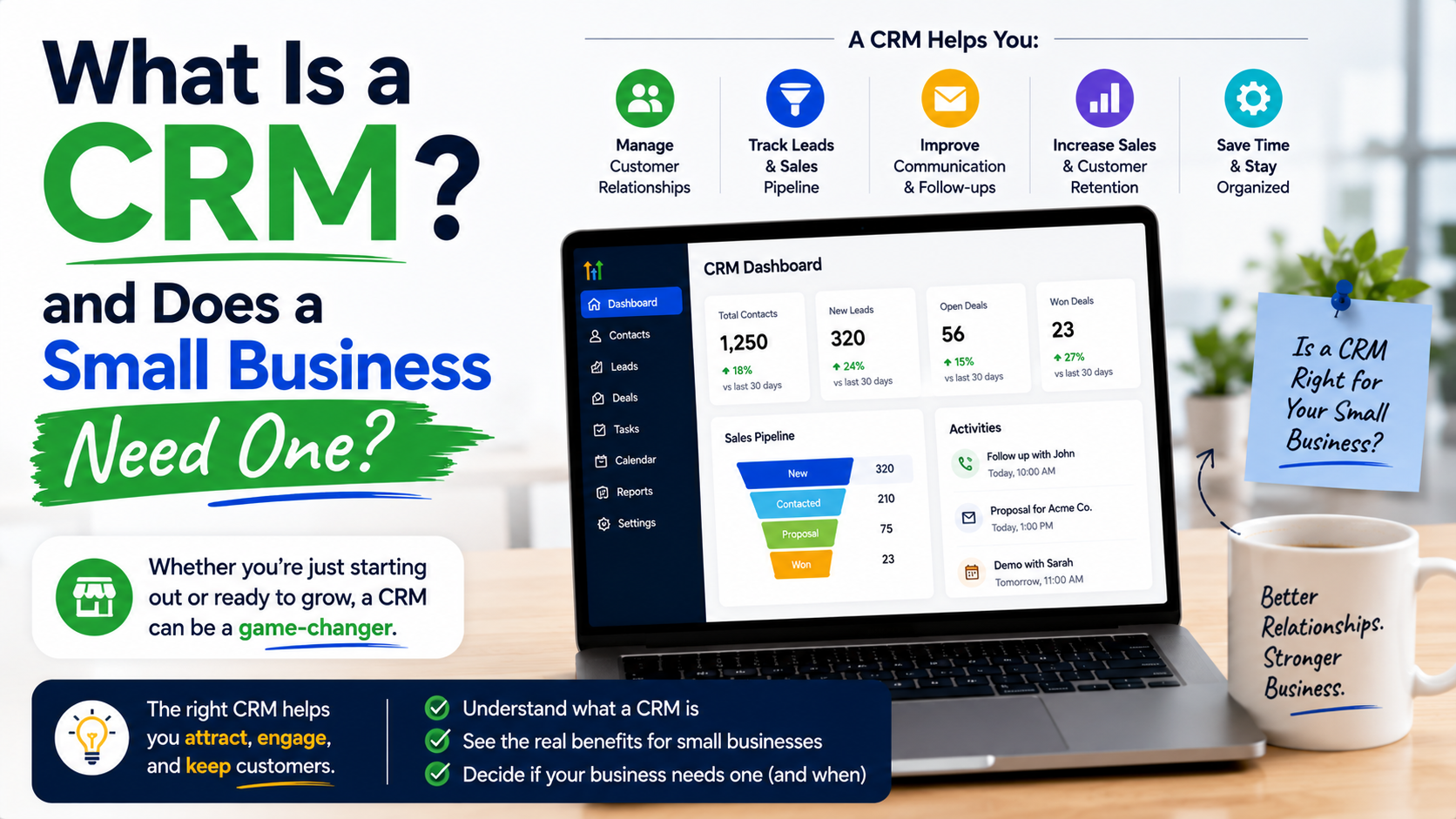
5. Customer Relationship Management (CRM): Never Lose Leads Again
A surprising number of small businesses lose sales because they forget to follow up.
Someone fills out a contact form. Someone asks about pricing. Someone sends a message.
Then nothing happens.
A CRM fixes this problem.
HubSpot CRM: A Strong Free Starting Point
HubSpot offers a free CRM that works well for many small businesses.
You can track:
- Leads
- Customer conversations
- Deals
- Follow-ups
- Sales activity
A basic CRM workflow:
New inquiry → Contact created → Follow-up reminder → Proposal sent → Customer won
It sounds simple, but many businesses don’t have this structure.
6. Analytics Tools: Understand What Actually Works
Marketing without tracking is basically guessing.
You might spend money on ads, create content, and publish regularly, but without data you don’t know what is helping.
Google Analytics 4
Google Analytics helps you understand:
- Where visitors come from
- Which pages they view
- How long they stay
- What actions they take
One lesson I learned from analytics is that the content you personally like is not always the content customers care about.
Numbers often reveal surprising patterns.
A simple monthly review:
- Top traffic pages
- Best conversion pages
- Traffic sources
- User behavior
Use this information to improve.
7. AI Tools: Helpful Assistants, Not Replacements
AI tools have changed how small businesses create content and organize work.
But they work best when used as assistants.
ChatGPT for Brainstorming and Productivity
Tools like ChatGPT can help with:
- Content ideas
- Marketing plans
- Email drafts
- Customer research
- Basic copy improvements
However, blindly publishing AI-generated content is a mistake.
Customers can recognize generic writing.
The best approach:
Use AI for speed, then add your own experience, examples, and brand voice.
Grammarly for Editing
Grammarly can help improve clarity and catch writing mistakes.
It is especially useful when multiple team members create content.
A Simple Marketing Stack I Would Recommend for Most Small Businesses
If I had to build a practical stack from scratch, I would start with:
Website
- WordPress or Shopify
SEO
- Google Search Console
- Google Analytics
- Semrush or Ahrefs (if budget allows)
Design
- Canva
Social Media
- Buffer
- Mailchimp
CRM
- HubSpot CRM
Productivity
- Google Workspace
- Trello or ClickUp
AI Assistance
- ChatGPT
- Grammarly
This covers almost everything a small business needs.
Common Marketing Tool Mistakes to Avoid
Buying Too Many Tools
More tools do not automatically create better marketing.
I’ve seen businesses pay for expensive subscriptions they barely use.
Before buying anything, ask:
“Which specific problem does this solve?”
If you cannot answer clearly, you probably don’t need it.
Changing Tools Too Often
Marketing requires consistency.
Switching platforms every few months creates more problems than solutions.
Learn your tools properly before replacing them.
Ignoring Data
Many businesses create content, run ads, and send emails without checking results.
Marketing is not about doing more work.
It is about learning what works and repeating it.
Not Training Your Team
Even the best tool is useless if nobody knows how to use it.
Create simple processes:
- Who creates content?
- Who approves it?
- Who responds to leads?
- Who checks reports?
Small systems create big improvements.
Final Thoughts
The best marketing stack for a small business is not the one with the most expensive software. It is the one your team can actually use consistently.
Start small.
Build your foundation with a good website, analytics, content tools, and customer management system. As your business grows, add more advanced platforms when you have a real need.
The biggest improvement I’ve seen from businesses is not because they discovered a secret marketing tool. It usually happens when they finally create a simple system and stick with it.
Good tools support good marketing. They do not replace strategy, creativity, and understanding your customers.