The first time I built a website for a small business, the owner asked me a simple question:
“How much time will I need to spend managing this after it goes live?”
At that moment, I realized something many business owners struggle with.
They do not just need a website.
They need a website that fits their daily reality.
A restaurant owner does not want to spend every weekend updating plugins.
A local service business does not want to call a developer every time they need to change a phone number.
A growing company may want complete control because the website will become a major part of their marketing strategy.
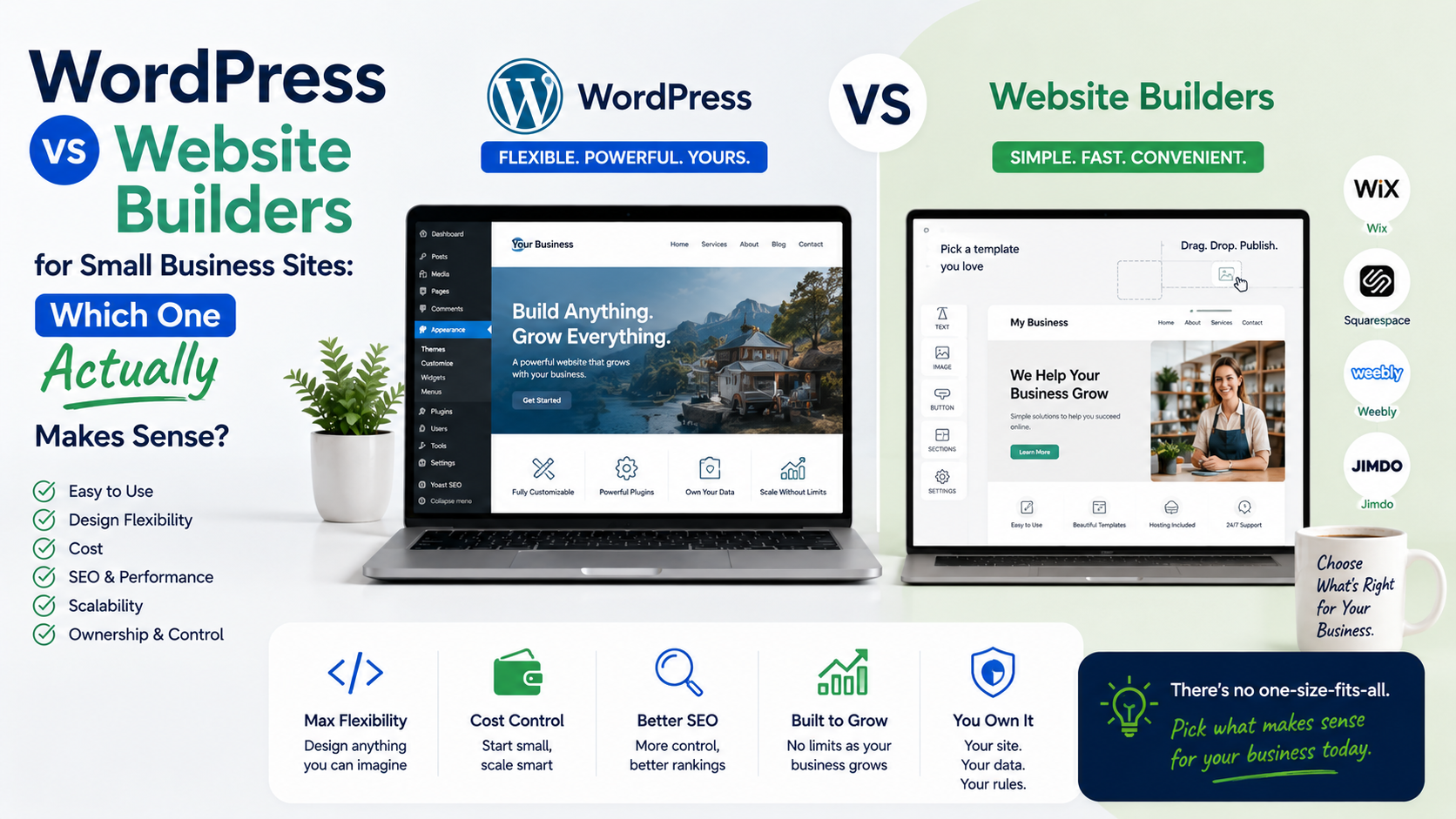
This is where the WordPress vs website builder debate becomes interesting.
Both options can create professional websites.
The difference is not about which one is universally better.
The difference is about what kind of business you have, how much control you need, and how much time you want to spend managing the website.
I have worked with both approaches, and I have seen businesses make mistakes on both sides.
Some choose WordPress because they think it is automatically more professional.
Others choose website builders because they want something easy, only to discover they need features the platform cannot provide later.
The right choice depends on your goals.
Let’s break down the real differences.
WordPress vs Website Builders: The Basic Difference
Before comparing them, it helps to understand what each option actually means.
What Is WordPress?
WordPress is a content management system that powers millions of websites.
It gives you control over:
- Website design
- Content
- Plugins
- SEO
- Hosting
- Custom functionality
You usually need:
- A domain name
- Hosting
- WordPress installation
- A theme
- Plugins
WordPress itself is flexible, but that flexibility also means more responsibility.
What Are Website Builders?
Website builders are platforms that allow you to create websites using visual editors.
Popular examples include:
Wix
Squarespace
Shopify
They usually provide:
- Hosting
- Templates
- Drag-and-drop editing
- Security management
- Basic marketing tools
The main advantage:
You can create and manage a website without technical knowledge.
My First Experience: The Trade-Off Became Obvious
When I first started building websites, WordPress was the obvious choice.
It offered almost unlimited possibilities.
Need a booking system?
There is a plugin.
Need advanced SEO?
There are tools for that.
Need a custom design?
A developer can build it.
But I also learned the downside.
With more control comes more responsibility.
A WordPress website requires attention:
- Updates
- Security
- Backups
- Plugin management
A website builder removes much of that work.
The trade-off is flexibility.
You gain simplicity but sometimes lose customization.
WordPress Advantages for Small Businesses
1. Complete Control Over Your Website
This is probably WordPress’s biggest advantage.
You own the website structure.
You can change:
- Design
- Features
- Hosting provider
- SEO setup
- Database
- Code
This matters when your business grows.
Example:
A small landscaping company starts with a basic website.
Two years later, they need:
- Service area pages
- Quote forms
- Customer reviews
- Blog content
- Advanced SEO
WordPress can handle that growth easily.
2. Better SEO Flexibility
SEO is one area where WordPress is extremely popular.
Tools like:
Yoast SEO
and
Rank Math
give website owners more control over:
- Meta titles
- Descriptions
- Schema markup
- XML sitemaps
- Content optimization
A website builder can also support SEO, but WordPress usually provides deeper control.
3. Thousands of Plugins and Themes
The WordPress ecosystem is massive.
You can add functionality for:
- Online stores
- Booking systems
- Membership websites
- Learning platforms
- Forms
- Analytics
For ecommerce, many businesses use:
WooCommerce
to create online stores.
This flexibility is valuable.
4. Better for Content Marketing
If your strategy includes blogging, WordPress has always been strong.
A business publishing:
- Guides
- Case studies
- Industry articles
- Resources
can build a strong content library over time.
For businesses depending on organic traffic, this matters.
WordPress Disadvantages
WordPress is powerful, but it is not perfect.
1. More Maintenance
This is the biggest issue.
You need to manage:
- Plugin updates
- Theme updates
- Security
- Backups
A neglected WordPress website can become slow or vulnerable.
2. Too Many Choices Can Be Confusing
This is something I have seen many times.
Someone installs:
- Five SEO plugins
- Three page builders
- Multiple security tools
The website becomes slower because of unnecessary additions.
More plugins do not always mean a better website.
3. You May Need Technical Help
A website builder user can often fix things themselves.
WordPress sometimes requires:
- Developer support
- Technical troubleshooting
- Hosting knowledge
Website Builder Advantages for Small Businesses
1. Easier Setup
This is where website builders shine.
You can usually create a website in a few steps:
Choose template
↓
Edit text and images
↓
Connect domain
↓
Publish
No coding required.
2. Less Technical Maintenance
One reason small business owners choose website builders is peace of mind.
The platform usually handles:
- Hosting
- Security
- Updates
- Technical infrastructure
You can focus on your business.
3. Professional Designs Without Coding
Modern website builders offer impressive templates.
A small business owner can create websites for:
- Restaurants
- Photographers
- Consultants
- Local services
- Personal brands
without hiring a developer.
4. Faster Launch
Sometimes businesses do not need a complicated website.
They need something online quickly.
Example:
A new cleaning company needs:
- Home page
- Services page
- Contact form
- Reviews
A website builder can launch this quickly.
Website Builder Disadvantages
1. Limited Customization
This is the biggest limitation.
You can customize many things, but eventually you may hit boundaries.
For example:
You need a very specific booking system.
Or a custom customer portal.
Or unique website functionality.
A builder may not support it.
2. Platform Dependency
With website builders, your website depends on that company.
You follow their:
- Pricing
- Features
- Rules
Moving away can sometimes be difficult.
3. Advanced SEO Limitations
Website builders have improved significantly.
However, businesses with aggressive SEO strategies often prefer WordPress because of the extra control.
WordPress vs Website Builders: Real Business Examples
The best choice becomes clearer with examples.
Example 1: Local Restaurant
Needs:
- Menu
- Location
- Contact details
- Reservation information
A website builder may be enough.
The owner probably does not need advanced customization.
Winner:
Website Builder
Example 2: Growing Service Company
Needs:
- Multiple service pages
- Blog
- SEO campaigns
- Lead generation forms
- Location pages
WordPress may be the better choice.
Winner:
WordPress
Example 3: Online Store
A simple store may work well with Shopify.
A content-focused business selling products through WordPress may prefer WooCommerce.
Winner:
Depends on business model.
Example 4: Startup Planning Long-Term Growth
If the website is central to marketing, WordPress usually provides more room to expand.
Winner:
WordPress
Common Mistakes Businesses Make
Choosing Based Only on Price
A cheap website is not always affordable.
A website that cannot support growth may cost more later.
Think about where your business will be in two years.
Overbuilding Too Early
The opposite mistake also happens.
A small business creates a complicated WordPress website with features they never use.
Start with what you need.
Grow when necessary.
Ignoring Content Strategy
Many businesses focus only on design.
A beautiful website with no useful content will struggle.
Think about:
- Customer questions
- Helpful articles
- Service information
- Case studies
Forgetting Mobile Experience
More people browse websites on phones.
Always check:
- Loading speed
- Navigation
- Buttons
- Forms
How to Decide: WordPress or Website Builder?
Here is a simple decision process.
Choose WordPress If:
✓ You want full control
✓ SEO is important
✓ You plan to publish lots of content
✓ Your website will grow over time
✓ You need custom features
Choose a Website Builder If:
✓ You want the fastest setup
✓ You do not want technical maintenance
✓ You need a simple business website
✓ You prefer managing everything yourself
✓ Your requirements are straightforward
My Personal Recommendation
After working with both, I would not tell every small business to choose WordPress.
That advice is outdated.
A website builder is often the smarter choice for a business that simply needs an online presence.
A local business owner who wants a professional website without technical headaches can benefit from platforms like Wix or Squarespace.
But if your website is part of your long-term marketing strategy, WordPress gives you more freedom.
For businesses investing in:
- SEO
- Content marketing
- Lead generation
- Custom functionality
WordPress is usually worth the extra effort.
Final Thoughts
The WordPress vs website builder decision is not about technology.
It is about fit.
A website should support your business, not create another problem to manage.
If you want speed and simplicity, website builders are excellent.
If you want flexibility and long-term control, WordPress remains one of the strongest options available.
The mistake is choosing based on what everyone else recommends.
Choose based on:
- Your goals
- Your budget
- Your technical comfort level
- Your future plans
The best website platform is the one that helps your business grow without making your daily work harder.