The first cold email campaign I ever helped manage looked perfect on paper.
We had a good list of prospects, a well-written email, and a clear offer. The team was excited because we thought the hardest part was writing the message.
It was not.
The real problems appeared after we clicked “send.”
Some emails went to spam. Some replies were missed because they were mixed with regular inbox messages. Follow-ups were inconsistent because nobody remembered when to send them. A few prospects received multiple emails from different team members.
The campaign did not fail because cold email does not work.
It failed because the process was not organized.
That experience taught me something important: cold email is not just about sending more messages. It is about sending the right messages, at the right time, with a system that helps you manage conversations.
This is where cold email software becomes useful.
The right tool can help you:
- Find and organize prospects
- Personalize outreach
- Schedule follow-ups
- Track replies
- Improve email deliverability
- Manage campaigns without living inside spreadsheets
But choosing cold email software can be confusing. Every platform claims to be the best, and many look similar at first.
After testing different tools and seeing how teams actually use them, I found that each platform fits a different type of user.
Some are better for sales teams.
Some are better for agencies.
Some are better for beginners.
Let’s compare the best cold email software options and see which one makes sense for your situation.
What Should You Look For in Cold Email Software?
Before comparing tools, understand the features that actually matter.
A lot of beginners focus only on sending volume.
“How many emails can this tool send?”
That is usually the wrong question.
A better question is:
“Can this tool help me start real conversations?”
The important features are:
Email Deliverability
Your emails are useless if they never reach the inbox.
Good cold email platforms help with:
- Email sending limits
- Domain setup
- Inbox rotation
- Spam prevention practices
- Campaign monitoring
Follow-Up Automation
Most replies do not happen after the first email.
A good tool allows you to create sequences:
Day 1:
Initial email
Day 3:
Follow-up
Day 7:
Final message
This saves hours of manual work.
Personalization
Nobody likes receiving obviously automated messages.
The best tools allow personalization using:
- Names
- Companies
- Industries
- Custom information
Reply Management
A cold email campaign creates conversations.
Your software should help you quickly identify:
- Positive replies
- Questions
- Interested prospects
- People who want to unsubscribe
1. Instantly: Best for High-Volume Cold Email Campaigns
Instantly.ai has become popular among agencies, freelancers, and outbound sales teams.
The main reason is simplicity.
It focuses heavily on sending cold email campaigns at scale while helping users manage multiple inboxes.
One thing I noticed with Instantly is that it feels designed for people who already understand basic outreach.
You can quickly:
- Connect email accounts
- Build sequences
- Upload leads
- Monitor replies
For agencies running outreach campaigns for multiple clients, this workflow is useful.
Where Instantly Works Well
Imagine a small lead generation agency.
They manage outreach for:
- Software companies
- Marketing businesses
- Local service providers
Instead of manually sending hundreds of emails, they can create campaigns and monitor results from one dashboard.
The Learning Curve
The platform itself is not difficult.
The challenge is understanding cold email fundamentals.
A bad email sent through great software is still a bad email.
Your targeting, message, and offer matter more than the tool.
Best For:
✓ Agencies
✓ Lead generation businesses
✓ Sales teams running outbound campaigns
✓ Users managing multiple inboxes
2. Lemlist: Best for Personalized Outreach
Lemlist became well-known because of its focus on personalization.
The biggest mistake I see in cold email is making every message look identical.
People receive hundreds of generic sales emails.
Lemlist helps create more personalized campaigns.
You can customize:
- Text
- Images
- Videos
- Variables
- Different messages for different audiences
For example:
Instead of:
“Hi, we help businesses improve marketing.”
You can create:
“Hi Sarah, noticed your company recently launched a new service page. I had a few ideas that could help increase visibility.”
That feels more human.
Where Lemlist Shines
It works well for:
- Freelancers
- Agencies
- B2B consultants
- Sales professionals
Especially when the goal is quality conversations rather than sending massive volumes.
The Limitation
Personalization requires effort.
You cannot simply press a button and expect perfect outreach.
Good campaigns still require research.
Best For:
✓ Personalized outreach
✓ Relationship-based selling
✓ Smaller targeted campaigns
3. Apollo.io: Best All-in-One Sales Prospecting Tool
Apollo.io is different from many cold email tools because it combines prospect database features with outreach.
This is useful because finding the right people is often harder than sending the email.
Apollo helps users:
- Search for prospects
- Find business contacts
- Create lists
- Send campaigns
- Track engagement
For sales teams, this combination can save time.
Instead of using one tool for finding leads and another for emailing, everything happens in one place.
Example Use Case
A software company wants to contact marketing managers at small businesses.
With Apollo, they can:
- Search for relevant companies
- Filter by industry and location
- Build a prospect list
- Start an email sequence
Things to Consider
Because Apollo includes a large database, users still need to verify data quality and follow good outreach practices.
No database is perfect.
Best For:
✓ Sales teams
✓ B2B companies
✓ Businesses needing prospect research
4. Smartlead: Best for Agencies Managing Multiple Campaigns
Smartlead is another popular option for outbound campaigns.
It is especially useful for agencies that manage multiple clients.
Features include:
- Multiple email accounts
- Campaign management
- Automated follow-ups
- Email rotation
- Analytics
The main advantage is scalability.
A company running several outreach campaigns can manage everything from one place.
Best For:
✓ Agencies
✓ Lead generation companies
✓ Teams managing many campaigns
5. Mailshake: Best for Beginners
Mailshake is one of the easier platforms for beginners.
If you are new to cold email, the simplicity matters.
You can create:
- Email sequences
- Follow-ups
- Basic campaigns
- Reply tracking
It does not feel as overwhelming as some advanced platforms.
For someone starting their first outreach campaign, this can be a good thing.
Best For:
✓ Beginners
✓ Small businesses
✓ Simple outreach campaigns
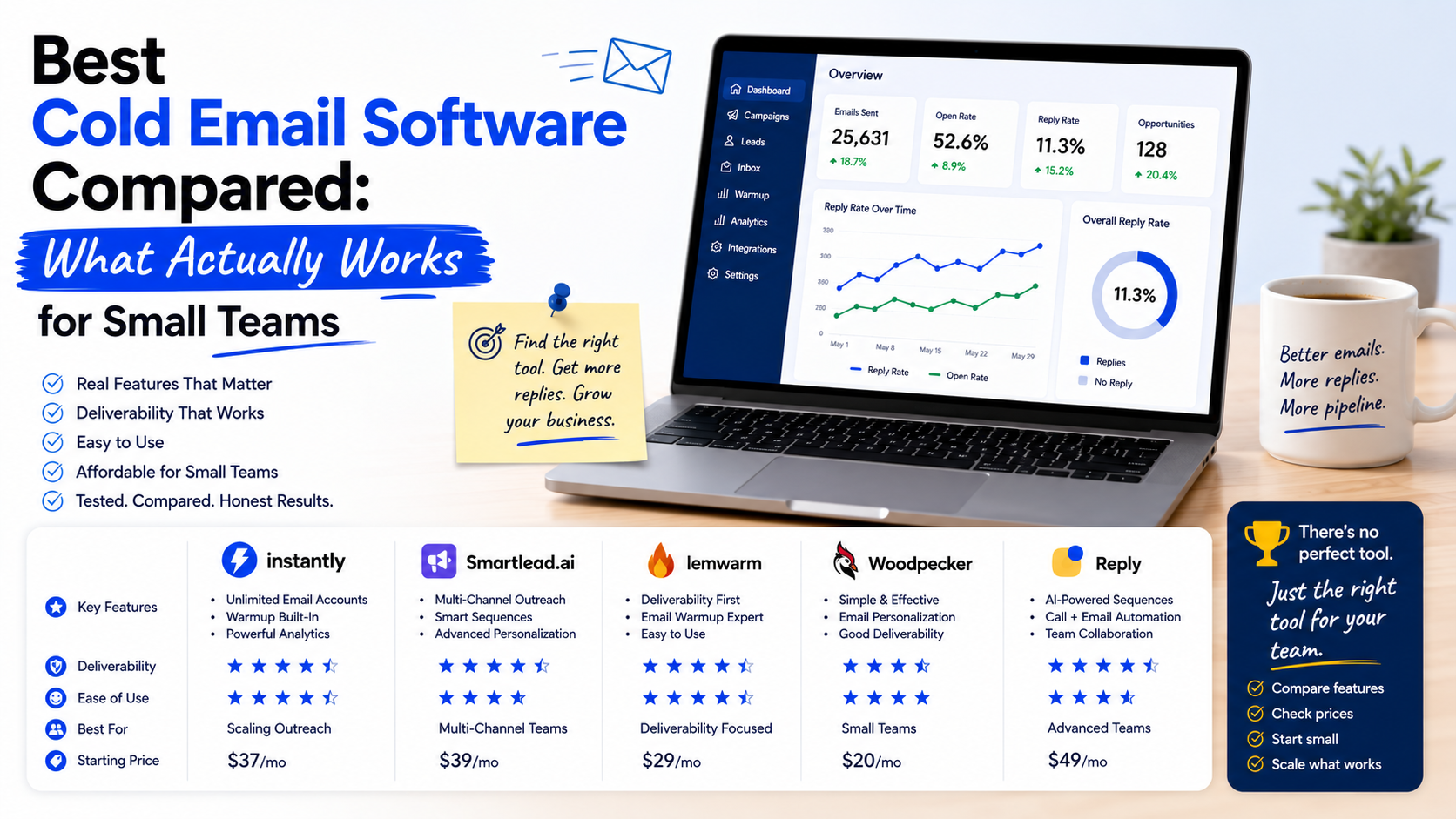
Cold Email Software Comparison Table
| Tool | Best For | Biggest Strength | Possible Weakness |
| Instantly | Agencies and outbound teams | Scaling campaigns | Requires outreach knowledge |
| Lemlist | Personalized emails | Strong customization | More manual effort |
| Apollo.io | Sales teams | Prospect database + outreach | Data still needs verification |
| Smartlead | Agencies | Managing multiple campaigns | Better for experienced users |
| Mailshake | Beginners | Easy setup | Fewer advanced features |
How to Choose the Right Cold Email Tool
Choosing software becomes easier when you understand your goal.
Step 1: Decide Your Outreach Style
Ask:
Are you sending many emails to targeted audiences?
A tool like Instantly or Smartlead may fit.
Are you sending fewer but highly personalized emails?
Lemlist may be better.
Do you need help finding prospects?
Apollo could be useful.
Step 2: Start With a Small Campaign
One mistake I made early was launching large campaigns before testing.
A better process:
Start with 100 to 200 prospects.
Test:
- Subject lines
- Email copy
- Offer
- Follow-up timing
Then improve.
Step 3: Protect Your Email Reputation
This is one area beginners often ignore.
Sending thousands of emails immediately from a new domain can create problems.
Good practices include:
- Use proper email authentication
- Warm up accounts when appropriate
- Remove invalid addresses
- Avoid spammy wording
The goal is long-term deliverability.
Common Cold Email Mistakes to Avoid
Sending Generic Messages
The fastest way to get ignored is writing emails that could be sent to anyone.
A prospect should understand:
“Why are you contacting me specifically?”
Focusing Only on Yourself
Many emails start with:
“We are a company that provides…”
The customer usually cares more about:
“How can this help me?”
Too Many Follow-Ups
Follow-ups are important, but there is a difference between persistence and annoyance.
Keep messages respectful.
Buying Random Email Lists
A large list does not automatically mean good results.
A smaller list of relevant prospects usually performs better.
Ignoring Replies
This sounds obvious, but it happens.
The purpose of cold email is starting conversations.
Do not spend all your time sending and forget responding.
My Personal Take: Which Cold Email Software Would I Choose?
If I was starting a small outreach campaign today, I would not immediately choose the most expensive or feature-packed platform.
I would choose based on the workflow.
For a beginner testing cold email:
Mailshake
For an agency managing multiple campaigns:
Instantly or Smartlead
For highly personalized outreach:
Lemlist
For sales teams needing prospect data:
Apollo.io
The software matters, but the system behind it matters more.
A great cold email campaign needs:
- The right audience
- A clear offer
- A personalized message
- Consistent follow-up
- Good tracking
The tool simply helps you execute that process.
Cold email is not about sending more messages.
It is about creating more meaningful conversations with the right people.
The best cold email software is the one that helps you do that consistently without making your workflow complicated.