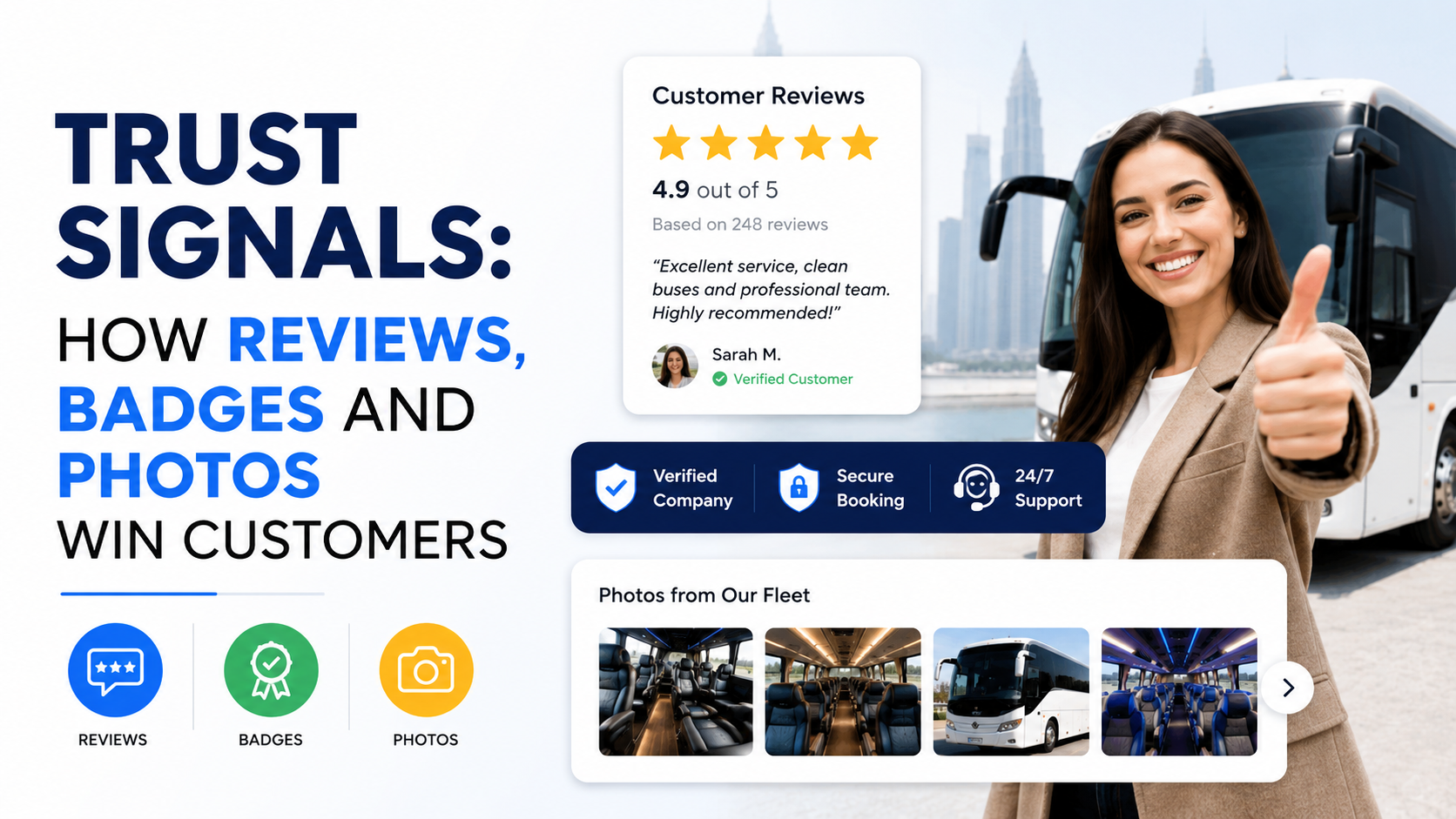
A customer can like your service and still decide not to contact you.
That is one of the most frustrating things about website conversion.
The offer makes sense.
The price seems reasonable.
The page looks professional.
But something still feels uncertain.
“Are these people actually good?”
“Is this business legitimate?”
“Will they show up?”
“Can I trust them with my money?”
“Have they done this before?”
That uncertainty is where trust signals matter.
I have seen service websites improve without changing the offer at all.
No new discount.
No new package.
No fancy animation.
They simply made the business feel more believable.
Real customer reviews became easier to find.
Project photos replaced generic stock images.
Certifications were shown where they actually mattered.
The About page used real team members instead of polished but anonymous photography.
The site stopped saying:
“Trusted by thousands.”
and started showing evidence of why anyone should trust them.
That is the real role of trust signals.
They do not magically make a weak business attractive.
They reduce the fear that comes with choosing a company you have never worked with before.
Customers Are Looking for Reasons to Feel Safe
This is especially important for service businesses.
Think about what a customer may be agreeing to.
A roofer may be working on their home.
A contractor may receive a large deposit.
An accountant may see financial records.
A marketing agency may get access to advertising accounts.
A cleaner may enter an office after hours.
A consultant may charge thousands before results are visible.
That creates risk.
The website has to answer some version of:
“Why should I believe you?”
Most businesses try to answer that with copy.
“We provide exceptional service.”
“We are committed to quality.”
“We put customers first.”
Those statements are fine.
The problem is that every competitor can write them.
Trust gets stronger when the proof comes from somewhere other than your own marketing copy.
That is why reviews, badges, credentials, photos, case studies, recognizable clients, and specific business information are so powerful.
Reviews Are Usually the Strongest Trust Signal
If I had to choose between a polished paragraph explaining how customer-focused a company is and ten detailed customer reviews, I would usually take the reviews.
Why?
Because the business controls the paragraph.
Customers control the experience behind the review.
A review gives potential buyers a glimpse of what working with you might actually feel like.
That matters.
Generic Reviews Are Better Than Nothing, but Specific Reviews Are Stronger
Compare these:
“Great company. Highly recommended.”
and:
“They replaced our roof after storm damage. The estimate was clear, the crew arrived when promised, and the project was completed in two days.”
The second review is far more useful.
It answers real questions.
Was communication good?
Did they show up?
Was the process clear?
Was the work completed?
That is why I prefer reviews that mention:
The problem.
The service.
The experience.
The result.
Specific reviews feel more believable because they sound like real situations.
Put Reviews Near the Decision
This is one of the most common trust mistakes.
A website has 100 great reviews.
Then hides them all on a page called:
“Testimonials.”
The visitor may never see that page.
Trust signals work best close to the moment when someone is deciding whether to act.
For example:
Service explanation.
Relevant review.
CTA.
Or:
Pricing.
Customer testimonial.
“Request a Quote.”
Or:
Form.
Star rating.
Short review.
Submit button.
The proof supports the decision instead of sitting somewhere else on the site.
Match Reviews to the Page
A landscaping company may have hundreds of customer reviews.
But if the visitor is reading a commercial landscaping page, a review about a small backyard project may not be the strongest choice.
Use relevant proof.
Commercial landscaping page:
Review from a property manager.
Roof replacement page:
Review from someone who had a roof replaced.
Dental implant page:
Review discussing implant treatment.
B2B consulting page:
Review from a similar business client.
The closer the review matches the visitor’s situation, the more useful it becomes.
Show Where Reviews Came From
If reviews come from a recognizable source, say so accurately.
For example:
Google.
Facebook.
Trustpilot.
Industry directory.
Booking platform.
Marketplace.
The source can add credibility.
But do not create fake review badges or make it look like Google officially endorsed your business when it did not.
There is a difference between:
“4.8 rating on Google”
and:
“Google Recommended Business”
unless that second claim is actually an official designation you genuinely hold.
Accuracy matters.
Do Not Rewrite Customer Reviews Into Marketing Copy
This is something I avoid.
A real customer writes:
“They were easy to deal with and finished the job on time.”
Then the business changes it to:
“ABC Contractors delivered an exceptional end-to-end experience with outstanding professionalism and unmatched quality.”
Now it sounds fake.
Clean up obvious spelling issues if necessary and appropriate, but do not turn the customer’s voice into corporate copy.
Natural language builds trust.
Reviews Should Look Real
Whenever permission and platform rules allow, include details such as:
Customer first name.
Full name where appropriate.
Company.
Job title.
Photo.
Project type.
Location.
That does not mean exposing customer information unnecessarily.
Use only what you have permission to display.
But:
“Sarah, Dallas”
usually feels more credible than:
“Happy Customer #12.”
For B2B testimonials:
“Sarah Mitchell, Operations Manager, ABC Properties”
can be particularly strong.
Negative Reviews Can Actually Build Trust
This sounds strange, but perfect review profiles can sometimes create suspicion.
If every review says:
“AMAZING!!! BEST COMPANY EVER!!!”
with no detail and perfect five-star ratings, people may wonder whether the reviews are genuine.
Real businesses occasionally receive criticism.
What matters is how they respond.
A calm response such as:
“Thanks for raising this. We’re sorry the scheduling did not go as planned. Our team has contacted you directly to resolve it.”
can actually demonstrate professionalism.
Do not argue with customers publicly.
Do not expose private details.
Do not insult them.
How a company handles a bad review tells customers a lot about what happens when something goes wrong.
Ask for Reviews at the Right Moment
Do not wait six months after the project.
Ask when the positive experience is fresh.
Good moments include:
After a successful job.
After delivery.
After the customer thanks you.
After a support issue is resolved.
After a repeat purchase.
After the customer compliments the work.
Make the process simple.
For local businesses, you might send a direct Google review link.
For other businesses, you may ask through:
Email.
SMS.
CRM automation.
Invoice follow-up.
Customer portal.
The request should feel natural.
Something like:
“Thanks again for working with us. If you have a minute, we’d really appreciate an honest review of your experience.”
No pressure.
No attempt to dictate what they should say.
Do Not Buy Reviews
This should be obvious, but it still happens.
Fake reviews create several problems.
They can violate platform rules.
They can damage your reputation.
They can mislead customers.
And badly written fake reviews are often easy to spot.
You are much better off with 20 real reviews than 200 suspicious ones.
Trust built through deception is not trust.
What Trust Badges Actually Do
Badges work differently from reviews.
Reviews say:
“Other customers had a good experience.”
Badges say:
“This business has met some external requirement.”
Examples may include:
Professional certification.
Trade association membership.
Authorized installer status.
Security certification.
Payment security.
Licensing.
Industry accreditation.
Award.
Insurance status where appropriate.
These can be powerful.
But only when the badge means something to the customer.
Do Not Turn the Website Into a Badge Collection
I have seen websites with 15 logos under the hero section.
Nobody knows what half of them mean.
That creates visual noise rather than trust.
Ask:
Would the customer recognize this?
Does it reduce a real concern?
Is it relevant to this service?
For example, on a roofing website, a manufacturer certification may matter.
On an ecommerce checkout, recognized payment and security signals may matter.
On an accounting website, professional qualifications may matter.
On a legal site, licensing and bar information may matter.
Relevant proof beats quantity.
Explain Unfamiliar Credentials
Sometimes a certification is important but customers do not understand it.
Do not assume they know.
Instead of showing:
“ABC Certified Level 3”
with no explanation, add:
“ABC Level 3 Certified — advanced manufacturer training for approved commercial installations.”
Now the badge means something.
The purpose is not displaying logos.
The purpose is reducing doubt.
Never Use a Badge You Did Not Earn
This can damage trust very quickly.
Do not display:
Awards you never won.
Memberships that expired.
Certifications belonging to another business.
Partner badges you are not allowed to use.
Fake security seals.
Made-up “Top Rated” graphics.
Customers can verify things.
Competitors can too.
If proof is fake, the trust signal becomes a trust problem.
Security Badges Matter Most Where Security Matters
You do not necessarily need giant security badges all over a local landscaping homepage.
But if someone is:
Entering payment details.
Creating an account.
Sharing sensitive information.
Providing personal data.
then reassurance matters more.
For ecommerce and online payment pages, clear checkout security and recognized payment options can help.
But the badge itself does not create security.
Your website still needs real technical safeguards such as:
HTTPS.
Secure payment processing.
Reliable platforms.
Updates.
Access controls.
Do not use a “Secure Website” graphic as a substitute for actual security.
Real Photos Are One of the Most Underused Trust Signals
This is becoming even more important.
Stock photography is everywhere.
AI-generated photography is easy to create.
That means real photography stands out.
If you own a landscaping company, show:
Your team.
Your trucks.
Your equipment.
Actual properties.
Finished projects.
If you run a dental clinic, show:
The real clinic.
Reception.
Treatment rooms.
Dentists.
Staff.
If you are an architect:
Show real projects.
Site visits.
Team members.
Drawings.
Finished spaces.
People want evidence that the business is real.
Real Photos Reduce the “Is This Company Legit?” Question
Imagine two contractor websites.
Website A:
Beautiful stock photo of a luxury house.
Website B:
Actual crew standing beside a branded vehicle at a completed local project.
Which feels more believable?
Usually Website B.
It may even be slightly less polished.
That is okay.
Authenticity often does more for trust than perfection.
Use Professional Photos Without Making Them Feel Fake
Real photos do not have to mean bad phone pictures.
Good photography helps.
The goal is:
Professional but believable.
You can hire a photographer for half a day and capture:
Team portraits.
Office.
Vehicles.
Tools.
Work in progress.
Completed projects.
Customer-facing spaces.
That one photo session can provide content for:
Website.
Google Business Profile.
Social media.
Ads.
Proposals.
Email.
It is usually a good investment for visual service businesses.
Before-and-After Photos Work Extremely Well
For businesses where the result is visible, before-and-after proof can be stronger than almost any sales copy.
Examples:
Landscaping.
Cleaning.
Remodeling.
Roofing.
Painting.
Flooring.
Restoration.
Dental cosmetic work where appropriate and compliant.
Auto detailing.
Before:
Clear problem.
After:
Visible result.
The customer instantly understands the value.
Use real projects.
Keep angles similar where possible.
Do not manipulate the photos in a way that exaggerates the result.
Project Galleries Should Explain the Work
A gallery with 50 unnamed photos is better than no proof.
But context makes it much stronger.
Instead of:
Image 01.
Image 02.
Image 03.
Try:
“Commercial landscape renovation — Plano, TX”
“New paver patio installation — Austin, TX”
“Office interior redesign — 4,500 sq. ft.”
“Roof replacement after hail damage — Dallas, TX”
This gives the photos meaning.
It also helps potential customers find projects similar to their own.
Show People, Not Just Work
Customers like seeing who they may actually deal with.
A service business can feel much more trustworthy when the website introduces real people.
For example:
“Meet Your Project Manager”
“Meet Our Installation Team”
“Meet the Dentists”
“Meet Our Designers”
Add:
Name.
Role.
Relevant experience.
Short natural bio.
Avoid writing bios that sound like award acceptance speeches.
Something simple is enough.
Team Photos Matter Especially for Personal Services
Imagine hiring:
A therapist.
Consultant.
Wedding photographer.
Interior designer.
Dentist.
Financial advisor.
Real estate agent.
The relationship itself matters.
Customers often want to see the person before contacting them.
A real photo makes the experience feel less anonymous.
Client Logos Can Build B2B Trust
For B2B companies, recognizable client logos can be strong social proof.
For example:
“Trusted by teams at…”
followed by genuine client logos.
But only use logos when you have permission or the right to display them.
Do not imply relationships that do not exist.
Also, relevance matters.
If you are selling to construction companies, a recognizable construction client may be more persuasive than a famous but unrelated brand.
Numbers Can Be Trust Signals Too
Specific numbers can create credibility when they are real.
Examples:
“Serving Dallas since 2009.”
“1,200+ completed installations.”
“4.9-star average rating.”
“Supporting 35 commercial properties.”
“Over 500 projects completed.”
Numbers make broad claims more concrete.
But do not invent them.
I would rather see:
“86 completed projects”
than:
“10,000+ happy clients”
if 86 is the truth.
Years in Business Help, but Do Not Overdo It
Experience can reduce risk.
“Serving Phoenix homeowners since 2004”
is useful.
It says:
We have been around.
We are not disappearing tomorrow.
But a new company can still build trust without decades of history.
Use:
Founder experience.
Relevant past projects.
Certifications.
Customer reviews.
Clear processes.
Real team photos.
Strong communication.
Trust does not come from age alone.
Show Business Details Clearly
Basic information can be a trust signal too.
This includes:
Phone number.
Professional email.
Business location where appropriate.
Service area.
Business hours.
Company registration details where relevant.
Real company name.
If a visitor cannot figure out who operates the website, trust drops.
This is especially important for local companies.
A customer wants to know:
“Are you actually near me?”
Your About Page Matters More Than You Think
People often visit the About page before making contact.
They are checking:
Who owns this business?
Why was it started?
How experienced are they?
Is this a real team?
Do I feel comfortable with them?
Use the page to answer those questions.
Avoid filling it with generic lines such as:
“We are passionate about excellence.”
Tell the real story.
Even a simple version works:
“We started ABC Landscaping in 2016 after spending several years managing commercial properties and seeing how difficult it was to find reliable maintenance crews.”
That feels human.
Process Is a Trust Signal
Customers trust businesses more when they know what happens next.
A clear process reduces uncertainty.
For example:
1. Request an Estimate
Tell us what you need.
2. Site Visit
We inspect the property.
3. Written Proposal
You receive clear scope and pricing.
4. Scheduling
We agree on a start date.
5. Completion
We complete the work and review it with you.
Nothing revolutionary.
But now the customer knows what to expect.
That feels safer.
Pricing Transparency Can Build Trust
You do not always need to publish exact prices.
Many services cannot be priced accurately without more information.
But you can still provide guidance.
For example:
“Projects typically start from $5,000.”
“Most maintenance packages range between $500 and $1,500 per month depending on property size.”
“Consultations start at $250.”
Pricing context reduces the fear that contacting you will lead to an awkward sales conversation with completely unexpected pricing.
Guarantees Can Build Trust When They Are Realistic
A guarantee can reduce perceived risk.
Examples:
Workmanship warranty.
Satisfaction policy.
Product warranty.
Free revision policy.
Cancellation policy.
But do not promise things you cannot control.
“Guaranteed #1 Google ranking”
is not credible.
“12-month workmanship warranty on installation”
is much more concrete.
Use guarantees to clarify responsibility, not to create hype.
Awards Can Help, but Context Matters
“Best Business Award 2025”
might sound impressive.
But customers may wonder:
Who gave the award?
Was it a real competition?
Did 10 businesses receive it?
Give context where necessary.
For example:
“Winner — 2025 Dallas Home Services Award, Roofing Category.”
That is more meaningful.
Again, only use legitimate awards.
Media Mentions Can Add Credibility
If the company has genuinely appeared in:
Local news.
Industry publications.
Podcasts.
Trade magazines.
Television.
Recognized websites.
you can show:
“As featured in…”
This can work especially well for:
Consultants.
Professional services.
Experts.
Founders.
But do not create “As Seen In” sections using publications that merely received your press release.
The connection should be genuine.
Trust Signals Need to Be Visible on Mobile
This gets overlooked.
Desktop design may show:
Reviews.
Badges.
Case studies.
Team information.
Then the mobile version hides half of it or pushes everything far down the page.
Check trust on a phone.
Ask:
Can I see reviews?
Is the rating readable?
Can I view project photos?
Are badges too small?
Can I read testimonials?
Does the CTA appear near the proof?
Mobile visitors need reassurance too.
Do Not Overload the Hero Section
Trust is useful.
Too much trust proof at once becomes clutter.
I have seen hero sections containing:
Five-star graphic.
Six badges.
10 client logos.
Three review quotes.
License number.
Award icon.
“Since 1995.”
Everything fighting for attention.
The hero still needs a clear message.
One or two strong trust signals are usually enough initially.
For example:
“4.9 stars from 180+ Google reviews”
under the main CTA.
Then show additional proof lower on the page.
Place Different Trust Signals at Different Stages
I like to think of trust building as a sequence.
Top of Page
Quick reassurance.
Examples:
Review score.
Years in business.
Relevant certification.
Middle of Page
Stronger evidence.
Examples:
Projects.
Case studies.
Testimonials.
Client logos.
Near the Form
Risk reduction.
Examples:
Response time.
No-obligation estimate.
Privacy reassurance.
License or insurance where relevant.
About Page
Human trust.
Examples:
Team.
Story.
Experience.
Location.
This creates trust gradually instead of dumping everything into one section.
Trust Signals Can Improve Paid Landing Pages Too
Suppose you run a Google Ads campaign.
Ad:
“Commercial Roofing in Austin”
Landing page:
Clear offer.
Quote form.
But no reviews.
No projects.
No company details.
No licensing information.
The visitor may still hesitate.
Add:
Relevant commercial roofing project.
Real testimonial.
Years serving the area.
Appropriate credentials.
Now the visitor has evidence behind the ad.
Paid traffic often needs trust faster because the visitor may know nothing about your company before clicking.
Local Businesses Should Combine Website and Google Trust
For local companies, I like using both.
Google Business Profile provides:
Reviews.
Photos.
Business details.
Map visibility.
Your website provides:
Deeper service information.
Projects.
Case studies.
Team.
FAQs.
Process.
Lead forms.
The two should support each other.
Use real Google reviews on the site where allowed.
Link to the profile.
Keep business information consistent.
A customer may check both before deciding.
Trust Signals Also Help Referrals
This is something businesses forget.
Someone recommends you.
The prospect still searches your company.
They visit the website.
They are not discovering you.
They are verifying you.
If the site has:
Broken pages.
No team.
No photos.
No reviews.
No projects.
Outdated information.
the referral loses strength.
A good website confirms:
“Yes, the recommendation makes sense.”
Common Trust Signal Mistakes
Using Fake Reviews
Short-term gain, major long-term risk.
Using Generic Stock Photos Everywhere
The business feels anonymous.
Displaying Irrelevant Badges
They add clutter without reassurance.
Hiding Reviews on One Page
Customers may never see them.
Using Old Awards
Expired or irrelevant proof can make the site look neglected.
Making Every Testimonial Sound Identical
Real customers do not all speak the same way.
No Team Information
The business feels faceless.
No Project Context
Photos exist, but customers do not know what they are seeing.
Fake Counters
“10,000+ Happy Customers” means nothing if it is invented.
Overloading the Page
Too much proof can reduce clarity.
A Practical Trust Audit
If I were auditing a service website, I would check these areas.
1. Reviews
Are real customer reviews visible?
2. Review Quality
Do they mention specific experiences?
3. Photos
Are there real project and team photos?
4. Credentials
Are relevant certifications shown accurately?
5. Business Information
Can I tell who and where the company is?
6. Projects
Can I see actual work?
7. Process
Do I understand what happens after contacting the business?
8. Pricing Context
Do I have some idea of what working together may cost?
9. About Page
Does the company feel human?
10. CTA Areas
Is trust visible close to forms and decision points?
If several of those are missing, I would fix them before worrying about another visual redesign.
Example: A Roofing Website
Imagine a homeowner lands on a roof replacement page.
A strong trust path could look like this:
Hero
“Roof Replacement in Dallas”
CTA:
“Request a Roof Inspection”
Below:
“4.9 stars from 200+ local customer reviews.”
Service Section
Explain the replacement process.
Project Photos
Show real completed roofs.
Customer Review
Quote from a homeowner who had a replacement completed.
Certification
Show relevant manufacturer credential.
Process
Inspection.
Estimate.
Scheduling.
Installation.
Final walkthrough.
Final CTA
“Request Your Inspection”
Beside the form:
“Licensed and insured. Written estimates provided before work begins.”
That page feels much safer than one saying:
“We are the best roofing company in Dallas.”
Example: A Marketing Agency
Trust signals would look different.
The page might use:
Client logos.
Case studies.
Real analytics screenshots.
Specific results.
Team photos.
Industry expertise.
Testimonials.
For example:
“Organic enquiries increased from 12 to 38 per month over six months.”
Much stronger than:
“We drive incredible growth.”
Again, use numbers only when you can support them.
Example: An Interior Designer
Here, visual trust matters heavily.
Use:
Real finished projects.
Before-and-after photos.
Designer profiles.
Project details.
Client testimonials.
Design process.
Location.
Press features where legitimate.
A potential client is not only buying design.
They are trusting someone with their home and a significant budget.
Seeing the real work matters.
The Best Trust Signals Answer a Specific Fear
This is the simplest way I know to choose what belongs on a page.
Ask:
“What is this customer worried about?”
If they worry about quality:
Show work.
If they worry about reliability:
Show reviews mentioning communication and timing.
If they worry about expertise:
Show credentials and case studies.
If they worry about legitimacy:
Show the real team, location, and company details.
If they worry about money:
Show pricing context, estimates, or clear scope.
If they worry about the process:
Explain the steps.
If they worry about risk:
Show warranty or appropriate guarantee information.
Trust signals work best when they answer real concerns.
Proof Should Come Before Claims
I like this rule because it keeps websites grounded.
Instead of:
“We are trusted experts.”
show:
15 years in business.
Relevant certifications.
Real customer reviews.
Completed projects.
Instead of:
“We deliver exceptional results.”
show:
Case study.
Real outcome.
Customer quote.
Instead of:
“We care about our customers.”
show a review that says:
“They answered every question and kept us updated throughout the project.”
Let the evidence do more of the selling.
You Do Not Need Every Trust Signal
A small business does not need:
50 reviews.
Ten certifications.
National media coverage.
Celebrity endorsements.
A giant client logo wall.
Start with what is real.
Maybe you have:
12 strong Google reviews.
Five completed projects.
Three real team photos.
One certification.
A clear process.
That is enough to build a credible website.
Add more proof as the business grows.
Trust Is Built Through Consistency
This is the part that is easy to overlook.
One badge does not create trust.
One review does not create trust.
The entire experience does.
The ad says one thing.
The website says the same thing.
The photos look real.
The reviews support the promise.
The phone number works.
The form sends.
Someone replies.
The quote is clear.
The team arrives when promised.
That consistency is what actually creates trust.
The website is simply the beginning of it.
If your website gets traffic but customers still hesitate, do not immediately add more sales copy.
Look at the page from their point of view.
What proof would make the decision feel safer?
Maybe it is a review.
Maybe it is a real project photo.
Maybe it is a team member.
Maybe it is a certification.
Maybe it is simply showing the business address and phone number clearly.
Trust signals work because they reduce uncertainty.
And when a customer feels they understand who you are, what you have done, and what will happen next, contacting you becomes a much easier decision.