A few years ago, I noticed something strange while looking at local businesses on Google.
One company had hundreds of customers walking through the door every month but barely had any Google reviews.
Another business in the same area seemed much smaller, yet its profile had a steady stream of recent reviews.
The difference was not that the second company had dramatically happier customers.
They simply asked.
More importantly, they had built asking for reviews into their normal customer process.
That is the part many business owners miss.
Most satisfied customers do not wake up the next morning thinking, “I should probably leave that plumber a Google review.”
They get back to work, pick up the kids, answer messages, make dinner, and forget about it.
If you want more Google reviews, your job is not to manipulate customers into giving you five stars. Your job is to make it easy for genuine customers to share their experience.
Google actually encourages businesses to remind customers to leave reviews and provides businesses with review links and QR codes for that purpose. What Google does not allow is offering discounts, free products, payments, or other incentives in exchange for reviews.
That distinction is important.
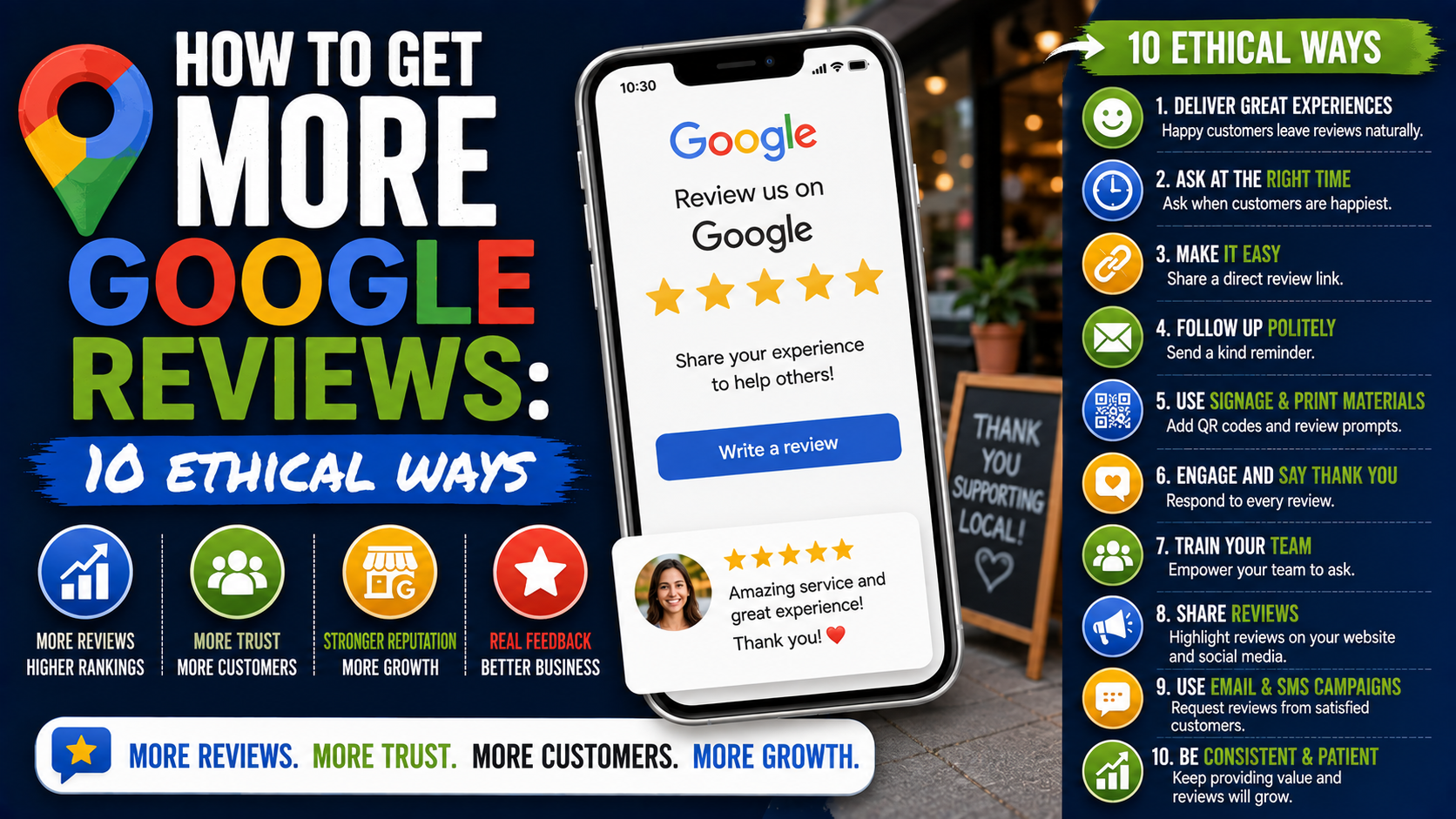
So rather than chasing shortcuts, here are ten ethical ways to get more Google reviews that can work for restaurants, contractors, dentists, agencies, landscapers, salons, repair companies, law firms, and most other local businesses.
First, Make Leaving a Review Ridiculously Easy
Before trying any of the methods below, get your Google review link.
Do not tell customers:
“Search our company on Google, find our listing, scroll down, click reviews, and then leave us one.”
That is too much work.
Google lets Business Profile owners create a direct review link and QR code. From your Business Profile, you can go to Read Reviews, choose Get more reviews, and copy the review link. Google also provides a QR code that can be downloaded from a computer browser.
Save that link somewhere your team can easily access it.
I would keep it in:
- Your CRM
- A shared Google Doc
- Your email templates
- Your SMS templates
- Your invoicing software
- Your team’s phone notes
- Your customer follow-up workflow
Once that is ready, everything becomes easier.
1. Ask Right After a Successful Customer Experience
Timing is probably the biggest factor businesses overlook.
Ask too early and the customer has not experienced the result yet.
Wait three weeks and they may barely remember the details.
The best moment is usually shortly after the customer has clearly received value.
For a restaurant, that might be after the meal.
For an HVAC company, it might be after the air conditioner is working again.
For a landscaping contractor, it may be when the homeowner sees the finished patio.
For an agency, it could be after delivering an important result or completing a successful project milestone.
Imagine a contractor finishes installing a new driveway.
The homeowner walks outside and says:
“This looks amazing.”
That is a perfect moment.
Instead of simply saying thanks, the contractor can say:
“If you have a minute later, we’d really appreciate your honest feedback on Google. I’ll send you the link so it’s easy.”
Notice the wording.
You are asking for feedback, not demanding five stars.
That keeps the request natural and ethical.
2. Send a Simple Review Request by Text Message
Text messages work well because people actually see them.
Emails can sit unopened for days.
A short text often gets noticed within minutes.
Keep it simple.
Something like:
“Thanks again for choosing Greenway Landscaping. If you have a minute, we’d appreciate your honest feedback about your experience. You can leave a Google review here: [review link]”
That is enough.
You do not need:
“PLEASE GIVE US FIVE STARS!!!”
You do not need six paragraphs explaining how reviews help small businesses.
And you definitely do not need to pressure customers.
If your business uses platforms such as Jobber, Housecall Pro, HubSpot, GoHighLevel, ServiceTitan, or another CRM, you may be able to automate the message after a job reaches a completed status.
Just test the automation carefully.
One mistake I have seen with automated workflows is asking for a review at the wrong time.
Imagine a repair company automatically sends:
“We hope you loved our service! Leave us a review!”
while the customer is still waiting for a technician to return with a replacement part.
That makes the automation feel careless.
Trigger review requests only when the customer experience is genuinely complete.
3. Add the Review Link to Your Thank-You Email
This is probably the easiest method for businesses already sending customer emails.
After completing a project, purchase, appointment, or service, send your normal thank-you message and include a review link.
Google specifically suggests including review links in thank-you emails.
Do not make the whole email about the review.
The customer should feel thanked first.
For example:
“Thanks for trusting us with your kitchen renovation. We hope you’re enjoying the new space.
If you have a moment, we’d also appreciate your honest feedback on Google. It helps us understand how we’re doing and helps other homeowners researching local contractors.
[Leave a Google Review]”
It feels much more natural than:
“YOUR REVIEW IS IMPORTANT. CLICK HERE NOW.”
For ecommerce or retail businesses, the same idea can be used after the customer has had enough time to receive and use the product.
4. Use a Google Review QR Code in Your Store
QR codes are surprisingly useful when customers interact with your business physically.
Google allows businesses to generate a QR code that points customers toward the review process, and Google itself suggests displaying it in your store or adding it to receipts.
You could place one on:
- Reception desks
- Checkout counters
- Table cards
- Restaurant receipts
- Service invoices
- Business cards
- Appointment cards
- Packaging inserts
- Vehicle service paperwork
The important part is placement.
Do not stick a tiny QR code in the corner of a poster behind a plant and wonder why nobody scans it.
Give customers some context.
For example:
How was your visit?
Share your experience on Google.
Then place the QR code underneath.
That works much better.
I also recommend testing the QR code yourself before printing 5,000 cards.
It sounds obvious, but broken links, badly cropped QR codes, and codes that are too small to scan happen more often than you would expect.
5. Train Employees to Ask Naturally
A review strategy often fails because only the owner remembers to ask.
If five employees interact with customers every day but nobody knows when or how to request a review, opportunities disappear constantly.
Give your team one simple process.
For example:
After a successful customer interaction:
- Confirm everything is complete.
- Ask if the customer needs anything else.
- Thank them.
- Mention that honest Google feedback is appreciated.
- Send the direct link.
You can even give employees a simple sentence to use:
“If you have a minute later, we’d really appreciate an honest Google review about your experience.”
That is enough.
Do not turn employees into review salespeople.
Customers can tell when someone is reading a forced script.
The goal is simply to make asking part of the normal service process.
6. Put the Review Request on Receipts and Invoices
Invoices are another overlooked place to request feedback.
For service businesses, the invoice is often one of the final customer touchpoints.
Add a short line near the bottom:
Happy with your experience? Share your feedback on Google: [link]
If invoices are printed, use a QR code.
If invoices are digital, use a clickable link.
This method works especially well for:
- Electricians
- Plumbers
- Roofers
- Landscapers
- Auto repair shops
- Contractors
- Cleaning companies
- Pest control companies
It is not aggressive.
The customer is already receiving the document anyway.
You are simply making the review option available.
7. Follow Up Once When Customers Forget
Here is something worth remembering:
Not leaving a review does not automatically mean the customer disliked your service.
People forget.
I forget to respond to messages I genuinely intend to answer all the time.
Customers are the same.
If you sent a review request and received no response, one polite reminder several days later can be reasonable.
For example:
“Hi Sarah, just checking in to make sure everything is still going well with the new patio. If you haven’t already and have a minute, we’d appreciate your feedback here: [review link]. Thanks again.”
Notice what this message does first.
It checks on the customer.
The review request comes second.
That makes the follow-up useful rather than annoying.
I would not keep chasing the person.
One original request and one follow-up is plenty for most businesses.
Three texts, four emails, and a phone call asking for a review will probably achieve the opposite of what you want.
8. Ask Your Long-Term Customers Too
Businesses often focus entirely on new customers.
Meanwhile, they may have dozens or hundreds of existing customers who have used the company for years but have never reviewed it.
That is a missed opportunity.
Think about:
- Long-term clients
- Repeat customers
- Maintenance customers
- Membership customers
- Customers who regularly reorder
- Clients who have referred friends
These people have genuine experience with your business.
There is nothing wrong with asking them for honest feedback.
You could include a review request in a normal customer check-in:
“We’ve really appreciated working with you over the past year. If you’d like to share your experience, here’s our Google review link.”
Keep the request open-ended.
Do not only contact customers you believe will give five stars in an attempt to artificially control your rating.
Google says reviews should reflect genuine experiences, and its policies prohibit rating manipulation, including attempts to pressure users into particular ratings.
9. Reply to the Reviews You Already Have
This method does not directly ask anyone for a new review, but it is still part of a good review strategy.
Respond to existing reviews.
When potential reviewers visit your Business Profile and see that the company actually reads and responds to customer feedback, leaving a review feels more worthwhile.
Google recommends replying to reviews because it demonstrates that customer feedback matters.
Avoid copying and pasting:
“Thank you for the five-star review!”
onto every review.
Personalize the response when possible.
If someone says:
“Mike installed our new patio and did a great job explaining the drainage.”
A better reply would be:
“Thanks, Daniel. We’re glad you’re happy with the patio and that Mike was able to walk you through the drainage setup. We appreciate you trusting us with the project.”
You do not need an essay.
Just prove that someone actually read the review.
Negative reviews deserve professional responses too.
Google specifically advises businesses to remain polite, protect customer privacy, and use negative feedback as an opportunity to understand and address the customer’s experience.
10. Build Review Requests Into Your Normal Workflow
This is the biggest long-term improvement you can make.
Do not run a “review campaign” once every six months.
Create a system.
For a local contractor, that might look like:
Job marked completed → Thank-you email → Review link → One reminder after five days
For a dental clinic:
Appointment complete → Reception asks for feedback → Follow-up SMS with review link
For a restaurant:
Customer finishes meal → QR code on receipt → Staff mentions feedback when appropriate
For an agency:
Project milestone achieved → Account manager checks satisfaction → Review request sent
Once this becomes part of operations, reviews arrive more naturally.
You also avoid the strange pattern where a business gets 30 reviews in one weekend and then nothing for eight months.
A steady flow of genuine reviews makes much more sense from both a customer and reputation-management perspective.
What Not to Do When Trying to Get Google Reviews
Getting reviews slowly and ethically may not sound as exciting as some of the “growth hacks” floating around online, but the shortcuts can create real problems.
Google has become increasingly explicit about fake engagement.
Businesses found violating its fake engagement policy can face consequences beyond simply losing individual reviews. Google says restrictions may include temporarily preventing new reviews, temporarily unpublishing existing ratings, or displaying a warning informing customers that fake reviews were removed.
Here are the practices I would avoid completely.
Do Not Buy Google Reviews
There are websites and freelancers willing to sell 10, 50, or 100 reviews.
Do not do it.
A person in another country who has never interacted with your company cannot provide a genuine customer review.
Google’s policies require reviews to represent actual experiences.
Besides the policy risk, fake reviews often look painfully obvious.
You will see a roofing company in Texas suddenly getting reviews from accounts that reviewed a dentist in India, a restaurant in Dubai, and a car wash in Brazil on the same day.
Real customers notice strange patterns too.
Do Not Offer Discounts for Reviews
This one surprises some business owners.
You cannot say:
“Leave us a Google review and get 10% off your next order.”
The problem is not whether you asked for five stars.
The incentive itself can influence the review.
Google explicitly prohibits offering payments, discounts, free goods, free services, or similar benefits in exchange for posting reviews.
You can run a customer discount.
You can ask for reviews.
Just do not make one conditional on the other.
Do Not Ask for a Five-Star Review
Ask for an honest review.
There is a meaningful difference.
“Would you mind sharing your experience on Google?”
is fine.
“Please leave us five stars.”
is trying to control the rating.
Google’s rating manipulation policy specifically covers attempts to pressure customers toward particular ratings or reviews.
Do Not Have Employees Review the Business
Employees, owners, family members, contractors, and other people with conflicts of interest should not be used to artificially inflate the company’s reputation.
Google considers reviews affected by personal or professional conflicts of interest to be biased content.
You want customer experiences.
Not your marketing team’s opinions about its own employer.
Do Not Panic Over Every Negative Review
A perfect 5.0 rating is not the goal.
Google itself advises businesses to value honest and balanced reviews, noting that a mix of feedback can help potential customers make decisions.
A business with 247 reviews and a 4.7 rating can look perfectly healthy.
One unhappy customer does not destroy your reputation.
Respond professionally.
Fix legitimate problems.
Move on.
If a review actually violates Google’s policies, you can flag it for removal. But Google makes it clear that a review is not eligible for removal simply because the business disagrees with it.
A Simple 30-Day Review Plan
If your profile currently gets very few reviews, do not overcomplicate this.
Start here.
Week 1
Generate your official Google review link and QR code.
Test both.
Create one standard SMS request and one email request.
Week 2
Train everyone who interacts with customers.
Explain when a review should be requested and give them simple wording.
Week 3
Add the review link or QR code to:
- Invoices
- Receipts
- Thank-you emails
- Customer follow-ups
- Your checkout area, where relevant
Week 4
Review what happened.
How many requests were sent?
How many reviews came in?
Were requests going out at the right time?
Were customers clicking the link?
Did staff remember to ask?
Then improve the process.
Do not obsess over hitting an arbitrary number like “50 reviews this month.”
Focus on making sure genuine customers consistently receive an easy opportunity to share feedback.
The Small Change That Usually Matters Most
If I had to simplify this entire strategy into one idea, it would be this:
Reduce friction.
Most customers are not refusing to review you.
They are busy.
If leaving a review requires searching Google, finding the correct listing, opening the reviews tab, and figuring out where to write something, many people will abandon the process.
Give them one direct link.
Ask at the right moment.
Keep the message short.
Then leave the decision with them.
You do not need giveaways, fake accounts, purchased reviews, or complicated tricks.
A customer has a real experience.
Your business asks for honest feedback.
The customer gets an easy way to share it.
You respond professionally.
Then you repeat that process with the next customer.
That is how a strong Google review profile should grow.
Not overnight, but steadily.
And when someone searches for your business six months from now, they will not just see a large number beside the stars. They will see recent stories from real customers describing what it is actually like to work with you.
That is far more valuable than another fake five-star review could ever be.